IT Support & Cybersecurity Specialist
Available for Work

Ivaylo
Atanassov

Passionate about IT. Obsessed with cybersecurity. Ready to get to work.
Based in Oslo, Norway and open to new opportunities.

8+
Projects Completed
5+
Certifications
119+
Blog Posts
130+
Completed TryHackMe Rooms
01 /

Who Am I

I self-funded my IT education while working part time, earned my CompTIA A+ and Network+, and built hands-on lab projects from scratch, like setting up SOC simulator, enterprise networks, building Windows Server environments, migrating VMs between hypervisors, writing automation scripts, and more. None of it was handed to me, and I got stuck plenty of times but I always found a way through. I'm currently studying for CompTIA Security+ and spending my free time learning new technologies, reading IT related books, and solving rooms on TryHackMe and HackTheBox. I also document everything on my Blog page.

On the work side, I have a year of on-site IT support experience troubleshooting hardware, Windows, software, networks, keeping internal systems running and helping end users. I also have 3 years of experience leading a team of 6 in a high pressure production environment where fast diagnosis and zero downtime was mandatory. That experience taught me how to stay calm under pressure, think systematically, and get things fixed fast, skills that carry over directly into IT.

If you want to see what I've been building, my GitHub has all my projects with full documentation.

View My GitHub →
// Quick Info
Location Oslo, Norway
Focus Area Cybersecurity & IT Support
Currently Studying for Security+
Available For Part-time / Full-time
Experience 1 year in IT Support
Languages English (C1), Greek (Native), Bulgarian (Native), Norwegian (B1)
02 /

Certifications

CompTIA
A+
Verified · Credly
CompTIA
Network+
Verified · Credly
CompTIA
CIOS Stackable
Verified · Credly
Google
IT Support Certificate
Coursera Professional Cert
Google
Cybersecurity Certificate
Coursera Professional Cert
CompTIA
Security+
Actively Studying
03 /

Projects

SOC Simulator

I wanted real SOC practice, not just videos and courses. So I built my own SOC training lab.

I press Start Simulation. The backend rolls a dice. 75% of the time it's a real attack from one of 250 scenarios based on real APT groups. 25% it's a false alarm that looks suspicious on purpose. I don't know which one I got. A background script runs 282 normal user actions on the VM at the same time so the alert feed is messy like a real one.

I read the alerts, write my incident report, submit it. A custom Claude API setup grades me with strict pre-set rules on techniques, tactics, timeline, severity, and recommendations. It already knows what ran on the VM so the grading is based on facts, not guesses. Vague reports get punished. Real evidence with timestamps gets full marks.

Wazuh and Sysmon handle detection. Atomic Red Team runs the techniques. Flask runs the backend and talks to the Windows VM through PowerShell Remoting. Every session is real practice.

View full project on GitHub →
Enterprise Network Segmentation Lab

Four VLANs running off a pfSense router. Management for IT, Corporate for employees, Guest for visitors, and a DMZ for the public web server. Each one isolated, each one with its own firewall rules, each one tested from every other VLAN to prove the isolation actually holds.

The Guest VLAN can only reach the internet, nothing internal. Corporate can hit the DMZ web server on ports 80 and 443 but can't SSH into it or touch the firewall. The DMZ itself can't start connections back into the network, so a compromised web server is a dead end for an attacker.

On top of all that, the DMZ server runs Ubuntu with Nginx, SSH moved to port 2222, root login killed, password auth off, and UFW rules layered on top of pfSense. Two firewalls between the internet and anything that matters.

View full project on GitHub →
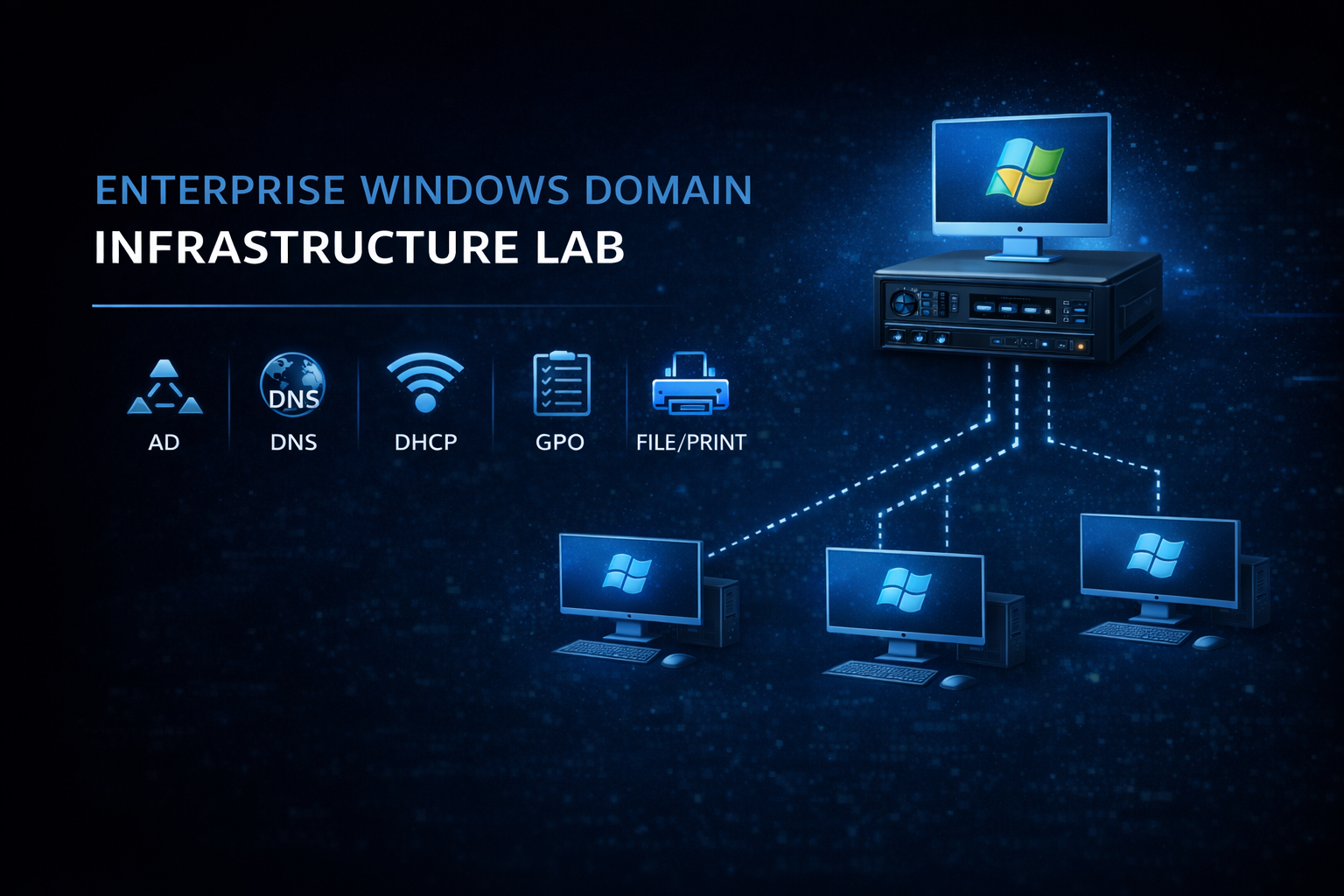
Enterprise Windows Domain Infrastructure Lab

A full Windows Server domain built for a consulting company.

Active Directory runs the show. I designed the OU structure around real departments, created security groups for each one, and assigned users so permissions follow the role, not the person. Sales people see Sales files. Management sees Management files. Nobody sees what they shouldn't.

DHCP hands out IPs in a controlled range so static assignments stay clean. DNS resolves the internal domain. File shares are locked down with both share-level and NTFS permissions, so even if someone bypasses one layer, the other still holds. Print services are centralized so adding a printer means only one configuration.

Group Policy ties it all together. Password length, desktop standards, security settings, all pushed from one place to every machine in the domain. Two Windows 11 clients are joined to the domain to prove the whole thing actually works end to end.

View full project on GitHub →
Google Workspace Environment From Scratch

A Google Workspace setup from a blank domain to a fully working email environment.

I started with a new domain from Porkbun, verified it in Google, then went into DNS. MX records pointing to all five Google mail servers with proper priority. SPF to lock down who can send as the domain. DKIM signing outgoing mail. DMARC tying it together with a quarantine policy and reports to a dedicated mailbox. TLS-RPT for failure notifications.

Then the users. Support, info, sales, and a monitoring account for DMARC and TLS reports. 2FA enforced with SMS turned off because SIM swap attacks are real. Authenticator apps and security keys only. Android devices set to require a work profile password and auto-wipe after 30 days inactive. OAuth locked down so users can't connect random third party apps.

Last part was a mailbox migration from Microsoft 365 using the Google Data Migration Tool. Emails, contacts, and calendar events all moved over. Verified with MXToolbox that every auth record was passing, sent test mail in and out, confirmed the environment was working end to end.

View full project on GitHub →
Active Directory Password Reset Script

A PowerShell script that resets passwords for a list of Active Directory users in one go.

Feed it a CSV with usernames, it shows you how many accounts it's about to touch, and waits for a yes before doing anything. No accidental mass resets. Every user gets a 12 character random password with a special character, and they're forced to change it at next login. The temporary password is never shown on screen or written to logs because anyone reading the log shouldn't be able to walk into accounts.

Every action gets timestamped and written to a log file. Successes, failures, missing accounts, permission errors. If something goes wrong, the script keeps going through the rest of the list instead of dying halfway through, and you get a full record of what happened at the end.

View full project on GitHub →
System Health Check Script

A Python script that runs a full system health check and prints a color coded report.

It pulls CPU usage, memory usage, disk space across every drive, system uptime, OS info, and the status of important Windows services. Then it pings Google and Cloudflare to confirm the box can actually reach the internet, and measures response time so you can spot a slow connection before users start complaining. Anything looking bad gets flagged in yellow or red so you don't have to read through numbers to find the problem.

Every run gets saved as a timestamped log in a Logs folder so you have a record of how the system was doing at any point in time. If a disk is inaccessible, a service is missing, or the network is down, the script handles it cleanly and keeps going instead of crashing on the first error.

View full project on GitHub →
PowerShell Backup Script

A PowerShell script that backs up a folder to a timestamped destination with the original structure preserved.

Before it copies a single file, it checks that the source folder actually exists and that there's enough free space on the destination drive. No half finished backups because the disk filled up halfway through. Each run creates its own folder named with the current date and time, so old backups never get overwritten and you can roll back to any point in time.

The folder hierarchy stays intact end to end. If two files end up with the same name in the same folder, the script adds a numeric suffix instead of silently overwriting one of them. After every copy it verifies the file size against the source to catch incomplete transfers, and if anything fails it logs the error and moves on to the next file. At the end you get a summary with total files backed up and how many errors hit, plus a full log inside the backup folder for the details.

View full project on GitHub →
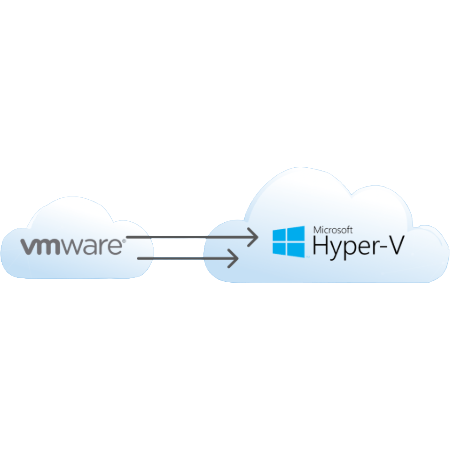
VMware to Hyper-V VM Migration

A process for moving a virtual machine from VMware to Hyper-V without losing data or breaking the boot.

VMware and Hyper-V use different disk formats, so the first step is converting the disk. The trick I learned the hard way is to attach that disk to a brand new Hyper-V VM, not an existing one. Reusing an old VM almost always sets off BitLocker because the hardware looks different, and you end up locked out before the system even finishes booting.

Once the VM is up, VMware Tools has to come off, Device Manager needs a look for missing drivers, and the network card has to be connected to the right virtual switch. The guide also covers the real problems I ran into. BitLocker recovery prompts, missing boot partitions, boot loops on the wrong VM generation, and the Microsoft account PIN reset loop after the hardware change. Each one with the actual fix.

View full project on GitHub →
04 /

Blog (119)

Ivaylo Atanassov
writeup
Shells Overview — TryHackMe Cyber Security 101
Walkthrough of TryHackMe's Shells Overview room — Learn about the different types of shells.
11/05/2026 54 min read
Ivaylo Atanassov
writeup
Gobuster: The Basics — TryHackMe Cyber Security 101
Walkthrough of TryHackMe's Gobuster: The Basics room — This room focuses on an introduction to Gobuster, an offensive security tool used for enumeration.
10/05/2026 42 min read
Ivaylo Atanassov
writeup
Hydra — TryHackMe Cyber Security 101
Walkthrough of TryHackMe's Hydra room — Learn about and use Hydra, a fast network logon cracker, to bruteforce and obtain a website's credentials.
09/05/2026 16 min read
Ivaylo Atanassov
ctf
Investigating Windows
Walkthrough of the TryHackMe Investigating Windows room - A windows machine has been hacked, its your job to go investigate this windows machine and find clues to what the hacker might have done.
08/05/2026 28 min read
Ivaylo Atanassov
writeup
Burp Suite: The Basics — TryHackMe Cyber Security 101
Walkthrough of TryHackMe's Burp Suite: The Basics room — An introduction to using Burp Suite for web application pentesting.
07/05/2026 34 min read
Ivaylo Atanassov
ctf
Mr Robot CTF
Walkthrough of the TryHackMe Mr Robot CTF - Based on the Mr. Robot show, can you root this box?
07/05/2026 35 min read
Ivaylo Atanassov
ctf
Agent Sudo
Walkthrough of the TryHackMe Agent Sudo room - You found a secret server located under the deep sea. Your task is to hack inside the server and reveal the truth.
06/05/2026 36 min read
Ivaylo Atanassov
writeup
SQL Fundamentals — TryHackMe Cyber Security 101
Walkthrough of TryHackMe's SQL Fundamentals room — Learn how to perform basic SQL queries to retrieve and manage data in a database.
05/05/2026 66 min read
Ivaylo Atanassov
ctf
c4ptur3-th3-fl4g
Walkthrough of the TryHackMe c4ptur3-th3-fl4g challenge - A beginner level CTF challenge
04/05/2026 25 min read
Ivaylo Atanassov
writeup
JavaScript Essentials — TryHackMe Cyber Security 101
Walkthrough of TryHackMe's JavaScript Essentials room — Learn how to use JavaScript to add interactivity to a website and understand associated vulnerabilities.
04/05/2026 25 min read
Ivaylo Atanassov
ctf
Attacktive Directory
Walkthrough of the TryHackMe Attacktive Directory - 99% of Corporate networks run off of AD. But can you exploit a vulnerable Domain Controller?
03/05/2026 30 min read
Ivaylo Atanassov
writeup
Web Application Basics — TryHackMe Cyber Security 101
Walkthrough of TryHackMe's Web Application Basics room — Learn the basics of web applications: HTTP, URLs, request methods, response codes, and headers.
03/05/2026 26 min read
Ivaylo Atanassov
writeup
Blue — TryHackMe Cyber Security 101
Walkthrough of TryHackMe's Blue room — Deploy & hack into a Windows machine, leveraging common misconfigurations issues.
02/05/2026 20 min read
Ivaylo Atanassov
ctf
Simple CTF
Walkthrough of the TryHackMe Simple CTF challenge - Beginner level ctf
02/05/2026 35 min read
Ivaylo Atanassov
writeup
Metasploit: Meterpreter — TryHackMe Cyber Security 101
Walkthrough of TryHackMe's Metasploit: Meterpreter room — Take a deep dive into Meterpreter, and see how in-memory payloads can be used for post-exploitation.
01/05/2026 28 min read
Ivaylo Atanassov
ctf
RootMe
Walkthrough of the TryHackMe RootMe challenge - A ctf for beginners, can you root me?
01/05/2026 28 min read
Ivaylo Atanassov
writeup
Metasploit: Exploitation — TryHackMe Cyber Security 101
Walkthrough of TryHackMe's Metasploit: Exploitation room — Using Metasploit for scanning, vulnerability assessment and exploitation.
30/04/2026 32 min read
Ivaylo Atanassov
ctf
Basic Pentesting
Walkthrough of the TryHackMe Basic Pentesting challenge - This is a machine that allows you to practise web app hacking and privilege escalation
28/04/2026 30 min read
Ivaylo Atanassov
writeup
Metasploit: Introduction — TryHackMe Cyber Security 101
Walkthrough of TryHackMe's Metasploit: Introduction room — An introduction to the main components of the Metasploit Framework.
28/04/2026 20 min read
Ivaylo Atanassov
ctf
Crack the Hash
Walkthrough of the TryHackMe Crack the Hash challenge - Cracking hashes challenges
27/04/2026 20 min read
Ivaylo Atanassov
writeup
Moniker Link (CVE-2024-21413) — TryHackMe Cyber Security 101
Walkthrough of TryHackMe's Moniker Link (CVE-2024-21413) room — Leak user's credentials using CVE-2024-21413 to bypass Outlook's Protected View.
27/04/2026 25 min read
Ivaylo Atanassov
ctf
Anthem
Walkthrough of the TryHackMe Anthem challenge - Exploit a Windows machine in this beginner level challenge.
26/04/2026 20 min read
Ivaylo Atanassov
writeup
John the Ripper: The Basics — TryHackMe Cyber Security 101
Complete walkthrough of TryHackMe's John the Ripper room — Learn how to use John the Ripper, a powerful and adaptable hash-cracking tool.
26/04/2026 45 min read
Ivaylo Atanassov
writeup
Hashing Basics — TryHackMe Cyber Security 101
Complete walkthrough of TryHackMe's Hashing Basics room — Learn about hashing functions and their uses in password verification and file integrity checking.
25/04/2026 32 min read

+95 more writeups on the blog page

View All Posts →
05 /

Experience

ABC Engineering
Nov 2017 – Dec 2018
Bulgaria
IT Support Technician

Day to day I was the person people came to when something broke or stopped working. Monitors, keyboards, mice, RAM, CPUs, full PC replacements, printers, ethernet cables, laptops, if it was hardware, I was handling it. On the software side I was troubleshooting Windows/Linux issues, fixing network problems, and making sure people could get back to work as fast as possible. For a company of around 100 people that keeps things pretty busy.

I was also setting up conference rooms with laptops and all the equipment needed for meetings, which sounds simple but when something goes wrong 5 minutes before a meeting starts, you learn to work fast and stay calm.

Beyond the daily support work, I was part of a small IT team that built an internal barcode scanning system the company used to look up and manage product information. We designed it, built it, maintained it and kept improving it over time. Nobody handed us a spec sheet, we were just told to build it and figure it out, which we did. Same story with the company website. We built it together, worked on it outside of hours when needed, and kept it running after launch.

A lot of the time I was working on my own, which meant I had to be comfortable figuring things out without someone to ask. That independence is something I carried with me into everything I have done since.

Sunlight
Jun 2019 – Jul 2022
Greece
Lead Machine Operator

Sunlight is one of the largest battery manufacturers in the world at the time, with around 1000 employees. I was operating a 30x10 meter industrial machine that was essentially 5 machines in one, producing large format lead batteries used in forklifts and other heavy equipment. The machine broke down every single day without exception, so diagnosing and fixing problems fast was just part of the job.

Three months in, after solving several long-standing production problems the company had been struggling with for years, they asked me to become shift leader. One of those problems involved optimizing the machine settings down to the millimeter and millisecond, the machine has over 40,000 configurable settings and it is very easy to break things if you do not know what you are doing. Within those 3 months I increased the daily production output by 15%.

As shift leader I was responsible for a team of 6 and for everything that happened on my shift. Every problem got reported to me and I had to find a fix fast so production never stopped. My shift ended up with the lowest downtime and the highest production numbers across all shifts, by a significant margin.

I was also in a project to set up and optimize brand new machines when they arrived at the factory. The goal was to get them performing like our machine, which took around 3 weeks per machine given the complexity involved.

What this role taught me more than anything is something about myself that I did not know before. No matter how bad the problem was or how much pressure there was, I was always calm and thinking straight. It was not something I trained or forced, it is just how I am. My colleagues noticed it too and would regularly ask me how I stayed so calm when everything was going wrong. That kind of composure is not something you can teach someone and I bring it with me into every technical problem I work on today.

Self-employed
2023 – Present
Oslo, Norway
Part-time Work / Full-time Learning

I chose to work part-time so I could spend the rest of my time doing what I actually wanted to do. Learning IT and building my skills. This was not a gap. It was a decision to invest in myself and in the career I want long term.

Outside of work I spent every free hour studying, building lab projects, earning certifications and learning new technologies. No days off. Not because someone told me to, but because I really wanted to. Technology has been a part of my life since I was a kid and when I thought back to my time in IT support in Bulgaria, I remembered exactly how much I enjoyed it. That was the moment I knew this was the career I was going to build.

During this period I earned CompTIA A+, Network+, CIOS, the Google IT Support and Google Cybersecurity certificates, built 8 documented lab projects from scratch, wrote over 119 technical blog posts, and completed 130+ rooms on TryHackMe. I am currently studying for Security+. Everything on this site came out of that time.

06 /

Get In Touch

Let's work together.

Hiring for an IT or security role? Or just want to connect? Either way, my inbox is open.