Anthem
This one is described as paying attention to details and finding the keys to the castle. No brute forcing, just a browser and Remote Desktop. Sounds chill enough.
Task 1 - Website Analysis
First thing as always, spin up nmap and see what we are dealing with.
nmap -sCV -p- 10.130.142.56

Nothing came back. Host is down. Restarted the machine. I tried pinging it and same result.

My first thought was that the machine did not boot properly, which happens way too often on TryHackMe, so I gave it a few minutes and tried again. Still nothing.
Turns out this one is intentional. The machine is configured to not respond to ping, which is a common thing on Windows hosts and some hardened Linux ones. TryHackMe being broken so often has genuinely trained me to assume it is always my problem, so this threw me off for a bit.
The fix is to tell nmap to skip the ping check entirely with -Pn. Without that flag, nmap pings the host first to check if it is alive before scanning. If the host does not respond to that ping, nmap just assumes it is down and gives up. The -Pn flag skips that whole step and goes straight to scanning the ports regardless of whether the host responds to ping or not. So you get actual results instead of nothing.
nmap -Pn -p- 10.129.182.79
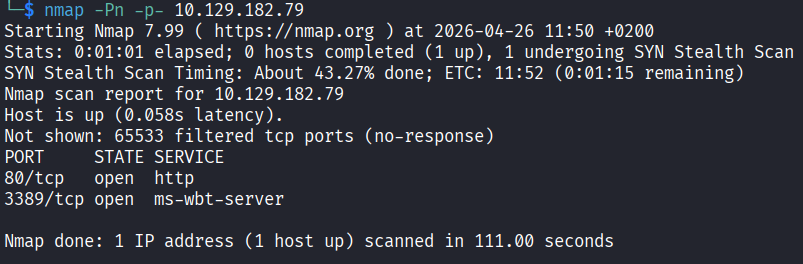
Now we get somewhere. Two open ports: 80 (HTTP) and 3389 (RDP).
Port 80 means there is a website. Let me go look at it.
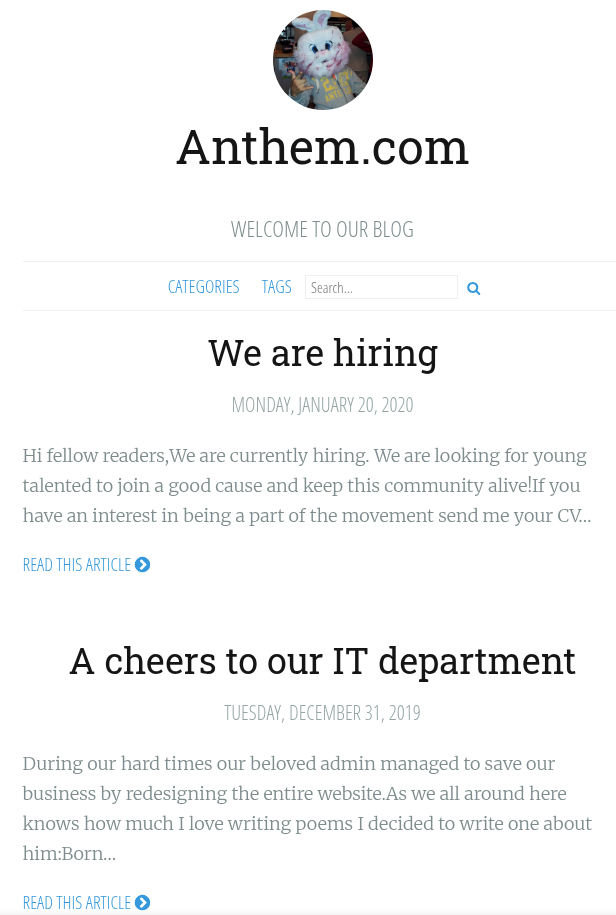
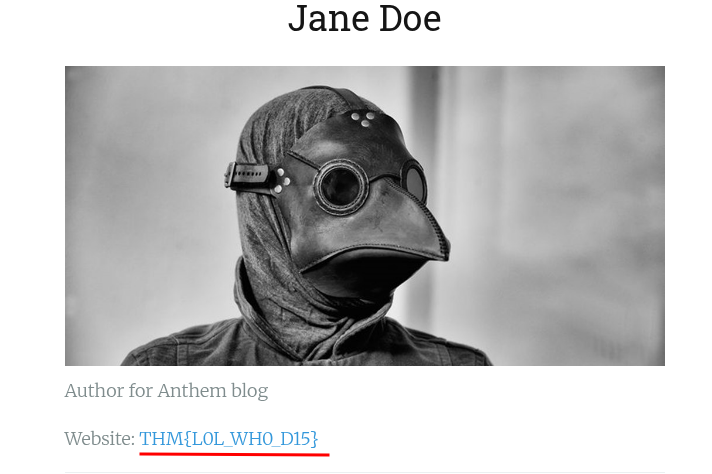
Poking around the site I found two names: Jane Doe with the email JD@anthem.com, and a reference to James Orchard Halliwell. There is also a flag sitting on the page but that is for task 2 so I am ignoring it for now.
Time to run gobuster and find any hidden paths.
gobuster dir -u http://10.129.182.79 -w /usr/share/wordlists/seclists/Discovery/Web-Content/common.txt
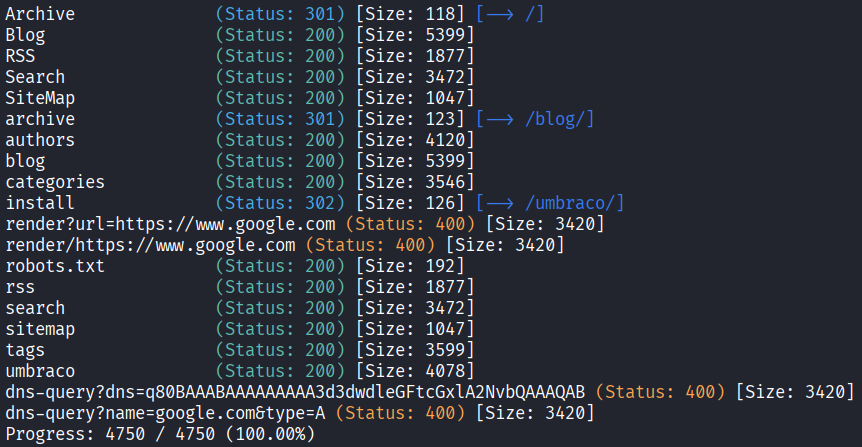
A few paths come back and the most interesting one is /umbraco. Umbraco is an open source CMS (Content Management System) built on .NET. It is used to build and manage websites, kind of like WordPress but less common and more enterprise-y. Finding it here means the whole site is probably running on it, and it has a login panel.
Opening /umbraco takes me straight to a login page.
While looking through the other paths I also hit /robots.txt and found this sitting inside it:
UmbracoIsTheBest!
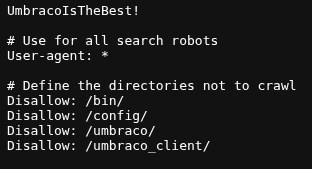
That is almost certainly a password. robots.txt is a file that tells search engine crawlers which parts of the site to ignore, it is not meant to store credentials obviously, but whoever set this up left it there.
So now I have some names and a potential password. I tried every combination I could think of to log into the Umbraco panel. Nothing worked.
I also figured since RDP is open maybe I can just get into the machine directly with what I have. Tried that too. Also nothing.
At this point I was a bit stuck and just went back at what I had. I went back to the website and read through it more carefully. There is a post that has a poem written about the admin:
Born on a Monday,
Christened on Tuesday,
Married on Wednesday,
Took ill on Thursday,
Grew worse on Friday,
Died on Saturday,
Buried on Sunday.
That was the end...
I was thinking maybe this is a hint about the admin’s name. I Googled the poem and the first result that came back was Solomon Grundy. That is the name of the nursery rhyme character this poem is about. And James Orchard Halliwell is just the author, not the admin.
So the admin is probably Solomon Grundy. Or at least their username is based on that. I tried the initials SG with the password from robots.txt and connected through RDP with Remmina.
Username: SG
Password: UmbracoIsTheBest!
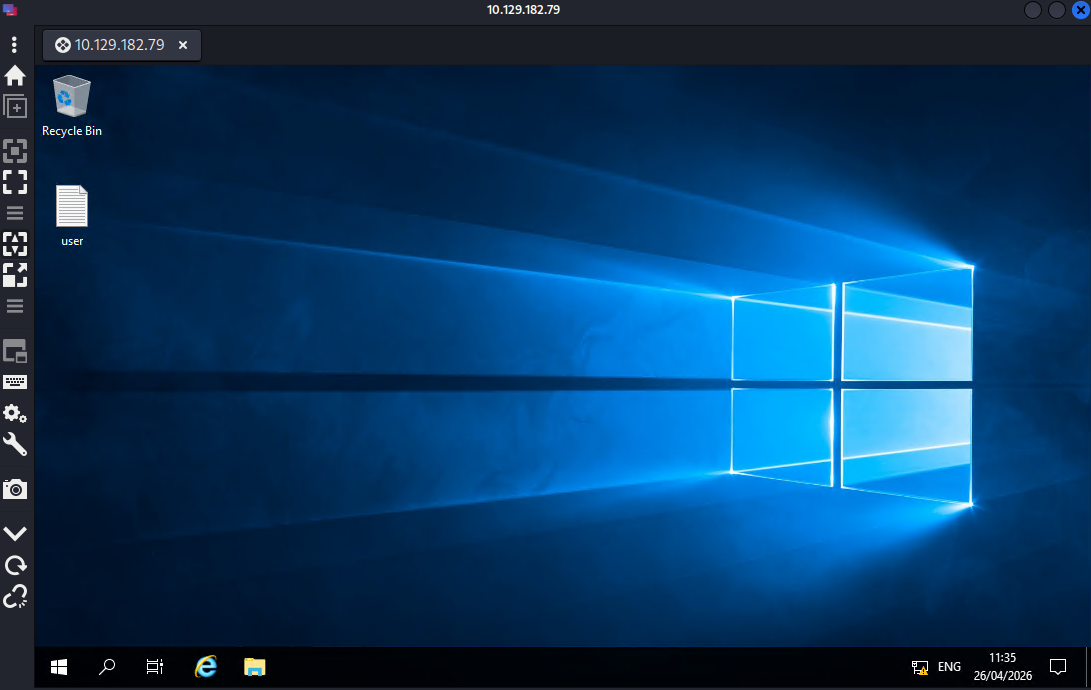
It worked.
Task 1 answers:
What port is for the web server? 80
What port is for remote desktop service? 3389
What is a possible password in one of the pages web crawlers check for? UmbracoIsTheBest!
What CMS is the website using? Umbraco
What is the domain of the website? anthem.com
What is the name of the Administrator? Solomon Grundy
Can we find the email address of the administrator? SG@anthem.com
Task 2 - Spot the flags
Four flags to find hidden around the website. I already noticed one earlier while browsing so I have a head start.
The flags are hidden in page source code. I went through the pages one by one and viewed the source for each.
The main page source had one flag. The blog post called “A cheers to our IT department” had another one in the source. The “We are hiring” page had the remaining one. And the third flag I already spotted earlier just from browsing the site.
Task 2 answers:
Flag 1: THM{L0L_WH0_US3S_M3T4}
Flag 2: THM{G!T_G00D}
Flag 3: THM{L0L_WH0_D15}
Flag 4: THM{AN0TH3R_M3TA}
Task 3 - Final stage
Already inside the machine from task 1. The first flag is just sitting on the desktop in user.txt, no work needed there.
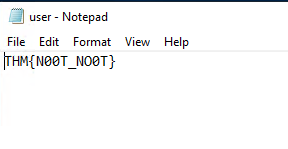
Now I need the admin password and then root access.
I opened File Explorer and the first thing I did was enable hidden items so I can actually see everything on the system. Then I started looking around.
Inside C:\ there is a folder called backup that should not be there. That is not a standard Windows folder.
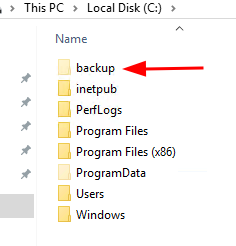
I opened it and there is a file called restore.txt inside.
Clicked on it and got an access denied error.
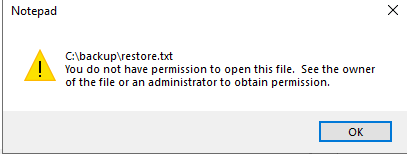
The file is there but SG does not have permission to read it.
To get around this I right clicked the file, went to Properties, then Security, then Edit, then Add. I typed SG, clicked Check Name to resolve it, and saved.
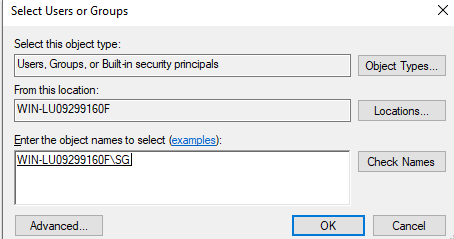
That gave SG read access to the file.
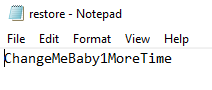
Opened it and the admin password was inside:
ChangeMeBaby1MoreTime
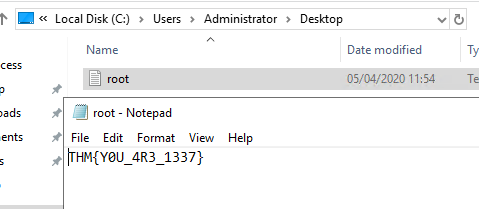
Last step is to get into the Administrator account. I navigated to C:\Users\Administrator, entered the password when Windows asked for it, opened the desktop folder, and read root.txt.
Task 3 answers:
Gain initial access to the machine, what is the contents of user.txt? THM{N00T_NO0T}
Can we spot the admin password? ChangeMeBaby1MoreTime
Escalate your privileges to root, what is the contents of root.txt? THM{Y0U_4R3_1337}
Takeaway
Enjoyed this one. The beginning had me frustrated because I genuinely thought the machine was broken and I burned a few minutes restarting it for no reason.
The poem thing was a nice touch. The whole thing is about paying attention to small details which is exactly what the task description says. Googling the poem to get the admin name felt satisfying.
The best part was the privilege escalation being on Windows. Most CTFs default to Linux for this and I have done that workflow so many times it is basically muscle memory at this point. Having to dig through a Windows file system and mess with file permissions was a good change and genuinely useful practice.
Good room.