What Are We Working With
A developer committed sensitive info to a GitHub repo and we have to find it. Classic mistake, happens more than you think.
Let’s open the machine and see what is inside the folder first:

There is a readme.md so let’s start there:
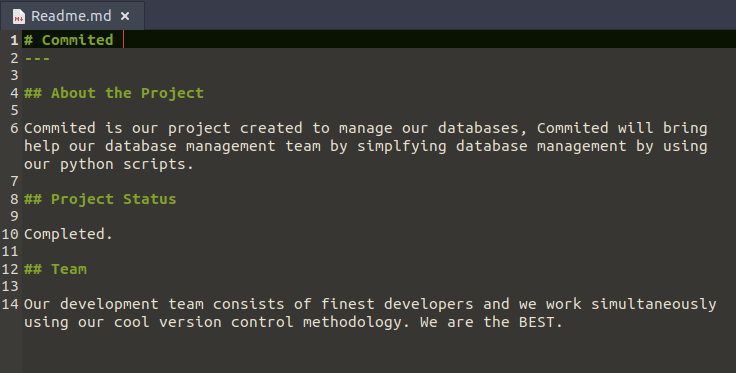
Now let’s look at the Python script:
import mysql.connector

def create_db():
    mydb = mysql.connector.connect(
    host="localhost",
    user="", # Username Goes Here
    password="" # Password Goes Here
    )

    mycursor = mydb.cursor()

    mycursor.execute("CREATE DATABASE commited")


def create_tables():
    mydb = mysql.connector.connect(
    host="localhost",
    user="", #username Goes here
    password="", #password Goes here
    database="commited"
    )

    mycursor = mydb.cursor()

    mycursor.execute("CREATE TABLE customers (name VARCHAR(255), address VARCHAR(255))")


def populate_tables():
    mydb = mysql.connector.connect(
    host="localhost",
    user="",
    password="",
    database="commited"
    )

    mycursor = mydb.cursor()

    sql = "INSERT INTO customers (name, address) VALUES (%s, %s)"
    val = ("John", "Highway 21")
    mycursor.execute(sql, val)

    mydb.commit()

    print(mycursor.rowcount, "record inserted.")


create_db()
create_tables()
populate_tables()
The interesting part is this:
user="",
password="",
The credentials fields are all empty right now. But the whole point of this challenge is that they probably were not always empty. Someone likely pushed real creds, panicked, wiped them, and pushed again thinking that would fix it. It does not. Git remembers everything.
Digging the Commit History
Git keeps a full history of every change ever made. So even if someone removes a password and commits again, the old version is still in the log. Let’s go into the .git folder and start digging:
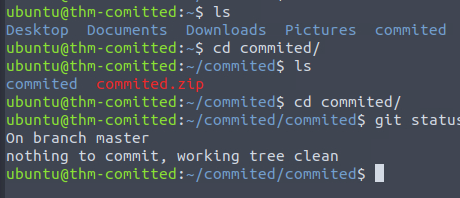
First let’s check the latest commit with git show:
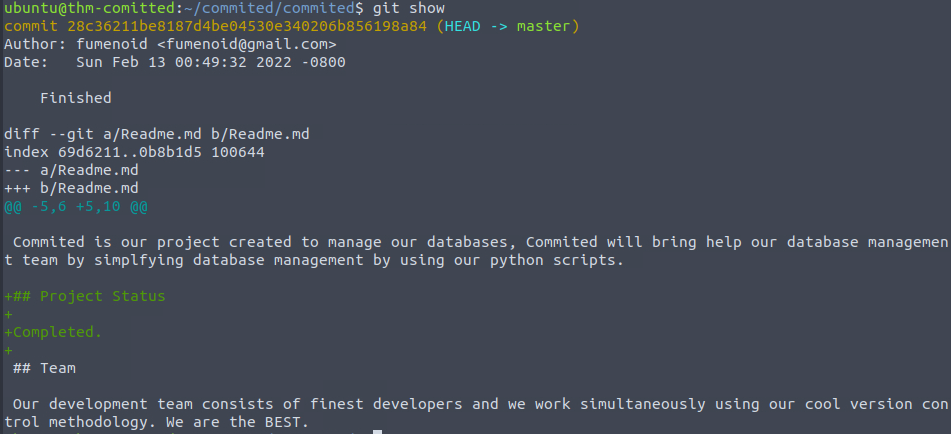
Nothing interesting there. Now let’s run git log to see all commits:
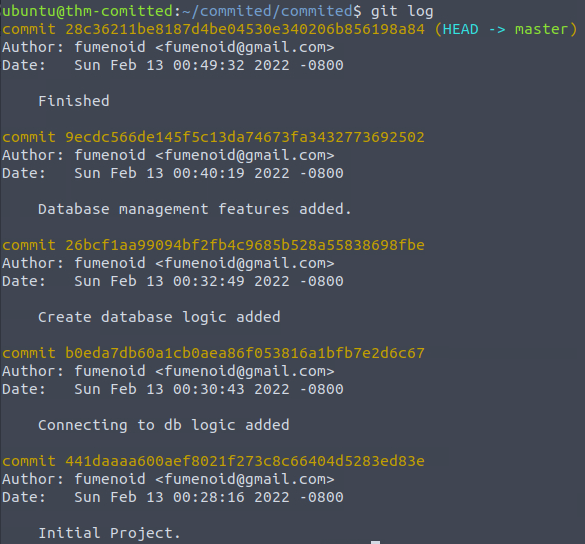
There are 5 commits total. To actually see what changed in each one you run git show with the commit ID like this:
git show 28c36211be8187d4be04530e340206b856198a84
I went through all 5 commits and did not find anything useful. So the credentials were not hidden in the main branch.
Checking Other Branches
When one branch comes up empty, always check if there are other branches. A lot of developers work on separate branches and forget that those are also tracked by git:
git branch -a

There is a dbint branch. Let’s switch to it and check the commits there:
git log dbint
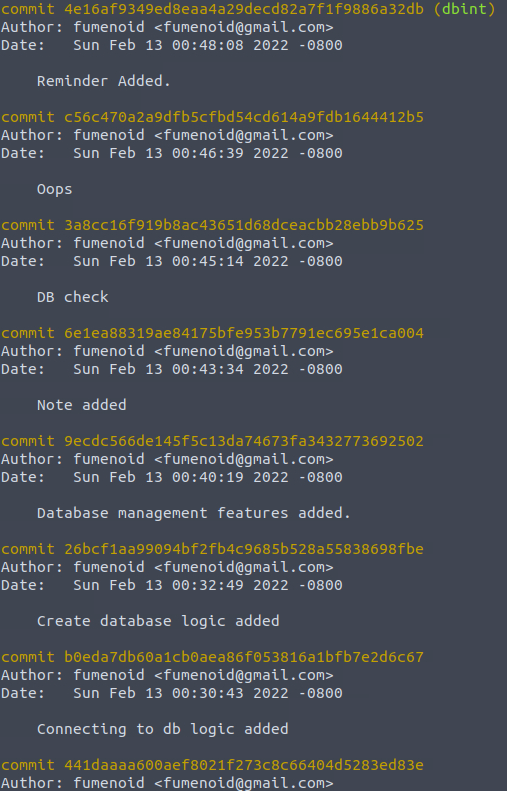
8 more commits to go through.
The first one had nothing interesting.
The second commit in this branch has it, hardcoded credentials sitting in the diff:
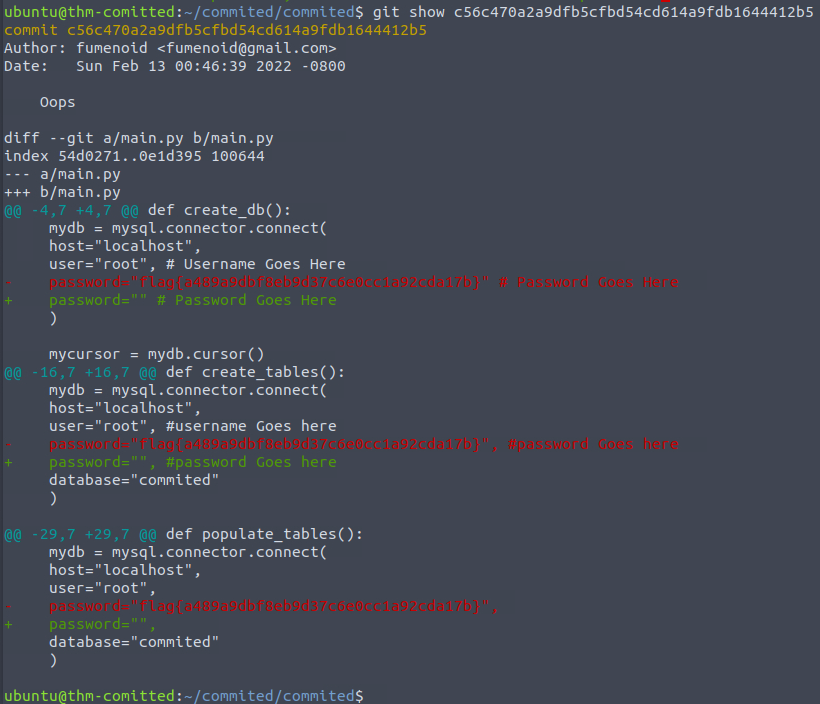
Flag: flag{a489a9dbf8eb9d37c6e0cc1a92cda17b}
- Deleting credentials and committing again does not erase them from git history, always rotate the actual credentials if they get leaked
- When main branch comes up empty, check all branches with
git branch -a - In real bug bounty and pentesting work, public GitHub repos are a goldmine for accidentally committed API keys, passwords, and tokens