What Is Going On Here
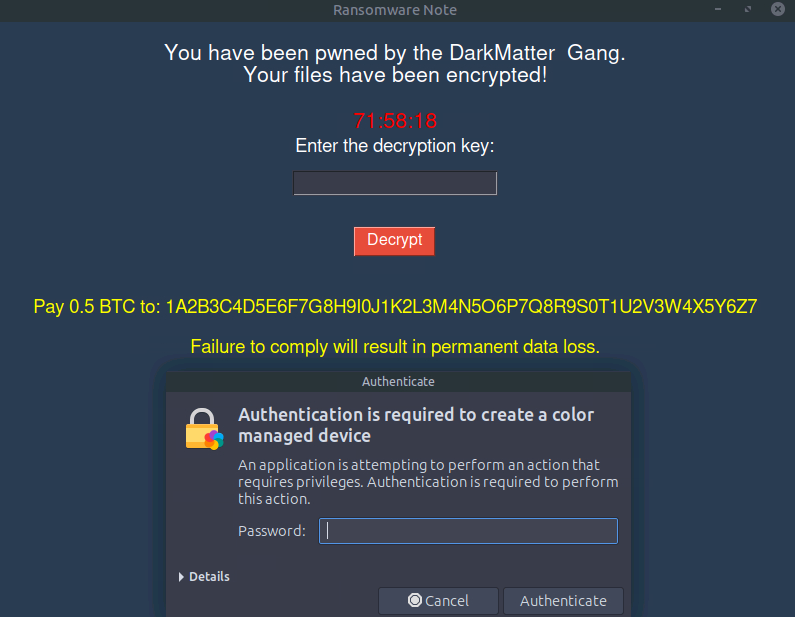
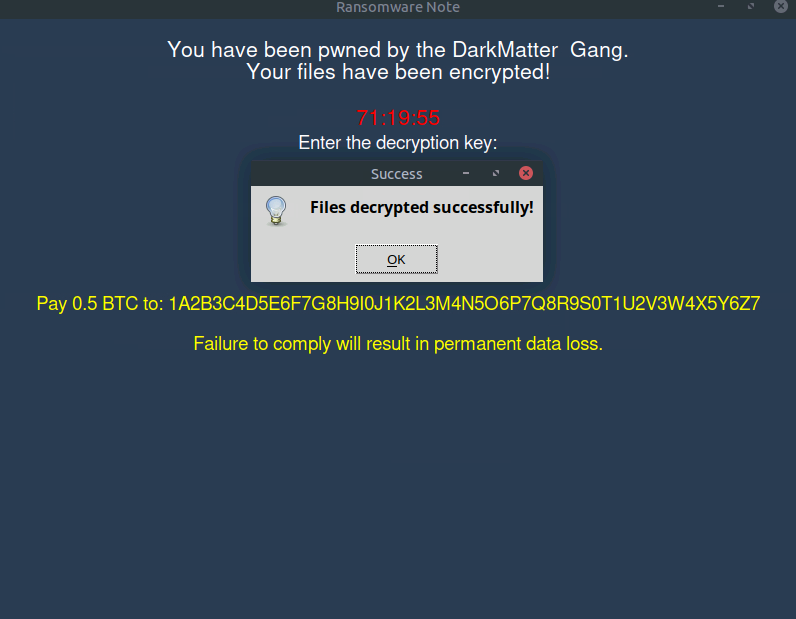
So the machine got hit by ransomware. Great. The description gives us one hint though: the ransomware was sloppy enough to leave some data sitting in the /tmp directory. That is our starting point.
The goal is to find the RSA key, use it to decrypt whatever the ransomware locked up, and get the machine back.
Poking Around in /tmp
First thing, open the terminal and head over to the tmp directory:
cd /tmp
Here is what is there:
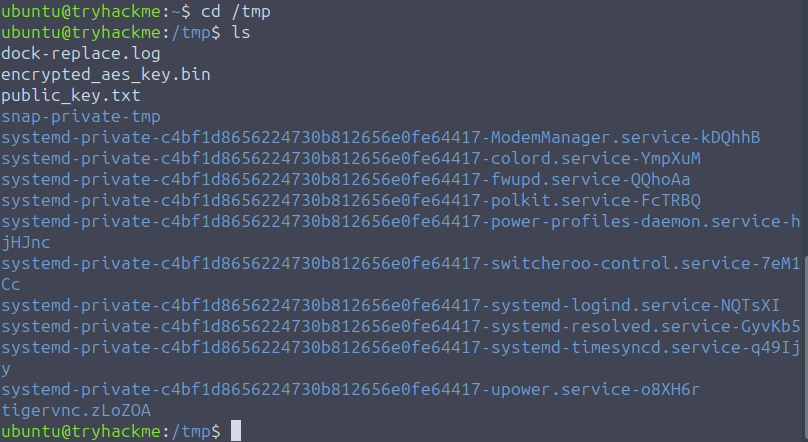
public_key.txt: The RSA public key, just two values: n and e
encrypted_aes_key.bin: The AES key, encrypted with the RSA key
dock-replace.log: Nothing useful
So the flow here is: RSA was used to lock the AES key. To get the AES key back we need to break the RSA first.
The Weak Link
I opened public_key.txt and it had two things in it:
n=340282366920938460843936948965011886881
e=65537
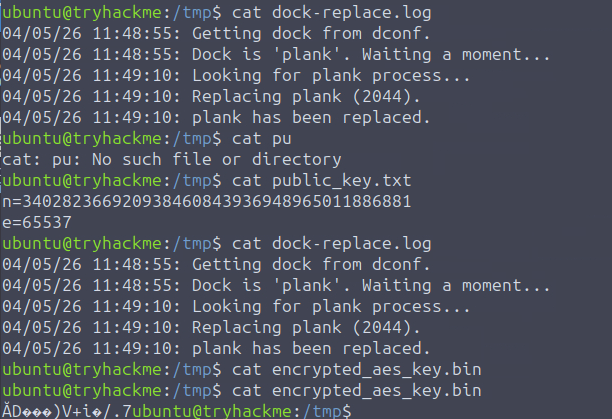
The n value is only 128 bits.
That is… bad. Real RSA uses 2048 bits minimum, usually 4096 for anything serious. A 128-bit modulus means whoever wrote this ransomware either had no idea what they were doing or just did not care. Either way, that is our way in.
The formula to recover the private key is:
d = e⁻¹ mod (p-1)(q-1)
We already have e from the public key. What we need is p and q, which are the two prime numbers that were multiplied together to make n. Normally with proper RSA you would never be able to factor n back into p and q, that is literally the whole point. But with 128 bits? Yeah, we can factor that.
Factoring n
I took the n value and threw it into factordb.com, which is basically a database of factored numbers. For a weak modulus like this it spits the answer out instantly.

Got p and q right there. Now it is just math.
Writing the Script
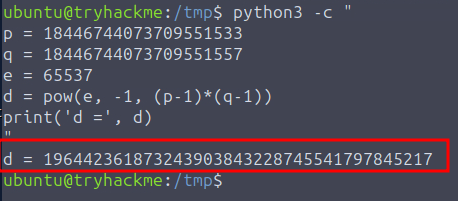
With p, q, and e in hand, I wrote a quick Python one-liner to calculate d:
python3 -c "
p = 18446744073709551533
q = 18446744073709551557
e = 65537
d = pow(e, -1, (p-1)*(q-1))
print('d =', d)
"
It ran, printed d, and I used it to unlock the machine. That was it.
Getting the Flag
Once the machine was unlocked, I opened student_grades.docx on the desktop and the flag was there.
Flag: THM{d0nt_l34k_y0ur_w34k_m0dulu5}
The flag name says it all honestly. Do not leak your weak modulus.