Defensive Security Intro
Tasks
- Task 1 — Introduction to Defensive Security
- Task 2 — Areas of Defensive Security
- Task 3 — Practical Example of Defensive Security
Task 1 — What is Defensive Security?
If offensive security is about breaking in, defensive security is the other side, preventing attacks from happening and dealing with them when they do.
The Blue Team handles this. Things like keeping systems updated, monitoring the network, setting up firewalls, training users not to click sketchy links. Less glamorous than red teaming but just as important.
The room also mentions some topics coming up later in the path such as SOC, Threat Intelligence, DFIR, Malware Analysis.
Question: Which team focuses on defensive security? Blue Team
Task 2 — Areas of Defensive Security
This task covers two big areas you’ll keep hearing about in cyber. SOC and DFIR.
A SOC (Security Operations Center) is basically a team that watches the network 24/7, looking for vulnerabilities, policy violations, unauthorized access, intrusions. If something suspicious happens, they’re the ones catching it.
Connected to that is Threat Intelligence, gathering information about potential attackers, understanding their tactics, and using that to build better defenses.
DFIR (Digital Forensics and Incident Response) covers three things. Digital Forensics, Incident Response, and Malware Analysis.
Digital Forensics — investigating what happened after an attack by analyzing file systems, memory, logs, and network traffic.
Incident Response is the plan you follow when an attack occurs. It has four phases: Preparation, Detection & Analysis, Containment/Eradication/Recovery, and Post-Incident Activity.
Malware Analysis — figuring out what a malicious program does. You can do this statically (inspecting the code without running it) or dynamically (running it in a controlled environment and watching what it does).
The malware types mentioned here are ones you’ll see constantly going forward: viruses, trojans, and ransomware.
- Virus — Attaches itself to a program and spreads between computers, altering or deleting files.
- Trojan — Looks like a legitimate program but hides a malicious function underneath.
- Ransomware — Encrypts your files and demands payment to get them back.
Question: What would you call a team of cyber security professionals that monitors a network for malicious events? Security Operations Center
Question: What does DFIR stand for? Digital Forensics and Incident Response
Question: Which kind of malware requires the user to pay money to regain access to their files? Ransomware
Task 3 — Practical Example of Defensive Security
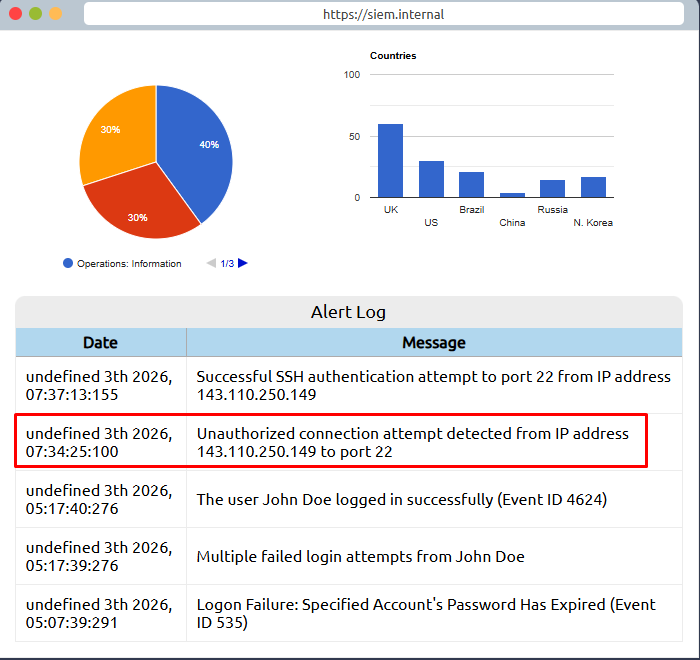
This task puts you in the role of a SOC analyst at a bank. The bank uses a SIEM (Security Information and Event Management) tool, which collects security events from various sources and displays them in one dashboard. When something suspicious shows up, it generates an alert.
Not every alert means an actual attack though. Part of the job is figuring out which ones are real threats and which ones are just normal activity that looks suspicious, like a user failing to log in multiple times because they forgot their password.
Looking through the alerts, two stand out, an unauthorized connection attempt and then a successful SSH authentication, both from IP 143.110.250.149. The failed logins from John Doe look like someone who forgot their password, not an attack.
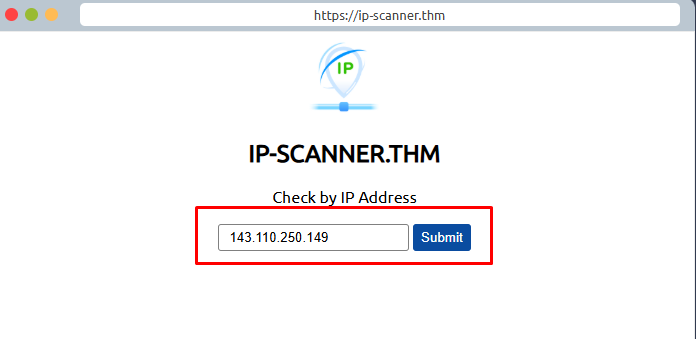
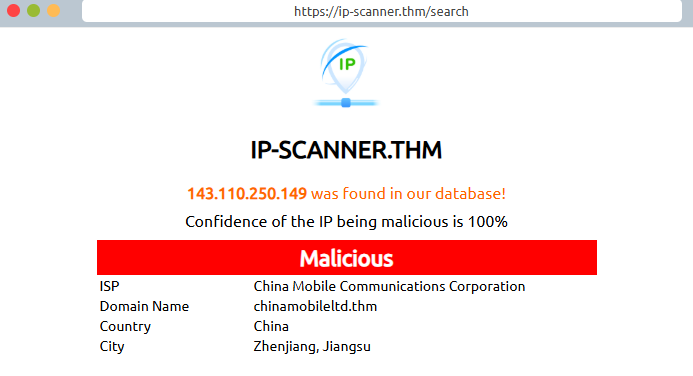
Next step is checking if that IP is malicious. The simulation gives you an IP scanner, and it comes back at 100% confidence of being malicious, traced to China Mobile Communications Corporation.
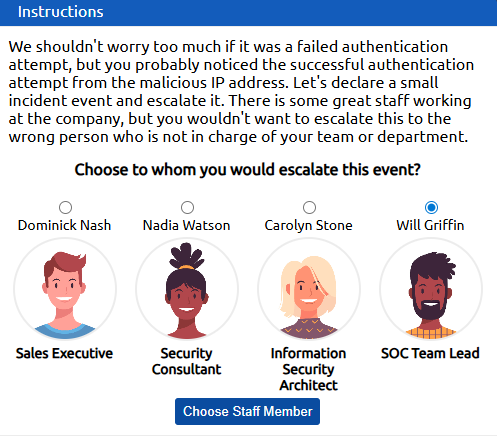
Now we need to escalate. The correct choice is Will Griffin, SOC Team Lead. You escalate security incidents to your team lead, not to people outside your department.
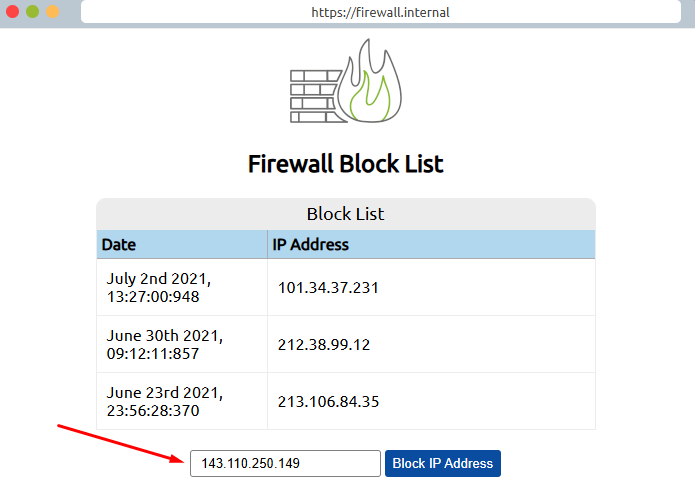
After getting the green light, the last step is blocking the IP on the firewall. Add 143.110.250.149 to the block list.
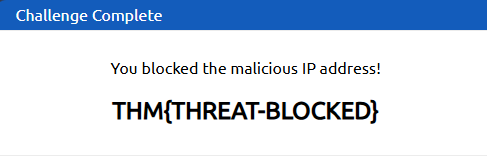
Question: What is the flag that you obtained by following along? THM{THREAT-BLOCKED}