Dev Diaries
A developer built marvenly.com and then just… vanished. No source code left behind, no handover. The website itself is not even accessible anymore. So the whole challenge is about digging up whatever history we can find.
Finding the Subdomain
Since the website is down and there is no source code to look at, the move here is to search for older records. Tools like https://crt.sh/ or https://dnsdumpster.com/ are perfect for this. I went with DNSDumpster because it is my favorite for this kind of recon work.
Threw marvenly.com in there and got a nice output back.
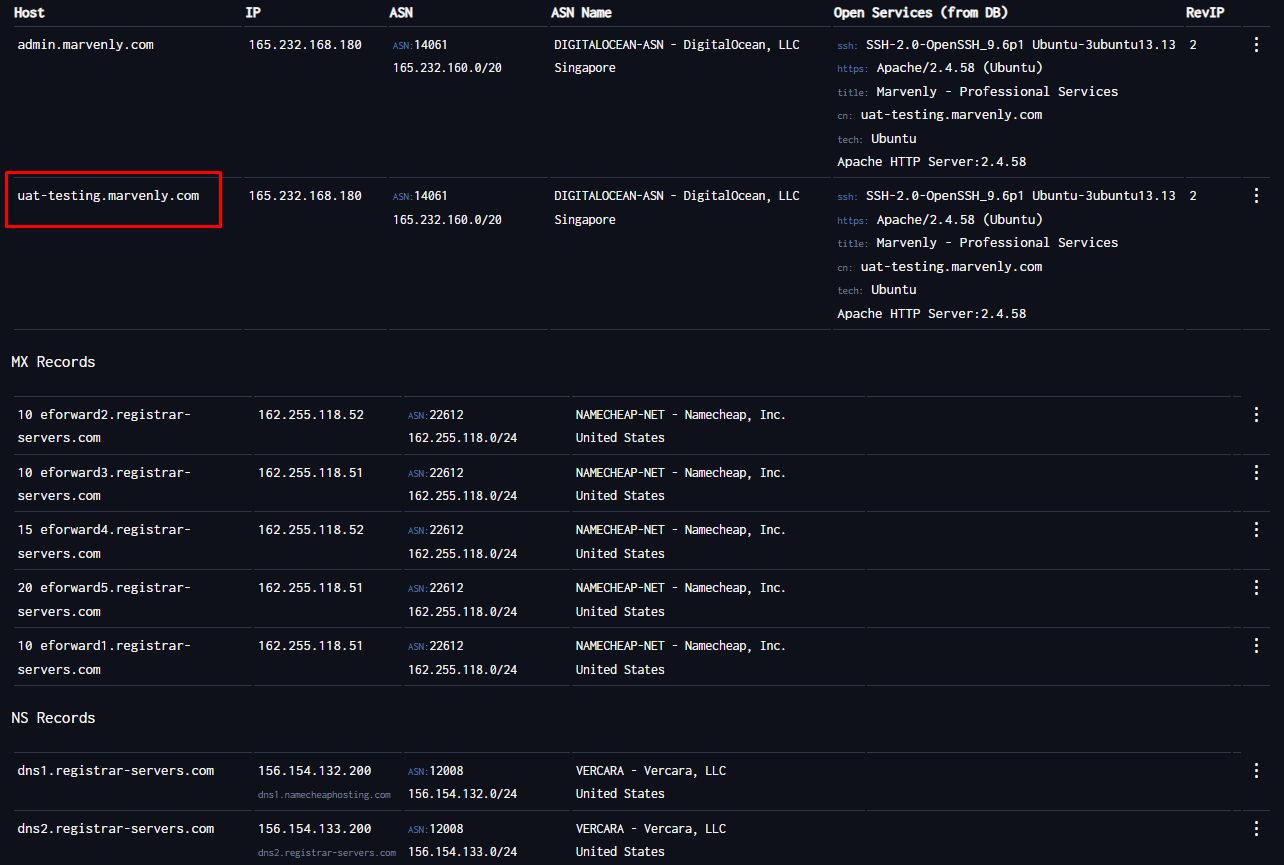
Right there in the results: uat-testing.marvenly.com. That is the development subdomain where the dev was probably testing things before they went full ghost mode.
Question 1: What is the subdomain where the development version of the website is hosted?
uat-testing.marvenly.com
Tracking Down the Developer
Next step is finding the GitHub account. I tried the obvious route first and searched GitHub marvenly on Google. Got nothing useful. The repo probably lives under a different name so that was a dead end.
After digging for about 5 minutes I just went directly to github.com/search and typed marvenly in there. First result looked exactly right.
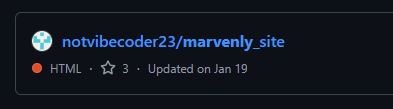
Question 2: What is the GitHub username of the developer?
notvibecoder23
Digging Through the Commits
Clicked into the repo and went straight to the commit history. There are 4 commits total so not a lot to go through.
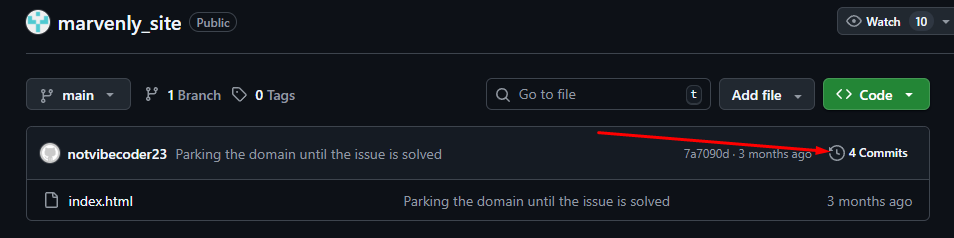
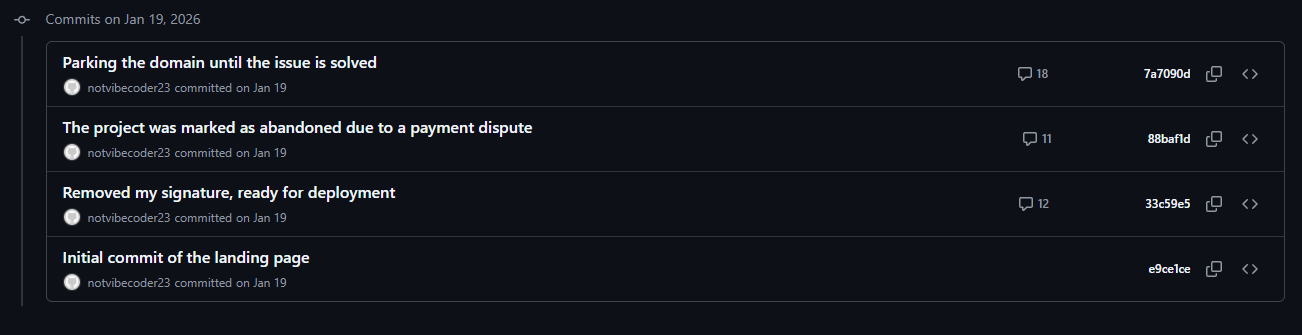
Started reading through them one by one to see what this developer was up to.
The commit messages tell the whole story. At some point the dev decided to pull the source code and left a very specific reason for it.
Question 3: What reason did the developer mention in the commit history for removing the source code?
The project was marked as abandoned due to a payment dispute
Classic. Someone did not get paid and rage quit the whole thing. Fair enough.
While I was at the bottom of that commit I also spotted the flag there:
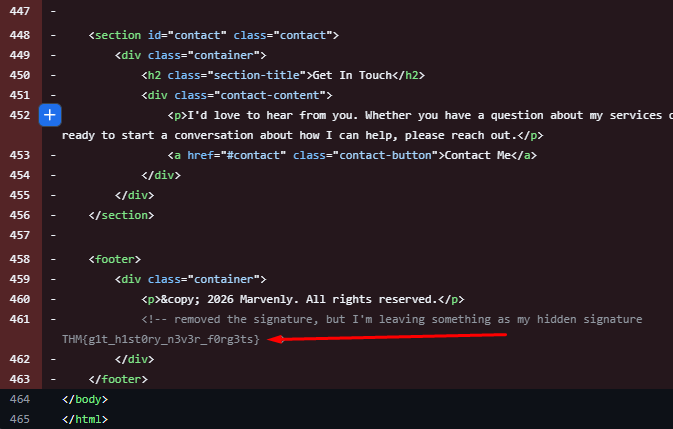
Flag: THM{g1t_h1st0ry_n3v3r_f0rg3ts}
Getting the Email
Still had one thing missing though, the developer’s email. I poked around the repo for a couple of minutes and could not find it anywhere obvious. Then I remembered a trick with GitHub commits. If you open a commit and add .patch at the end of the URL, GitHub shows you the raw patch file and that includes the email of whoever made the commit.
Like this:

And right there in the header:
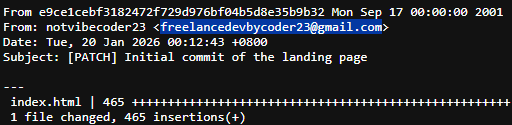
freelancedevbycoder23@gmail.com
That wraps it up.
Short room but a fun one. The DNS recon part was nice, DNSDumpster never lets me down. Getting stuck on the GitHub search for a bit was a little annoying but going directly to github.com/search instead of Google was the right call. And the .patch trick is genuinely one of those things that feels like a cheat code once you know it. A lot of people probably sleep on that one.