Infinity Shell
The description says Cipher’s bots exploited a known vulnerability and left behind a web shell. So this is a forensics challenge where the attacker already did their thing and we are coming in after the fact to figure out what happened.
The goal is to trace their steps.
Finding the Entry Point
When something like this happens the first place you go is the logs. Apache2 keeps access logs and they record every request that hits the server. The usual spots are /var/log/apache2/access.log or /var/log/nginx/access.log depending on what the server is running. This one is Apache2.
I went to /var/log/apache2/ and there are 5 files in there.
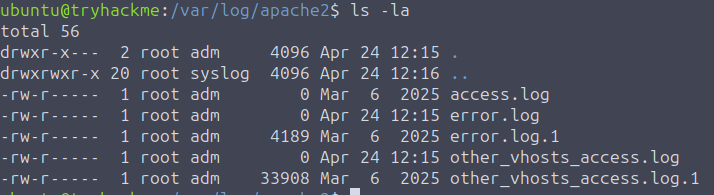
I opened access.log first and it was empty. Tried the others and the interesting one turned out to be other_vhosts_access.log.1.
There is a lot in there. Way too much to read through manually, so I filtered it down to just POST requests:
grep "POST" /var/log/apache2/other_vhosts_access.log.1
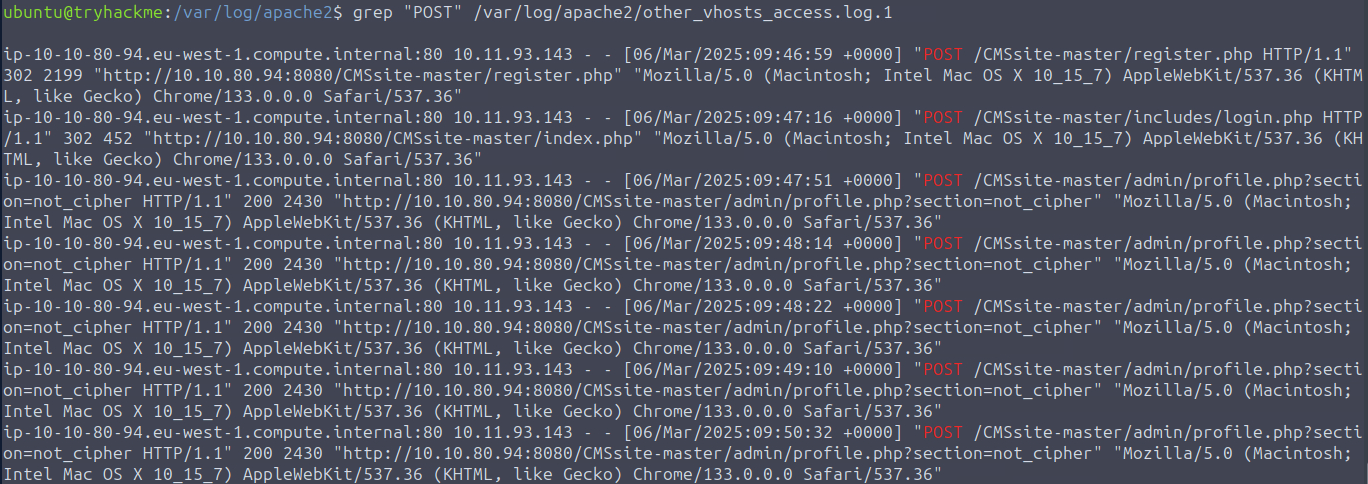
Much better. 7 POST requests. From that output I could already piece together what happened. The attacker’s IP is 10.11.93.143. They registered an account, logged in, and then started POSTing to profile.php.
That last part is the suspicious bit. Specifically profile.php?section=not_cipher. That is not a normal parameter. The attacker used the profile page to upload something, and that something is almost certainly the web shell.
Finding the Web Shell
Now I need to find what they actually uploaded. The app lives at /var/www/html/CMSsite-master so I went there and started poking around.

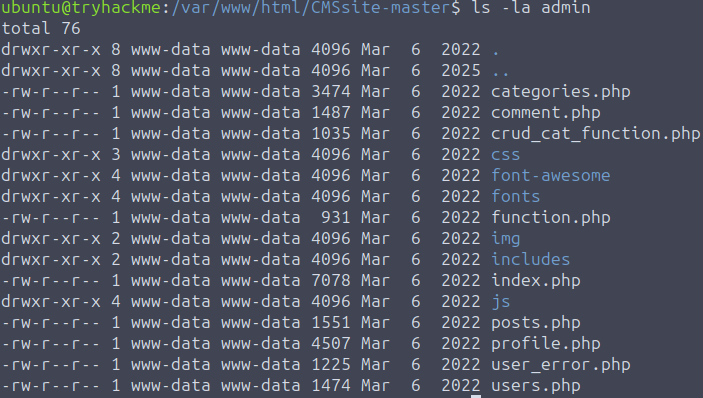
I checked the admin directory first since that is where the attacker was active. Everything in there is dated March 6 2022. The attack happened March 6 2025. Nothing lines up, so the shell is not here.
This is where timestamps get a little tricky. A skilled attacker would use touch to fake the modification date on any file they dropped and blend it in with everything else. I am not going to pretend that thought did not cross my mind. But for this CTF, that was not the case.
I ran ls -la in the main CMSsite-master directory to look for anything touched around the time of the attack, which from the logs was between 09:47 and 09:50 on March 6 2025.
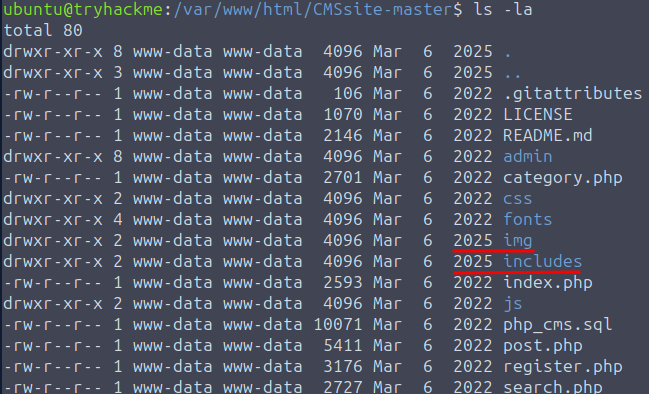
Two directories stood out: img and includes.
ls -la --full-time img
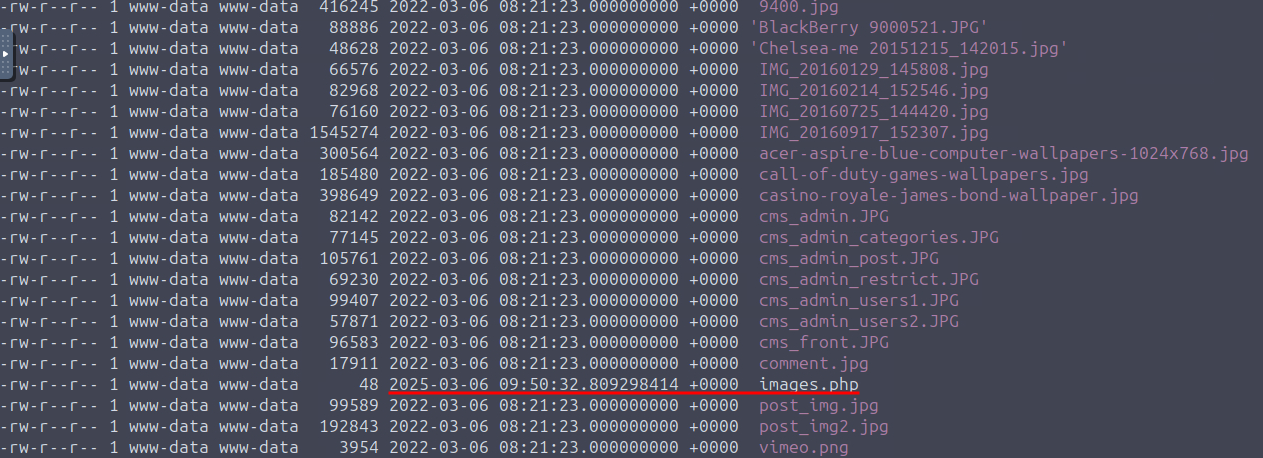
There it is. A file called images.php with a timestamp of March 6 2025 at 09:50. Right in the middle of the attack window.
cat images.php

That is the web shell. It reads a query parameter from the URL, base64 decodes it, and passes it straight into system(). So it runs whatever OS command the attacker sends, just wrapped in base64 to make it look a bit less obvious. Something like this:
/img/images.php?query=d2hvYW1p
Where d2hvYW1p is just whoami encoded in base64. Simple but effective.
Replaying the Attacker’s Commands
Now that I know how the shell works I need to go back to the logs and see what commands they actually ran through it.
grep "images.php" /var/log/apache2/other_vhosts_access.log.1
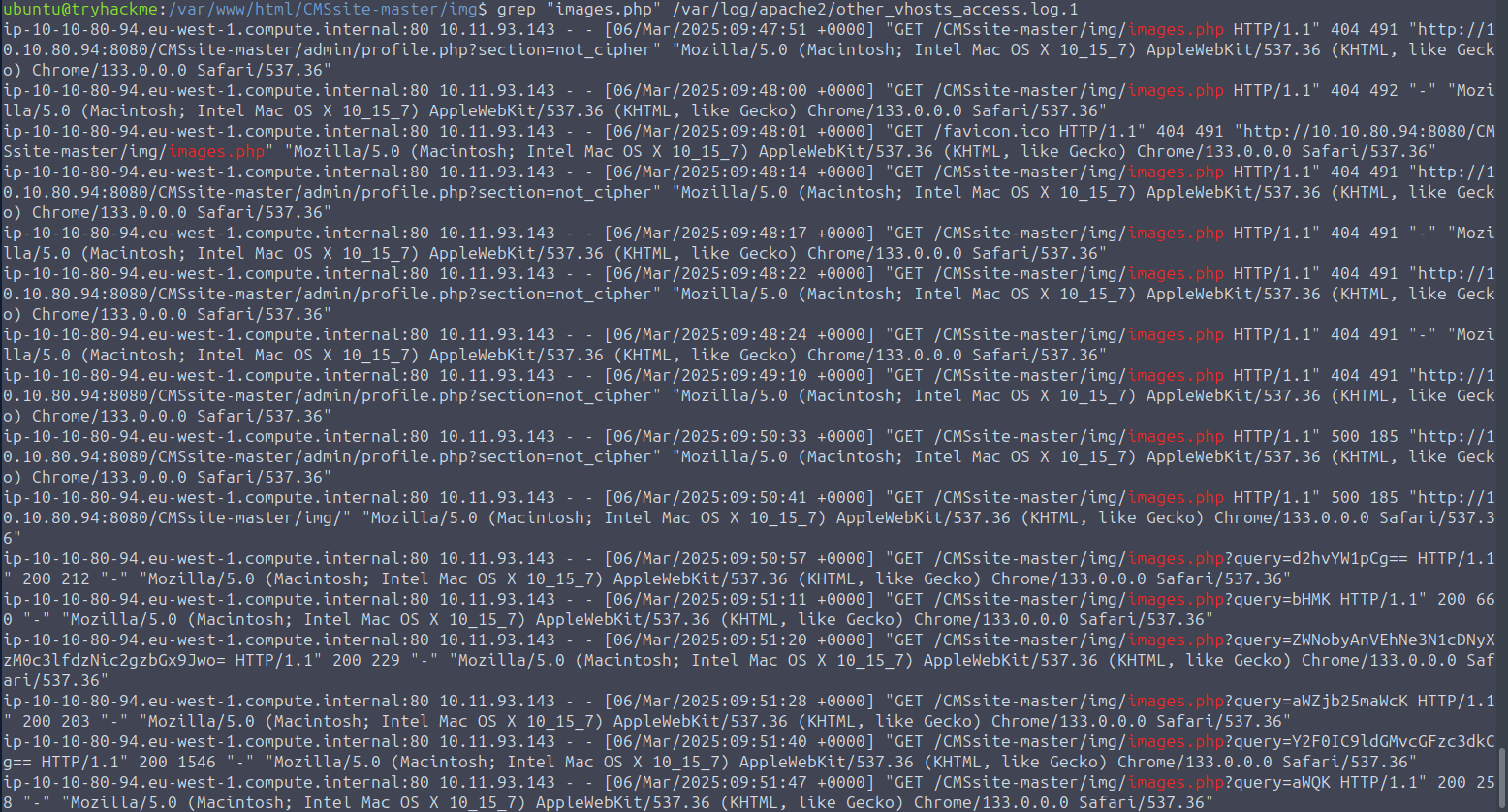
That gives me all the GET requests to the shell. I looked for the ones that have a base64 encoded query parameter.
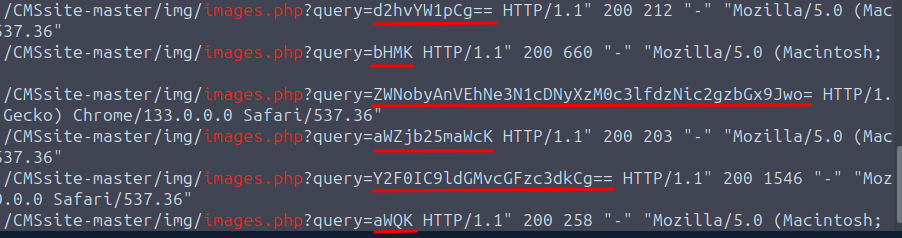
I decoded them all one by one and here is what the attacker ran in order:
whoami- classic first move, just checking who they are running asls- looking around- The flag:
THM{sup3r_34sy_w3bsh3ll} ifconfig- checking the networkcat /etc/passwd- grabbing user infoid- double checking their permissions
Takeaway
This one was a nice change of pace. Coming in after the fact and reconstructing what happened from logs was nice and fun. This is closer to what actual incident response looks like.
The timestamp thing is worth keeping in mind going forward. In a real scenario you cannot just trust file modification dates because any attacker who knows what they are doing will cover that. The logs are harder to fake, which is why they are so valuable.
Good room. Short and to the point.