OhSINT
This is an OSINT challenge so the whole point is digging up info that’s already public. No exploits, no shells, just being nosy on the internet. Let’s get into it.
The Starting Point
Downloaded the file from the room. It’s just a photo. That’s all I have to work with.

The image itself is honestly nothing special. Just a Windows XP looking thing. But this is OSINT, the photo is never really the point. The metadata is.
So let me check that first.
exiftool WindowsXP_1551719014755.jpg
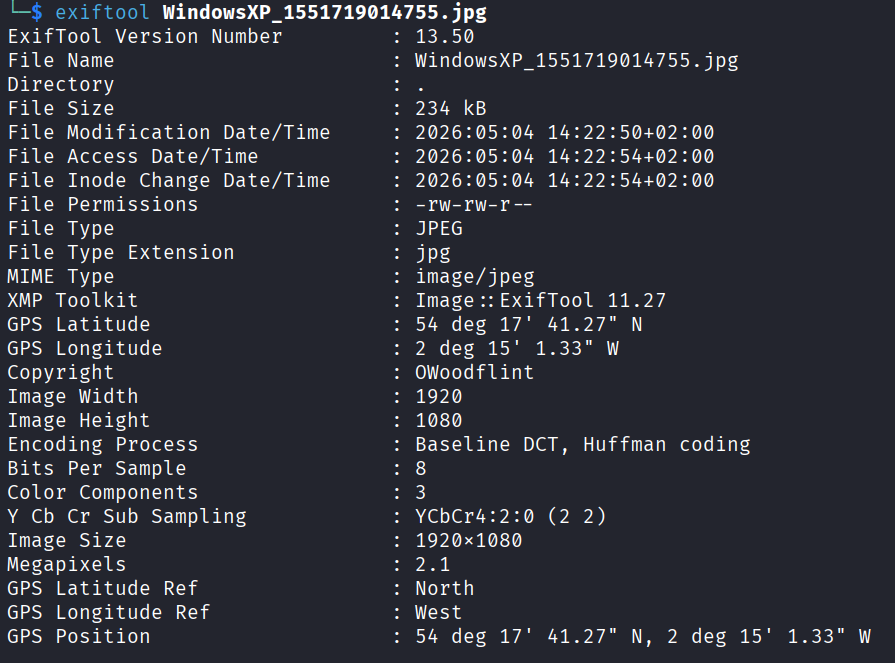
And there it is. Two huge clues hiding in the EXIF data. A GPS coordinate all the way at the bottom, and a username in the copyright field: OWoodflint.
Two leads from one file. Not bad.
Checking the GPS
Threw the coordinates into Google Maps to see where this photo was taken.
Pulled up a location at # 78 Jl. Teluk Baru Langkawi, Kedah. Somewhere in Malaysia. Cool, noted. Moving on.
Hunting the Username
Now for OWoodflint. The play with usernames is to just search them everywhere. People reuse the same handle across like 8 different sites.
Searched it online and got hits on a GitHub and an X (Twitter) account. Both belong to the same person. Jackpot.
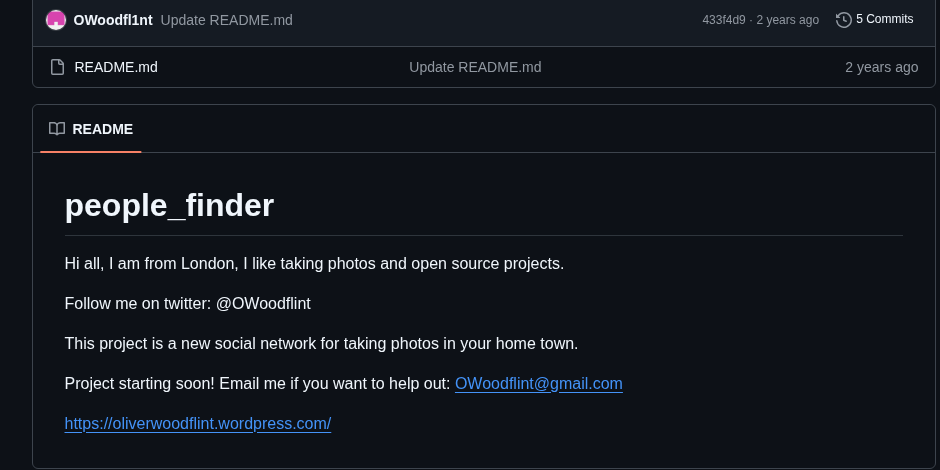
The X profile has a cat as the avatar. Already an answer right there.
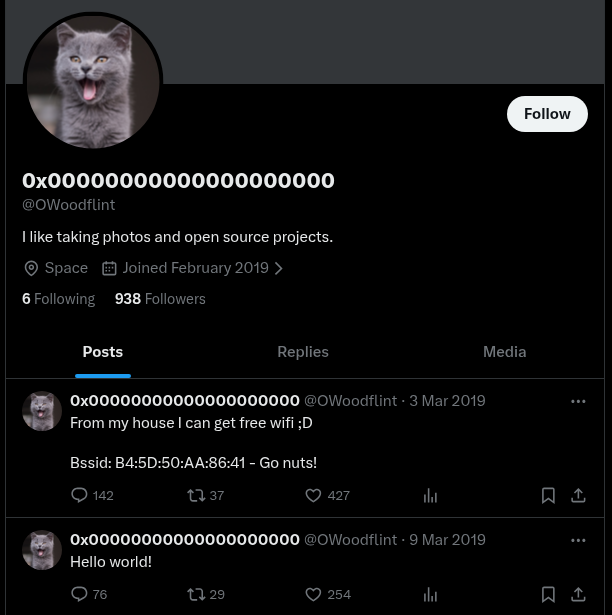
The GitHub page lists their location as London. Another answer.
Now I can start working through the questions.
Questions
What is this user’s avatar of?
Already saw it on X. It’s a cat.
Answer: cat
What city is this person in?
Right on the GitHub profile.
Answer: London
What is the SSID of the WAP he connected to?
For this one I needed the X account. There was a post with a BSSID (the MAC address of a wireless access point).
To turn a BSSID into a network name (SSID) I used wigle.net. It’s basically a giant database of WiFi networks that people have wardriven and uploaded. You feed it a BSSID and it tells you where that network was seen and what its SSID is.
Went to View > Basic Search, pasted in the BSSID, and got the answer.
Answer: UnileverWiFi
What is his personal email address?
Back to the GitHub page. Right there in the profile info.
Answer: OWoodflint@gmail.com
What site did you find his email address on?
Already said it but here’s the answer for the question.
Answer: github
Where has he gone on holiday?
The GitHub profile has a website link. Clicked it.
The page is a personal blog and there was a post about a recent trip.
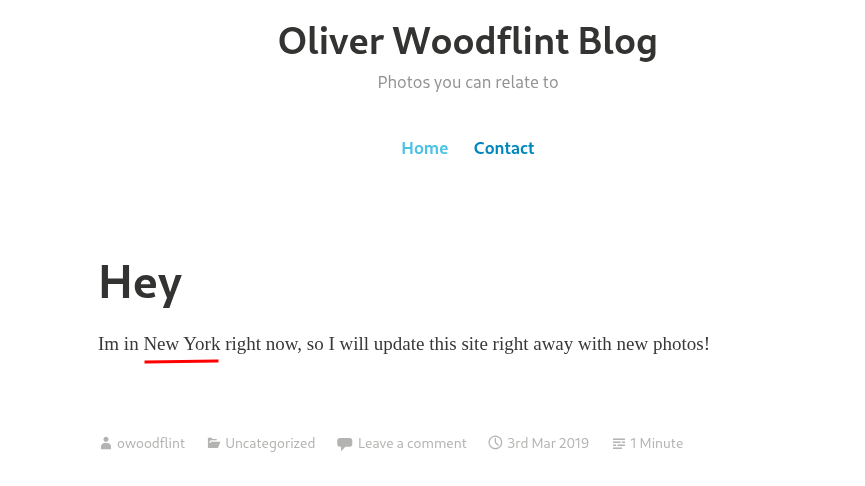
Answer: New York
What is the person’s password?
This was the only one that made me think for a second. The website looks normal, nothing visible about a password anywhere.
I spent a bit of time checking the page source. Looked through everything, didn’t really see anything obvious.
Then I remembered a trick I always do on plain looking pages: just highlight everything with Ctrl + A. If someone hid white text on a white background you’ll see it light up the moment you select it.
Did that and boom, there’s a hidden message in white text.
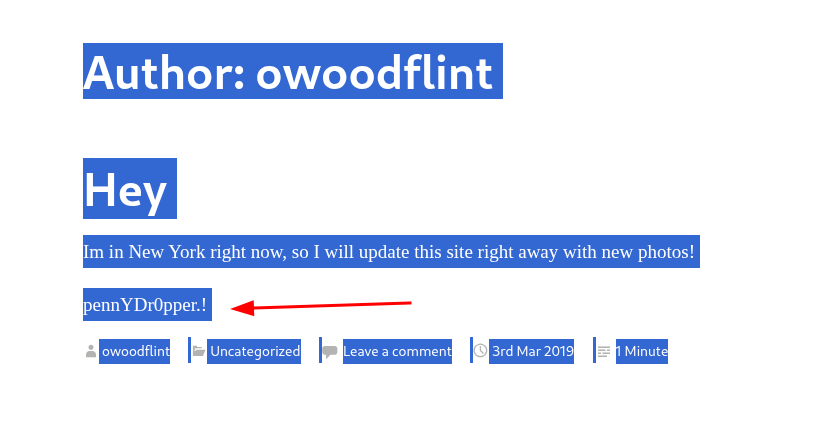
Answer: pennYDr0pper.!
Answers
What is this user’s avatar of? cat
What city is this person in? London
What is the SSID of the WAP he connected to? UnileverWiFi
What is his personal email address? OWoodflint@gmail.com
What site did you find his email address on? Github
Where has he gone on holiday? New York
What is the person’s password? pennYDr0pper.!
Takeaway
Pretty easy and pretty fun one. Straightforward, nothing weird, no rabbit holes. The whole challenge is basically a chain that goes photo > exiftool > username > social media > followed leads.
The takeaway from this room is more about the mindset than any specific tool. When you only have one piece of info to start with, you squeeze every drop out of it. A photo is never just a photo. A username on one site is probably a username on five other sites. A normal looking webpage might have more to it.
Good intro to OSINT. If you’ve never done one of these rooms before this is the one to start with.