Stolen Mount
An intruder got into the network, hit an NFS server where backup files were stored, and walked off with something classified. The only thing left behind is a PCAP file. My job is to figure out what was taken.
What I Am Working With
I am at a point where I am actively trying to get better at Wireshark and packet analysis, so when I saw this challenge was PCAP based I was actually excited about it. Good way to practice.
Open Wireshark, load the file. Only 304 packets total. That is tiny. This should not be too bad.
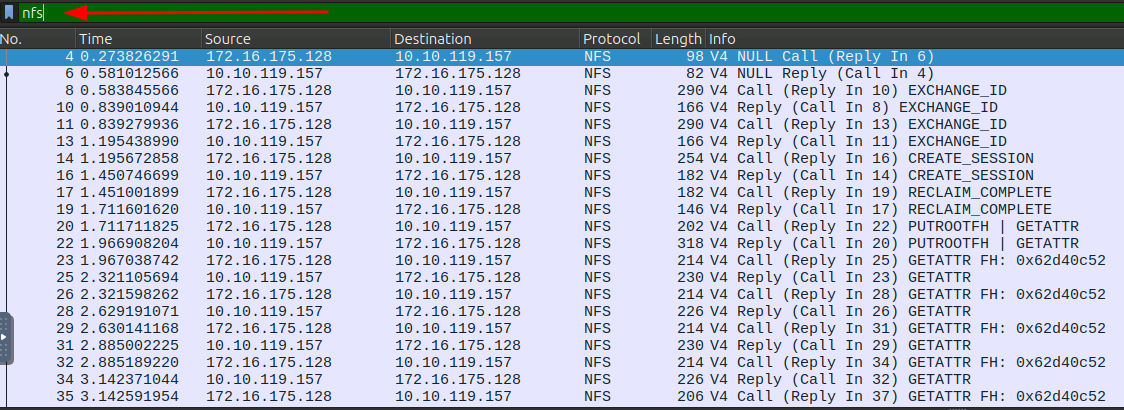
First thing I do is reduce the noise. I apply an nfs filter to only show NFS traffic and now I am down to 179 packets. Even better.
Understanding NFS
Before poking around I want to make sure I actually understand what I am looking at. NFS stands for Network File System and it is a protocol that lets computers access files over a network as if they were local. It has a bunch of different operations:
LOOKUPto search for somethingREADto get the contents of a fileWRITEto save data to a fileGETATTRto check file properties
Since the challenge says a file was stolen, I am looking for READ activity. That is where I want to focus.
Finding the Right Packets
I start scanning the Info column for anything READ related. Two things show up pretty quickly: READDIR and READ_PLUS.
READDIR is basically the network equivalent of running ls, just listing directory contents. READ_PLUS is more like running cat, actually pulling the file content. So READ_PLUS is what I care about.
After a quick scan through the packets, number 286 stands out.

It is a READ_PLUS and if I look at the bottom right in the ASCII view I can see something interesting.
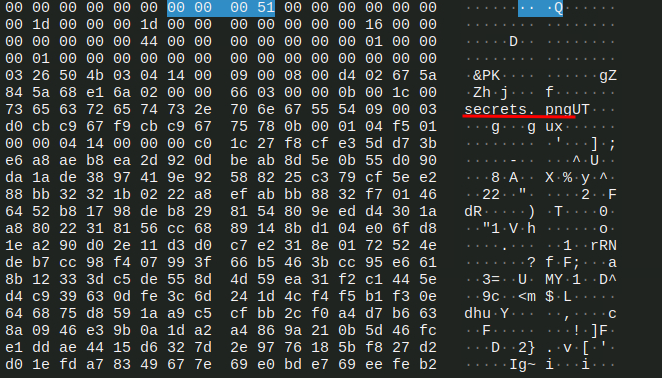
There is a file called secrets.png.
So the stolen file is a PNG image. Now I need to actually get it out.
Getting the File Out (First Attempt, Kind Of a Mess)
My first instinct was to go to File > Extract Objects > NFS. Clean, easy, done. Except that option was not available. Great…
Okay, different approach. I right click packet 286, go to Follow TCP Stream, and switch the view to hex dump.
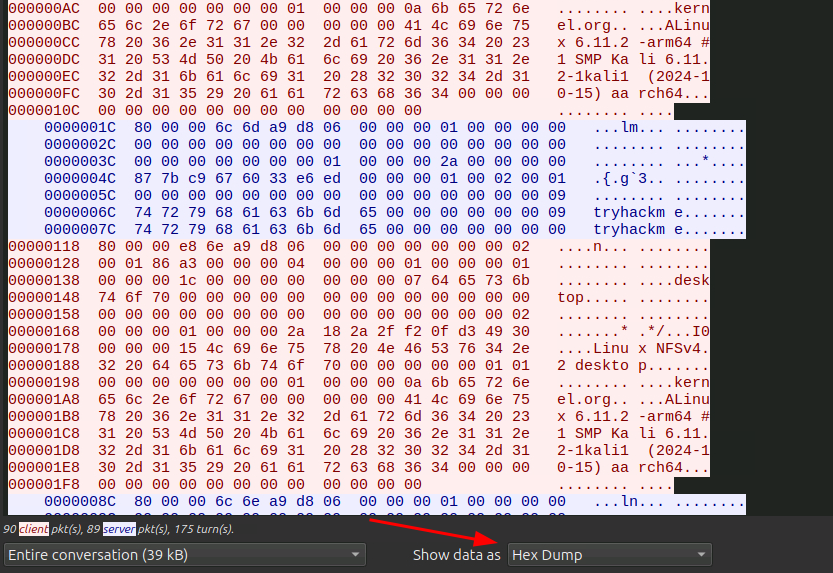
Now I have the raw hex data.
I figured I could use CyberChef to extract the file from it. I opened CyberChef, added the Parse Ethernet Frame operation, then added Extract Files after it, switched the input type to Hex and the return type to Packet Data, and pasted the whole hex dump in.
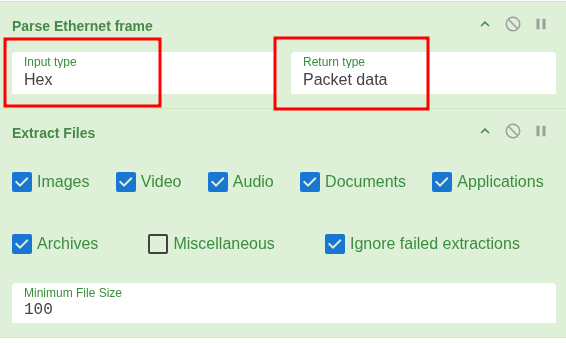
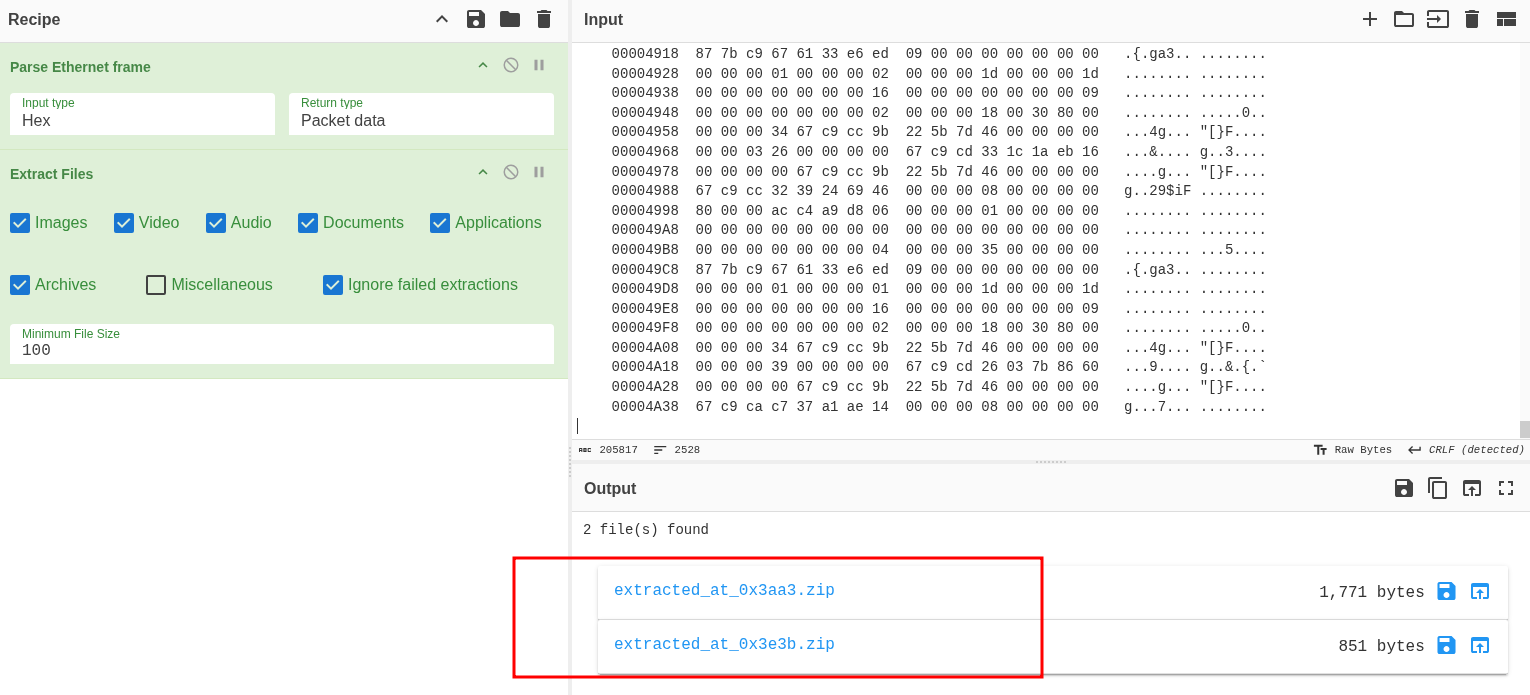
Two zip files came out. I downloaded them and tried to open them. Error. Would not open.
Spent about five minutes going in circles trying to figure out why they were broken. Nothing worked. Gave up on that approach for now.
Getting the File Out (Actually Working This Time)
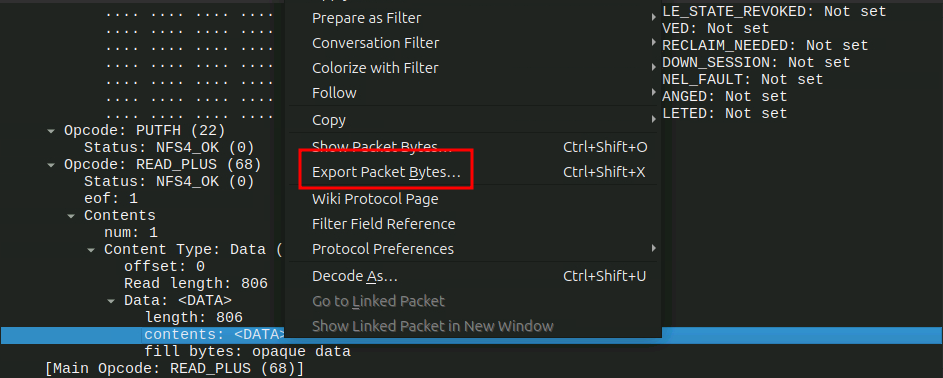
Went back to basics. I already had packet 286 with the READ_PLUS. I just right clicked the data field directly this time and selected Export Packet Bytes. Much simpler.
Tried to open the exported file and it asked for a password.
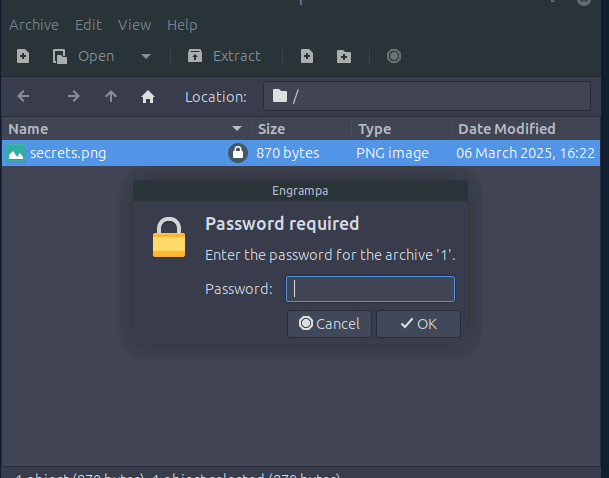
The PNG is password protected. Of course it is.
Finding the Password
There has to be another file somewhere with the password. I went back to the packet list and started looking through the other READ_PLUS packets more carefully.
After about five minutes of digging, packet 214 showed up. Another READ_PLUS with some interesting content.
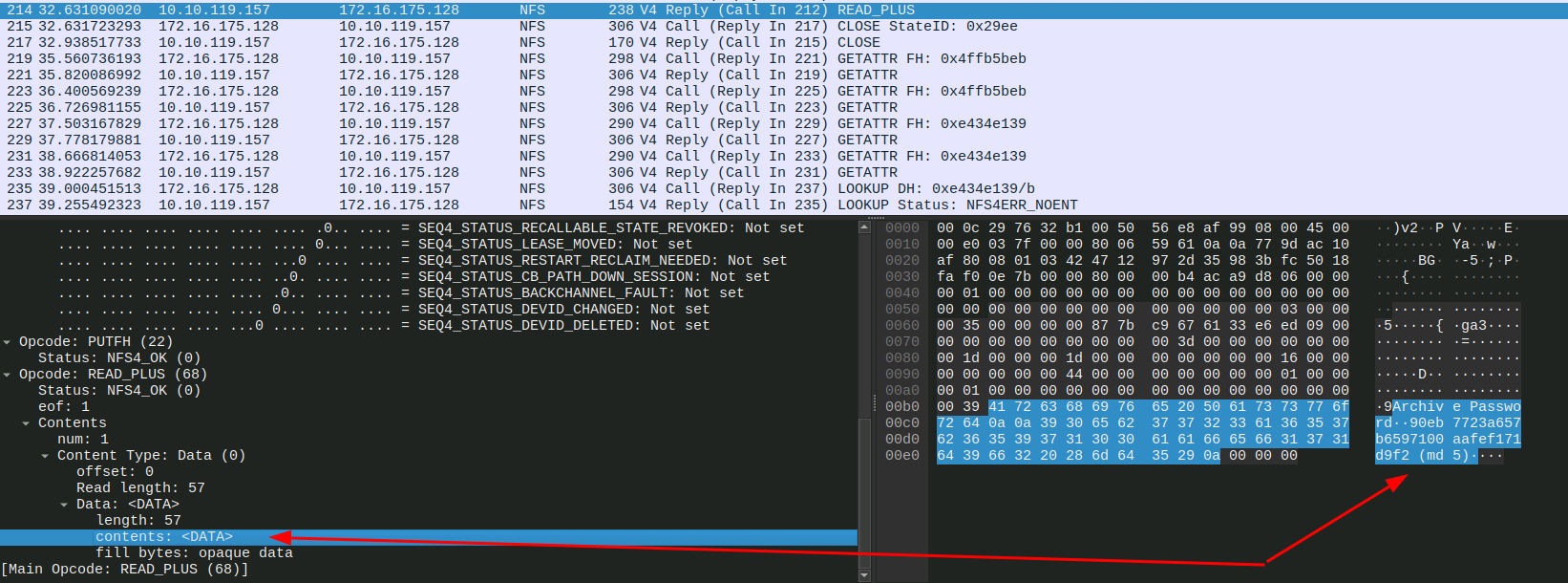
I did the same thing, right clicked the data field and exported the packet bytes.
Inside was an MD5 hash.
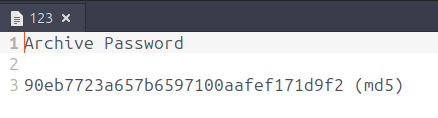
That is almost certainly the password. I threw it into CrackStation and it cracked it immediately.
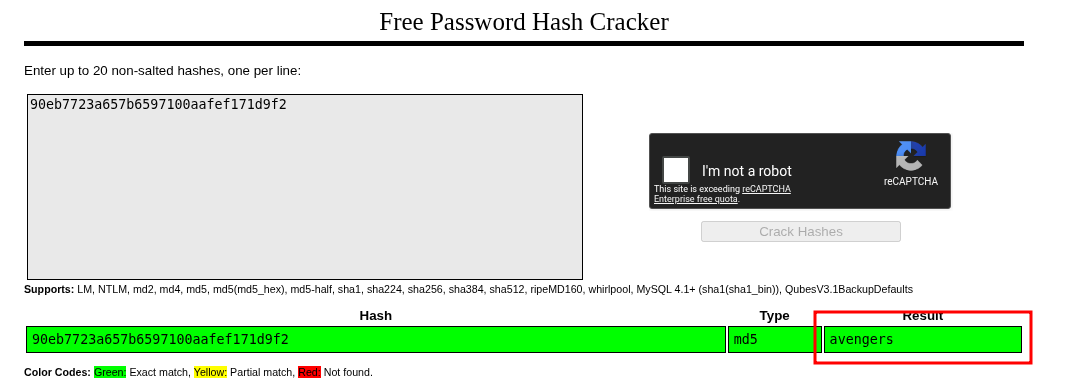
Password is avengers.
Getting the Flag
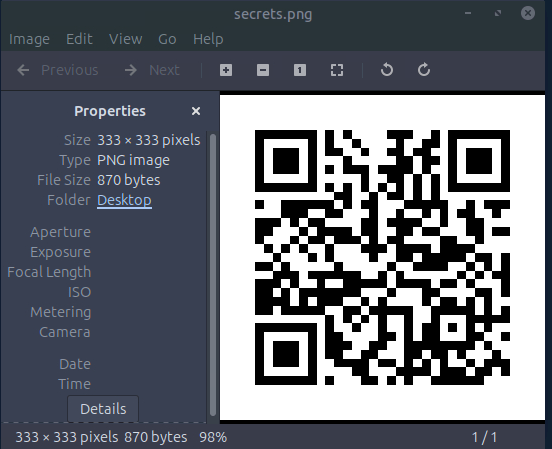
Opened the PNG with the password. It is a QR code.
I ran it through an online QR code scanner (DNSCHECKER) and got the flag.
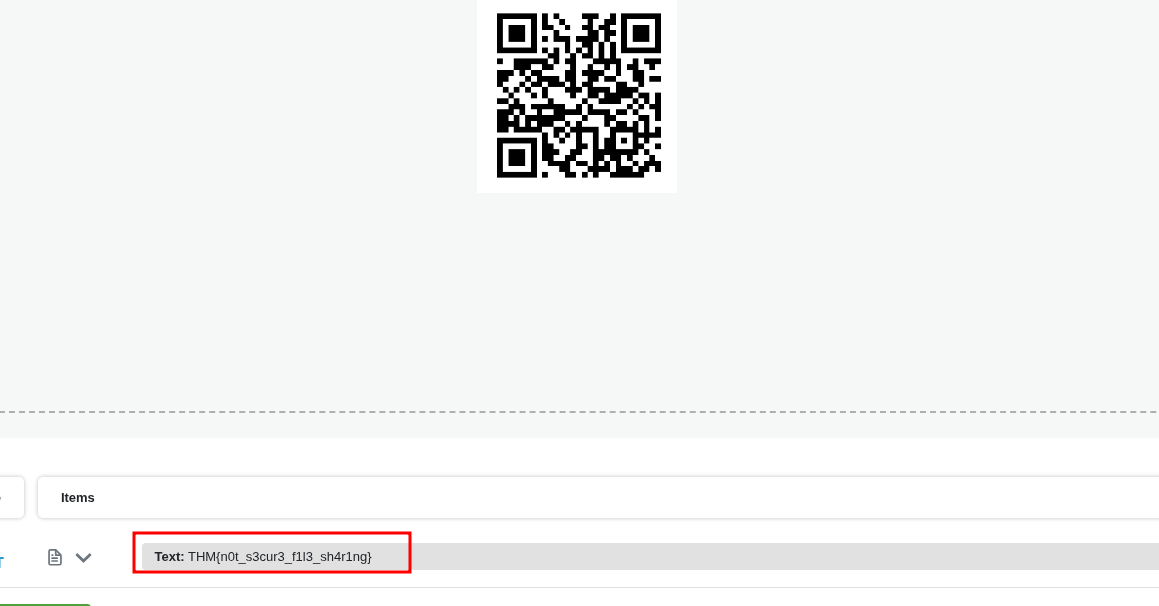
THM{n0t_s3cur3_f1l3_sh4r1ng}
Takeaway
NFS with no authentication is scary. The intruder just connected, browsed around, and read whatever they wanted. The PCAP showed the whole thing in plain text basically.
The CyberChef route was a bit of a dead end and cost me some time but honestly good to know for future reference that the cleaner move is just exporting packet bytes directly from Wireshark. Simpler and easier.
The password being in a separate file on the same server is also a funny detail. The file is encrypted but the key is sitting right next to it. Classic.