Summit CTF
PicoSecure got tired of cleaning up after malware infections, so they decided to flip the script and run a purple-team simulation. The idea is simple: an external pen tester is dropping malware samples on a simulated workstation, and my job is to configure the security tools to detect and block each one.
The whole thing follows the Pyramid of Pain, which is a framework that ranks indicators by how much pain it causes the attacker when you block them. Hash blocks at the bottom, TTPs at the top. The further up you go, the harder it is for the adversary to adapt. So the goal here is to climb the pyramid and eventually make their whole operation too expensive to bother with.
Six samples. Let’s get into it.
Sample 1 - Hash Block
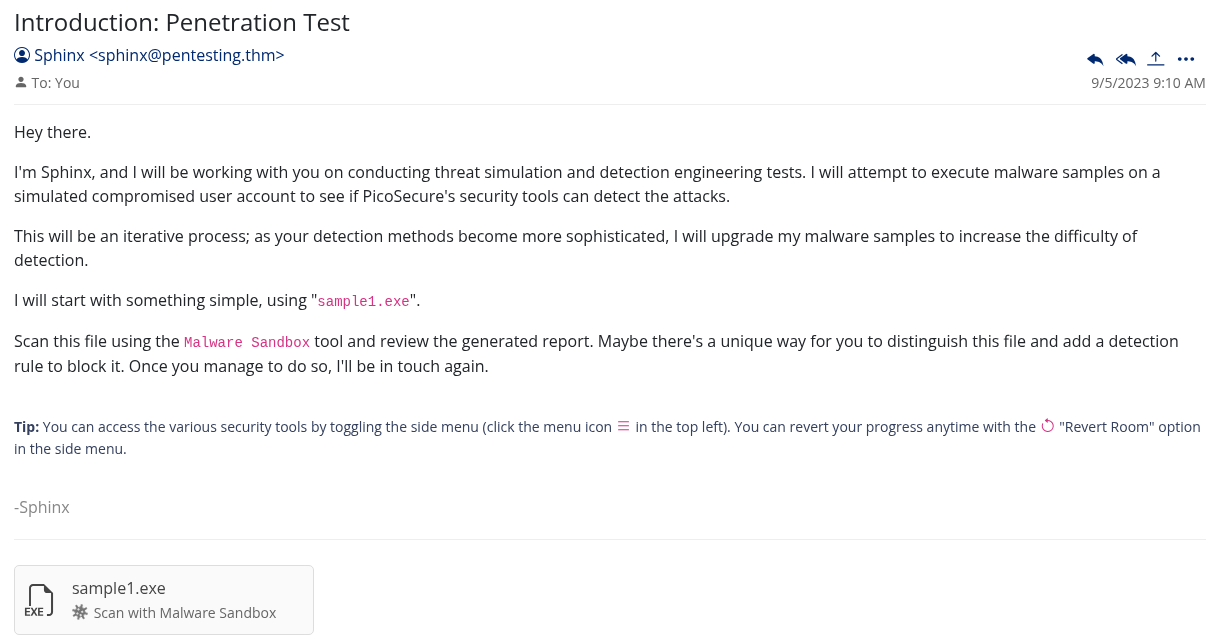
The first email drops in and there is a sample1.exe attached. I run it through the malware sandbox and check the output.
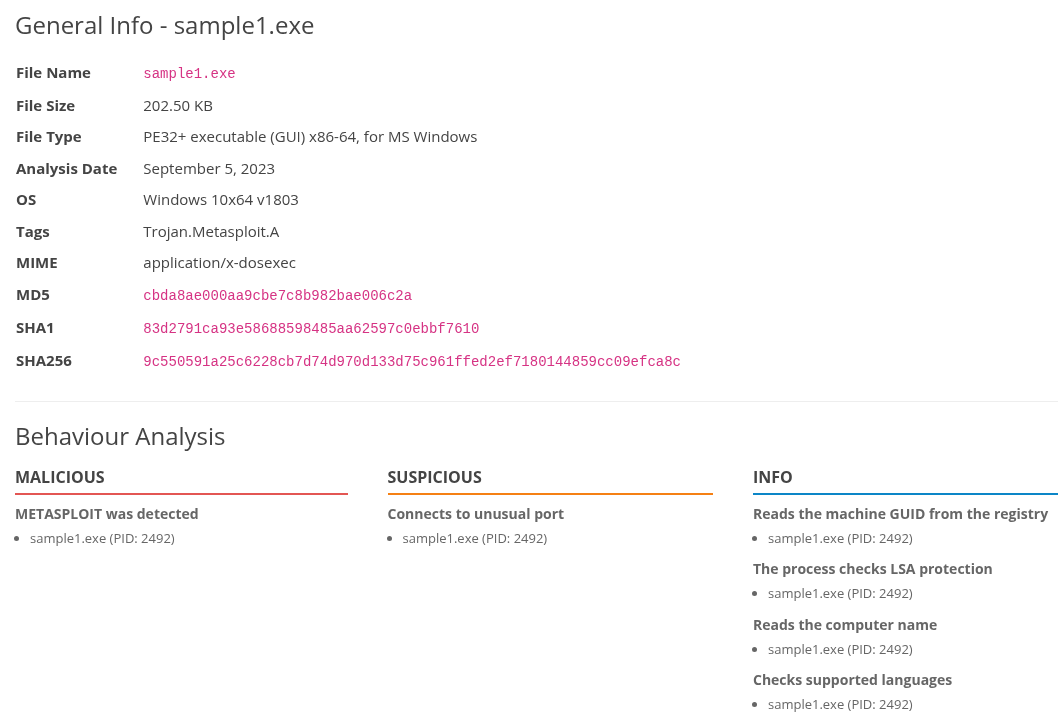
The sandbox gives me the MD5 hash of the file. This is the bottom of the Pyramid of Pain, Hash Values, and it is the easiest thing to block. The attacker can recompile the binary and get a completely different hash in seconds, but it is still worth doing.
I copy the MD5 hash, head over to Manage Hashes, and add it there.
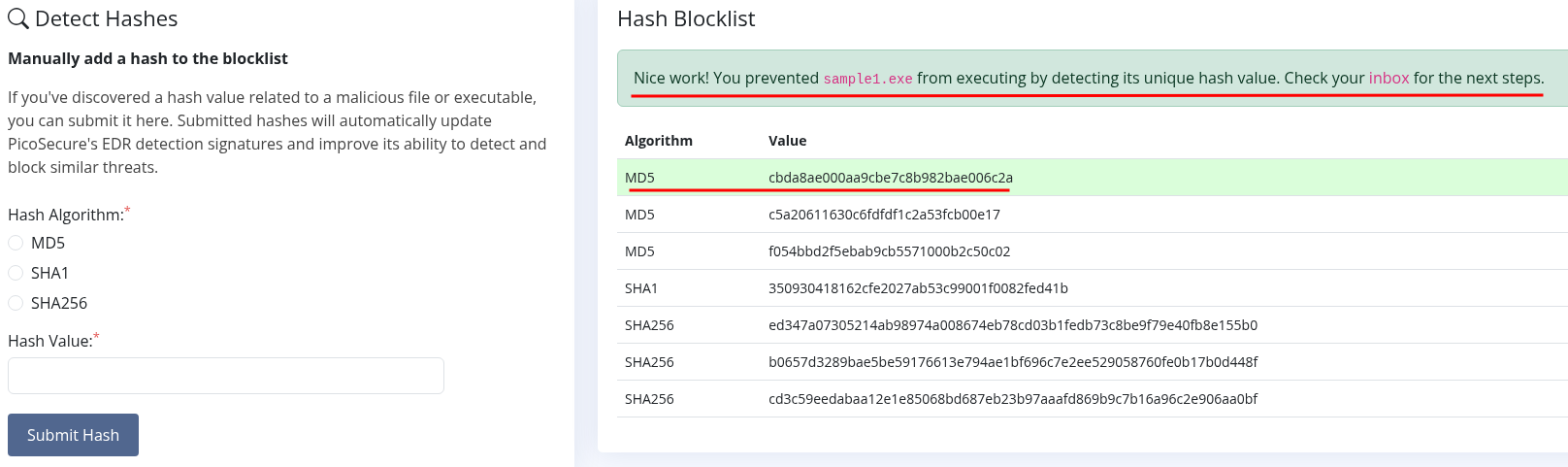
Email comes back confirming the block.
Flag 1: THM{f3cbf08151a11a6a331db9c6cf5f4fe4}
Sample 2 - IP Block
Next email, next sample.
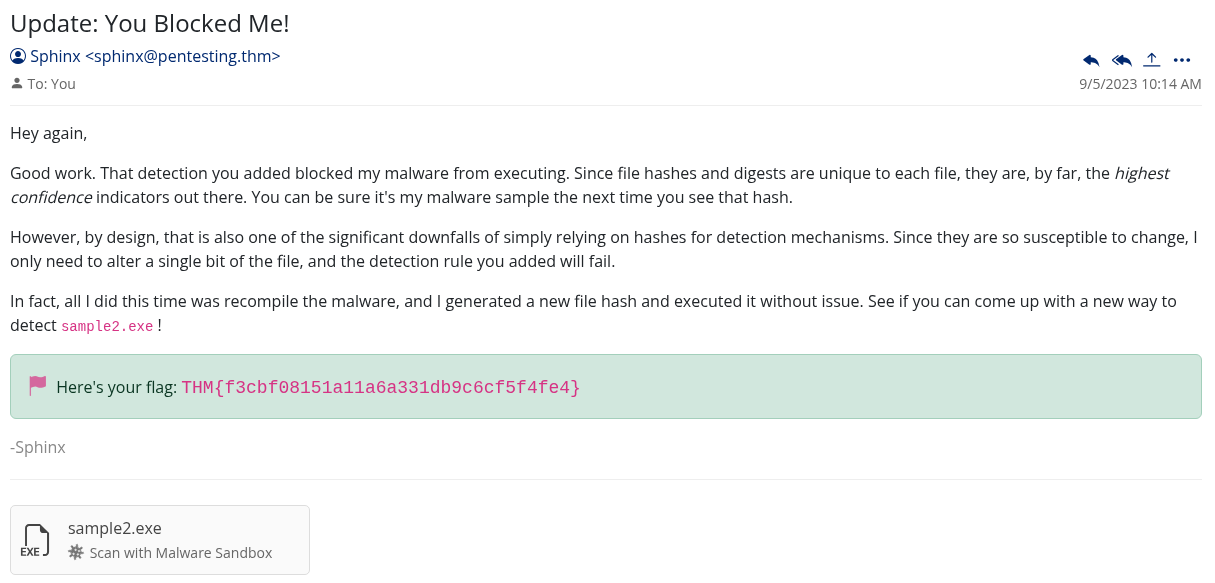
I run sample2.exe through the sandbox and this time there is network activity in the output.
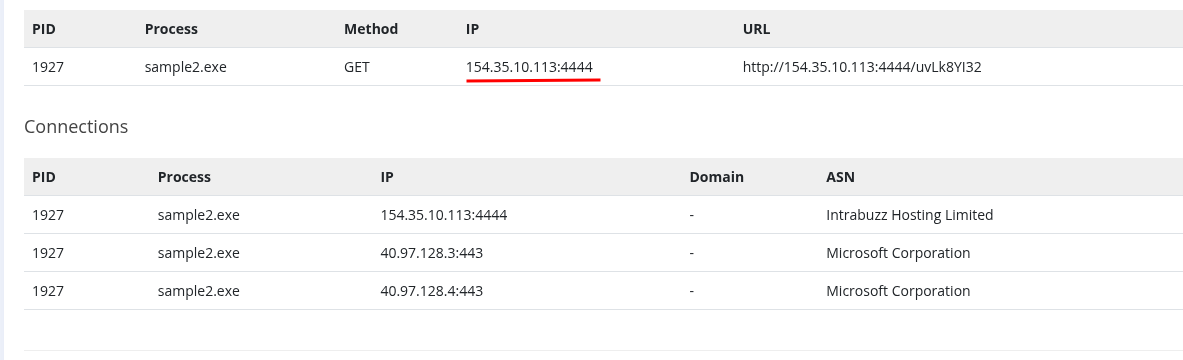
There is an IP address in there that the malware is trying to phone home to.
One level up on the pyramid now, we are at IP Addresses. Still pretty easy for an attacker to swap out, but we block it anyway.
I go to Firewall Manager and create a new rule:
- Type: Egress
- Source IP: Any
- Destination IP:
154.35.10.113 - Action: Deny
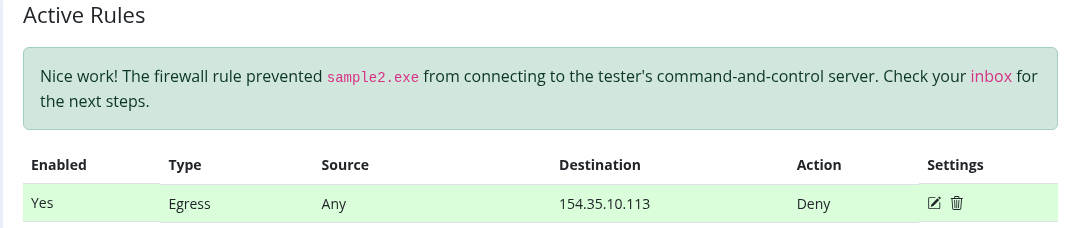
Rule saves, confirmation comes through.
Flag 2: THM{2ff48a3421a938b388418be273f4806d}
Sample 3 - DNS Filter
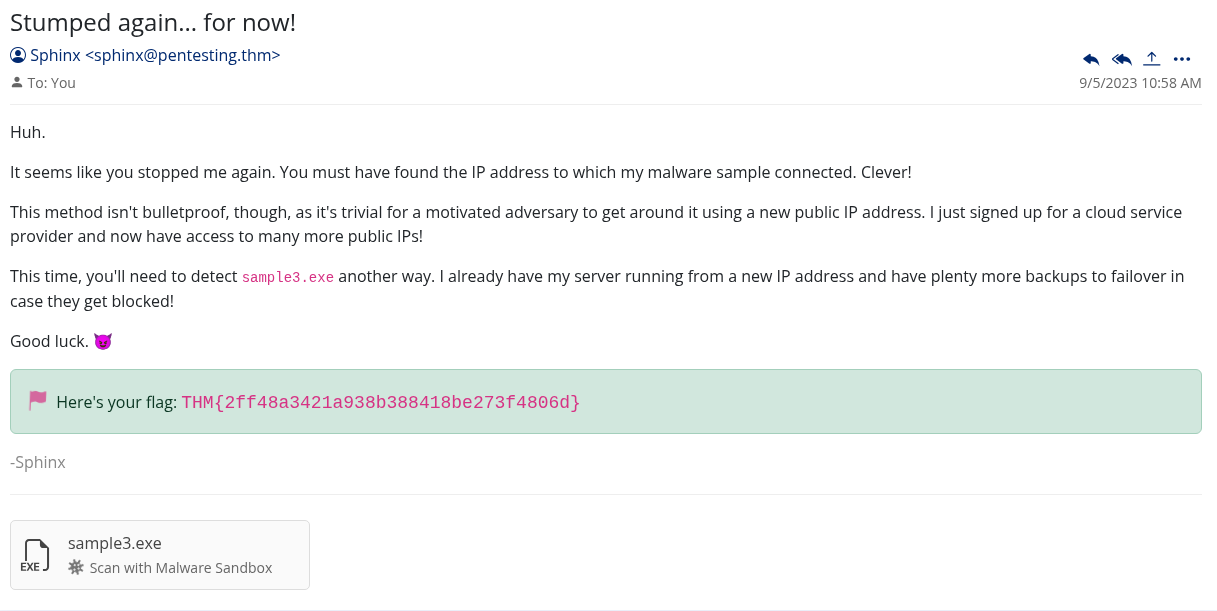
sample3.exe goes into the sandbox. Network activity again, but this time instead of an IP I am looking at a domain name. The malware is trying to reach emudyn.bresonicz.info.
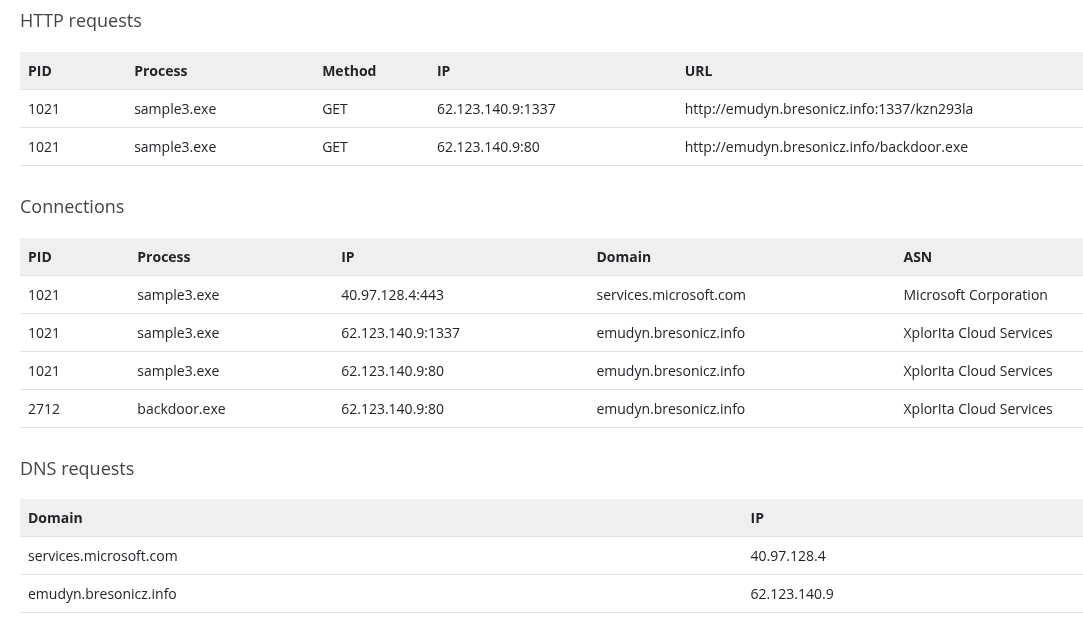
This is the Domain Names level. Slightly more painful for an attacker than an IP because they have to register a new domain, but still not that hard.
I head to DNS Rule Manager and set up a new rule:
- Name: sample3
- Category: Malware
- Domain Name:
emudyn.bresonicz.info - Action: Deny
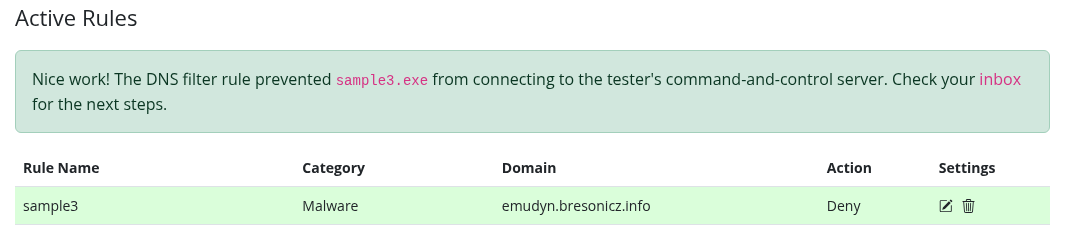
Another one down.
Flag 3: THM{4eca9e2f61a19ecd5df34c788e7dce16}
Sample 4 - Sigma Rule for Registry Activity
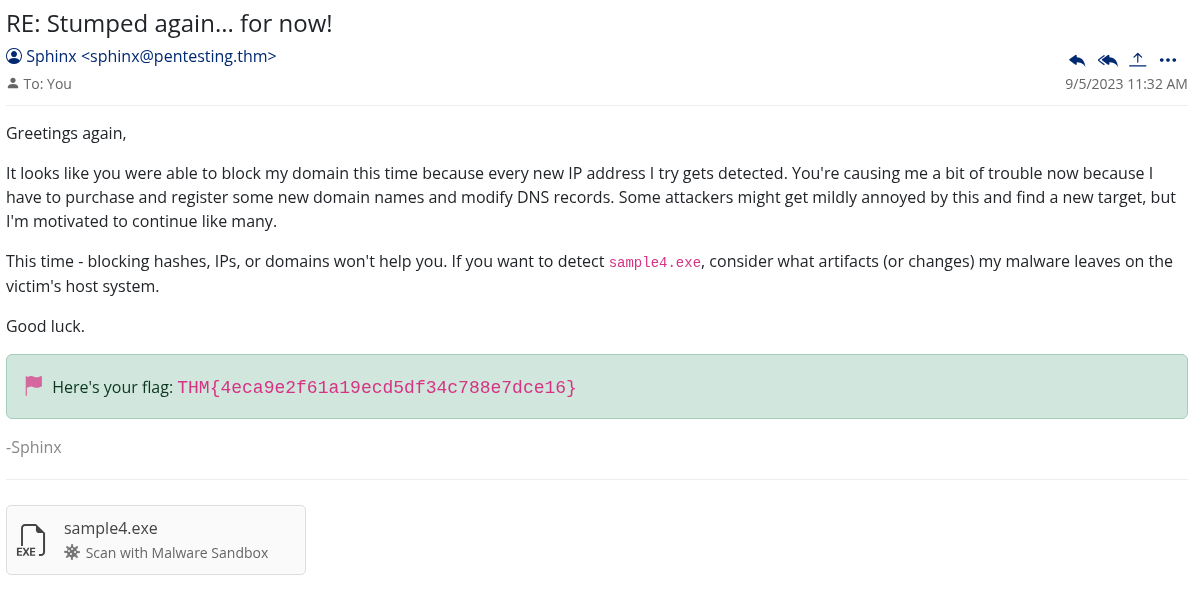
Now it gets more interesting. sample4.exe in the sandbox shows registry activity.
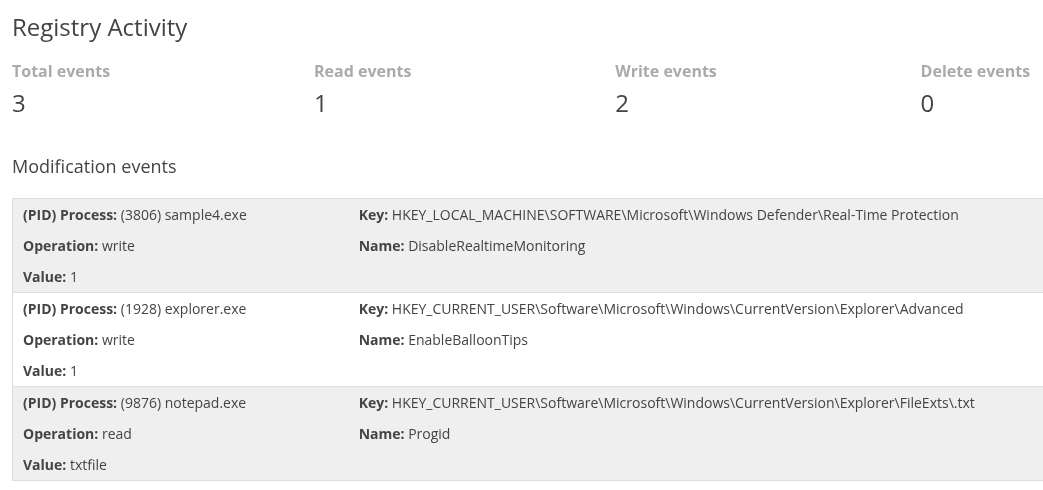
Most of it looks normal enough but one entry stands out immediately: the malware is writing to HKEY_LOCAL_MACHINE\SOFTWARE\Microsoft\Windows Defender\Real-Time Protection and setting DisableRealtimeMonitoring to 1.
That is classic defense evasion. It is trying to turn off Windows Defender before doing whatever it actually came to do.
We are now at the Host Artifacts level of the pyramid. This is where we need a Sigma rule. Registry changes get recorded by the Windows Event Log system, so I pick Sysmon Event Logs and then Registry Modifications.
The rule:
- Registry Key:
HKEY_LOCAL_MACHINE\SOFTWARE\Microsoft\Windows Defender\Real-Time Protection - Registry Name:
DisableRealtimeMonitoring - Value:
1 - ATT&CK ID: Defense Evasion
Done. Email confirms it.
Flag 4: THM{c956f455fc076aea829799c0876ee399}
Sample 5 - Sigma Rule for Beaconing Behavior
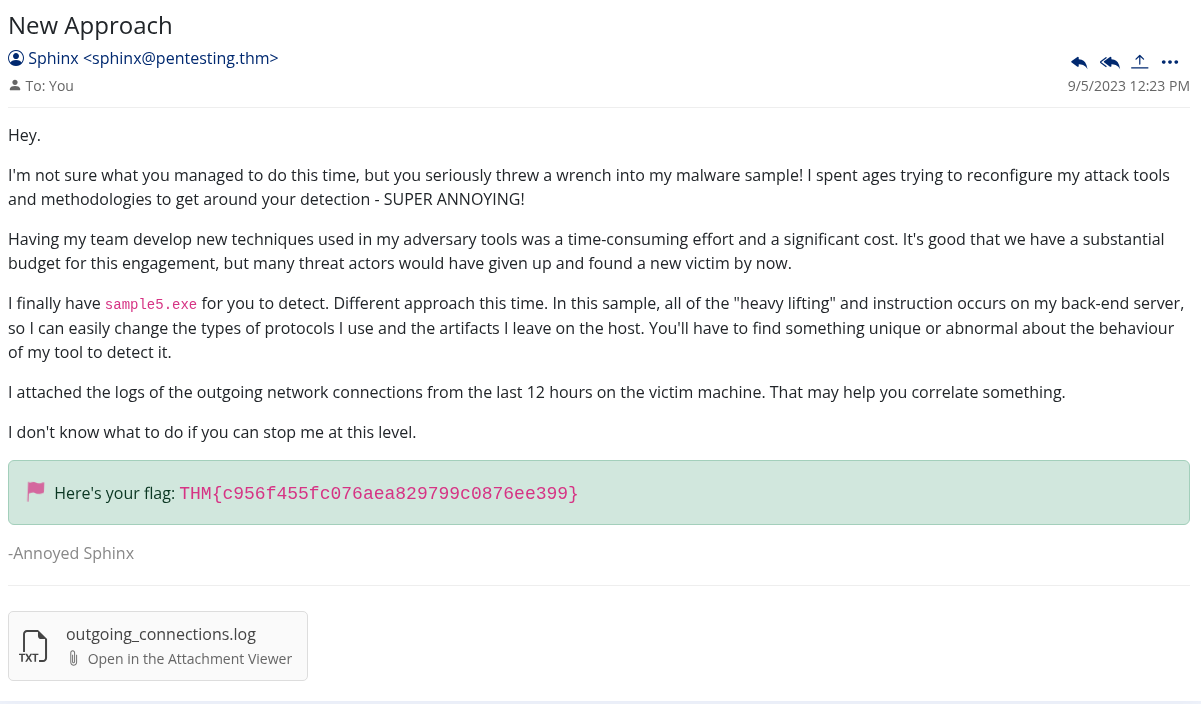
This one took a bit more thought. I have sample5.exe and I also have a log of all outgoing network connections from the last 12 hours on the victim machine.
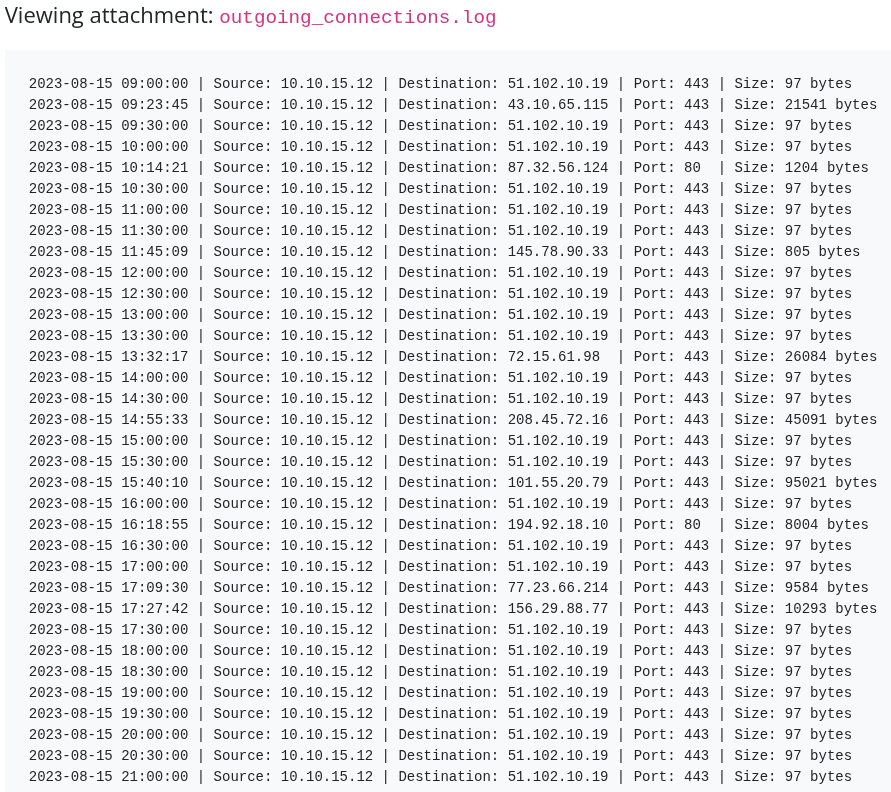
The sandbox output for the sample itself is not that interesting. But looking at the connection logs, something interesting is happening. Every single connection is exactly 97 bytes, and they happen every 30 minutes on the dot. That is beaconing. The malware is checking in with its command and control server on a timer.
The key insight here is that the specific IP and port do not matter because those can change. What gives it away is the pattern: fixed packet size and fixed interval. That is the behavior we want to catch.
Network Artifacts and Behaviors level. Another Sigma rule, this time under Sysmon Event Log and then Network Connections:
- Remote IP: Any
- Remote Port: Any
- Size: 97
- Frequency: 1800 (30 minutes in seconds)
- ATT&CK ID: Command and Control
If you are not sure where to find the right ATT&CK ID, the MITRE ATT&CK framework website has everything mapped out.
Email confirms the block.
Flag 5: THM{46b21c4410e47dc5729ceadef0fc722e}
Sample 6 - TTPs
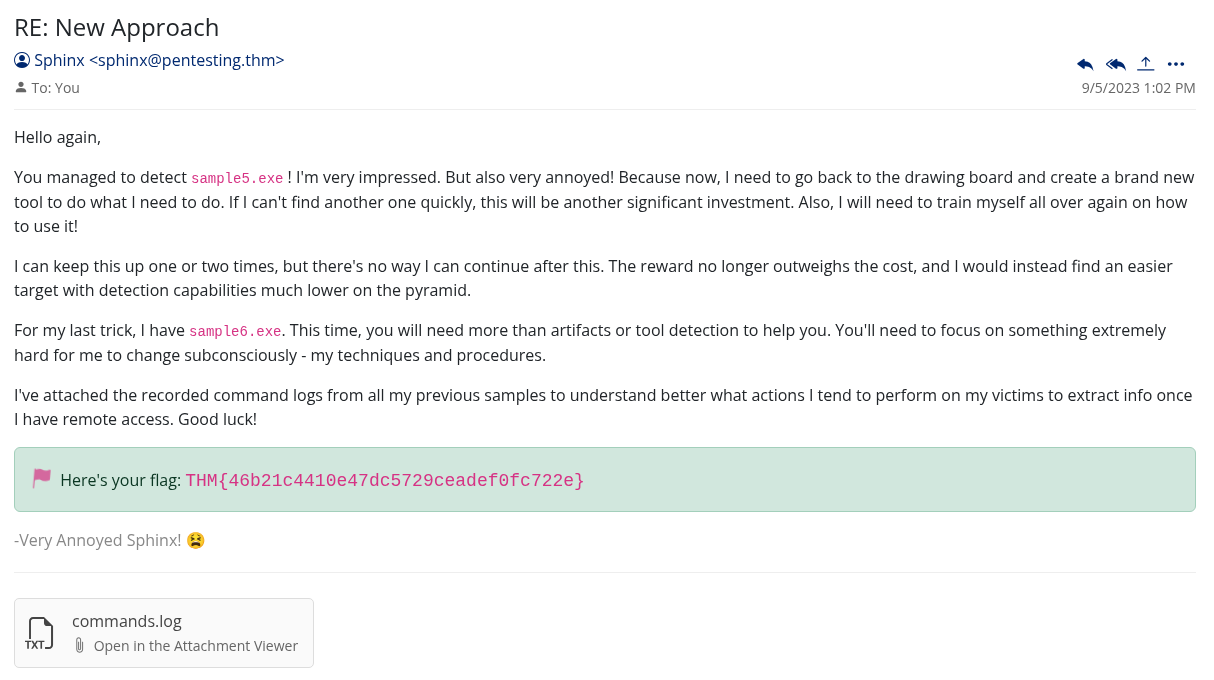
Last one, and the hardest. The email comes with a hint:
“You’ll need to focus on something extremely hard for me to change subconsciously - my techniques and procedures.”
We are at the top of the pyramid now. TTPs, Tactics Techniques and Procedures. This is the stuff that is basically hardwired into how an attacker operates. Changing a hash is trivial. Changing a TTP means fundamentally changing how you work.
Along with the sample, I have command logs recorded from all the previous samples showing what actions the malware tends to perform once it has access.
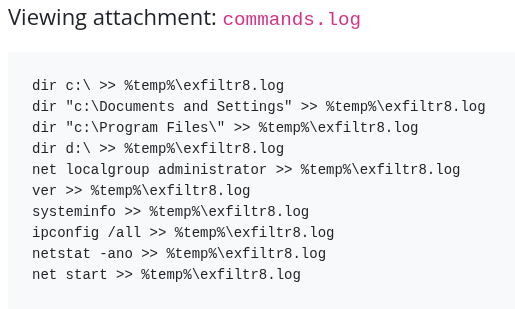
Looking through them, there is a clear pattern: the malware creates a file called exfiltr8.log in the temp directory to stage data before sending it out.
Sysmon Event Log, File Creation and Modification. This is where I hit a wall for a bit.
I tried %temp%\exfiltr8.log first. No luck. Then I tried c:\%temp%\exfiltr8.log. Also wrong. Spent more time on this than I should have. The right answer turned out to be simpler than I was making it:
- File Path:
%temp% - File Name:
exfiltr8.log - ATT&CK ID: Exfiltration
They are separate fields. The path and the filename go in different boxes. Once I split them out correctly, it worked.
Final email with the last flag.
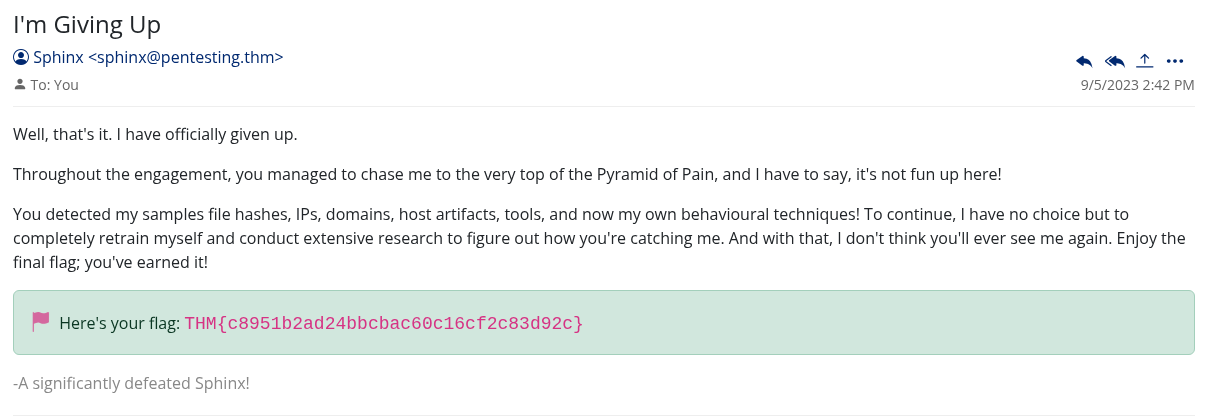
Flag 6: THM{c8951b2ad24bbcbac60c16cf2c83d92c}
What the Pyramid Means in Practice
Going through this room in order makes the Pyramid of Pain concept really concrete. The first couple of blocks took seconds to set up and an attacker could get around them just as fast. By the time you get to beaconing patterns and TTPs, you are catching behavior that is genuinely hard to change without rethinking the whole operation.
The exfil log one stuck with me. The attacker could change their malware, change their IP, change their domain, but they keep writing to that same temp file because that is just how their tooling works. That kind of muscle memory is what gets people caught.
The other thing worth noting: Sigma rules are way more powerful than simple block lists. You are not reacting to a specific thing the attacker did, you are describing a class of behavior that should not be happening at all. Any malware that disables Windows Defender via that registry key gets caught, not just this one sample.
Block hashes and IPs if you have to, but the real work is up the pyramid.