XOR CTF
This challenge has 2 flags. First, download the task files. It turns out to be a single Python script. The challenge description tells us to connect to the server on port 1337, so let’s do that:

nc <ip> 1337
After connecting, we get XOR encoded text containing the first flag. To decode XOR, we need the key. Reading the script that we downloaded reveals how it works:
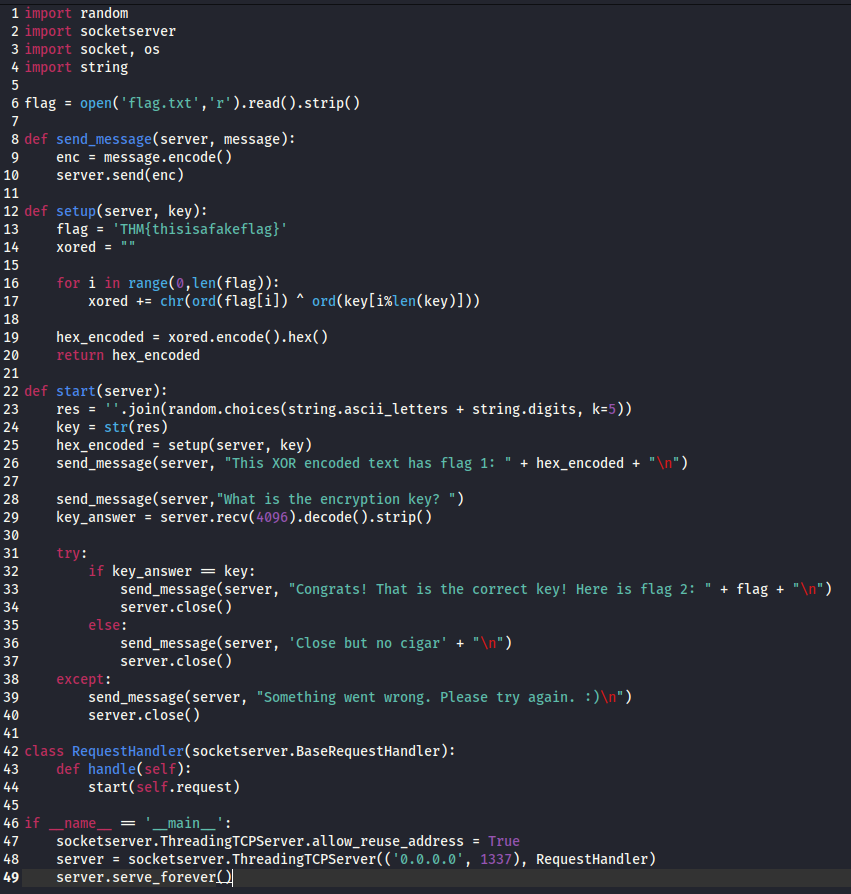
The key is randomly generated each time you connect, so every connection gives a different key. However, we know two things from the script. The key is always 5 characters, and the server gives us the XOR output every time we connect.
What Even is XOR?
Before we get into solving it, it helps to understand what XOR actually is. XOR stands for “exclusive or”. It’s a simple operation that compares two bits and returns 1 if they are different, and 0 if they are the same. When you XOR a piece of text with a key, every character in the text gets combined with a character from the key. The result looks like random garbage, but here’s the important part: if you XOR the output again with the same key, you get the original text back. That’s what makes it useful for encryption, but also what makes it breakable if you know anything about the original text. It might sound complicated if it’s your first time encountering XOR, but you will get used to it and it will become second nature after a while so don’t worry if you are struggling now!
Finding the Key
Let’s go to an online XOR decoder to find the key. I’ll use CyberChef, but you can use your favorite tool.
Here’s how it works: we know that every TryHackMe flag starts with THM{, which gives us the first 4 bytes. The XOR output is in hexadecimal (this is important), so every 2 characters equal 1 byte. That means we take the first 8 characters of the XOR output and use them as the key in the XOR decoder.
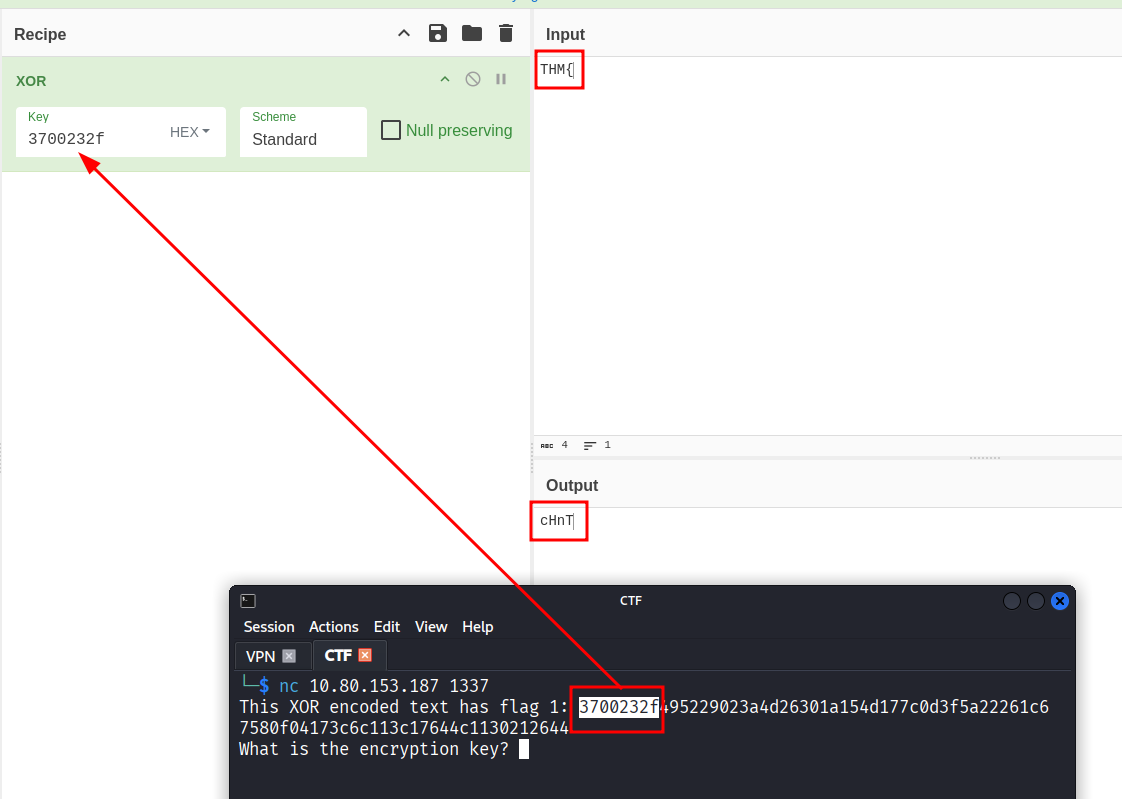
That gives us cHnT in the output. The first 4 characters of our actual server key. The problem is that the key is 5 characters and we still need to find the last one.
To get there, take the full XOR output and put it in the Key field, then put cHnT into the Input field. It should look like this:
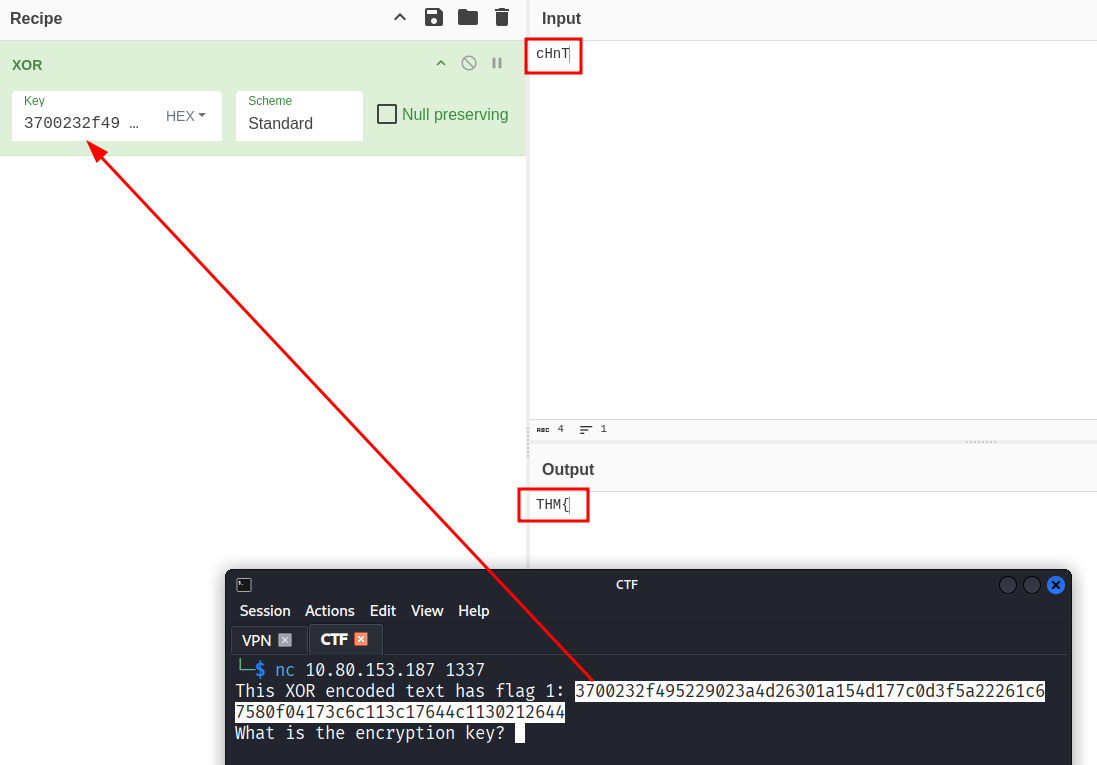
This gives us THM{ in the output, which confirms we’re on the right track.
Why Does This Work?
This is called a known plaintext attack. The idea is simple: if you already know what part of the decrypted text looks like, you can use that to figure out part of the key. Since every TryHackMe flag starts with THM{, we always know the first 4 characters of the plaintext. XOR with the encrypted output and you get the first 4 characters of the key. It sounds fancy but it’s really just XOR working against itself.
Figuring Out the Flag Length
Now we need to figure out how long the first flag is. To do that, add a random character to the end of your input. For example, cHnTa (the a is just a placeholder so we have a full 5 character string).
Start copy pasting your 5 character key over and over in the input field until you see THM{ appear again in the output.
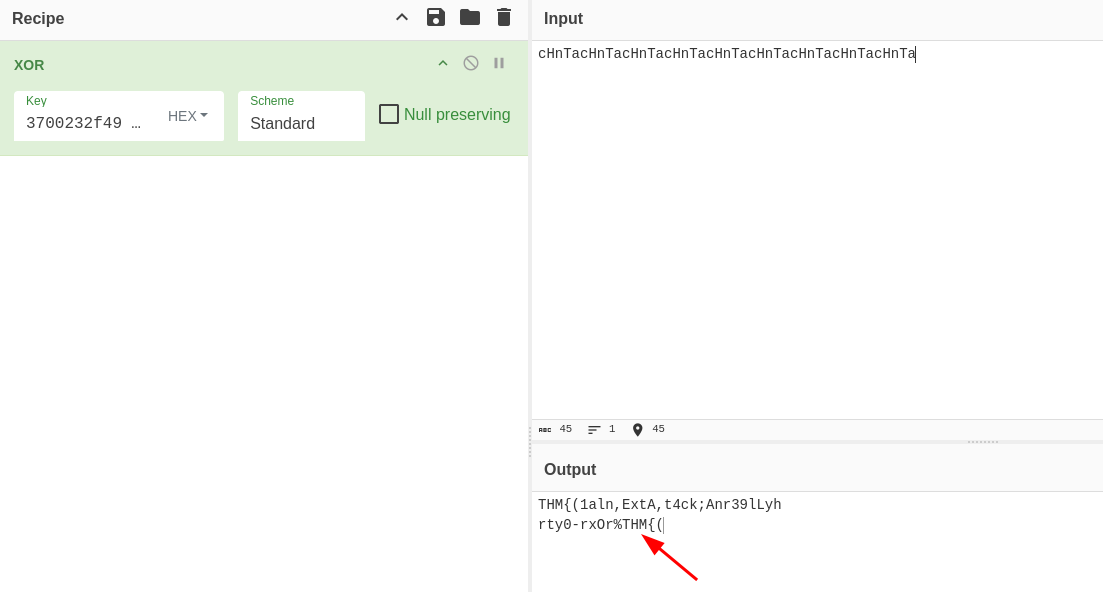
Once it does, delete the last 5 characters. That removes the repeated THM{ from the output. What’s left is exactly the length of the flag.
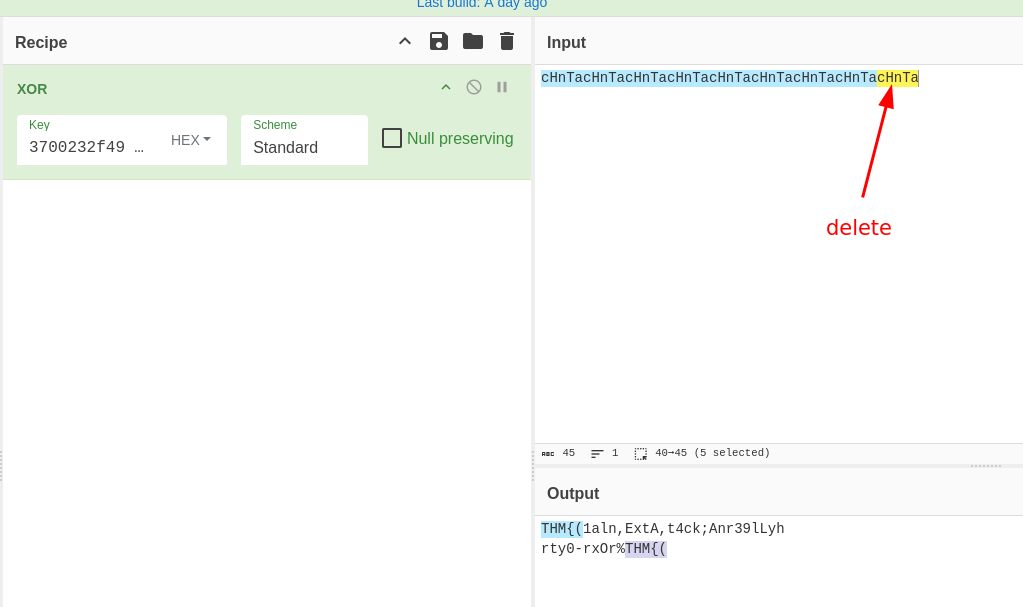
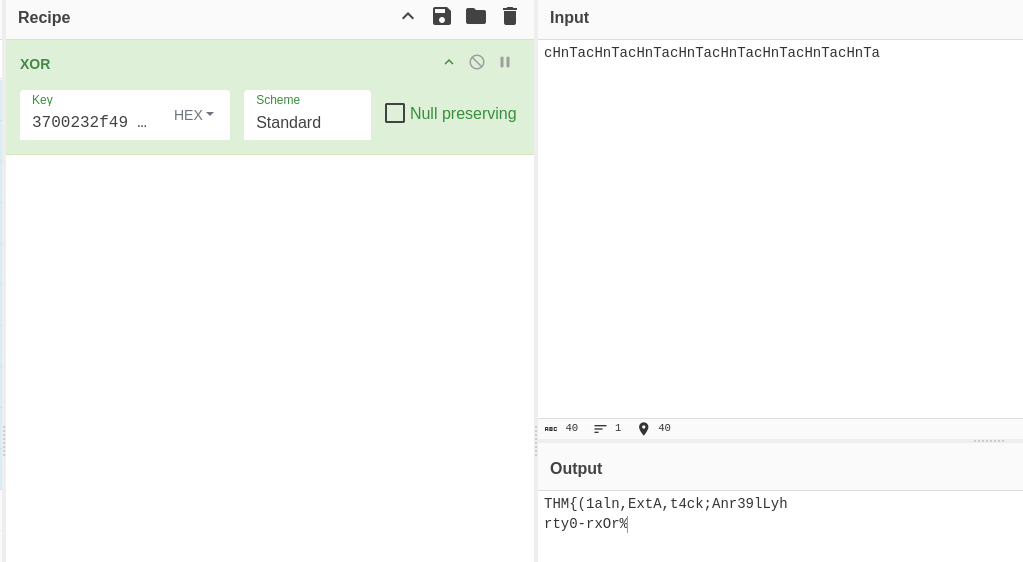
This works because XOR keys repeat in a cycle. If your key is 5 characters long and your plaintext is 30 characters long, the key just loops over and over to cover the whole thing. So if you repeat your key input enough times, the pattern resets and you see THM{ again. That’s where the cycle starts over.
Finding the Last Key Character
We also know that every TryHackMe flag ends with }. We can use that to brute force the last character of the key. Looking at the script, it only accepts letters a-z, A-Z, and 0-9, so we don’t even need a script for this. Start brute forcing your placeholder (in my case a) until you see }.
In my case, the answer was 9.
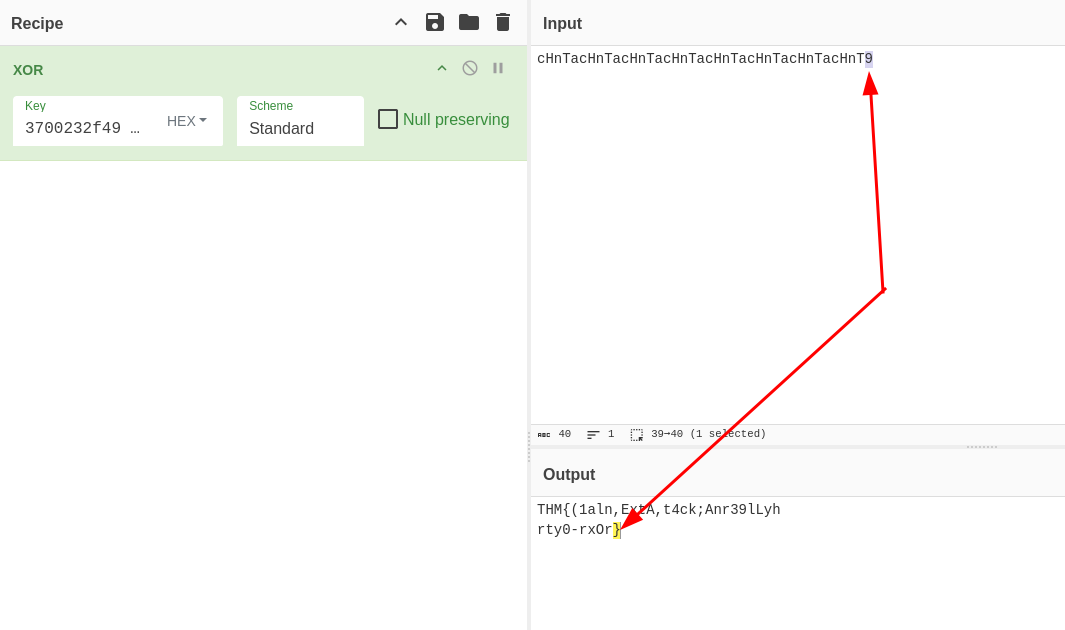
Replace all the placeholder characters you added earlier (the a in cHnTa) with 9, and the full flag appears:
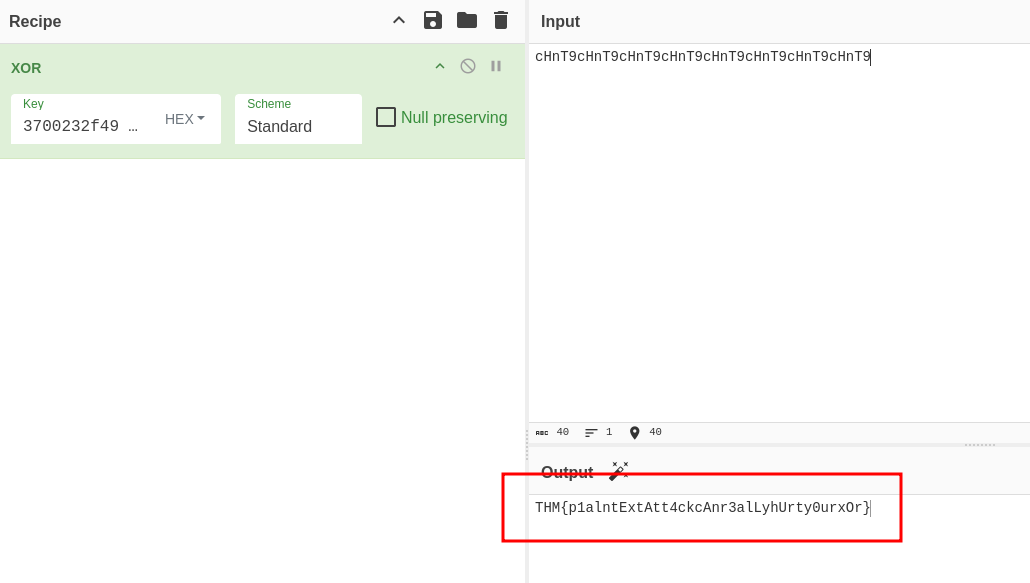
Flag 1: THM{p1alntExtAtt4ckcAnr3alLyhUrty0urxOr}
Getting the Second Flag
For the second flag, we have to enter the encryption key to gain access to the server. My key was cHnT9:
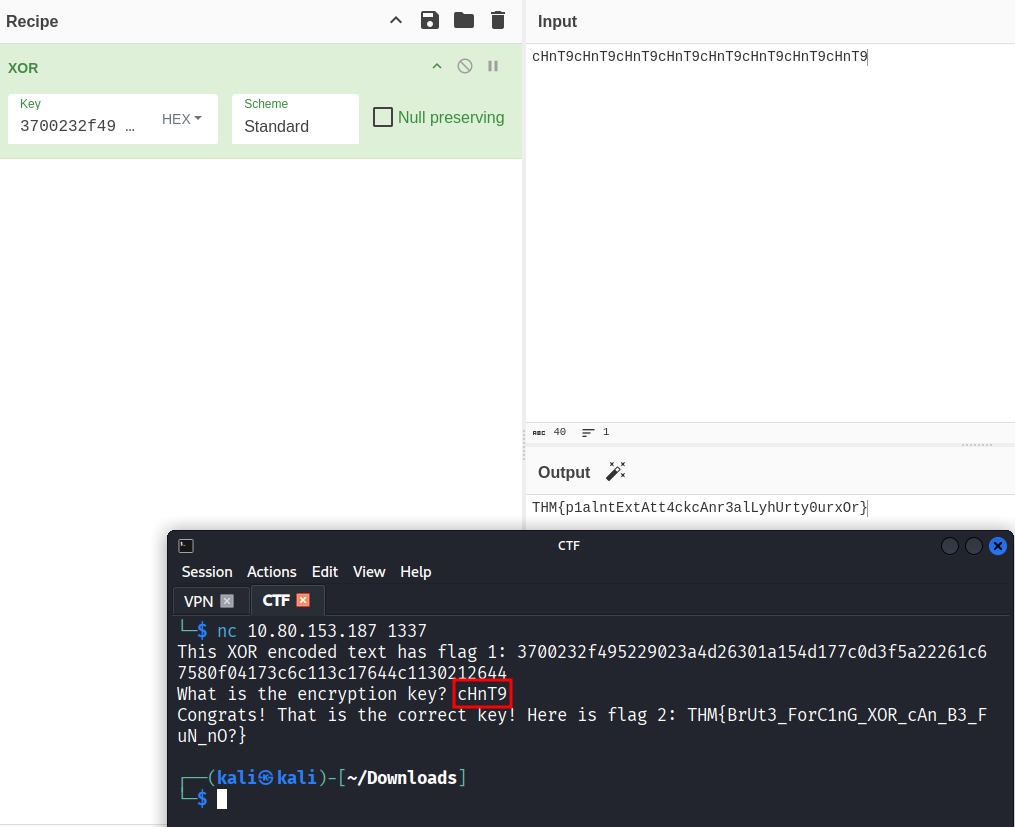
Access granted. The second flag appears:
Flag 2: THM{BrUt3_ForC1nG_XOR_cAn_B3_FuN_nO?}
- If you know any part of the plaintext, you can recover part of the XOR key. This is called a known plaintext attack
- XOR keys repeat in a cycle, which is exactly what lets us figure out the flag length
- Always read the source code when it’s available. Tt told us the key length and character set, which saved a lot of time
- Short keys with a limited character set can be brute forced manually, no scripting required